ALM alternatives key takeaways
- The best Adobe Learning Manager alternative depends on specific training objectives, like complex enterprise needs, and existing system integrations rather than feature comparisons alone
- Extended enterprise training platforms like Docebo enable organizations to create separate branded learning pages for employees, customers, and partners from a single unified system
- Organizations looking to move to a different platform can migrate existing Adobe Learning Manager projects through SCORM packages, though complex animations and custom interactions may require manual adjustments in the new platform
If your organization already lives in the Adobe ecosystem, Adobe Learning Manager (formerly Adobe Captivate Prime) is a natural fit. But for many teams, that tight integration can be a double-edged sword.
If you’re not fully invested in Adobe’s suite, setup can feel complex, and performance can be inconsistent, with some users reporting sluggish load times.
So if you’re exploring alternatives like Docebo that offer more flexibility, powerful integrations, and a smoother user experience without requiring the full Adobe stack, this guide is for you.
We’ll walk you through some of the best options on the market and what makes each worth considering.
Top 12 alternatives for Adobe Learning Manager in 2025 (Snapshot)
| Learning Solution | Best for | Not ideal for |
| 1. Docebo | Scalable, AI learning platform that supports extended enterprise or multiple different audiences | Single use cases with small audiences |
| 2. 360Learning | Collaborative learning and peer-generated content | Deep reporting, multi-tenant setups, or complex integrations |
| 3. Absorb LMS | Flexible learning formats and administrative efficiency | Extensive customization and complex reporting |
| 4. Talent LMS | Compliance, onboarding, and skill development | Enterprises needing multi-instance management, deep analytics, or custom integrations |
| 5. LearnUpon LMS | User-friendly interface and customer support | Advanced automation or highly tailored branding experiences |
| 6. Cornerstone Learn | Enterprise talent management and development | Companies seeking a modern interface with extensive customization |
| 7. Bridge | Ease of course creation and management | Extensive customization and reporting |
| 8. iSpring Learn | Straightforward employee training, compliance, and blended learning programs | Broad customization for multi-tenant environments or advanced AI functionality |
| 9. LearnWorlds | Course creation and monetization | Lots of customization and integration options |
| 10. Litmos | Fast-paced industries like retail or healthcare needing quick deployment for compliance and frontline training | Deep customization, and advanced reporting |
| 11. Seismic Learning | Revenue and customer-facing teams needing enablement tools to train, certify, and reinforce key sales behaviors | Rich content and customization options |
| 12. Thinkific | Entrepreneurs, coaches, and businesses looking to build and monetize online learning programs | Larger enterprises or organizations that need complex learning paths or centralized user management |
Why do people look for an Adobe Learning Management alternative?
With a score of 4.0 stars out of 5 on G2.com, ALM is well received by its users.
In fact, according to Christian W. on Capterra, “Adobe Learning Manager is an incredibly user-friendly, comprehensive e-learning platform that makes it easy to create and manage high-quality online courses.”
Another user said, “Between the various options of learning paths, certifications, and more, we can more rapidly deploy user training successfully.”
Despite the praise, there are several major reasons why some users are considering switching from ALM to another online learning platform. These include the following:
Reason 1: Cumbersome reporting
Robust and easy-to-use custom reporting capabilities are essential for an LMS as they help companies gauge the effectiveness of their online training programs.
These features also help identify learner knowledge gaps and training program areas that need improvement.
However, if the LMS doesn’t do a good job in this department, companies can end up operating in the dark or without sufficient data to make informed decisions.
One ALM user said, “the reporting is pretty terrible, and the overall UX/UI is average.”
Another user also said that ALM’s “reporting could be more streamlined. It can be cumbersome at times to find the information that I’m looking for to report on it.”
Reason 2: Lack of flexibility
LMSs need to provide a high level of flexibility and customization.
These features allow administrators, trainers, and instructional designers to adapt the platform’s UI, content, and features to the specific requirements of organizations to provide personalized learning experiences to their learners.
Flexibility and customization also help with maximizing user engagement by meeting customers’ unique online learning needs.
But as one user puts it, ALM is “an LMS that doesn’t offer customization options or the ability to adapt to specific organizational needs and workflows … [This] may limit its usability and appeal.”
Reason 3: Clunky user management
A professional LMS makes the admins’ lives easier by streamlining and automating many repetitive and time-consuming tasks.
This lets them focus on more important aspects of the e-learning process, such as finding ways of improving the learning experience.
One ALM user said that “managing the user profiles is not as user-friendly as other parts of the system. [For example], removing a user who has left the company makes it very difficult to add back if rehired.”
Another user said, “When working with user lists that are large [or] external user groups, either the users have to create their own profiles or each profile must be created manually.”
While not dealbreakers, these types of issues can cause sufficient frustration among users to lower adoption and learning experience.
Let’s now go over the top 12 alternatives to Adobe Learning Manager in more detail.
Top 12 Adobe Learning Manager alternatives on the market in 2025
If you’re spending more time wrestling with complexity than creating impactful learning, it might be time to look for a new tool. Explore these alternatives to find the right fit for moving beyond content creation and toward strategic learning.
1. Docebo
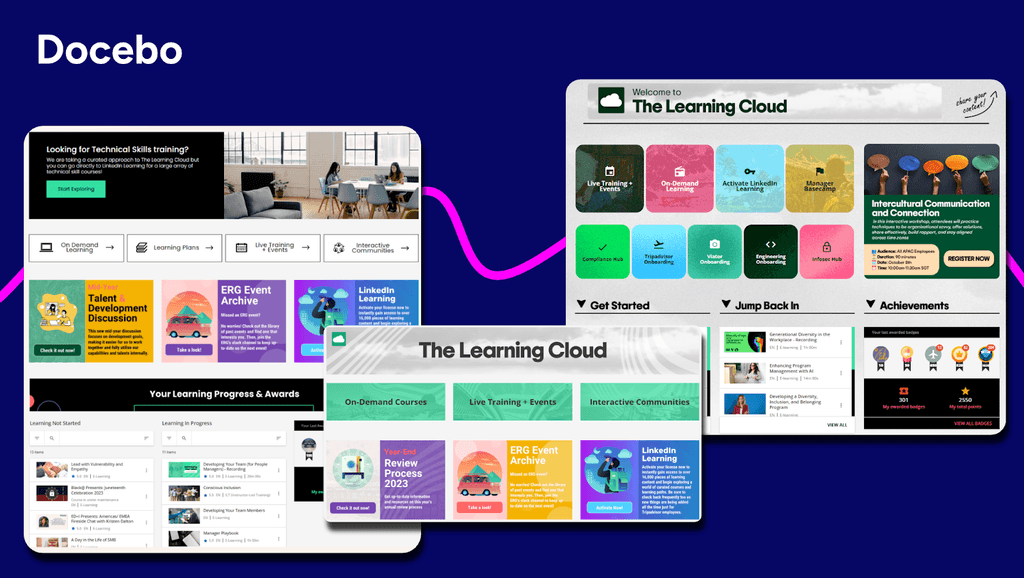
Best suited for: Enterprises seeking a scalable, AI learning platform that supports extended enterprise or multiple use cases with large audiences
About Docebo
Docebo is an enterprise AI learning platform that offers highly scalable, flexible, and customizable learning with powerful integrations, robust automations, and advanced analytics to empower organizations to deliver consistent, trackable, and engaging learning experiences across multiple audiences—from hundreds to millions of learners.
Key Features:
- Headless learning for full control of the user experience
- AI virtual coaching for knowledge checks and elevator pitch practice
- Communities that foster a collaborative learning culture
- AI content creation to keep content fresh and relevant
- eCommerce feature to monetize your learning programs
- White labeling and multilingual support for brand customization
- Advanced analytics with tracking and interactive dashboards
| What users like | What users don’t |
| “I love Docebo’s auto tagging feature, as it systematically tags learning content, enhances organization and searchability, saves time, and boosts learner efficiency significantly.” — Lomi S. “What I appreciate most is the ability to design personalized learning experiences tailored to our various personas. This approach transforms learning into a meaningful journey, rather than just a task we are required to complete.” — Melissa K. | “The learning curve to fully build the system takes a little bit of time.” — Concepcion T. |
2. 360Learning
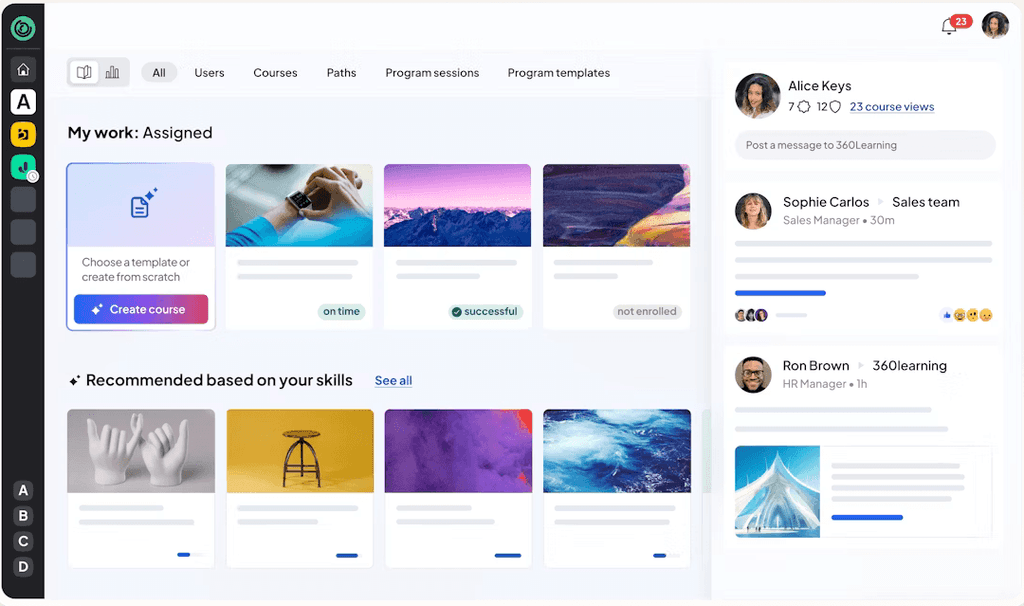
Best suited for: Businesses looking for collaborative learning and peer-generated content
About 360Learning
360Learning is a collaborative learning platform built around the idea that the best learning comes from within your organization. Rather than relying solely on top-down training, it is built to allow subject-matter experts to create, share, and improve learning content together.
Key Features:
- AI content creation with collaborative functionality
- Social learning features like discussion forums, reactions, and comments
- Social learning capabilities including discussion forums and peer feedback
- Mobile support for on-the-go training access
- Gamification features with points, achievements, and badges
| What users like | What users don’t |
| “From implementation until now, we have been fully supported by the team.” — Laura F. “The tool is very easy to use. The platform is interactive, gets straight to the point, and truly makes you want to learn.” — Lea L. | “I experienced limitations with the template options in 360Learning. Specifically, I was unable to make certain adjustments suggested by my end users because the templates could not be edited to enhance visibility or emphasize certain content.” — Janet S. “I noticed that while 360Learning is quite comprehensive and intuitive, it currently lacks the option to conduct live role-plays with AI, which could enhance the training experience.” — Nora S. |
3. TalentLMS

Best suited for: Small to mid-sized organizations looking for a straightforward, easy-to-implement LMS for employee onboarding, compliance, and skills training.
About TalentLMS
TalentLMS is a cloud-based LMS built for fast implementation and for managing, delivering, and tracking training programs for employees.The platform supports both formal and informal learning, making it a practical option for organizations focused on simplicity and speed.
Key Features:
- AI content creator for fasting course generation
- AI test creator based on generated content
- Skills mapping to organize training by skill
- AI coach to practice on learned content
- AI content companion providing suggestions as you write content
- AI translator to translate content into 40+ languages
- TalentLibrary with 1,000+ ready-made courses
| What users like | What users don’t |
| “Talent LMS is that it’s simple to manage, uploading courses, assigning them, and tracking completions is easy.” — Anusha P. “TalentLMS has been easy to set up and manage and most of all it is easy for users to sign up. We also appreciate the chat support function when we need customer service. TalentLMS staff is great!” — Angelica O. | “Reporting capabilities are very basic. Creating courses also uses the most basic of software so not as dynamic learning as would like.” — Shani M. “Some of the AI functionality can be improved upon. There were instances where the translation of our content did not hit the mark and it would be helpful to provide the tool some prompts regarding our industry and audience to generate better text. The branches feature also feels a little clunky.” — Katrina L. |
4. Absorb LMS
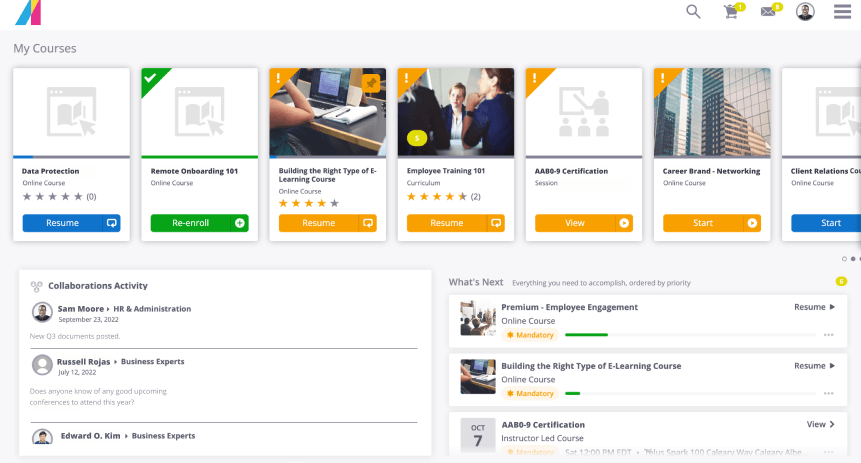
Best suited for: Enterprises looking for flexible learning formats and administrative efficiency
About Absorb LMS
Absorb LMS is a cloud-based LMS designed for usability and scale. With Absorb LMS, you can help streamline learning management for multiple audiences (employees, customers, and partners) as your business grows.
Key features:
- Absorb Skills, an AI feature for personalized recommendations
- AI-powered course authoring to expedite content creation
- Headless learning for greater control over the user experience
- Absorb engage to solidify knowledge retention through social learning and gamification
| What users like | What users don’t like |
| “The user experience is intuitive, allowing learners to engage with content easily and efficiently.” — Timothy S. “What I like best about Absorb LMS is how user-friendly and intuitive the platform is—both from an admin and learner perspective. “ — Candace R. | “Overall, while Absorb LMS is efficient and organized, it would benefit from greater flexibility, faster performance, and improved customization for both learners and administrators.” — Rosetta B. “Reports tend to be somewhat inflexible when it comes to customization. Learner Progress reports do not update when new Courses are added to the system, requiring a lot of manual updating.” — Carl A. |
5. LearnUpon

Best suited for: Business mainly prioritizing a user-friendly interface and customer support
About LearnUpon
LearnUpon is an LMS built to train multiple audiences while delivering distinct learning experiences, whether it’s an employee, a customer or a partner. It’s designed to grow with your business and simplifies complex tasks like managing certifications.
Key features:
- Course builder equipped with different templates
- Multiple portals tailored to different audiences like employees, franchisees, and suppliers
- Gamification like points, achievements, badges to engage learners
- AI assistant to surface relevant recommendations
| What users like | What users don’t like |
| “Extremely positive experience for users, admins and customers. Integrates everyday business software with the LMS for easy admin, and the new UI makes for an intuitive learner experience.” — Siobhan W. “I appreciate that the system is easy to navigate for our end users. It is intuitive and allows them to move through their learning independently.” — Heather D. | “I would love more options for reporting.” — Jess M. “At the moment, the thing that I less like from LearnUpon is the number of clicks to get to the content you are looking for. I’d love just to type the course or keywords and find the content I’m looking for, instead of choosing where to perform the search (Courses vs Catalog vs Users vs Groups).” — Carlos M. |
6. Cornerstone Learn
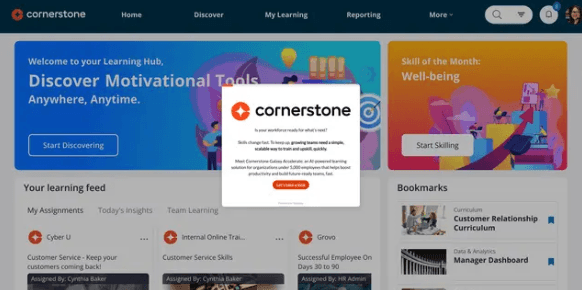
Best suited for: Enterprises looking for an LMS that focuses on talent management and development
About Cornerstone Learn
Cornerstone is an enterprise-grade LMS designed to handle the complex talent and compliance needs of large organizations. It offers the advanced features needed for large-scale deployments, from global compliance tracking to integrated talent management.
Key features:
- AI-driven personalized learning paths to tailor the user experience
- AI-powered job matching to optimize hiring and internal mobility
- AI Skills Transformation that maps job roles to skills and identifies skill gaps
- AI Text Generation to refresh learning content
| What users like | What users don’t like |
| “Reporting capabilities are expansive, but at times, data needs to be exported to create advanced dashboards. “ — Jennifer C. “Good for administering compliance training, which is what we mainly use it for, although we are trying to encourage more usage for career/professional development purposes.” — Joann V. | “Most people writing reviews about Cornerstone are not end-users (learners). Learners suffer horribly in Cornerstone.” — Michael A. “Highly clunky user experience. “ — User in Human Resources |
7. Bridge LMS
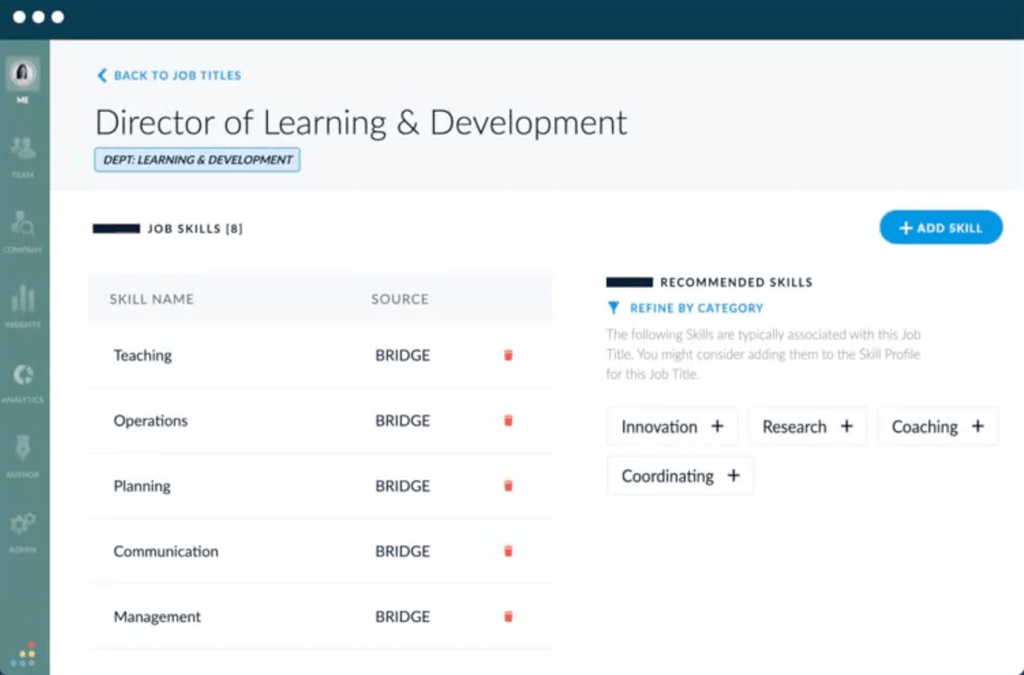
Best suited for: Organizations seeking ease of course creation and management
About Bridge
Bridge is an LMS mainly built for employee training, though it can also be used for other audiences. It’s designed for both learning and skills management.
Key Features:
- Skills management with AI based auto-tagging to personalize learning
- Performance management for performance reviews]
- Engagement survey creation to track how learning is going
- Course authoring to turn PowerPoint and Google slides into courses
| What users like | What users don’t like |
| “The user-friendliness of Bridge is notable, and it allows not just me, but others within the company to manage and use it effectively without requiring specialized training.“ — Bobbi M. “It’s so easy to use and navigate.“ — Amanda R. | “The interface is not very user friendly, pulling reports is difficult, finding and uploading the free Bridge courses was difficult, employees tend to have issues with resetting their passwords, etc.” — Destiny S. “There could be more customisable functions/text in areas of the UI and branding in my opinion.” — Richard G. |
8. iSpring Learn
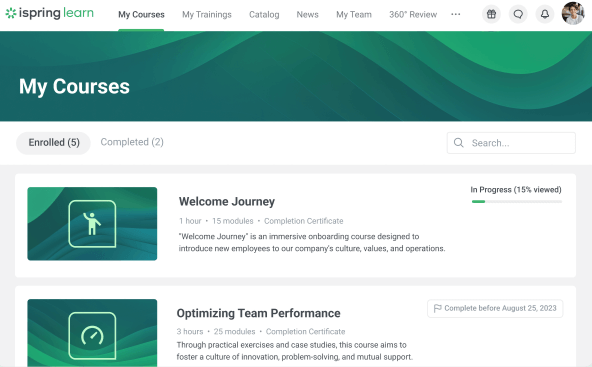
Best suited for: Business looking for an LMS that can deliver straightforward employee training, compliance, and blended learning programs
About iSpring Learn
iSpring Learn is an LMS built for employee training and content creation. If your team lives in PowerPoint, iSpring Learn’s authoring product, iSpring Suite, offers a familiar environment for creating eLearning content quickly. You can transform presentations into interactive courses, complete with quizzes, video lessons, and dialogue simulations.
Key Features:
- iSpring Suite product that enables course authoring from PPT, DOC, PDF and more
- Social learning features like a built-in chat and newsfeed
- Gamification functionality
- Skills mapping to track skill gaps
| What users like | What users don’t like |
| “The software is easy to operate, and the support team is very helpful and efficient – whenever I have any questions, I receive quick and professional assistance.” — Anna K. “I am impressed with the very quick assistance.” — Justina N. | “The downsides for iSpring Learn is that I’ve found limitations with the reporting capabilities.” — Emma M. “We would like ‘some’ ability to customize some features to match the uniqueness of our organization.” — Angela J. |
9. LearnWorlds
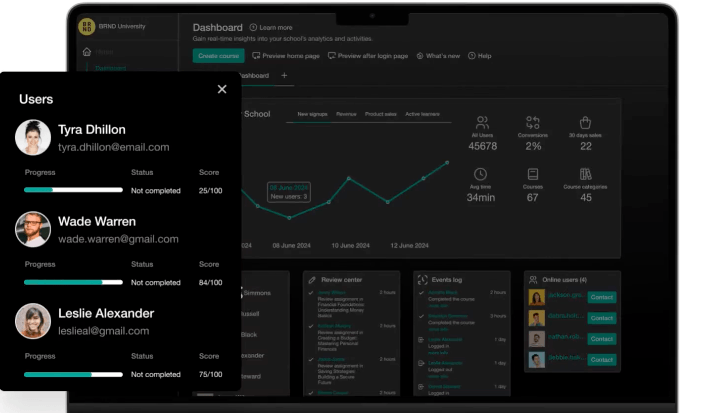
Best suited for: Business looking for an LMS offering course creation functionality and a way to monetize their learning programs
About LearnWorlds
LearnWorlds is built for creating and selling online courses, making it ideal if you’re looking to monetize your content. You can build a full-fledged digital storefront and enhance your courses with interactive video, quizzes, and social learning forums.
Key Features:
- AI assistant to refine course creation
- AI-generated assessment builder to test learner’s knowledge
- Website builder for web-hosted learning programs
- eCommerce functionality to unlock a new revenue stream from learning
- Custom user roles to better control permissions
| What users like | What users don’t like |
| “As someone who tests software, I appreciate how reliable and well-built the platform is. The course builder is intuitive, and the video hosting is fast and seamless.” — Hermant R. “This platform is very well organized and user-friendly.” — Dilnoza M. | “Wish there were additional incentives or badges relating to course completion as opposed to just community discussions.” — Brittnie W. “Setting up a truly multilingual experience is a bit difficult since you cannot upload a whole file of translated keys but have to enter them manually.” — Janis K. |
10. Litmos
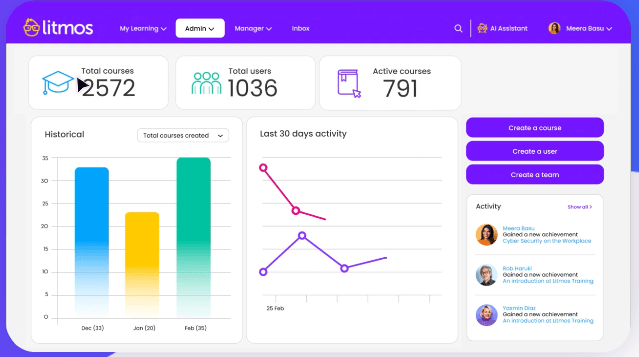
Best suited for: Fast-paced industries like retail or healthcare needing quick deployment for compliance and frontline training
About Litmos
Litmos is an LMS designed for quick implementation and training multiple audiences. It is especially suited for compliance training and remote workforces.
Key features:
- AI content authoring to quickly refresh content
- Off-the-shelf content libraries offering with 98,000+ ready-made courses
- Social learning features to foster collaboration
- eCommerce functionality to monetize learning programs
| What users like | What users don’t like |
| “Litmos simplifies the process of creating content, assigning it to delegates, and monitoring their progress. While it isn’t perfect, the team is dedicated and always working to assist users, and the platform is continually getting better.” — Paul T. “I really appreciate the wide range of training offerings that Litmos provides, which is why we selected it. “ — Barbara V. | “There isn’t anything specific to dislike about Litmos, but there are a few areas where enhancements could make administration even more efficient. For instance, introducing more automation options across reporting, bulk data imports, and learner progress updates would help streamline repetitive tasks.“ — Poornima V. “Reporting is extremely weak and clunky, often frustrating or requiring large amounts of manual labor to get the results I want.” — Michael S. |
11. Seismic Learning
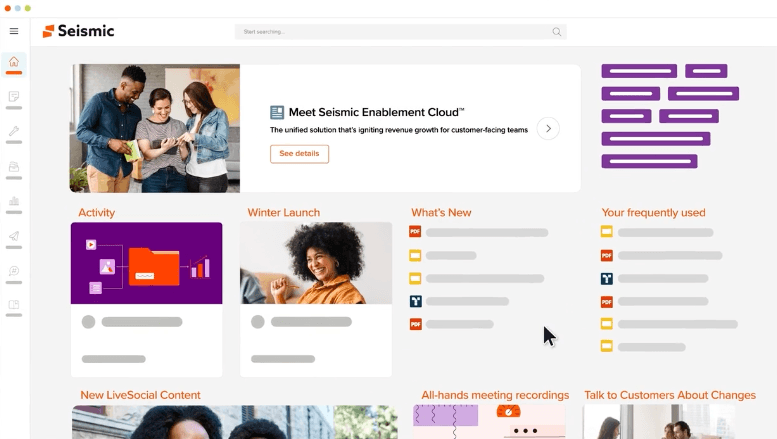
Best suited for: Revenue and customer-facing teams needing enablement tools to train, certify, and reinforce key sales behaviors
About Seismic Learning
Seismic Learning is a training solution designed specifically for customer-facing teams like service, sales, and support staff and built to solidify knowledge, and build confidence.
Key features:
- AI-driven content management and library for relevant, up-to-date content
- AI-guided coaching to build confidence
- AI meeting assistant to summarize a call’s main points and optimize follow-up
- Digital sales rooms where buyers and sellers can communicate
| What users like | What users don’t like |
| “Easy to use, on both the Admin and Learner. Customer Support is always fast and helpful if needed. “ — Mackenzie W. “Seismic Learning is very easy to use and presents a simple UX for end-users, integrated within their usual Seismic environment. For admins and content managers, it definitely eases the work of creating engaging content.” — Romain B. | “Some advanced functionality is currently missing but being developed like AI Coaching and more content automation.” — Todd M. “A little less customizations than we would prefer.” — Mark K. |
12. Thinkific
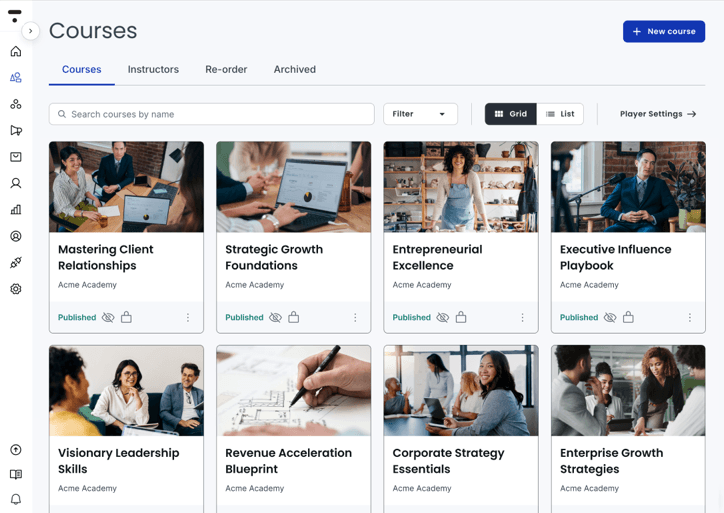
Best suited for: Entrepreneurs, coaches, and businesses looking to build and monetize online learning programs
About Thinkific
Thinkific makes it easy for you to create, market, and sell your own online courses without needing deep technical skills. Its drag-and-drop builder and customizable templates help you launch a professional-looking course quickly.
Key features:
- Course creation tools to generate content fast
- Branded mobile app for learning on the go
- Email automation to streamline your communications
- Communities feature for open communication and brand cohesion
- Automations for admin tasks like taxes
- eCommerce tools to sell your courses
| What users like | What users don’t like |
| “Very customizable. It orders our content well and is very professional.” — Isaac R. “The level of customer support is frankly incredible.” — Jake S. | “Too Many Limitations — size of SCORM file limited to just over 1 gig.” — French H. “Would like to see improvements with creating engaging content within the app without using a 3rd party and reporting. Sometimes it takes a while (i.e 1 day) for support to return a response depending on time difference.” — Hospital and Health Care User |
How to choose the best Adobe Learning Manager equivalent
Even though the process of selecting an ALM alternative can seem daunting, companies should take into account some key LMS requirements.
Make sure to keep the following factors in mind whenever you’re in the market for a professional LMS.
- Pricing: Assess each tool’s pricing model so that it aligns with your budget and long-term scalability plans. Keep an eye out for any potential hidden fees that can affect the overall cost of implementation.
- Integrations: Try to prioritize LMS platforms that offer plenty of third-party integrations with tools that already exist in your tech stack.
- Support: Don’t neglect the customer support aspect of your future LMS. You need to have a team of professionals who can help you with whatever problems may arise while using the platform.
- Use cases: Make sure the LMS is designed to cover your specific use cases, be it employee onboarding, upskilling, reskilling, sales enablement, compliance training, etc.
- Analytics and insights: The LMS should have robust analytics and reporting capabilities that track learner progress and important e-learning metrics. These features provide important insights into your training programs and help with decision-making.
- Engagement tools: Features like gamification and social learning capabilities help with learner engagement, collaboration, and knowledge sharing, and can foster a learning-centric business environment.
- Personalized learning features: Many modern LMSs include features like adaptive content delivery and personalized learning paths that are critical for catering to individual learning needs.
- Multiple content formats and learning types: To ensure engagement, accessibility, and knowledge retention, the LMS needs to include multiple content formats (i.e. video, audio, webinars, learning pills, etc.) and different learning types like blended, multimodal, microlearning, and instructor-led training capabilities.
Accelerate training adoption and ROI with a modern LMS
You know your training program is falling short when new hires take months to get up to speed and your budget is stretched thin by travel and instructor costs. Imagine cutting that ramp-up time to just weeks while saving over $1.5 million. That’s exactly what KCF Technologies did by modernizing their learning strategy with Docebo.
Ready to see how you can transform your own training ROI? Book a demo today and discover what’s possible when your learning strategy gets a modern upgrade.
FAQs about alternatives to ALM
Can I migrate my old ALM projects to Docebo without losing animations?
Yes, you can migrate projects by importing SCORM packages, but complex animations and custom interactions may require manual adjustments in the new tool.
Which Adobe Learning Manager alternative supports extended enterprise training?
Platforms designed for the extended enterprise allow you to create distinct, branded learning portals for different audiences like customers and partners from a single system.
Are Adobe Captivate alternatives suitable for microlearning?
Yes, most modern alternatives are ideal for microlearning as they are built with mobile-first design and provide analytics to track engagement with bite-sized content.


