


Litmos alternatives: 14 best competitors compared for 2026
Key takeaways:
- Reporting and analytics limitations are one of the biggest reasons teams look for Litmos alternatives, making it difficult to prove ROI and inform strategic decisions.
- Many organizations also outgrow Litmos as their learning programs scale, especially when supporting multiple audiences and more complex training needs.
- Automation, integrations, and customization become essential at scale, and gaps in these areas can significantly increase manual work and admin burden.
- The best Litmos alternative depends on your priorities, whether that’s collaboration, compliance, sales enablement, course monetization, or enterprise-scale learning.
- Enterprise platforms like Docebo stand out for organizations that need flexibility, advanced analytics, and extended enterprise training.
- Choosing the right LMS replacement is less about feature volume and more about finding a platform that fits your workflows, integrates with your tech stack, and grows with your business.
Introduction
LMS migration isn’t easy, but it should be worth it. This guide is designed for those seeking a learning platform that grows with their organization, supports strategic decision-making, and delivers a modern learning experience.
In this article, we’ll break down the top reasons teams consider switching from Litmos to LMS or learning platforms like Docebo’s. Here’s a sneak peek.
Top 14 alternatives to Litmos in 2026
| Company | Best for | Not ideal for | Why it’s a good alternative |
| Docebo | Enterprises and organizations with multiple audiences looking to deliver an engaging and effective learning experience that strengthens their business | Smaller organizations with narrow audience requirements | Docebo is highly scalable, customizable and has robust reporting and analytics to prove the ROI of learning |
| Absorb LMS | Organizations looking for a user-friendly LMS with excellent support | Reporting and customization | It’s intuitive, making things easy to find, and support is always at the ready |
| 360Learning | Businesses mainly seeking a collaborative learning platform | Customization | It’s easy to create courses and find support |
| LearnUpon | Teams that want to train multiple audiences | Customization and integrations | It may have better reporting based on less complains about it in G2 |
| TalentLMS | Companies looking for an LMS that’s easy and quickly to set up | Reporting and customization | It’s known for its ease of implementation, customer support and course creation |
| iSpring LMS | Teams looking for an LMS that focuses on course creation | Customization and integrations | It has easy-to-use course creation capabilities |
| EducateMe | Content centralization and engaging learning experiences | Customization | It is praised for its content quality and customer support |
| Cornerstone Learn | Enterprises seeking a compliance- and employee training-focused LMS | Modern UI and integrations | More solid reporting capabilities |
| Tovuti LMS | Organizations looking for a flexible, scalable LMS with a focus on compliance and employee training | Customer support and navigation | People like that it’s customizable and has good customer support |
| Seismic Learning | Businesses seeking a platform that focuses on sales enablement | Content and customization | Its ease of use |
| Moodle | Open-source flexibility for full control over customization and hosting | Businesses without a dedicated IT department to learning | It’s highly customizable |
| Canvas LMS | Educational institutions and academic learning environments | Enterprises, customization | Its ease of navigation |
| LearnWorlds | Creating, marketing, and selling online courses | Scalability and customization | Its ease of course creation |
| Sana Learn by Workday | Organizations that use Workday | Non-Workday users | Its AI integration and automations |
Before we dive into each with more detail, let’s address why organizations look for alternatives to Litmos.
Why look for an alternative to Litmos
Litmos software is a widely-used LMS trusted by organizations around the world. But many G2 reviewers point to issues in reporting, preventing them from proving ROI to their stakeholders, or slowing them down due to manual work. Here’s what G2 reviewers had to say about Litmos.
1. Issues with reporting and analytics
Reviewers say that reporting is not as intuitive and requires much manual work. They also say that it could be more customizable and better visualized with personalized dashboards.
“The reporting tab is not as intuitive and requires a lot of configuration to deliver reports. Tracking specific custom fields and analyzing learner data is a lot more work than it should be.” — Bhanu V.
“Reporting and analytics are good but could be more customisable with personalised dashboards.” — Ben C.
“There isn’t anything specific to dislike about Litmos, but there are a few areas where enhancements could make administration even more efficient. For instance, introducing more automation options across reporting, bulk data imports, and learner progress updates would help streamline repetitive tasks. Additional flexibility in customizing dashboards and generating consolidated analytics reports would also be a great value add for large-scale enablement programs.” — Poornima V.
“One area that could benefit from enhancement is platform utilisation tracking within the admin reporting suite. While Litmos offers a range of reports, more granular visibility into how learners engage with the platform would empower admins to make more data-driven decisions and better demonstrate ROI to Senior Stakeholders and Leadership.” — Kira S.
“Reporting is extremely weak and clunky, often frustrating or requiring large amounts of manual labor to get the results I want.” — Michael S.
2. Automation, customization and integration challenges
When you’re trying to scale learning, automation and integrations aren’t “nice to haves”, they’re how you survive. Once you’re supporting multiple audiences, employees, customers, partners, doing things one learner at a time just isn’t realistic. You need the ability to manage enrollments, updates, and communications in bulk, otherwise admin work quickly eats up all your time.
Integrations matter just as much. Your LMS shouldn’t live on an island. It needs to connect seamlessly with the tools your people already use so learners can access training in the flow of work and admins aren’t constantly jumping between systems to get basic tasks done.
And then there’s customization. A one-size-fits-all experience might work early on, but it doesn’t hold up at scale. Different audiences need different experiences. Thoughtful customization helps learners quickly understand what’s relevant to them, keeps engagement high, and reinforces a consistent, intentional brand experience across every learning environment.
“I find it cumbersome to update courses across multiple instances, as it requires going into each individual course. With a large number of instances, this becomes a tedious process. Additionally, the current setup for certificates could be improved to work across entire instances rather than just at the course level. I also think branding could be more intuitive; it would be more efficient if it were possible to set up branding based on teams without needing to go through rules, allowing for a more automated experience.” — Taylor D.
“The downside of Litmos based on my experience is that customization is limited” — John Peter A.
“I found setting up Litmos challenging due to our organization’s large size and unique structure. Customizing roles and permissions was particularly difficult, especially with the various levels of permissions needed for different types of employees, including volunteers versus regular staff. There are also differences in roles and permissions based on job duties rather than positions.” — Verified user in public safety (Enterprise)
“The Google Calendar integration for the ILT courses has been problematic. We have not yet been able to use this feature as intended. We are still in the process of troubleshooting, but this issue has delayed our efforts to reduce the manual work involved with ILTs.” — Laura S.
Now that we understand some of its limitations, let’s take a look at the top alternatives in the market right now in more detail.
Detailed overview of the top 14 Litmos alternatives on the market
1. Docebo
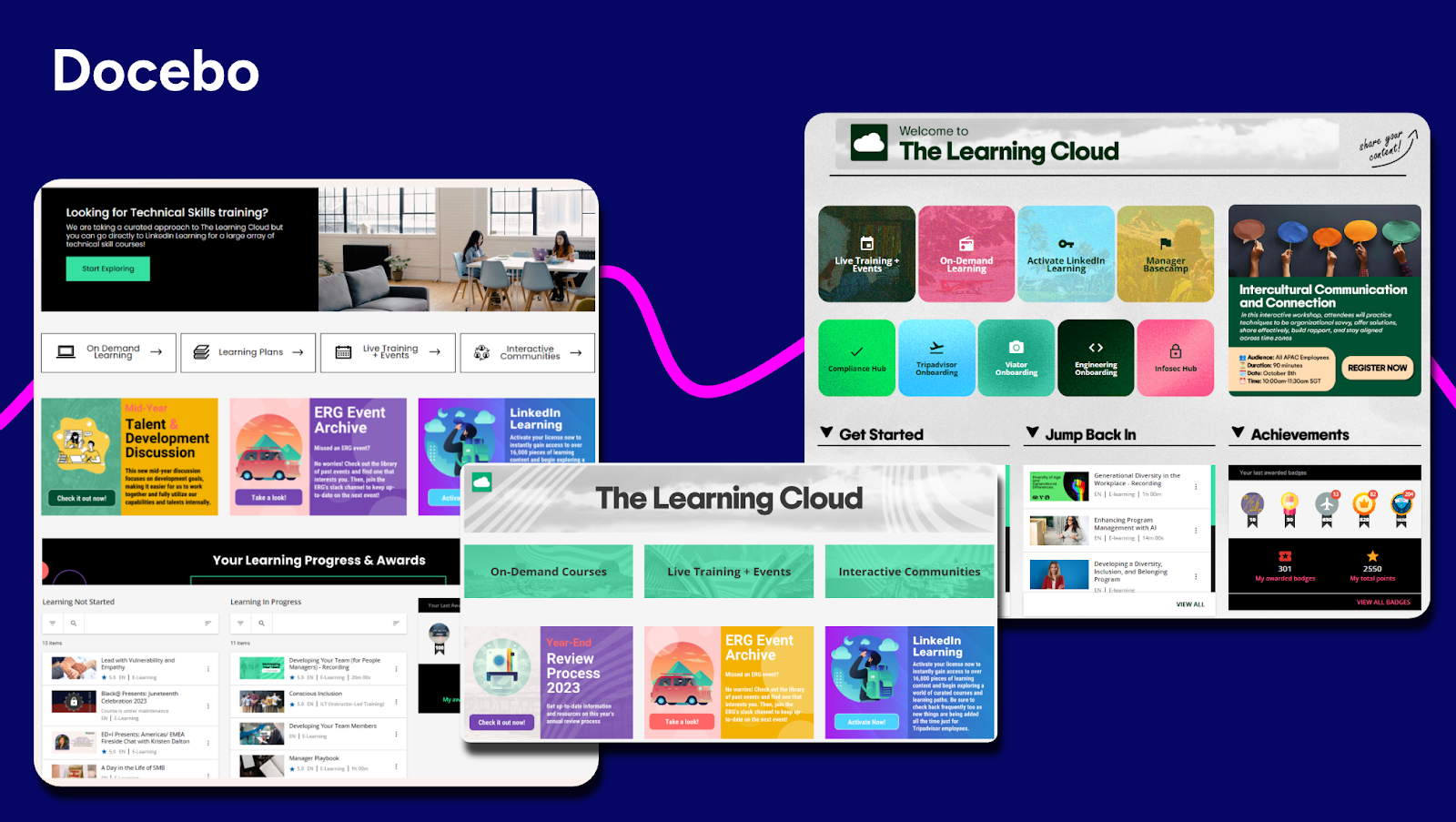
Best for: Enterprises and organizations with multiple audiences looking to deliver an engaging and effective learning experience that strengthens their business
About Docebo
Docebo is an enterprise AI learning platform that is highly scalable, flexible, and customizable. Made to train multiple, diverse audiences, Docebo excels at delivering AI-driven personalized learning with robust reporting and analytics to prove the business impact of learning.
Key Features:
- AI authoring for fast course creation and content generation
- Advanced analytics and reporting to measure the business impact of learning
- Seamless integration with existing enterprise systems for smooth user management
- Extended enterprise capabilities supporting employee, customer, and partner training
- Headless learning delivery to embed learning anywhere from websites to apps and portals, while maintaining full brand control
- Mobile app to meet learners wherever they are
- Integrations with video conferencing tools like Zoom, MS Teams, GoToWebinar and more.
- Multilingual and multi-tenant support ideal for global learning programs
User reviews:
“I find Docebo’s rapid implementation and out-of-the-box configuration most useful for me. The platform provides sensible defaults for courses, users, and navigation, allowing training programs to launch quickly. I appreciate the scalability and deeper customization options it offers, as well as a more polished overall learning experience. The initial setup was quite easy and fundamental.” — Polo S.
“I am in Docebo daily and find it very user friendly, easy to navigate and I can easily find what I’m looking for.” — Cindy S.
“I like Docebo’s custom mobile apps and multi-device support, which are mostly used for mobile. It allows learners to access courses, videos, notifications, and learning plans from their smartphone or tablet, providing true flexibility and driving higher engagement. The initial setup was quite easy and didn’t take too long.” — Mary R.
“I am using Docebo to track learners’ progress, which makes it easy to identify who the lazy learners are. I like how Docebo tracks progress using insights. It has made it easy for me to know which content satisfies my learners and work on addressing their weaknesses. Before, it was hard for me to check my learners’ progress, but now I can easily track them while they are learning. It helps me see if the content or quizzes are complicated and saves me a lot of time that I used to spend checking reviews and learners’ reactions.” — Imad G.
2. Absorb LMS
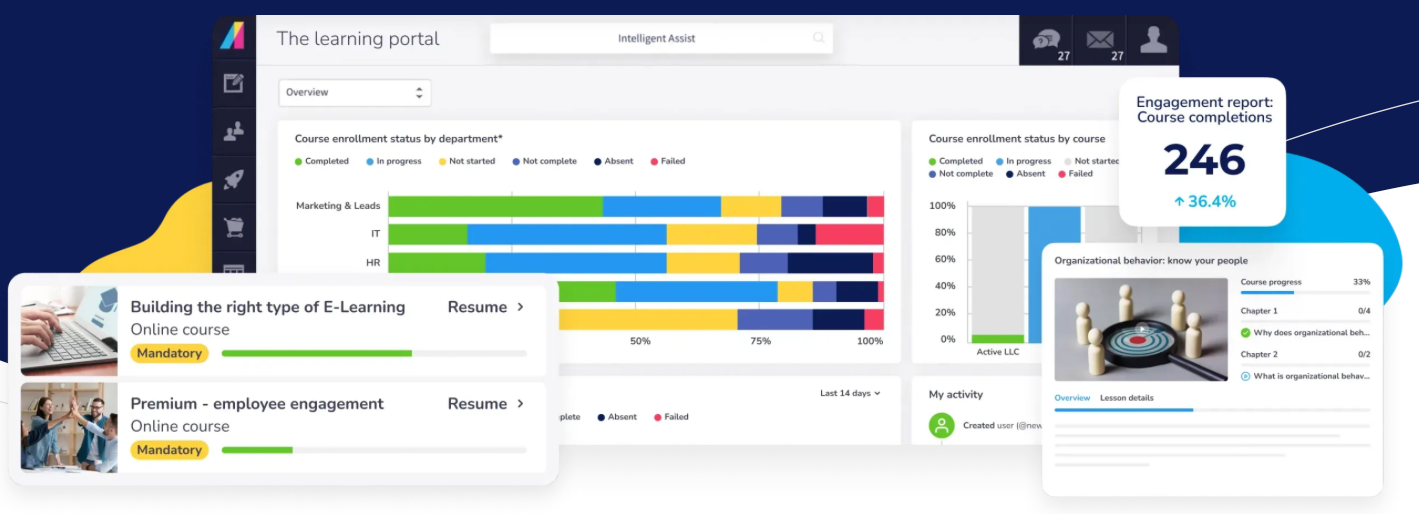
Best for: Organizations looking for a user-friendly LMS with excellent support
About Absorb LMS
Absorb LMS is a learning solution that helps organizations deliver training, and manage compliance. Its intuitive design and great customer support is often praised in G2.
Key Features:
- AI-powered content generation and adaptive learning
- Reporting and analytics with learner tracking
- White labeling and multilingual support for brand consistency
- Social learning and gamification to engage learners
User reviews:
“Absorb has a clean, intuitive navigation for the user and the admin, both, which helps since I use it multiple times a day.“ — Angie B.
“One of the things I like best about Absorb is the amount of support that’s provided. Onboarding and training was very simplified and those made using the program very intuitive.” — Aaron L.
“What I dislike about Absorb LMS is that while it’s generally user friendly, some functions can be confusing or take multiple steps to complete. The least helpful aspect is the limited customization available for course layouts and reporting, which can restrict how information is displayed or tracked. Additionally, some users experience slow load times, especially when accessing larger courses or data heavy reports.” — Rosetta B.
“Reports tend to be somewhat inflexible when it comes to customization. Learner Progress reports do not update when new Courses are added to the system, requiring a lot of manual updating.” — Carl A.
3. 360Learning
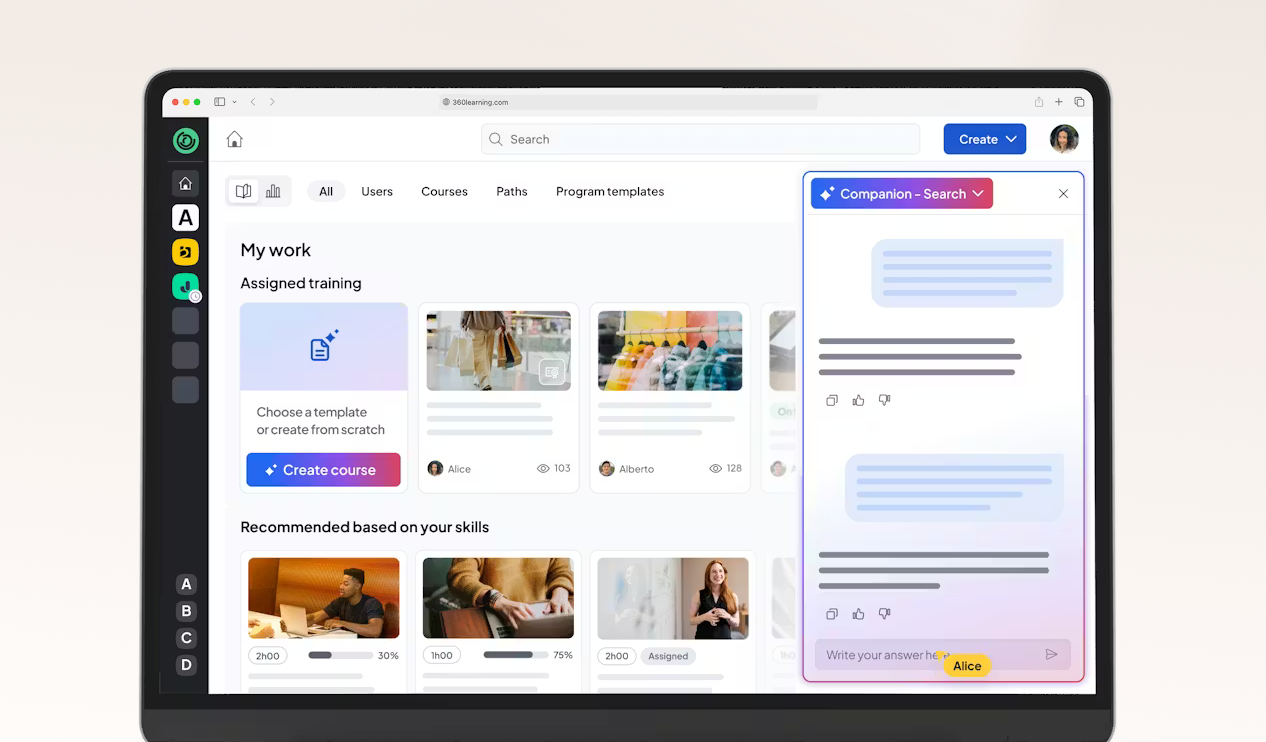
Best for: Businesses mainly seeking a collaborative learning platform
About 360Learning:
360Learning is an LMS with collaborative learning features that enable peer feedback and user-generated content. With it, organizations can create, deliver, and track training programs while fostering knowledge sharing across teams.
Key Features:
- AI-powered content generation and course Builder with templates and assessments
- Social Learning capabilities for peer collaboration and feedback
- Gamification elements including points, achievements, and badges
- White Labeling for custom branding
User reviews:
“I find 360Learning easy to use for creating training content without needing expertise in training creation. I like the collaboration aspect of the platform, especially the forums, ratings and reports; and the ability to share insights.” — BichTram (Ellen) Q.
“Although efforts have been made recently, I find it unfortunate that we still cannot further customize the platform, especially the groups. For example, we have two different brands present on the platform, but it is impossible for us to have two colors on the platform.” — Mathilde C.
“I like that 360Learning is easy to use; we don’t need to train our end users on how to use the platform. It’s easy for content creators to design content, even from a PDF or PowerPoint.” — Marie B.
“I noticed that while 360Learning is quite comprehensive and intuitive, it currently lacks the option to conduct live role-plays with AI, which could enhance the training experience.” — Nora S.
4. LearnUpon
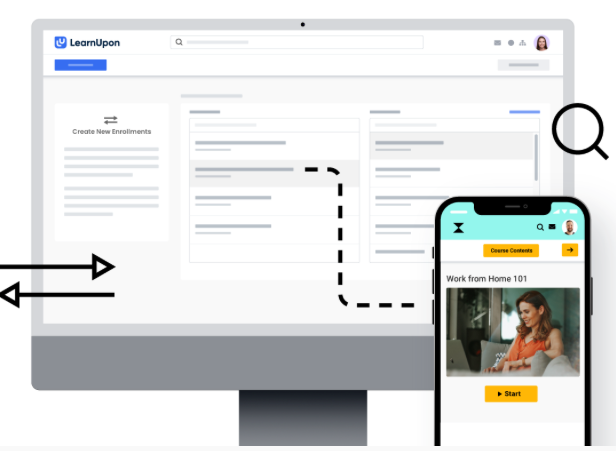
Best for: Teams that want to train multiple audiences
About LearnUpon
LearnUpon is an LMS built to support training across multiple audiences, including employees, customers, and partners. Its navigation is simple and the interface easy to use, making it easy to manage different learning programs for a single environment while maintaining clear separation between audiences.
Key Features:
- Multi-portal functionality for managing different audiences
- Course creation and content management tools
- Automated enrollment, reminders and learning paths
- Reporting and dashboards for tracking learner progress and completion
- Integrations with common HR, CRM, and other business tools
User reviews:
“LearnUpon is hands down the best LMS company and system that we have ever worked with. Super intuitive user interface for both the learner and the administrator, super responsive client success team! I can’t speak highly enough about this platform the amazing people that run it” — Jason S.
“I especially enjoy the learning paths and journey features, as well as the options to schedule reporting. I’m always looking forward to the ongoing enhancements LearnUpon LMS makes.“ — Danielle C.
“Learning journeys could be improved. Reporting could be improved.” — Barry L.
“The reporting is not always reliable. Data can be ran in different reports that don’t always align.” — Krystina H.
5. TalentLMS
Best for: Companies looking for an LMS that’s easy and quickly to set up
About TalentLMS
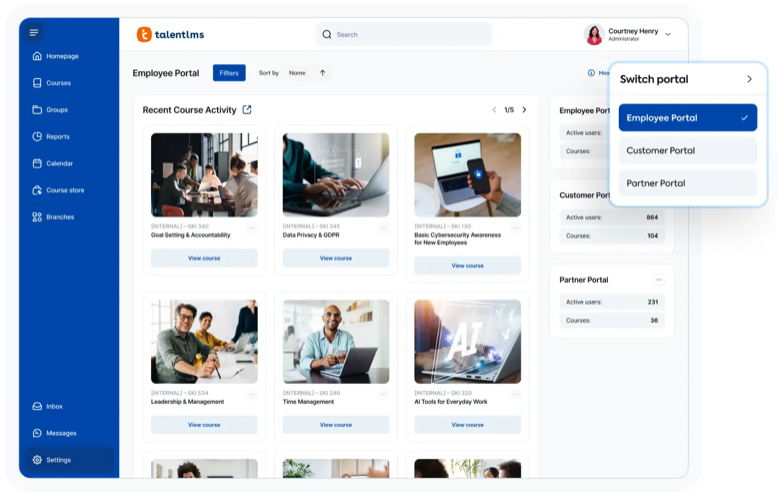
TalentLMS is a learning software solution that delivers straightforward training solutions. Known for quick implementation, this LMS is used by organizations to create, manage, and track learning programs across multiple portals from a single dashboard.
Key Features:
- Multi-portal functionality for managing different brands or divisions
- AI course creation and content management tools
- AI coach for knowledge checks
- Assessment and certification capabilities
- Reporting and analytics dashboard
- Mobile-responsive design for learning on any device
User reviews:
“I appreciate TalentLMS for its easy-to-use user interface that makes navigating and managing tasks such as creating new courses, assigning them to groups, and managing user access straightforward. The interface is well-structured and intuitive, allowing me as a super admin to efficiently accomplish my goals without confusion.” — Pushkar D.
“Talent LMS is that it’s simple to manage, uploading courses, assigning them, and tracking completions is easy.” — Anusha P.
“Reporting capabilities are very basic. Unable to create reporting on courses grouped together to form a curriculum. Creating courses also uses the most basic of software so not as dynamic learning as would like.” — Shani M.
“I think TalentLMS is overall a great product and well constructed. However, our learning is for external customers and it would be nice if there was a way to setup learning paths. This would include suggestions for learners to access outside resources.
Also more options for company branding. Right now learners know they are accessing our learning through a third party tool ( more options for the home page to look like a company website).” — Annette W.
6. iSpring LMS
Best for: Teams looking for an LMS that focuses on course creation
About iSpring LMS
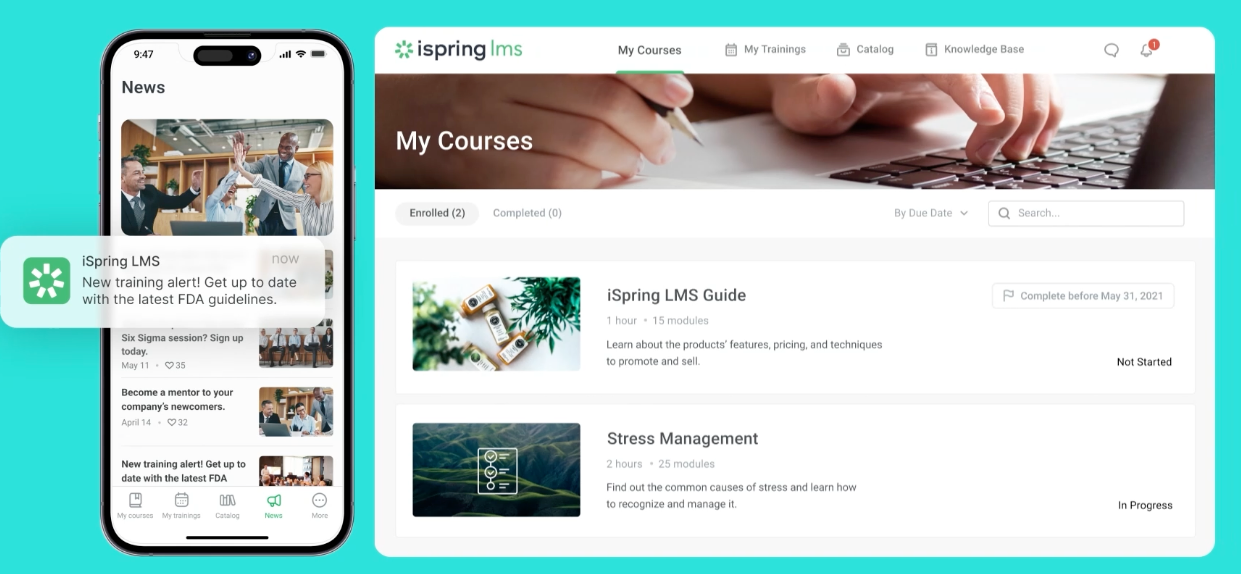
iSpring LMS is a learning solution that combines course delivery with built-in authoring tools. The platform enables organizations to create, manage, and track training programs through a unified web-based interface.
Key Features:
- Integrated content authoring tools for creating interactive courses based off formats like PowerPoint
- Social learning with a built-in chat to talk with course authors
- Mobile-responsive learning environment accessible across devices
- Comprehensive tracking and reporting capabilities for learner progress
- SCORM and xAPI compliance for content compatibility
- User-friendly interface designed for non-technical administrators
User reviews:
“The platform is very user-friendly — both for administrators setting up courses and for learners accessing them. Uploading content is straightforward, and the integration with iSpring Suite makes it easy to convert presentations into interactive courses that flow seamlessly into the LMS.” — William R.
“Customisation is more limited compared to some larger enterprise LMS platforms. While the interface is clear and easy to use, there are fewer options to tailor the look and feel or fully personalise the learner journey. For most use cases this isn’t an issue, but organisations wanting extensive customisation may notice the limitations.” — Peter D.
“After trialing several different products, we chose iSpring because it offered the most user-friendly interface for the price.“ — Jon A.
“Their turnaround time with technical support can sometimes be slower than I would like, but I have dealt with much worse. Typically about 24 hours.” — Evan N.
7. EducateMe
Best for: Organizations looking for content centralization and engaging learning experiences
About EducateMe
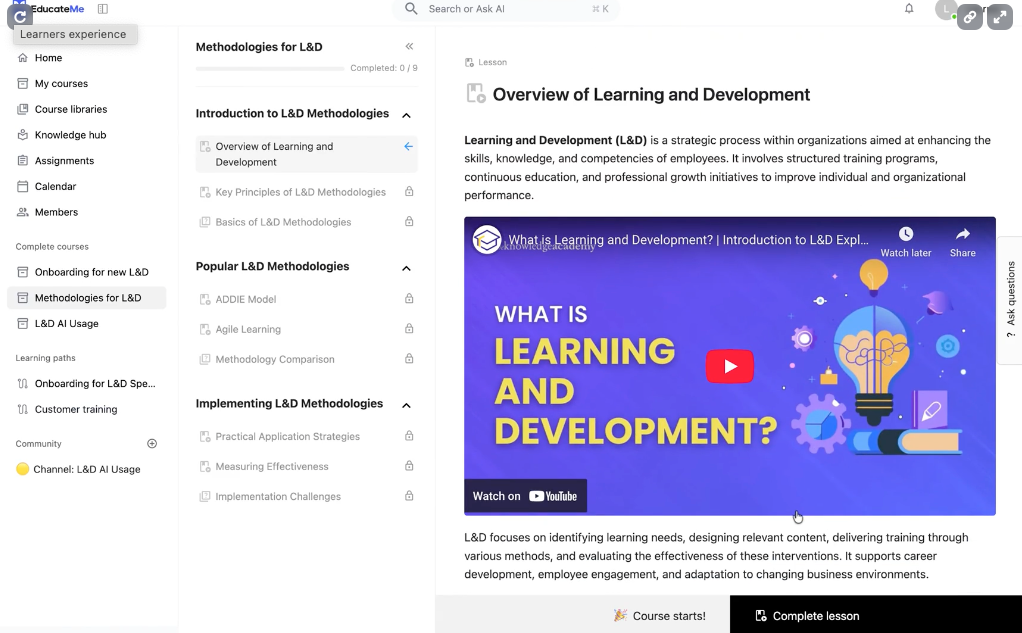
EducateMe provides a cloud-based LMS solution with AI tools to streamline the development of your learning programs. It is also offered as whitelabel LMS, allowing organizations to fully customize the look and feel of their lMS to match their brand. It also focuses on cohort-based and live learning so it is well suited for teams that prioritize collaboration and interaction over more structured learning.
Key features:
- AI-powered course creation that includes AI roleplay to practice and auto-graded quizzes
- Analytics to track learner progress
- Integrations with popular apps like Google Calendar, Zoom, Slack and Stripe for eCommerce
- Whitelabeling for full customization control
User reviews:
“Onboarding used to be a mix of Google Docs, Zoom calls, and “ask the person sitting next to you.” I like how easy it is to add interactive elements, not just boring PDFs, so people actually engage with the material. The automated progress tracking is a lifesaver; I can see who’s cruising through and who might need extra support.” — Olha B.
“Since it’s a new platform, there is lots of opportunity for new features, and continued improvement by way of integrations.” — Leo M.
“The lack of a specific mobile app is, in my opinion, the sole drawback. A native app would be even more convenient for people who are doing training while on the road, even though the web version is responsive and functions well on phones and tablets.” — Vladyslav B.
“It’s really easy for us to develop very customized tracks for our partner network using EducateMe. We can label content once, and have a system that can automatically build personalized learning paths based on role, level of experience or region.” — Denys S.
8. Cornerstone Learn
Best for: Enterprises seeking a compliance- and employee training-focused LMS
About Cornerstone Learn
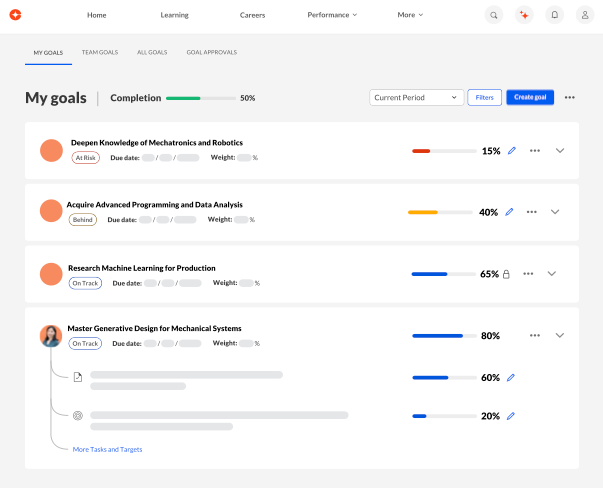
Focused on driving organizational performance, Cornerstone Learn is an LMS used to centralize, deliver, and track learning across the organization. Think of it when managing compliance and employee training.
Key features:
- LMS and LXP functionality to facilitate more engaging learning experiences
- Extended enterprise capabilities to manage multiple audiences
- Content marketplace and content authoring so you can both curate and generate materials
- Advanced analytics and reporting to track your learning programs
User reviews:
“There are many authentication steps required when trying to access the learning materials.” — Pradip G.
“Note: Most people writing reviews about Cornerstone are not end-users (learners). Learners suffer horribly in Cornerstone.
Where do I begin? I’ve seen it twice now in my different employments.
It has a horrible end-user interface making me doubt that those who built it even have UX designers employed. Things are not logical – at all. Buttons that are essential are not clear, the learning flow is off. I could go on and on.” — Michael A.
“Not to much adaptable or flexible in changes. you cant revert some steps when you make the configurations. Also some workflows were strong to change and we must adapt our procedures to be as cornerstone suggest. Not to much important. The online authoring tool is quite poor.” — Ruben F.
“Reporting capabilities are expansive, but at times, data needs to be exported to create advanced dashboards. Automated Email Notifications are good assets of the system as well. I like how they are always striving to be the best in the business and have an agile approach to updating the system. The skills functionality is helpful in impacting career conversations. The talent marketplace is the culmination of the foundational work in the skills space.” — Jennifer C.
9. Tovuti
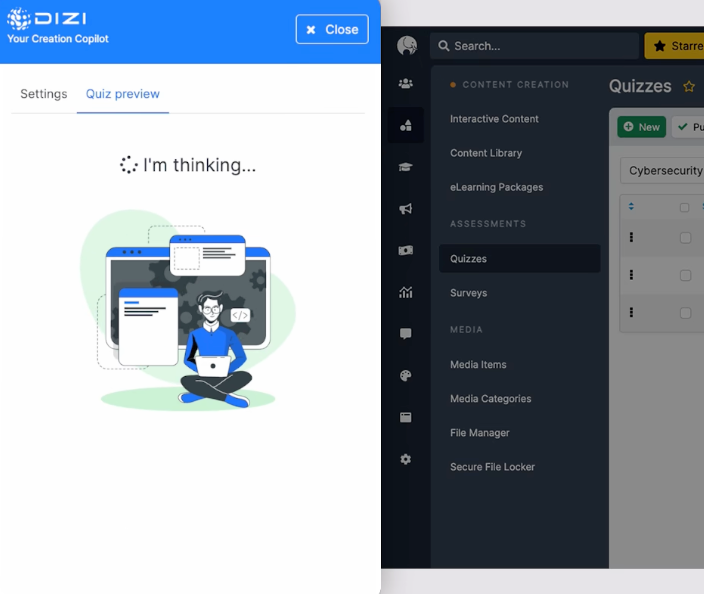
Best for: Organizations looking for a flexible, scalable LMS with a focus on compliance and employee training
About Tovuti
Tovuti is an LMS with a fully customizable platform for training delivery, course creation, and learner engagement. The platform combines traditional LMS functionality with advanced features like AI content generation, eCommerce capabilities, and comprehensive white-labeling options.
Key Features:
- Course authoring tools with built-in assessments and quizzes
- White-labeling and multilingual support for global deployments
- eCommerce marketplace for course monetization and subscriptions
- Gamification features including points, badges, and achievements
- AI-powered content generation and adaptive learning capabilities
User reviews:
“Reporting and analytics can be a bit difficult or incomplete. I wish there were more reporting options available.” — Jared E.
“Creating content is straightforward, and there are many useful features available. Adding multiple users at once is both fast and simple, with options to tailor the fields to fit the needs of your organization.“ — Ben B.
“The reporting functionality is not ideal in Tovuti. We had to export data via our api in order to get accurate reporting for our customers.” — Amanda F.
“The support team: they are quick to respond to queries and ensure you have a resolution within hours” — Nishan M.
10. Seismic Learning
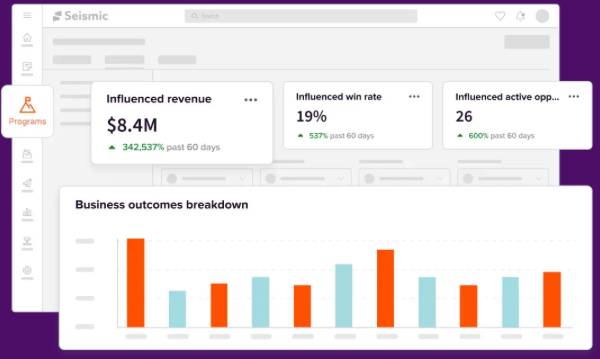
Best for: Businesses seeking a platform that focuses on sales enablement
About Seismic Learning
Seismic Learning is an AI-powered sales enablement platform that centralizes, delivers, and tracks learning for customer-facing teams. It provides AI-driven insights and feedback with the aim of closing skills gaps.
Key features:
- Plenty of integrations to learn in the flow of work
- Single sign-on (SSO) for security
- Role-playing agents to practice sales skills
- AI-assisted writing, translation and slide creation
User reviews:
“Easy to use, on both the Admin and Learner. Customer Support is always fast and helpful if needed. Its simplicity is not overwhelming to new users.” — Mackenzie W.
“A little less customizations than we would prefer.” — Mark K.
“Seismic learning may sometimes be missing a few additional options for engaging content, quizzes, etc. but it also comes with lots of additional integrations that can serve that purposes with third party tools” — Romain B.
“Search functionality is not always great” — Andre S.
11. Moodle
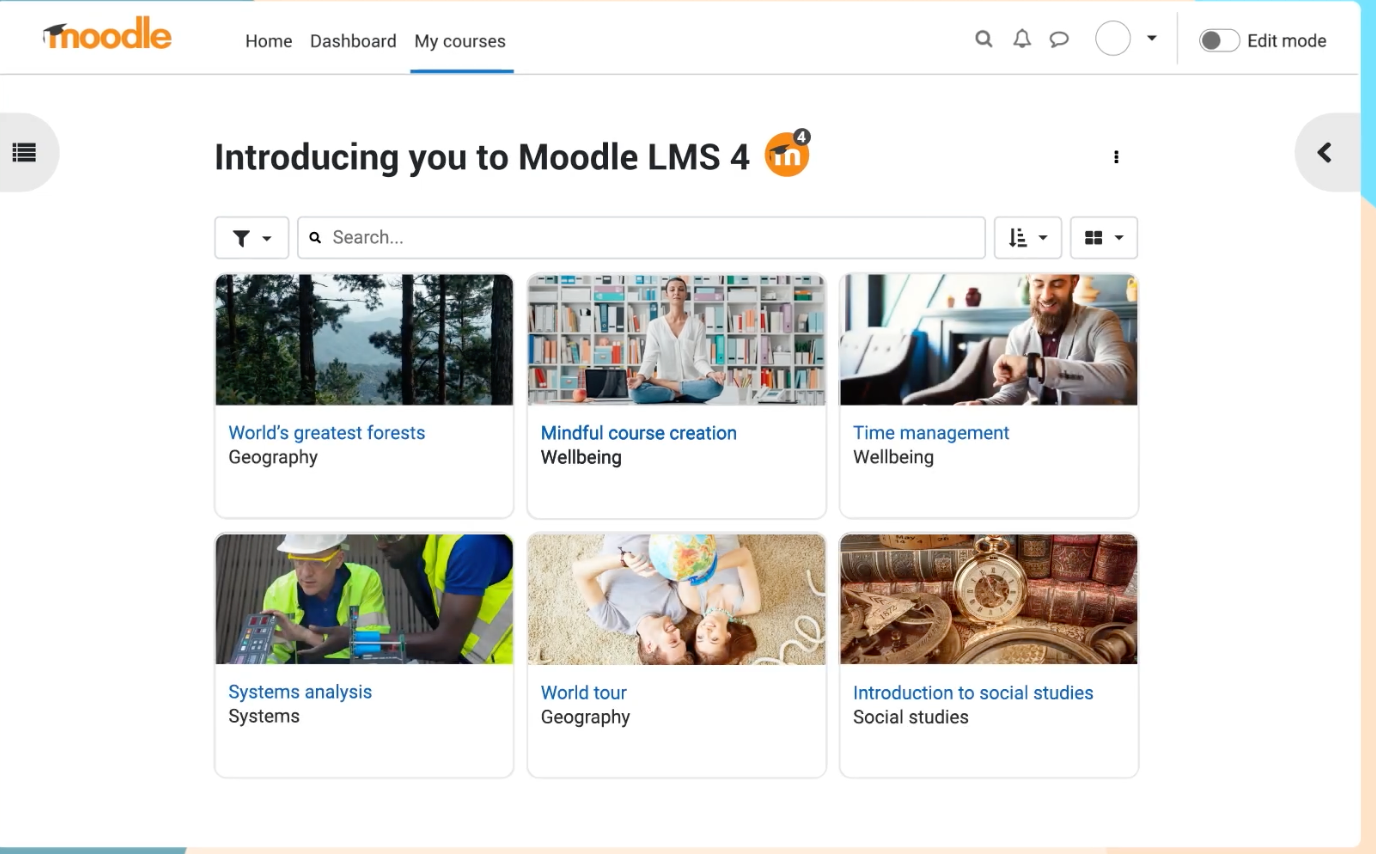
Best for: Open-source flexibility for full control over customization and hosting
About Moodle
Moodle LMS combines the flexibility of open-source technology with the convenience of cloud hosting, making advanced learning management accessible to organizations of all sizes.
Key Features:
- Integrated video conferencing for up to 100 users
- Course building tools to generate eLearning content
- Knowledge base for technical self-service
- Basic branding and custom domain options
User reviews:
“As a dedicated Learning Management System (LMS), Moodle provides a fully integrated suite of tools designed to support and manage the teaching workflow specific to higher education.” — Liliana C.
“The interface looks old and kinda confusing. Sometimes it takes too long to find simple things. You really need someone who knows how to manage it, otherwise you get lost fast. Would be nice if it was more simple and modern.” — Gonzalo A.
“One thing I dislike is that I’m unable to install additional plug-ins since I have Moodle Cloud. I was hoping to use certain templates that require plug-ins, as they would help make our business’ LMS appear more organized and conducive to learning.” — Bernadette A.
“Moodle is user friendly and easy to manage. It provides a rich set of activities and resources that support diverse teaching and collaborative learning styles.
Moodle offer a cheap and reliable option as compared to proprietary LMS platforms.” — Julius G.
12. Canvas
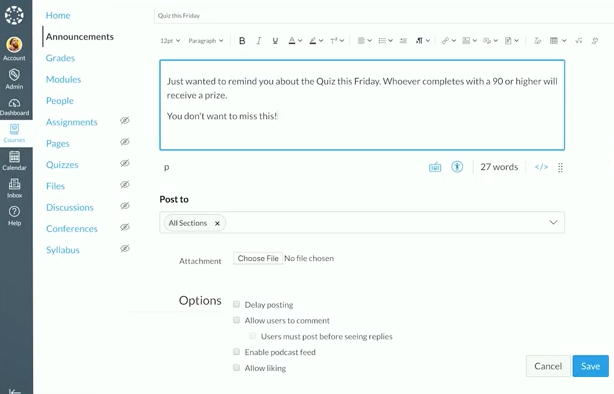
Best for: Educational institutions and academic learning environments
About Canvas
Canvas is a cloud learning management system that provides educational institutions with tools for course delivery, assessment, and student engagement. The platform focuses on creating intuitive learning experiences through its web based LMS interface and mobile compatibility.
Key Features:
- Course Builder for streamlined content creation
- Personalized learning paths for each student
- Analytics dashboard and reporting for tracking student performance
- Mobile compatibility for learning on the go
User reviews:
“I like the mobile accessibility and third-party integration with Canvas LMS. The courses and communication are well-organized, making them easy to manage. The core interface and initial setup are user-friendly, which is a big plus.” — Mani K.
“The platform is easy to navigate and highly user-friendly, with seamless integration of other instructional software.“ — Saadia F.
“Limitations on integration with other software.” — Allyssa M.
“While Canvas LMS is powerful, some advanced features have a steeper learning curve for new instructors, and the speed of the interface can slow down when working with large courses or heavy media content. The reporting and analytics, while useful, could be more customizable for deeper insights.” — Arun Prakash S.
13. LearnWorlds
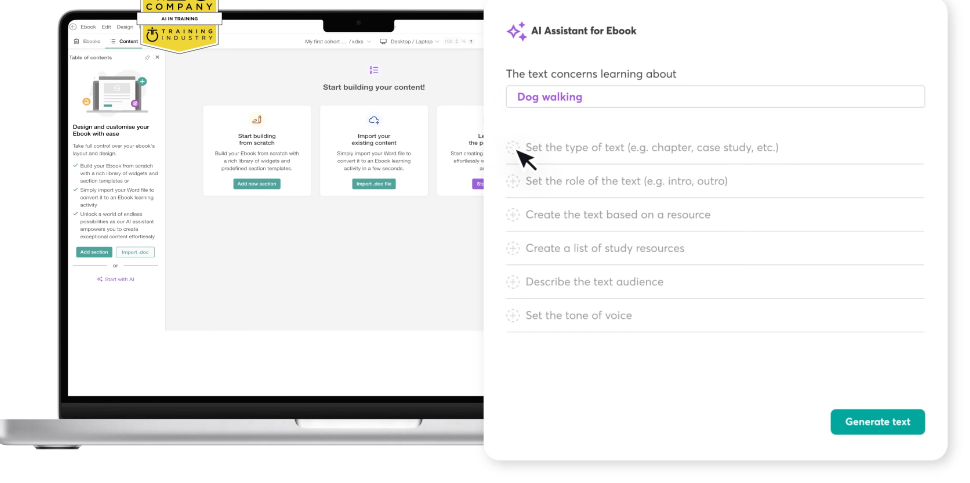
Best for: Creating, marketing, and selling online courses to external learners with built-in e-commerce tools
About LearnWorlds
LearnWorlds is a cloud based e-learning platform designed for course creators and training businesses. The platform specializes in white-label solutions and interactive content creation, making it ideal for entrepreneurs and organizations that need strong branding control. With built-in eCommerce capabilities and community features, it transforms learning into a complete business ecosystem.
Key Features:
- Course Builder with interactive content creation tools
- White Labeling for custom branding and personalized URLs
- eCommerce integration for course sales and subscriptions
- Gamification with points, achievements, and badges
User reviews:
“I am using LearnWorlds for long time and it give us interactive video features, quizzes, buttons, notes inside videos and many more. LearnWorlds provide all in one online course and its creation tools. It is easy to use and my team frequently using it to create coupons, funnels etc.” — Sourabh C.
“As someone who tests software, I appreciate how reliable and well-built the platform is. The course builder is intuitive, and the video hosting is fast and seamless. It just works without bugs or glitches, which is crucial when you’re running a business.” — Hemant R.
“Wish there were additional incentives or badges relating to course completion as opposed to just community discussions.” — Brittnie W.
“LearnWorlds could improve as follows:
1) Provide a better way to navigate between backend course manager admin view & front end user view, it is very hard to move back & forth. I have to keep the Admin section open in other tab and use the ‘right click’ option to open views in another tab.
2) Should allow for the creation of course certificates within Learnworlds and not have an external sejda from option. Include it within Learnworlds.
3) Wish there was a way to offer and build a sticky search on the back end Admin side for example. I want to only see courses for International and not have to see and filter all courses when I need to focus on a set of course outside of the USA. I do filter on categories, however this search does not save. Thus, I need to re-create each time.” — Katherine G.
14. Sana Learn by Workday
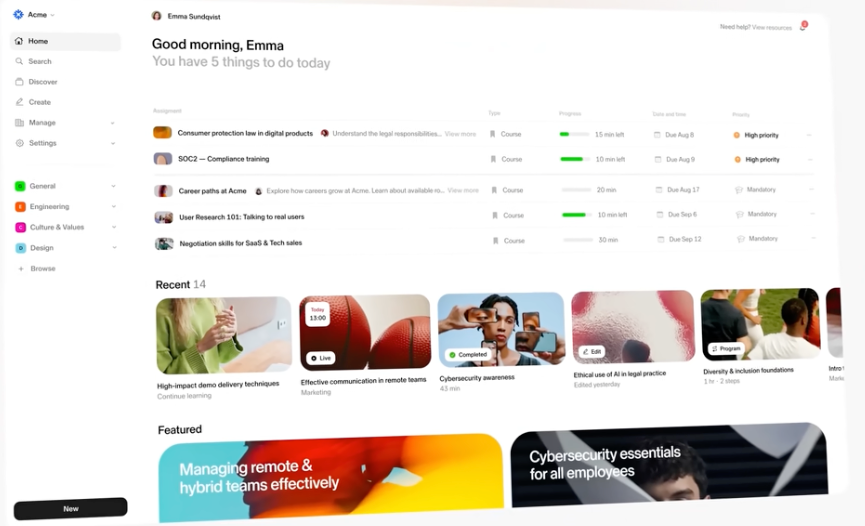
Best for: Organizations that use the Workday ecosystem
About Sana Learn by Workday
With a focus on employee training and development, Sana Learn is an AI-powered LMS built to centralize, deliver, and track learning across your organization. With an emphasis on AI, Sana Learn aims to accelerate content authoring and learning management through automation.
Key Features:
- AI tutor for personalized coaching and learning
- AI content generation with collaborative authoring
- AI search for natural language queries
- Learning analytics to track learner progress
User reviews:
“I love Sana Learn’s user interface; it’s quite intuitive and really awesome to work with. I also appreciate that access is quite easy, and it offers a fresh new perspective on learning and learning content development. The setup was very flexible and easy, thanks to a knowledge hub that helps a lot.” — Luqman S.
“I find Sana Learn incredibly beneficial for certifications and learning. One of the standout features is its ease of access, which makes the learning process much smoother for me. The programs offered are great, and I absolutely love the experience they provide. The learning material is intuitive and gets straight to the point, allowing me to address what I am trying to learn directly without unnecessary distractions. I appreciate the seamless integration, particularly since switching from the Workday Learning Management System, as it enhances my learning journey.” — Sheila G.
“Sometimes the AI suggestions are not fully accurate, and it takes a bit of time to find the exact content I’m looking for. Also, a few features could use more customization options.” — Omar E.
“There are times when the AI doesn’t fully grasp what I’m asking for when I seek support.” — Nicole F.
So now that you know what the top alternatives to Litmos are, how do you choose the best LMS for your organization?
How to choose the best LMS replacement
Finding the right LMS replacement isn’t about checking boxes; it’s about finding a partner that solves your real-world challenges and grows with you. To make a confident choice, you need to look beyond the flashy features and focus on what truly impacts your day-to-day work and your learners’ experience. These three areas will help you cut through the noise and pinpoint the platform that will actually deliver on its promises.
1. Identify your must-have integrations
If your new LMS doesn’t play well with your other systems, you’re just creating more manual work for your team. You need a platform that automates user management and data syncing, not a system that forces you to spend hours on tedious imports and updates.
Prioritize native integrations with your HRIS for user provisioning, SSO for one-click access, and tools like Slack or Teams to bring learning into the flow of work. These built-in connections save you from the headache and hidden costs of custom API work, which can be fragile and require constant maintenance.
2. Assess reporting and analytics depth
A slick demo dashboard means nothing if you can’t get the specific data your stakeholders demand. You need analytics that go beyond simple completion rates to show real business impact, without forcing you to spend your day exporting spreadsheets.
During a demo, ask to see reporting with sample data and test its limits with specific questions like, “Can I filter this report by department, role, and date all at once?” This simple test quickly reveals if you’re getting powerful, flexible analytics or just a rigid, one-size-fits-all tool—and be sure to ask if advanced reporting costs extra.
3. Evaluate support and onboarding
The quality of support you receive after signing the contract can make or break your entire rollout. Slow response times lead to launch delays and frustrated admins, and waiting months for a critical bug fix can derail your most important training initiatives.
Look past the sales pitch and ask for specific SLAs, what implementation truly includes, and whether you get a dedicated partner or just a generic support queue. Don’t just take their word for it; dig into the customer support sections of G2 and Capterra reviews to see what real users are saying.
Time to upgrade your LMS
Replacing your LMS is a big project, but the right platform gives you back hours in your day and scales right alongside your growth. When your tech finally works for you and your people, the payoff is immediate and transformative.
When Flix found the right fit, they slashed onboarding costs by €135,000 and watched training completion rates soar from 10% to 88%. That’s the kind of dramatic change that happens when your learning platform stops being a barrier and starts becoming your biggest asset.
You deserve a learning platform that grows with you instead of against you. See why more than 3,800 companies trust Docebo to power their learning. Book a demo today.
FAQs about Litmos alternatives
Is there a free or open-source alternative to Litmos software?
Moodle is the leading open-source option, but it requires dedicated IT resources for hosting and maintenance. For a more turnkey solution, many platforms offer free trials or cost-effective plans ideal for smaller teams.
What is the best way to migrate data from Litmos training courses to a new platform?
While course content often transfers easily via SCORM, migrating user data and completion history requires careful planning. Work directly with your new vendor’s implementation team to map all data fields correctly and ensure a seamless transfer.
How do you manage worldwide compliance training when switching learning platforms?
Select a platform with multi-domain architecture, automated certification tracking, and localized, audit-ready reporting. This allows you to effectively manage and prove compliance across all your global operations.