


20 Best employee training software with real user reviews in 2026
Key takeaways
- The best employee training software meets learners where they work, embedding learning into daily tools and supporting mobile access
- Scalability matters more than features alone, especially as organizations grow and need to support multiple audiences, automate compliance, and personalize learning at scale.
- AI, automation, and analytics are now table stakes, helping teams deliver just-in-time learning, reduce manual admin work, and clearly prove training ROI to stakeholders.
- There’s no one-size-fits-all solution, which is why real user reviews are critical for understanding how each platform performs in practice, not just in demos.
- Companies like Docebo deliver high scalability, personalization, and robust reporting to prove the ROI of learning
Introduction
Employee training software has become a cornerstone of how modern organizations build skills, stay compliant, and keep pace with constant change. In today’s fast-moving world, learning can’t pull employees away from their work, it has to meet them where they already are.
The best employee training software supports learning in the flow of work by embedding training directly into the tools people use every day, while also offering built-in content authoring and access to robust content marketplaces so teams can roll out critical learning, especially compliance training, exactly when it’s needed.
Mobile access is no longer optional either, it’s essential for reaching remote, frontline, and distributed workers wherever they are. When these elements come together, the impact is clear: leading employee training platforms consistently drive adoption rates of 90% or more and earn satisfaction scores to match, proving that when learning is accessible, relevant, and well designed, people actually use it.
In this guide, we’ll break down the best employee training software available today, drawing on real user reviews to help you confidently choose the right solution for your organization.
Sneak peek of the top 20 best employee training software
| Company | Best for | Not ideal for |
| Docebo | Scalable, AI-driven enterprise learning for employees, partners, customers, and more with advanced analytics and personalization | Small teams or simple training needs that don’t need deep customization |
| Connecteam | Simple mobile training and workforce management for frontline workers | Complex enterprise learning needs |
| iSpring Learn | Straightforward content authoring and delivery | Very large enterprises with complex reporting or customization needs |
| Absorb LMS | Compliance and employee training | Small orgs with budget constraints, simple use cases, and enterprises in need of extensive customization |
| SkyPrep | Simplicity and basic reporting | Complex customization or multi-audience training at scale |
| TalentLMS | Small and medium-sized businesses (SMBs) looking for flexibility | Large enterprise needs with advanced data or multi-portal requirements |
| LearnUpon | SMBs and mid-market orgs looking for clear admin UX and integrations | Enterprise-level customization and integrations |
| 360Learning | Collaborative, peer-driven learning with strong social learning features | Traditional top-down compliance-only training and enterprise-grade customization |
| Trainual | SMBs looking for a way to manage their SOPs and organizational knowledge | Complex customization needs |
| Litmos | Fast deployment and basic LMS needs | Complex reporting needs |
| Continu | Straightforward training workflow and easy to implement onboarding | Very large enterprise reporting requirements |
| WorkRamp | Enterprise compliance training with mobile and offline support | High-degree of customization and complex reporting |
| LearnWorlds | Whitelabeling and customizable branding with strong content creation | Organizations looking for a highly scalable platform |
| Cypher Learning | Flexible social and personalized learning | Enterprise-level reporting |
| Seismic Learning | Sales enablement and customer-facing teams | Broader internal training and complex customization requirements |
| Adobe Learning Manager | Adobe ecosystem integration | Small teams or budget-focused buyers who don’t need adobe ecosystem integration |
| Thinkific | Course creation and monetization with simple training delivery | Large enterprise compliance or multi-audience programs |
| D2L Brightspace LMS | Adaptive learning | Enterprises with complex customization needs |
| Blackboard Learn MS | Broad integration ecosystem | Modern corporate training UX and customization |
| Cornerstone Learn | Compliance and talent alignment within a unified HR suite | Teams wanting lightweight LMS without full HRIS, or extended enterprise multi-audience functionality |
What is employee training software
Think of an employee training platform as your central hub for developing your team’s potential. It’s a platform built specifically to help you create, share, and track all your learning programs in one place, moving you beyond scattered spreadsheets and disconnected tools.
The right platform does more than just host courses; it actively helps you build a smarter workforce. You can deliver personalized learning paths that address specific skill gaps and keep your team ahead of the curve, all while getting the data you need to prove training ROI.
This isn’t just about compliance or ticking boxes; it’s about future-proofing your organization. As skills evolve faster than ever, having a dedicated web based training software ensures your people are always prepared for what’s next, helping you build a culture of learning that attracts and retains top talent.
Key features and benefits of the best employee training software
Finding the right online training software means looking past the buzzwords to the features that truly solve your daily challenges. You need tools that deliver meaningful learning experiences without burying you in admin work. The best software understands your time is limited, your learners are diverse, and your goals are ambitious.
Today’s platforms do more than just deliver courses; they act as a strategic partner. You’ll find intelligent automation that personalizes learning paths and analytics that prove your business impact. They also embrace the reality that learning happens everywhere, supporting your teams in the office, at home, or on the go.
Ultimately, a great platform feels like a natural extension of your workflow, adapting to your unique needs. Look for the flexibility to scale, robust mobile access, and sophisticated reporting that grows with you.
AI-powered course creation
Imagine turning weeks of content development into a streamlined, intelligent process. AI-powered tools can instantly generate courses from your existing materials, build personalized learning paths, and even translate content for your global teams. This frees you up to focus on strategy while the system adapts to your learners’ needs.
Leading business training software take this a step further, with AI that learns from user interactions to constantly refine course recommendations and effectiveness. This means your learning ecosystem gets smarter over time, allowing you to drive strategic initiatives while the platform handles the heavy lifting of content personalization.
Automated compliance tracking
Automating compliance tracking lifts a huge administrative weight, letting your platform manage the details so you can focus on the big picture. The right system automatically assigns courses, sends renewal reminders, and maintains detailed audit trails. You gain peace of mind knowing your organization is prepared for any compliance review.
You’ll trade hours of chasing down reports for time spent improving the quality of your training content. This transforms compliance from a simple checkbox exercise into a valuable part of your team’s professional growth, reducing risk while adding real value.
Mobile access for remote teams
Your team works everywhere, and your training should too. A powerful mobile experience allows employees to learn during their commute or between meetings, with offline access for those in the field. By meeting learners where they are, you remove barriers and naturally boost engagement.
A great mobile platform isn’t just a shrunken-down desktop site; it’s an experience designed specifically for learning on the go. Look for intuitive navigation and fast-loading content that keeps your remote and hybrid teams connected. This ensures learning is always accessible and never a chore, no matter the device.
Robust analytics and reporting
Great reporting helps you prove that training is a strategic driver of business growth, not just a cost center. With the right analytics, you can track progress, pinpoint knowledge gaps, and connect learning initiatives directly to business outcomes. This gives you the data you need to clearly demonstrate the ROI of your programs to leadership.
Your goal is to find a platform that delivers actionable insights, not just a flood of data. The best computer based training software help you make smarter decisions about your content and resource allocation. Look for customizable dashboards that give every stakeholder—from managers to the C-suite—the exact information they need.
Now that you know what employee training software is and what are their top features and benefits, let’s take a closer look at the top 20 employee training software solutions we previewed earlier.
Detailed summary of the top 20 employee training LMS
1. Docebo
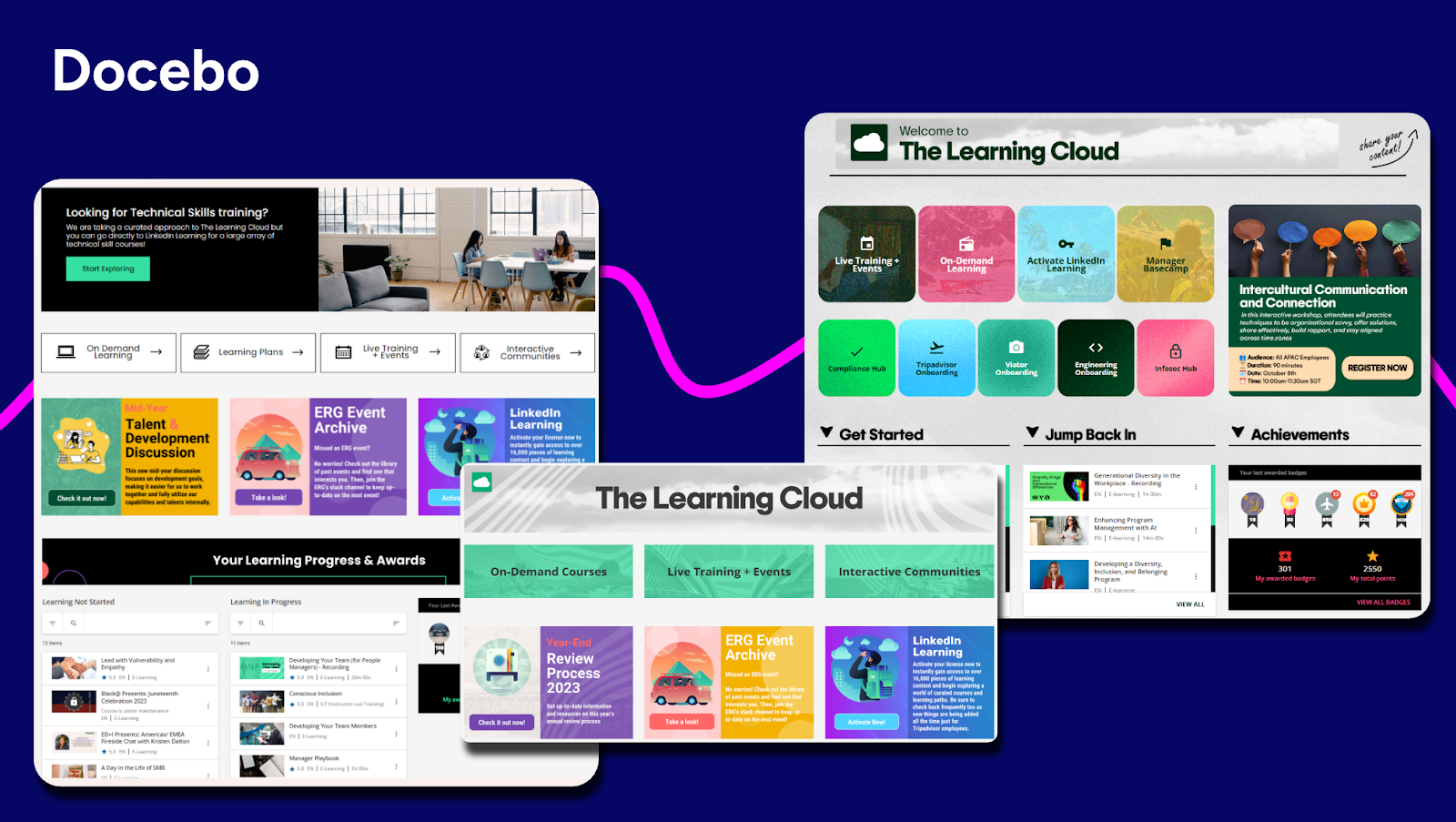
Best for: Scalable, AI-driven enterprise learning for employees, partners, customers, and more with advanced analytics and personalization
About Docebo
Docebo is an AI learning platform built for enterprises or businesses looking for a high-degree of scalability, flexibility, extensibility, and customization. Docebo’s interactive training software is designed to support multiple audiences, employees, customers, and partners, from a single platform while delivering personalized learning experiences at scale. With advanced automation, deep integrations, and robust analytics, Docebo helps learning teams reduce manual work and clearly demonstrate the business impact of their programs.
Top features:
- Advanced analytics for complex reporting needs and proving the ROI of learning
- AI authoring for just-in-time learning
- Seamless integrations for learning in the flow of work
- Extended enterprise capabilities supporting employee, customer, and partner training
- Headless learning delivery to embed learning anywhere from websites to apps and portals, while maintaining full brand control
- Mobile app for learning on the go
- Multilingual and multi-tenant support ideal for global learning programs
Real user reviews:
“I find Docebo’s rapid implementation and out-of-the-box configuration most useful for me. The platform provides sensible defaults for courses, users, and navigation, allowing training programs to launch quickly. I appreciate the scalability and deeper customization options it offers, as well as a more polished overall learning experience. The initial setup was quite easy and fundamental.” — Polo S.
“I like Docebo’s flexible pricing model, where we pay by the monthly user. This is ideal for our organization, as some users are only on the platform for a short term, allowing us to manage costs effectively.“ — Sherri C.
“I find the content categorization and audience-based visibility controls in Docebo most useful. It allows us to organize a large volume of content into clear categories and control visibility for different data types such as employees, customers, or partners, helping them find relevant material easily.” — Kevin R.
“I am using Docebo to track learners’ progress, which makes it easy to identify who the lazy learners are. I like how Docebo tracks progress using insights. It has made it easy for me to know which content satisfies my learners and work on addressing their weaknesses. Before, it was hard for me to check my learners’ progress, but now I can easily track them while they are learning. It helps me see if the content or quizzes are complicated and saves me a lot of time that I used to spend checking reviews and learners’ reactions.” — Imad G.
2. Connecteam
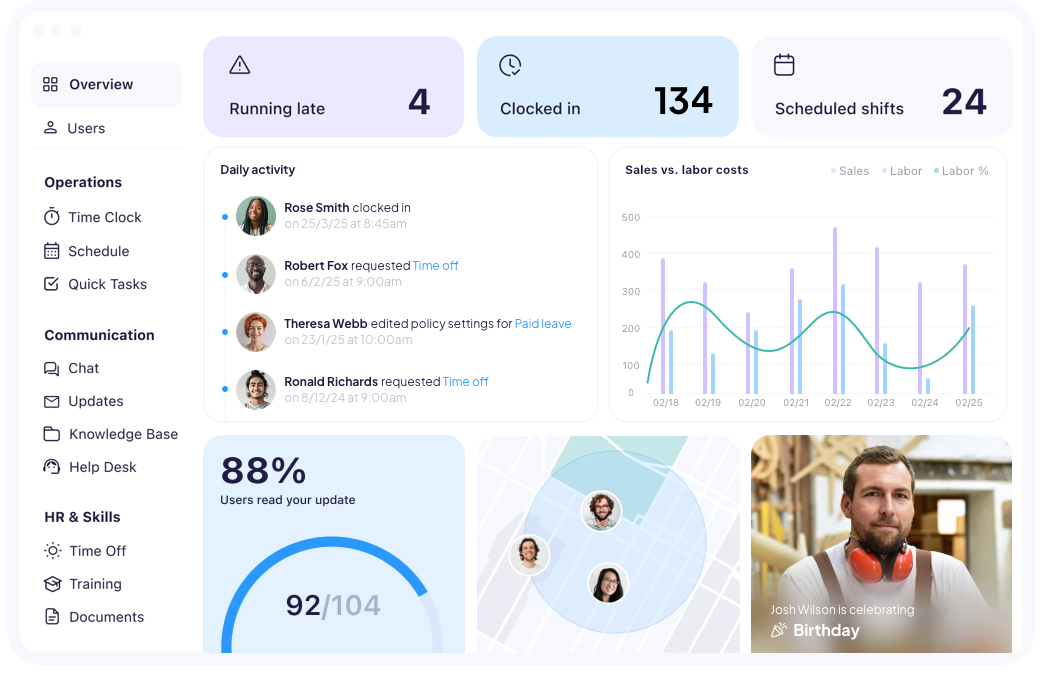
Best for: Simple mobile training and workforce management for frontline workers
About Connecteam
Connecteam is an employee training and workforce management platform designed for organizations with large frontline or deskless workforces. It focuses on delivering simple, mobile-first learning, onboarding, and communications that are easy for employees to access without formal LMS training. By combining training with scheduling, time tracking, and team communication, Connecteam helps organizations drive adoption and keep employees aligned, even when they’re constantly on the move.
Top features:
- Built-in employee communication tools, including chat, announcements, and updates
- Knowledge base and document management for quick access to SOPs and policies
- Workforce management features like scheduling, time tracking, and task management
- Easy setup and intuitive admin experience requiring minimal technical expertise
Real user reviews:
“Connecteam consolidates and manages all workforce operations or activities together, helping the HR team to easily manage them. The app is suitable for mobile use, and this supports field employees or stakeholders” — Sonalina C.
“The program has less detailed analytics and this fails to support more specialized HR needs” — Samantha L.
“Connecteam has issues when scheduling, which leads to some crashing and synchronization problems. The tool fails to adopt third party integration“ — Edoardo L.
“I like that Connecteam serves as a hub for communications with the team, using the chat functions and posting updates for everyone.” — Andrea T.
3. iSpring LMS
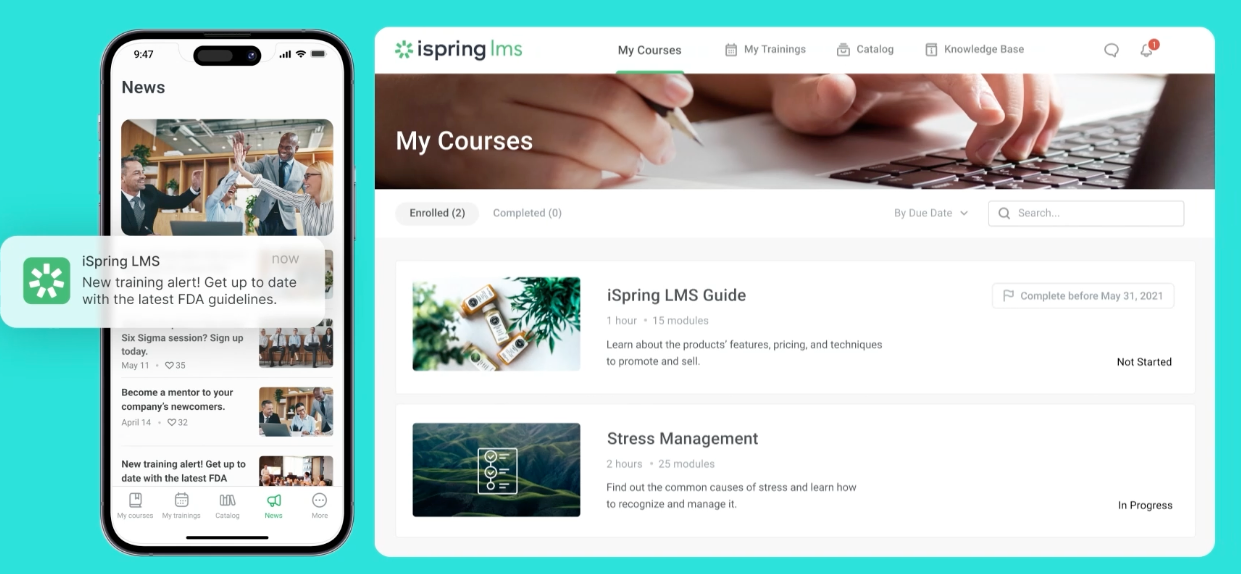
Best for: Straightforward employee training with strong course creation capabilities
About iSpring LMS
iSpring LMS is a user-friendly learning platform best known for its tight integration with PowerPoint and its ease of use for non-technical teams. It’s a solid option for organizations that want to quickly create, deliver, and track training without a steep learning curve. iSpring is often used for internal employee training, onboarding, and basic compliance programs.
Top features:
- Built-in authoring tools optimized for PowerPoint-based course creation
- Simple learner management and progress tracking
- Mobile learning with offline access
- Assessment and certification management
Real user reviews:
“The platform is very user-friendly — both for administrators setting up courses and for learners accessing them. Uploading content is straightforward, and the integration with iSpring Suite makes it easy to convert presentations into interactive courses that flow seamlessly into the LMS.” — William R.
“Customisation is more limited compared to some larger enterprise LMS platforms. While the interface is clear and easy to use, there are fewer options to tailor the look and feel or fully personalise the learner journey. For most use cases this isn’t an issue, but organisations wanting extensive customisation may notice the limitations.” — Peter D.
“While iSpring LMS is strong overall, there are a few areas that could be improved. The customization options for the learner portal and interface are somewhat limited, which makes it harder to tailor the environment to specific branding needs. Reporting is solid, but more advanced analytics and deeper filtering capabilities would make it even more valuable. Additionally, some administrative tasks require a few extra steps that could be streamlined. None of these are deal-breakers, but enhancing them would elevate the user experience even further.” — Victoria.
“I think the one thing that I would want to see improvement on would be the reporting that the system provides. It is very limited.” — Verified user in environmental services
4. Absorb LMS
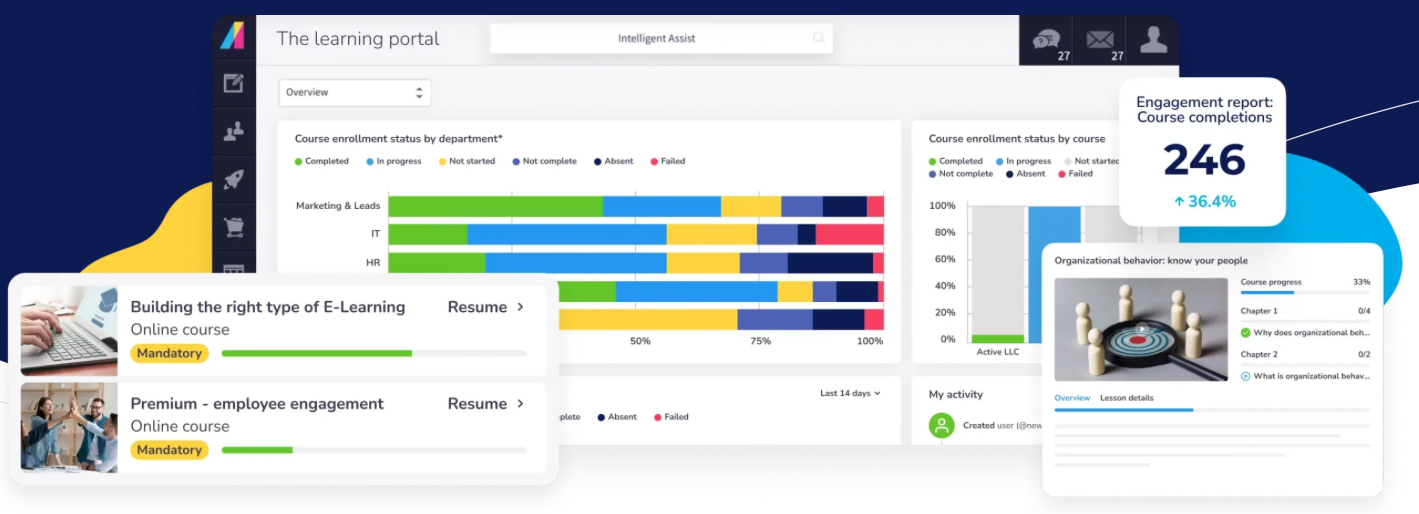
Best for: Mid-market and enterprise organizations focused on compliance and employee training
About Absorb LMS
Absorb LMS is a feature-rich platform designed to support structured employee training and compliance programs. It offers a modern interface, solid automation, and a wide range of integrations, making it a strong choice for organizations that want a balance of usability and enterprise functionality.
Top features:
- Automated enrollments and learning paths
- Content authoring and management tools
- Integrations with HRIS, CRM, and productivity tools
- AI-powered recommendations
Real user reviews:
“Absorb has a clean, intuitive navigation for the user and the admin, both, which helps since I use it multiple times a day.“ — Angie B.
“One of the things I like best about Absorb is the amount of support that’s provided. Onboarding and training was very simplified and those made using the program very intuitive.” — Aaron L.
“What I dislike about Absorb LMS is that while it’s generally user friendly, some functions can be confusing or take multiple steps to complete. The least helpful aspect is the limited customization available for course layouts and reporting, which can restrict how information is displayed or tracked. Additionally, some users experience slow load times, especially when accessing larger courses or data heavy reports.” — Rosetta B.
“Reports tend to be somewhat inflexible when it comes to customization. Learner Progress reports do not update when new Courses are added to the system, requiring a lot of manual updating.” — Carl A.
5. SkyPrep
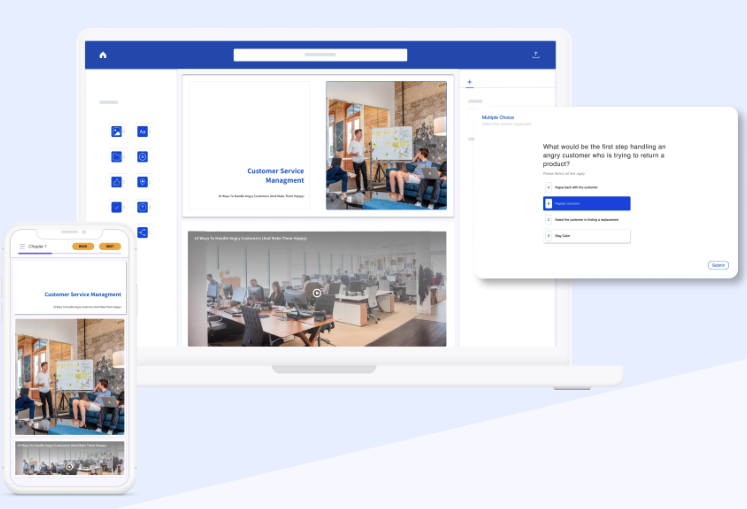
Best for: Teams looking for a simple LMS with fast setup and minimal admin overhead
About SkyPrep
SkyPrep is an easy-to-use LMS designed for organizations that want to launch training quickly without complex configuration. It focuses on simplicity and usability, making it a good fit for smaller teams or departments running internal training programs.
Top features:
- Simple course creation and delivery
- Basic reporting and tracking
- White-label branding options
- Mobile-friendly learner experience
Real user reviews:
“I love how SkyPrep enables us to provide real-time information dissemination across the country, which is crucial for our nationwide training activities.“ — Daniel V.
“It handles all the basics really well: video uploads, PDFs, quizzes, and course tracking. Setting up learning paths for things like instructor training, onboarding new team members, or accessing business resources is simple and efficient.” — Vincent B.
“Transferring completion certificates was a long process as we couldn’t do it in bulk, had to do it individually” — Ryan S.
“What I dislike are the limitations for sending automated email reminders.“ — Jeffrey S.
6. TalentLMS
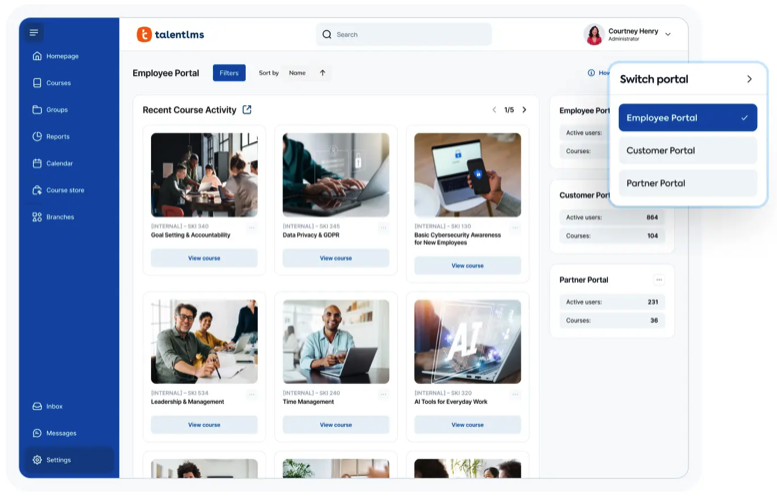
Best for: Small to mid-sized businesses that want an affordable, flexible LMS
About TalentLMS
TalentLMS is a cloud-based LMS known for its quick implementation and intuitive interface. It’s often chosen by SMBs that need a cost-effective way to manage employee training, onboarding, and certifications without heavy customization requirements.
Top features:
- Fast setup and easy administration
- Built-in course authoring tools
- Multi-portal support
- Gamification features like badges and points
- Mobile-responsive learning
- Integrations with common business tools
Real user reviews:
“I appreciate TalentLMS for its easy-to-use user interface that makes navigating and managing tasks such as creating new courses, assigning them to groups, and managing user access straightforward. The interface is well-structured and intuitive, allowing me as a super admin to efficiently accomplish my goals without confusion.” — Pushkar D.
“Talent LMS is that it’s simple to manage, uploading courses, assigning them, and tracking completions is easy.” — Anusha P.
“Reporting capabilities are very basic. Unable to create reporting on courses grouped together to form a curriculum. Creating courses also uses the most basic of software so not as dynamic learning as would like.” — Shani M.
“I think TalentLMS is overall a great product and well constructed. However, our learning is for external customers and it would be nice if there was a way to setup learning paths. This would include suggestions for learners to access outside resources.
Also more options for company branding. Right now learners know they are accessing our learning through a third party tool ( more options for the home page to look like a company website).” — Annette W.
7. LearnUpon
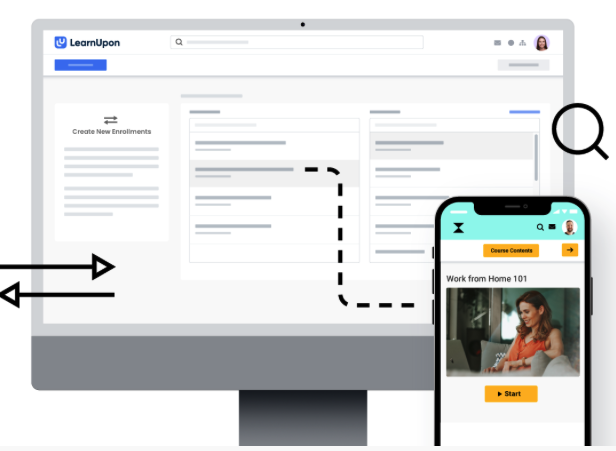
Best for: Training multiple audiences from a single, easy-to-manage platform
About LearnUpon
LearnUpon is designed to support employee, customer, and partner training through multiple portals. It offers a clean admin experience and strong automation, making it a popular choice for organizations that need to manage several audiences without excessive complexity.
Top features:
- Multi-portal architecture
- Automated enrollments and notifications
- Learning paths and certifications
- Reporting and dashboards
- Integrations with HR and CRM systems
- Mobile-friendly learner access
Real user reviews:
“LearnUpon is hands down the best LMS company and system that we have ever worked with. Super intuitive user interface for both the learner and the administrator, super responsive client success team! I can’t speak highly enough about this platform the amazing people that run it” — Jason S.
“I especially enjoy the learning paths and journey features, as well as the options to schedule reporting. I’m always looking forward to the ongoing enhancements LearnUpon LMS makes.“ — Danielle C.
“Learning journeys could be improved. Reporting could be improved.” — Barry L.
“The reporting is not always reliable. Data can be ran in different reports that don’t always align.” — Krystina H.
8. 360Learning
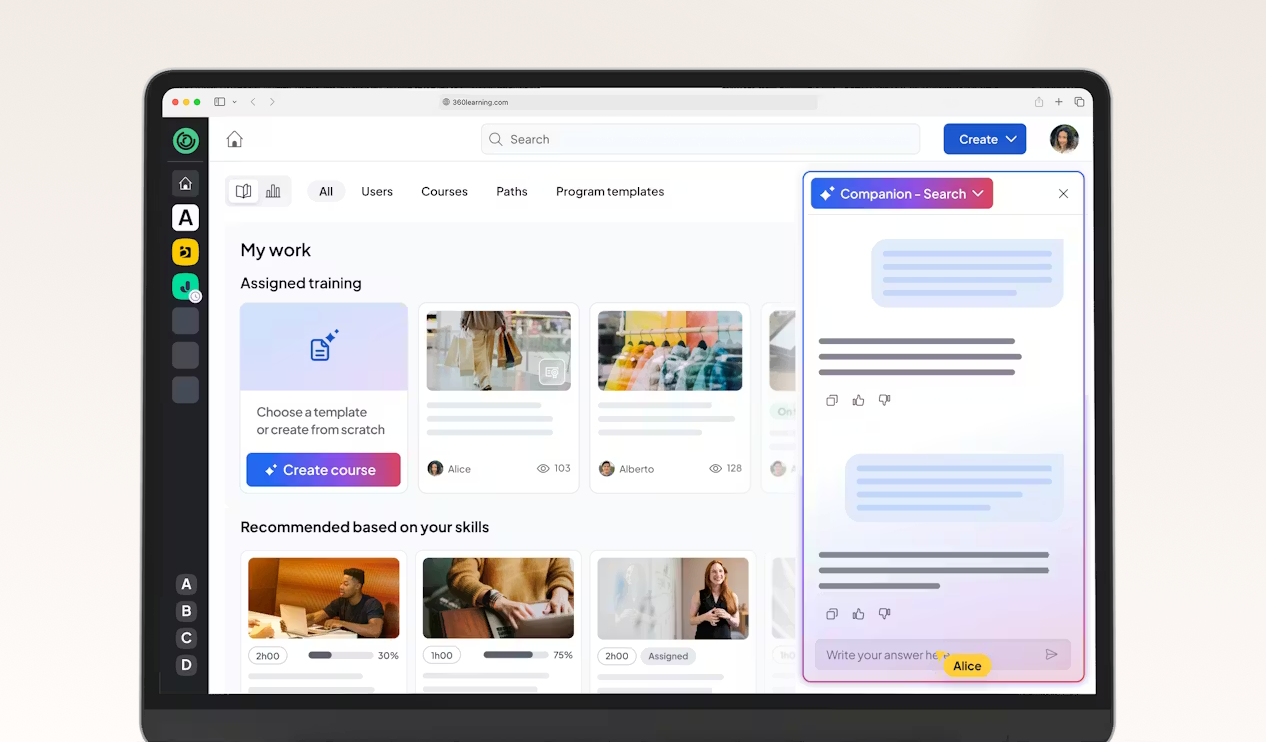
Best for: Collaborative and peer-driven learning programs
About 360Learning
360Learning focuses on collaborative learning by enabling subject matter experts to create and share content across the organization. It’s well suited for companies that value social learning, knowledge sharing, and continuous skill development.
Top features:
- Collaborative course creation tools
- Social learning features like comments and peer feedback
- AI-assisted content creation
- Gamification and engagement tools
- Learning analytics and insights
Real user reviews:
“I find 360Learning easy to use for creating training content without needing expertise in training creation. I like the collaboration aspect of the platform, especially the forums, ratings and reports; and the ability to share insights.” — BichTram (Ellen) Q.
“Although efforts have been made recently, I find it unfortunate that we still cannot further customize the platform, especially the groups. For example, we have two different brands present on the platform, but it is impossible for us to have two colors on the platform.” — Mathilde C.
“I like that 360Learning is easy to use; we don’t need to train our end users on how to use the platform. It’s easy for content creators to design content, even from a PDF or PowerPoint.” — Marie B.
“I noticed that while 360Learning is quite comprehensive and intuitive, it currently lacks the option to conduct live role-plays with AI, which could enhance the training experience.” — Nora S.
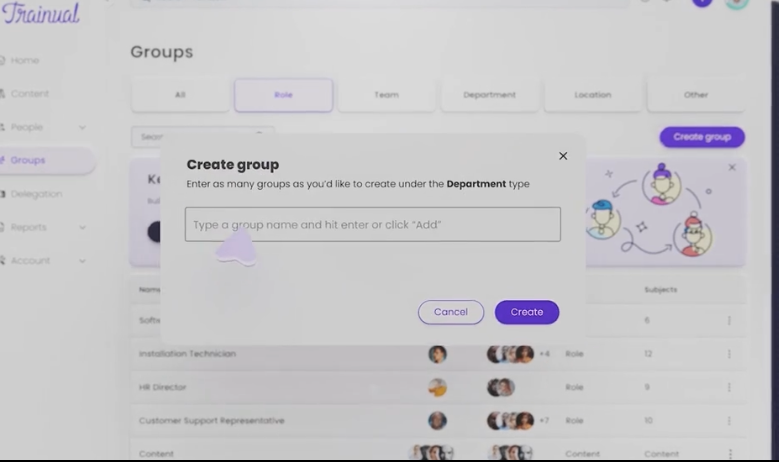
9. Trainual
Best for: Onboarding and documenting company processes and SOPs
About Trainual
Trainual is a training and documentation platform built to help organizations centralize processes, policies, and knowledge. It’s commonly used by small and growing teams to standardize onboarding and ensure consistency as the business scales.
Top features:
- SOP and policy documentation tools
- Role-based onboarding paths
- Knowledge base functionality
- Progress tracking and accountability
- Mobile access for learners
Real user reviews:
“I love Trainual’s intuitive design, which has been instrumental in helping me organize my thoughts and create policies and procedures with ease. The ability to insert multimedia elements such as pictures and videos has added significant value, enhancing the clarity and engagement of the materials I develop. I am particularly impressed with the AI integration, which saves time and effort by translating and adjusting tones effortlessly.” — Sarah A.
“Not as easily customizable and the tracking of assignments is not always accurate.” — Carla O.
“It is very easy to use and has great AI features! All of the add in’s are great- you can start with the basics and give it a tone, or captivating pictures with great ease. The AI is really amazing and you work with it right there while you are creating content. I also really enjoy the mobile app- completing trainings is extremely easy to use while on the go.” — Peggy A.
“One thing I wish Trainual offered is a more detailed report on the actual time employees spend completing each training module. While the platform tracks completion and progress effectively, it doesn’t provide insights into how much time users actually spend going through the material. Having access to that data would be extremely valuable for managers and administrators—it would help us understand engagement levels, identify which sections might be too long or too short, and measure overall training efficiency more accurately.“ — Julianny V.
10. Litmos
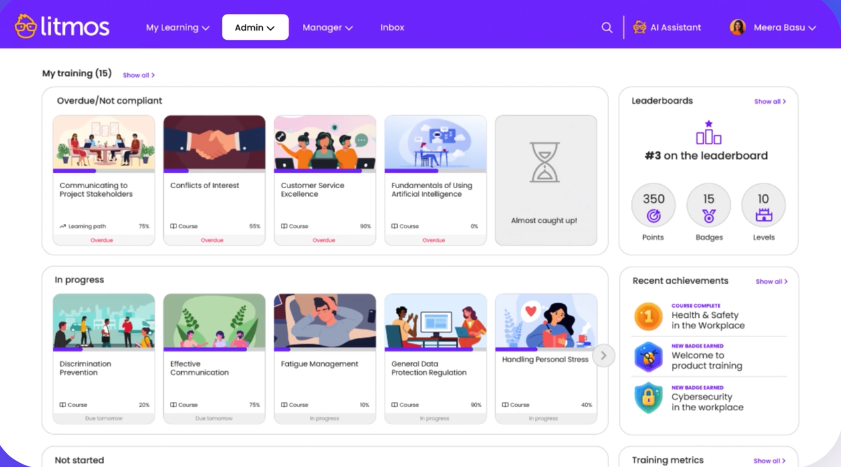
Best for: Quick deployment of basic employee training and compliance
About Litmos
Litmos is a widely used LMS that offers fast setup and access to a built-in content library. It’s often chosen by organizations that need to launch training programs quickly, though teams may encounter limitations as their training needs become more complex.
Top features:
- AI assistant
- AI content authoring tool
- Mobile learning support
- Basic reporting tools
- Integrations with common business software
Real user reviews:
“A user-friendly platform that makes navigation easy for both learners and LMS administrator” — Mahjabeen J.
“The Litmos platform has been ideal for supporting both our new franchisee onboarding and internal compliance training. We particularly value how easy it is to create, assign, and track learning content across our large and diverse network of both our franchisees and colleagues. Its customisation features are excellent and help make it feel part of our own tech offering.” — Ben C.
“There isn’t anything specific to dislike about Litmos, but there are a few areas where enhancements could make administration even more efficient. For instance, introducing more automation options across reporting, bulk data imports, and learner progress updates would help streamline repetitive tasks. Additional flexibility in customizing dashboards and generating consolidated analytics reports would also be a great value add for large-scale enablement programs.” — Poornima V.
“One area that could benefit from enhancement is platform utilisation tracking within the admin reporting suite. While Litmos offers a range of reports, more granular visibility into how learners engage with the platform would empower admins to make more data-driven decisions and better demonstrate ROI to Senior Stakeholders and Leadership.” — Kira S.
11. Continu
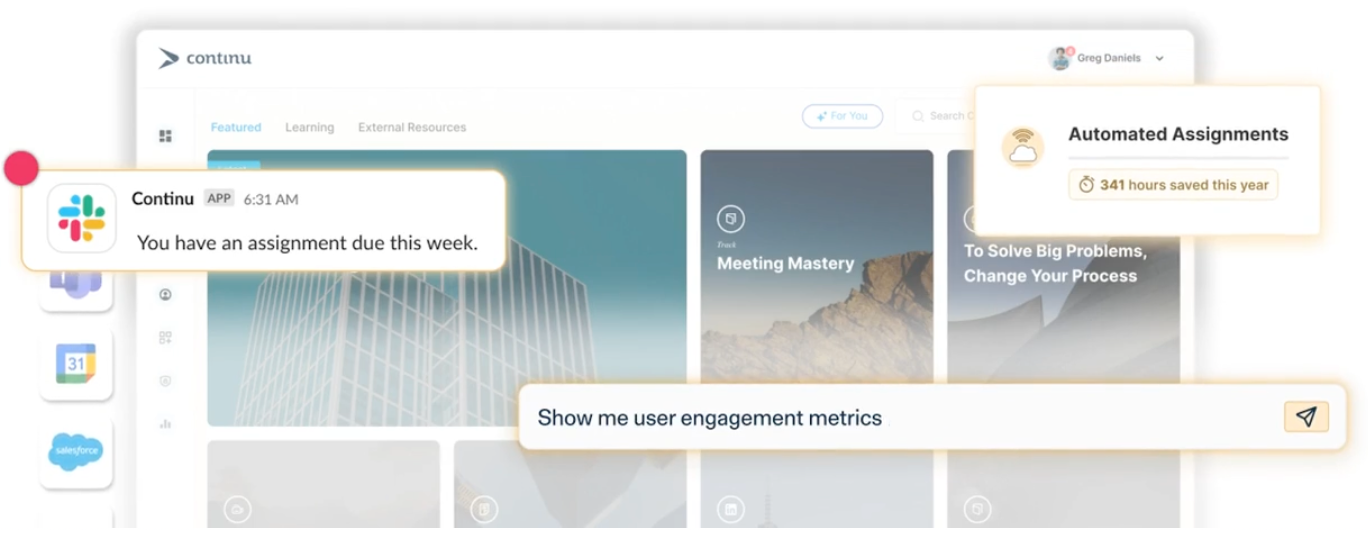
Best for: Straightforward internal training and onboarding
About Continu
Continu is a modern LMS focused on simplicity and ease of use. It’s designed to help teams roll out internal training programs quickly, with an emphasis on clean UX and minimal admin complexity.
Top features:
- Simple course creation and delivery
- Learning paths and certifications
- eCommerce functionality
- Integrations with common business tools
- Mobile-friendly learner experience
Real user reviews:
“The platform offers a wide range of learning resources and helps us retain the knowledge gathered by the company. I like the platform’s user experience, you can organize engaging and interactive sessions. They’ve helped us create a seamless integration.” — Brian P.
“I wish there were more relevant reporting options available, as the current selection feels limited. It would also be helpful if the site offered a greater number of help articles. I often find myself wanting a more comprehensive set of reports, and at times, certain features do not function as expected.” — Tahvo K.
“I find Continu easy to navigate, which makes it valuable because I don’t have a hard time getting to what I need to do. The initial setup was also very easy.” — Crystal N.
“There are times when a direct report completes an assignment, but Continu does not track properly.” — Carla O.
12. WorkRamp
Best for:
About WorkRamp
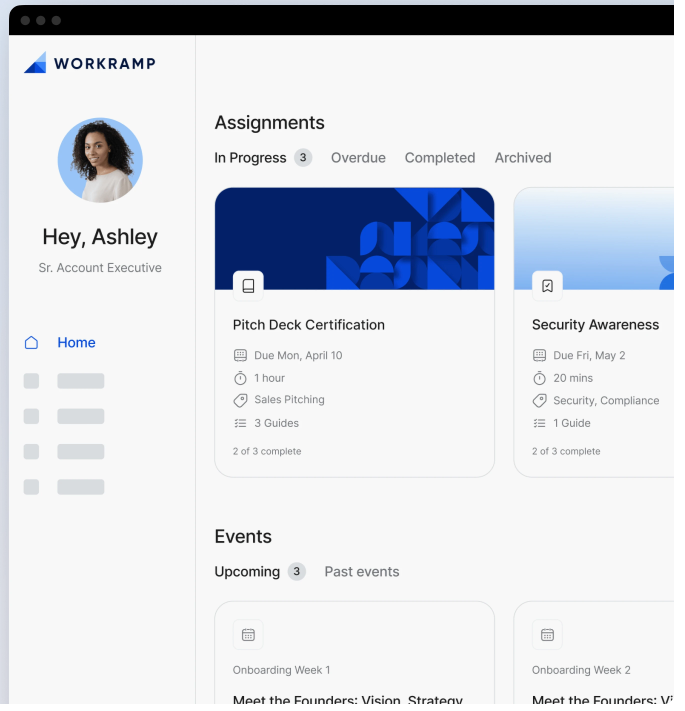
WorkRamp is an enterprise learning platform built to support large-scale training initiatives, including compliance, onboarding, and partner enablement. It’s often used by organizations that need structured learning with strong administrative controls.
Top features:
- AI coaching and feedback
- AI-driven performance analysis
- AI content creation
- Integrations with HR and CRM platforms
- Analytics and reporting tools
Real user reviews:
“WorkRamp strikes the perfect balance between ease of use and powerful functionality. The interface is clean and modern—our learners consistently describe it as fun and easy to navigate. On the admin side, creating learning guides has never been easier. Their AI-powered content generation is a game-changer—you can upload slide decks, Notion pages, or PDFs, and WorkRamp helps turn them into structured, professional learning modules in minutes.” — Megan H.
“The reporting capabilities are pretty limited, which can be frustrating when trying to measure the impact of trainings or pull detailed learner data. There’s room for improvement in terms of customizable reports and visualizing course engagement or completion trends.” — Jamie D.
“I like the ease of use of WorkRamp and the evolution of the platform. We have been a client since 2022, and I have watched the evolution of the product as it makes my job easier and easier.” — Ali Z.
“This tool might not be enough for complex use cases at the enterprise level.” — K. G.
13. LearnWorlds
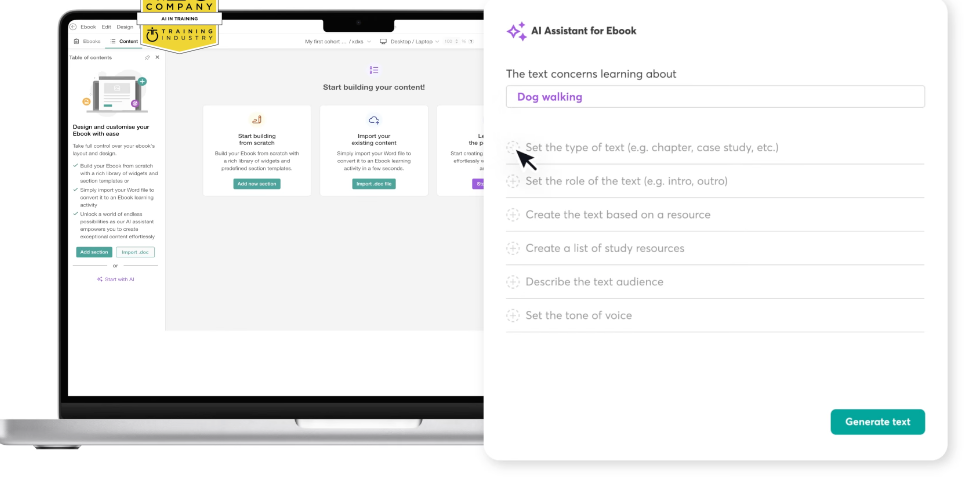
Best for: Creating and delivering branded, interactive learning experiences
About LearnWorlds
LearnWorlds is a learning platform designed for organizations that want strong control over branding and learner experience. It’s commonly used for customer education and external training programs with a focus on interactivity.
Top features:
- Interactive course creation tools
- White-label branding and custom domains
- eCommerce and monetization options
- Gamification with points, achievements, and badges
Real user reviews:
“I am using LearnWorlds for long time and it give us interactive video features, quizzes, buttons, notes inside videos and many more. LearnWorlds provide all in one online course and its creation tools. It is easy to use and my team frequently using it to create coupons, funnels etc.” — Sourabh C.
“As someone who tests software, I appreciate how reliable and well-built the platform is. The course builder is intuitive, and the video hosting is fast and seamless. It just works without bugs or glitches, which is crucial when you’re running a business.” — Hemant R.
“Wish there were additional incentives or badges relating to course completion as opposed to just community discussions.” — Brittnie W.
“LearnWorlds could improve as follows:
1) Provide a better way to navigate between backend course manager admin view & front end user view, it is very hard to move back & forth. I have to keep the Admin section open in other tab and use the ‘right click’ option to open views in another tab.
2) Should allow for the creation of course certificates within Learnworlds and not have an external send from option. Include it within Learnworlds.
3) Wish there was a way to offer and build a sticky search on the back end Admin side for example. I want to only see courses for International and not have to see and filter all courses when I need to focus on a set of course outside of the USA. I do filter on categories, however this search does not save. Thus, I need to re-create each time.” — Katherine G.
14. CYPHER Learning
Best for:
About CYPHER Learning
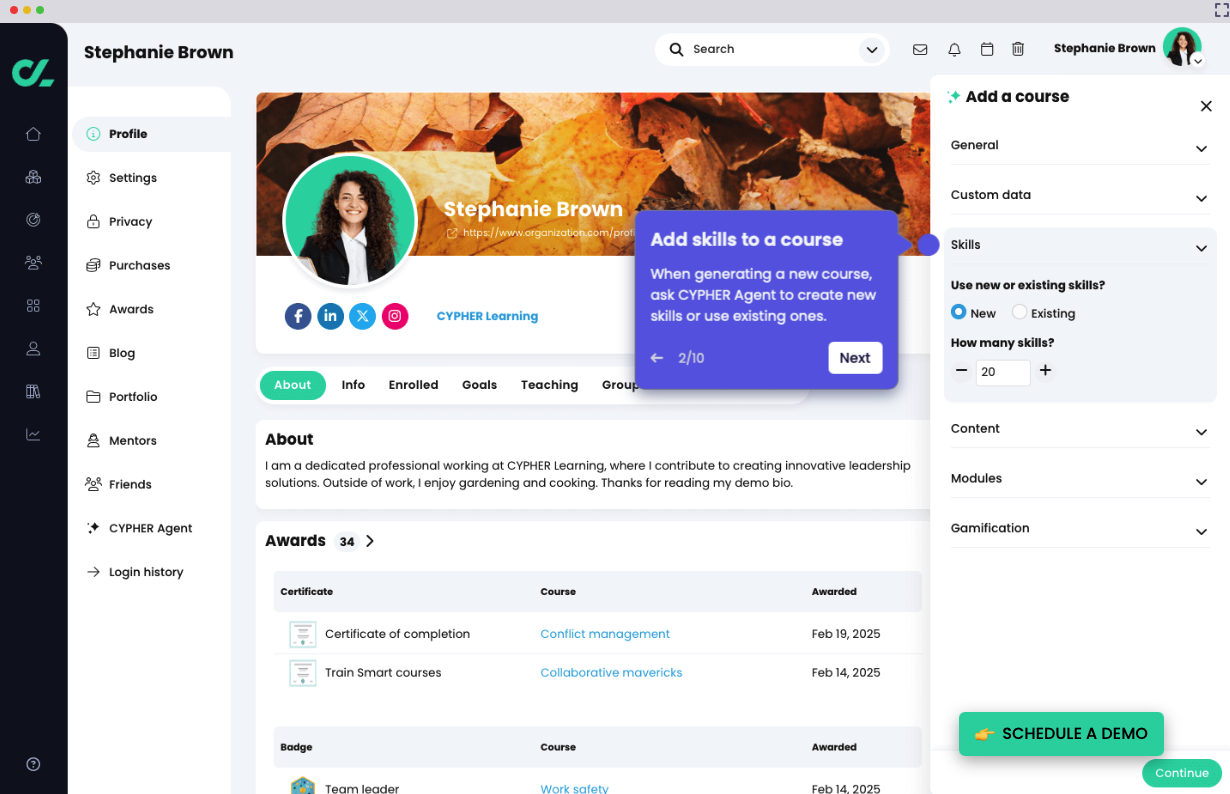
CYPHER Learning is a modern LMS that supports employee training through personalized learning paths and social engagement features. It’s suitable for organizations that want flexibility without heavy enterprise complexity.
Top features:
- eCommerce functionality
- Gamification and automation
- Course authoring and content management
- Integrations with business tools
Real user reviews:
“I would like the platform to be a little more customizable” — Eduardo S.
“Of all the different LMS platforms we compared, Cypher Learning was by far the best. Its UI is intuitive and easy for our student follow, while offering a host of options that allow us to best track our student’s progress.” — David D.
“Not only is the functionality second to none, it is very easy to administer. In addition, the support received (both proactive and responsive) has been to a very high standard. The Cypher team is proactive in ensuring you get the most out of the platform, to suit your needs. This is a vendor who truly listens to their client’s needs. I feel like this is a true partnership.” — Crystal M.
“I don’t like that some advanced features require several additional clicks to find them.” — Fernando L.
15. Seismic Learning
Best for: Sales enablement and revenue-focused training
About Seismic Learning
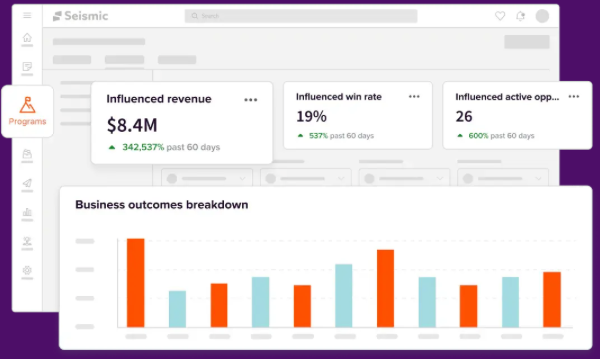
Seismic Learning is designed specifically for sales and customer-facing teams. It combines learning, coaching, and content delivery to help organizations improve sales readiness and performance.
Top features:
- Sales-specific learning paths
- AI-driven coaching and role play
- Content management and delivery
- Integrations with CRM and sales tools
- Mobile access for sales teams
Real user reviews:
“Easy to use, on both the Admin and Learner. Customer Support is always fast and helpful if needed. Its simplicity is not overwhelming to new users.” — Mackenzie W.
“A little less customizations than we would prefer.” — Mark K.
“Seismic learning may sometimes be missing a few additional options for engaging content, quizzes, etc. but it also comes with lots of additional integrations that can serve that purposes with third party tools” — Romain B.
“Search functionality is not always great” — Andre S.
16. Adobe Learning Manager
Best for:
About Adobe Learning Manager
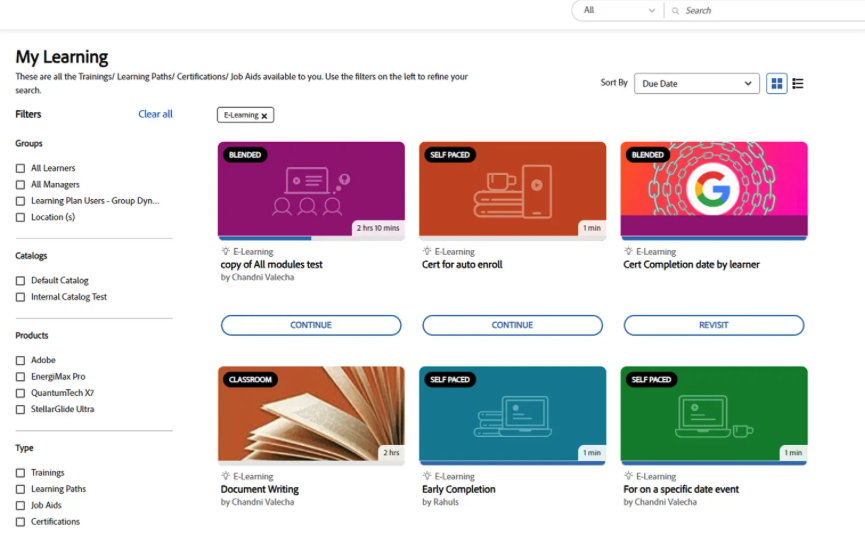
Adobe Learning Manager (formerly Adobe Captivate Prime) is a robust enterprise learning platform built to support complex training programs across employee, partner, and extended enterprise audiences. It emphasizes automation, personalized learning paths, and seamless integration with business systems, making it a strong choice for compliance-heavy industries and organizations that want content delivered in the flow of work. With Adobe’s ecosystem strength, teams can scale learning while maintaining centralized control and visibility into impact.
Top features:
- Personalized learning paths with AI recommendations
- Automated enrollments and progression workflows
- Deep integrations with HR, identity, and productivity tools
- White labeling for branding control
Real user reviews:
“ALM is a very powerful tool. Its quite easy to manage and selp explaining. It has impressive functionality. The support we are getting from the ALM Team is amazing.” — Ranu B.
“I love the reporting that Prime offers. Not only can you see level 1 and 2 results from your training but can easily capture level 3 (utilizing the knowledge and skill back on the job).” — Verified user in e-learning
“The ability to create custom users within the ALM is a bonus for our teams; I am able to create administrators for specific team content and modify the access based on what is needed.“ — Courtney P.
“Sometimes I find it difficult to find the exact report that I need. However, I think that we are barely scratching the surface of what is included functionality.” — Shannon K.
17. Thinkific
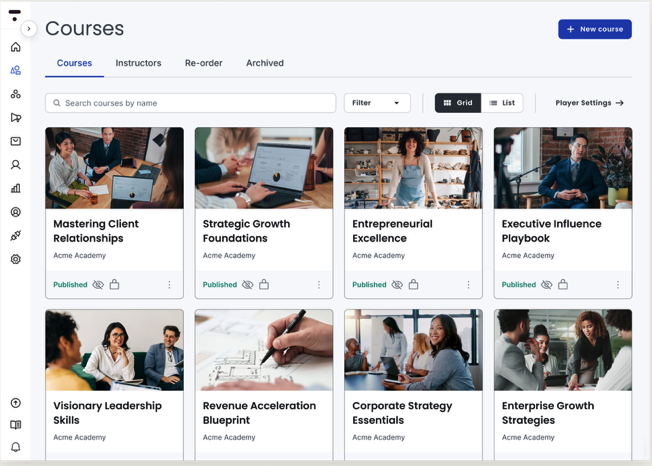
Best for: Course creation and monetization for external audiences
About Thinkific
Thinkific is a learning platform built for creating, marketing, and selling online courses. While it’s not a traditional employee LMS, it’s popular for customer education and training businesses.
Top features:
- Course creation and hosting tools
- eCommerce payment processing and subscriptions
- Custom branding and websites
- Analytics and sales reporting
- Mobile-responsive access
Real user reviews:
“Some design and customization options are limited, and advanced features are only available on higher-tier plans. It would be great to have more flexibility in page layouts, more control over the checkout design, and access to advanced features without needing to upgrade to higher priced plans.” — Manuel Alejandro D.
“I believe that a few areas could be improved – site/page builder limitations: I feel it is a bit restrictive. Some design changes that seem simple require lots of workarounds with custom code; Reporting and analytics: It could be more robust, I would love deeper insights into learner behavior without having to export and analyze it elsewhere; assessment & interactivity: Quizzes and assignments cover the basics, but more advanced assessment options would make it easier for better learning experiences.” — Daniel B.
“I like using Thinkific because it’s intuitive, making course creation effortless and direct. The customer support team is always responsive when we have questions or need assistance, which enhances the overall experience. I appreciate the capability to create endless products, as this allows me to iterate and customize an individualized learning space for each client.“ — Maria G.
“Thinkific Plus provides organizations with flexibility and scalability, and its multi-site administration is excellent for supporting growth across different teams or regions. The customization options make branding simple and consistent, while its integrations and APIs allow for smooth, automated workflows.“ — Deepak T.
18. D2L Brightspace LMS
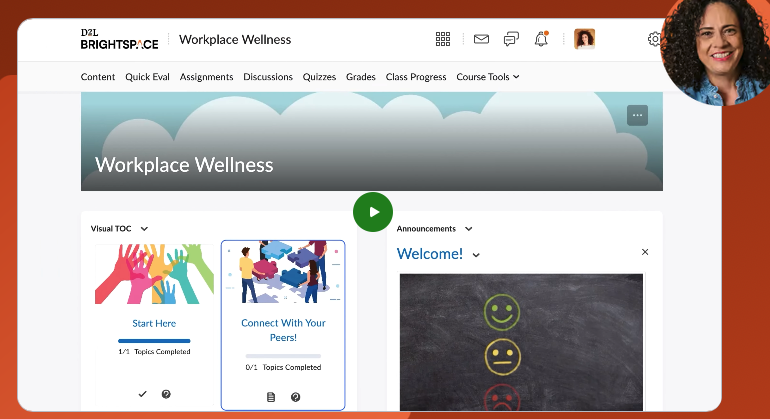
Best for: Institutional training with advanced learning design
About D2L Brightspace LMS
D2L Brightspace is an enterprise-grade LMS known for adaptive learning and strong accessibility standards. It’s used by organizations that require robust learning design and analytics capabilities.
Top features:
- Adaptive and personalized learning paths
- Advanced analytics and insights
- Mobile learning support
- Content creation and management tools
- Integrations with business tools
Real user reviews:
“The interface is clean and offers straightforward navigation for both students and instructors. It includes all the essential features required for a higher education LMS, and integrating additional tools is simple. I also appreciate how customizable it is.” — Helen S.
“One of the key strengths of D2L Brightspace is its reliability and efficiency. The platform integrates seamlessly with our digital learning ecosystem, minimizing the need for additional external tools and thereby saving both time and money.“ — Cat F.
“Brightspace is an exceptional educational platform that stands out for its intuitive design, accessibility, and ability to adapt to the needs of students and teachers. Its clear and organized interface allows any user, even with little technological experience, to navigate courses, activities, and resources without difficulty.” — Oscar P.
“I find the Config Variable Browser to be slightly overcomplicated when administering the platform. It could benefit from integration into a more user-friendly admin UI alongside roles and permissions. Currently, it’s cumbersome having to hunt between permissions and config variables, creating confusion and inefficiency. A consolidated interface for configuring user and course permissions would greatly streamline the process and reduce the time spent enabling features.” — Chris S.
19. Blackboard Learn LMS
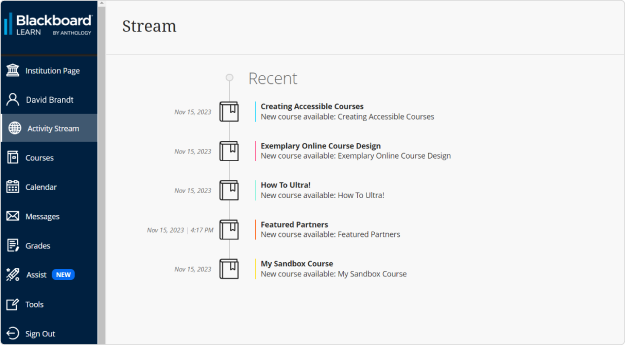
Best for: Structured learning programs
About Blackboard Learn LMS
Blackboard Learn is a long-established LMS widely used in education and training environments. While powerful, it’s often considered more traditional compared to newer, learner-centric platforms.
Top features:
- Course and content management tools
- Assessments and grading workflows
- Integrations with third-party tools
- Mobile learning access
- Analytics and reporting
Real user reviews:
“Blackboard stands out for its robustness and versatility as a learning management system (LMS). I especially like its ability to integrate academic tools, assessments, analytics, and communication into a single ecosystem, which facilitates large-scale course management.” — Guido G.
“The users do need to be comfortable with software use and will need to also participate in continuous training to maintain efficiency with the product.” — Lee G.
“Blackboard has become far more user friendly in the past few years. They have been collaborating more closely with customers to make changes and improvements to the LMS.” — Justin M.
“Blackboard is a reliable and user-friendly platform for online learning. It helps our team organize lessons, assignments, and files all in one place. Plus, it supports all learners by offering accessible content for different learning needs.“ — Diana B.
20. Cornerstone Learn
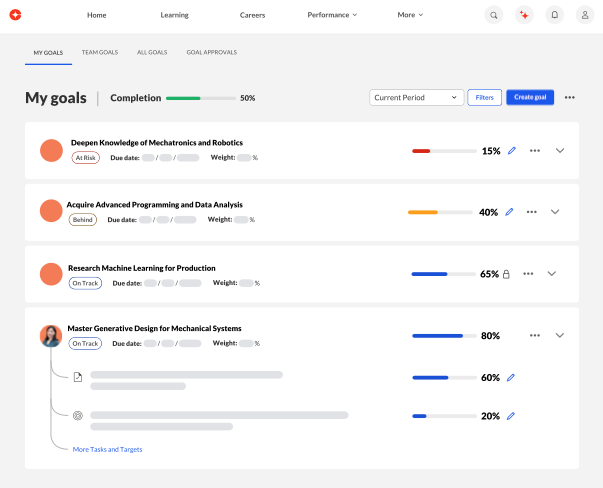
Best for: Enterprise employee training tied to talent and compliance
About Cornerstone Learn
Cornerstone Learn is part of the Cornerstone talent management suite and is designed to align learning with performance, skills, and compliance. It’s often used by large enterprises with complex HR and learning ecosystems.
Top features:
- Compliance and certification tracking
- Skills and competency management
- Learning paths
- Advanced reporting and analytics
- Integrations with HR systems
Real user reviews:
“There are many authentication steps required when trying to access the learning materials.” — Pradip G.
“Note: Most people writing reviews about Cornerstone are not end-users (learners). Learners suffer horribly in Cornerstone.
Where do I begin? I’ve seen it twice now in my different employments.
It has a horrible end-user interface making me doubt that those who built it even have UX designers employed. Things are not logical – at all. Buttons that are essential are not clear, the learning flow is off. I could go on and on.” — Michael A.
“Not to much adaptable or flexible in changes. you cant revert some steps when you make the configurations. Also some workflows were strong to change and we must adapt our procedures to be as cornerstone suggest. Not to much important. The online authoring tool is quite poor.” — Ruben F.
“Reporting capabilities are expansive, but at times, data needs to be exported to create advanced dashboards. Automated Email Notifications are good assets of the system as well. I like how they are always striving to be the best in the business and have an agile approach to updating the system. The skills functionality is helpful in impacting career conversations. The talent marketplace is the culmination of the foundational work in the skills space.” — Jennifer C.
Power your organization forward
Choosing the right training software is about more than just new tech—it’s about unlocking the potential in every one of your people. When you modernize your learning approach, you’ll see the impact everywhere, from faster onboarding and better compliance to a more engaged team ready for what’s next.
Imagine the impact you could make. Bethany Care Society cut new-hire orientation time by 45% after updating their onboarding, while KCF Technologies saved $1.5 million in training expenses in just three years. This is the strategic power of a smarter learning ecosystem, driving both faster ramp-up times and significant cost savings.
You’d be joining over 3,800 organizations that trust a platform built for scale and impact to drive their most critical learning initiatives. Book a demo today to explore how you can accelerate your team’s growth and achieve your goals.
FAQs about employee training software
How long does implementing new employee training software typically take?
Implementation can range from a few weeks to several months, depending on your organization’s size, the complexity of integrations, and the amount of content being migrated.
Can employee training software handle both technical and soft skills development?
Yes, modern platforms are designed to support both, using features like video for technical training and interactive scenarios or simulations for developing soft skills.
How do companies measure the effectiveness of their employee training software?
Effectiveness is measured using a combination of learning data, such as completion rates and assessments, and key business metrics like improved productivity, and higher employee retention.