20 Best cloud based LMS platforms (user reviews and top features for 2026)
Key Takeaways
- Cloud-based LMS platforms eliminate on-premises software installation and hardware maintenance while providing web-accessible learning management from any internet connection.
- Leading cloud LMS solutions like Docebo offer AI-powered content creation, multi-audience training capabilities, and enterprise-grade security features.
- Modern cloud LMS platforms integrate with existing business tools through APIs and pre-built connections, enabling automated enrollment, certification tracking, and data-driven insights for measuring training ROI.
- Enterprise organizations benefit most from cloud-based learning platforms when managing complex training requirements across multiple audiences including employees, customers, and partners within regulated industries.
Introduction
A cloud-based learning management system can make a big difference for organizations, especially as learning goes digital and AI becomes part of how we work. But not just any LMS will do. When a platform feels clunky or unreliable, learners feel it too—and adoption suffers. In fact, 29% of L&D teams say bugs and poor user experience block adoption. That’s a challenge no organization wants to wrestle with.
That’s where a modern, AI-powered learning platform like Docebo comes in. When learning is intuitive, personalized, and easy to use, it changes the experience entirely. Instead of frustrated clicks and half-finished courses, you get engaged learners who actually want to come back and keep learning.
To help you find the right fit, we’ve analyzed the top cloud LMS platforms for 2026. This guide offers a side-by-side look at what each solution does best, so you can choose a platform that supports your learners today and grows with your organization tomorrow.
Snapshot of 20 best cloud LMS software for online learning experiences
| Company | Best For | Not ideal for |
| Docebo | Enterprise, AI-driven, personalized online training for multiple, diverse audiences | Teams looking for a lightweight or basic LMS without AI, automation, or enterprise-level scalability |
| iSpring Learn LMS | Structured online training, especially for teams already using PowerPoint-based content | Organizations needing deep customization, advanced AI capabilities, or large-scale extended enterprise training |
| TalentLMS | Small to mid-sized teams that want a simple, cloud-based LMS for fast course creation and delivery | Complex enterprise learning environments with advanced reporting, integrations, or multi-tenant needs |
| Litmos | Compliance-focused training, standardized course delivery, and rapid rollout across distributed teams | Highly customized learning experiences or organizations prioritizing AI-driven personalization |
| EducateMe | Collaborative, cohort-based learning programs and live, instructor-led online training | Large-scale enterprise training, compliance-heavy use cases, or advanced analytics requirements |
| MoodleCloud | Open-source flexibility for organizations that want full control over customization and hosting | Teams seeking a plug-and-play LMS with modern UX, built-in AI, and minimal technical overhead |
| SkyPrep | Growing organizations looking for straightforward online training with strong customer support | Highly complex learning ecosystems or advanced data and skills analytics |
| LearnWorlds | Creating, marketing, and selling online courses to external learners with built-in eCommerce tools | Enterprise internal training or compliance-driven learning programs at scale |
| 360Learning | Collaborative learning and peer-generated content in fast-moving teams | Formal compliance training or organizations needing tightly controlled learning workflows |
| ProProfs | Simple online training, quizzes, and knowledge sharing for small teams | Enterprise-grade learning programs with advanced integrations or analytics |
| Absorb LMS | Mid-to-large organizations looking for a polished LMS with strong reporting and learner management | Teams seeking deep AI-driven automation or highly customized learning experiences |
| Blackboard Learn | Higher education institutions delivering structured academic courses online | Corporate training teams focused on upskilling, performance, or business impact |
| LearnUpon | Customer and partner training programs that need reliable delivery and reporting | Organizations looking for cutting-edge AI capabilities or deep learning personalization |
| Canvas | Educational institutions and academic learning environments | Corporate or enterprise training focused on skills, performance, or compliance |
| Thrive | Modern, content-centric learning experiences with a strong focus on engagement and UX | Highly regulated industries requiring complex compliance tracking and reporting |
| Adobe Learning Manager | Blended learning experiences tightly integrated with Adobe’s ecosystem | Organizations seeking broad third-party integrations or deep AI-driven insights |
| Skilljar | Customer education and onboarding programs, particularly for SaaS companies | Internal employee training or compliance-heavy learning use cases |
| WorkRamp | Revenue enablement, sales training, and customer education for growing companies | General-purpose enterprise learning or highly customized learning architectures |
| Tovuti | All-in-one LMS solutions with built-in content creation and gamification | Large enterprises needing advanced analytics or complex multi-audience delivery |
| Thinkific | Entrepreneurs and businesses selling online courses and training products | Internal corporate training or enterprise-scale learning programs |
We’ll go over each in more detail soon, but first let’s cover some basics.
What is a cloud-based LMS?
A cloud-based LMS is your learning platform, delivered right through a web browser—no software to install or servers to manage. Think of it like your favorite web app; you just log in from any device and instantly access all your courses and training materials. It’s a system that lets you focus on learning, not on IT.
Unlike traditional systems that lock you into on-site hardware, a cloud LMS gives you the freedom to scale your training on demand. All the updates, security, and maintenance happen automatically behind the scenes, so you’re always on the latest version without any disruption. This approach also shifts your costs from a large upfront investment to a predictable subscription, making powerful learning technology more accessible.
Ultimately, this frees you from managing technical infrastructure and empowers you to do what you do best: create exceptional learning experiences. You can dedicate your energy to developing your people and driving real results. The technology simply works, so you can focus on the impact.
What is the difference between a cloud-based LMS and a self-hosted LMS?
It all comes down to where the system lives and who’s responsible for running it.
Cloud-based LMSs like Docebo are hosted by the vendor and accessed through the internet. The LMS provider handles the infrastructure, updates, security, and performance, allowing you to focus on creating and delivering great learning experiences.
A self-hosted LMS, on the other hand, lives on your own servers. Your team is responsible for setup, maintenance, updates, security patches, and scaling the system as your needs grow.
In practice, this means cloud-based LMS platforms are designed to be easier to manage and faster to evolve, while self-hosted systems offer more direct control but require significantly more technical expertise to keep running smoothly.
Let’s go over each other’s benefits, and see why a cloud-based LMS might be the best suited for your organization.
Advantages of a cloud-based LMS over a self-hosted one
Cloud-based LMS platforms come with some clear advantages, especially for organizations that want learning to stay flexible, modern, and easy to scale. Here are some of their benefits:
- They’re faster to launch and easier to maintain.
There’s no need to manage servers or schedule downtime for updates. New features, performance improvements, and security upgrades happen automatically in the background.
- LMSs like Docebo scale effortlessly.
Whether you’re training 50 learners or 50,000 across multiple audiences, a cloud-based LMS like Docebo can grow with you without added infrastructure or IT overhead.
- They support modern learning experiences.
Cloud learning platforms are built for mobile access, remote teams, video learning, and AI-powered personalization, making it easier to meet learners where they are.
- They free up your teams to focus on learning, not technology.
Instead of troubleshooting systems, you can spend more time designing programs that drive engagement, skills, and business impact.
- They reduce cost and operational overhead.
With a cloud-based LMS, there’s no need to invest in hardware or manage ongoing maintenance. You avoid the hidden costs of upgrades, patches, and infrastructure, making learning more predictable and cost-effective over time.
- They make collaborative learning easier and more connected.
Cloud-based platforms integrate seamlessly with the tools that learners already use, like collaboration apps, video conferencing, content libraries, and productivity tools. This keeps learning closer to the flow of work and makes it easier for people to learn together, not in silos.
Top 20 cloud-based LMS platforms with user reviews
1. Docebo
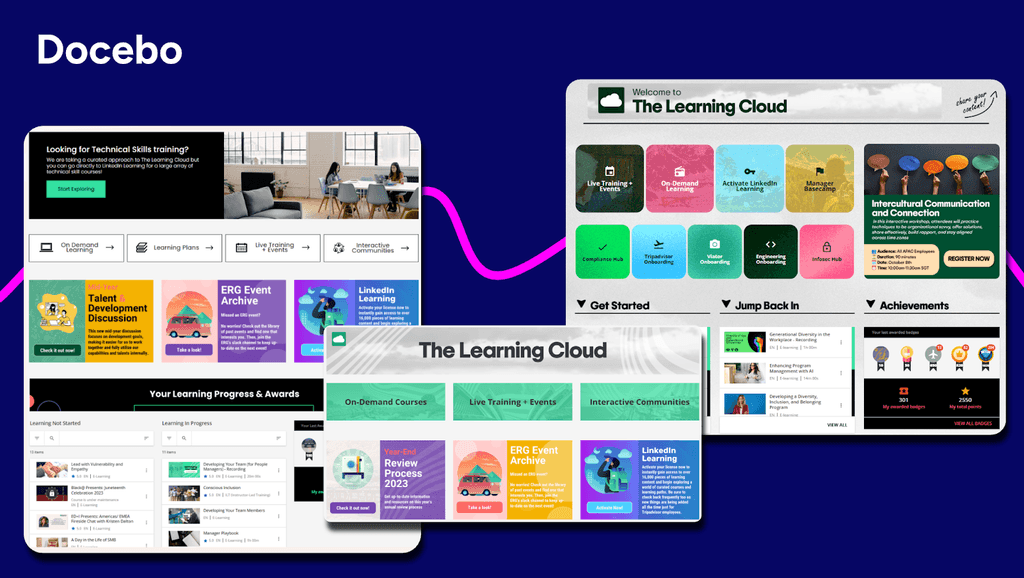
Best for: Enterprise, AI-driven, personalized online training for multiple, diverse audiences
About Docebo
Docebo delivers a comprehensive cloud-based learning management system that transforms how organizations approach training across multiple audiences. The platform specializes in AI-powered personalization and extensive automation for extended enterprise functionality, making it ideal for companies managing complex learning ecosystems. With its unified approach to employee, customer, and partner training, Docebo stands out as a leader in the cloud LMS software space.
Key Features:
- AI authoring for fast course creation and content generation
- Advanced analytics and reporting to measure the business impact of learning
- Seamless integration with existing enterprise systems for smooth user management
- Extended enterprise capabilities supporting employee, customer, and partner training
- Headless learning delivery to embed learning anywhere from websites to apps and portals, while maintaining full brand control
- Mobile app to meet learners wherever they are
- Integrations with video conferencing tools like Zoom, MS Teams, GoToWebinar and more.
- Multilingual and multi-tenant support ideal for global learning programs
User reviews:
“I find Docebo’s rapid implementation and out-of-the-box configuration most useful for me. The platform provides sensible defaults for courses, users, and navigation, allowing training programs to launch quickly. I appreciate the scalability and deeper customization options it offers, as well as a more polished overall learning experience. The initial setup was quite easy and fundamental.” — Polo S.
“I am in Docebo daily and find it very user friendly, easy to navigate and I can easily find what I’m looking for.” — Cindy S.
“I like Docebo’s custom mobile apps and multi-device support, which are mostly used for mobile. It allows learners to access courses, videos, notifications, and learning plans from their smartphone or tablet, providing true flexibility and driving higher engagement. The initial setup was quite easy and didn’t take too long.” — Mary R.
“I am using Docebo to track learners’ progress, which makes it easy to identify who the lazy learners are. I like how Docebo tracks progress using insights. It has made it easy for me to know which content satisfies my learners and work on addressing their weaknesses. Before, it was hard for me to check my learners’ progress, but now I can easily track them while they are learning. It helps me see if the content or quizzes are complicated and saves me a lot of time that I used to spend checking reviews and learners’ reactions.” — Imad G.
2. iSpring LMS
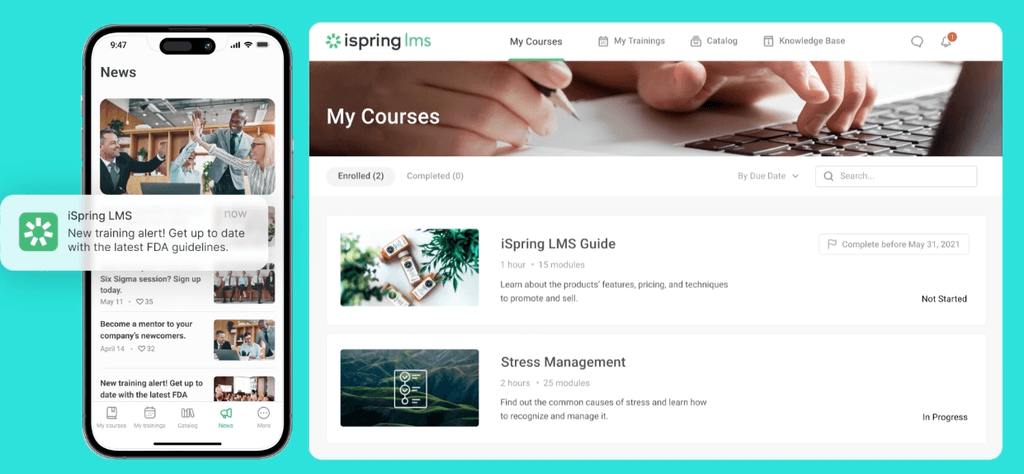
Best for: Structured online training, especially for teams already using PowerPoint-based content
About iSpring LMS
iSpring LMS is a cloud-based learning management system that combines course delivery with built-in authoring tools. The platform enables organizations to create, manage, and track training programs through a unified web-based interface.
Key Features:
- Integrated content authoring tools for creating interactive courses based off formats like PowerPoint
- Social learning with a built-in chat to talk with course authors
- Mobile-responsive learning environment accessible across devices
- Comprehensive tracking and reporting capabilities for learner progress
- SCORM and xAPI compliance for content compatibility
- User-friendly interface designed for non-technical administrators
User reviews:
“The platform is very user-friendly — both for administrators setting up courses and for learners accessing them. Uploading content is straightforward, and the integration with iSpring Suite makes it easy to convert presentations into interactive courses that flow seamlessly into the LMS.” — William R.
“Customisation is more limited compared to some larger enterprise LMS platforms. While the interface is clear and easy to use, there are fewer options to tailor the look and feel or fully personalise the learner journey. For most use cases this isn’t an issue, but organisations wanting extensive customisation may notice the limitations.” — Peter D.
“After trialing several different products, we chose iSpring because it offered the most user-friendly interface for the price.“ — Jon A.
“Their turnaround time with technical support can sometimes be slower than I would like, but I have dealt with much worse. Typically about 24 hours.” — Evan N.
3. TalentLMS
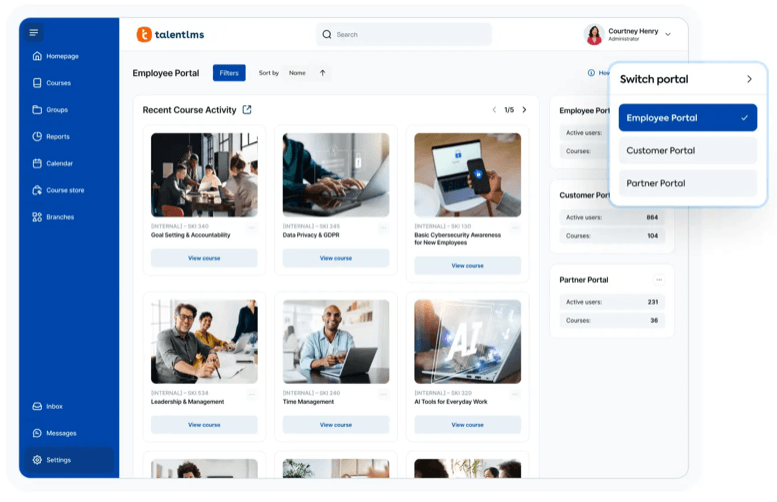
Best for: Small to mid-sized teams that want a simple, cloud-based LMS for fast course creation and delivery
About TalentLMS
TalentLMS is a cloud based learning management system that focuses on delivering straightforward training solutions. The platform enables organizations to create, manage, and track learning programs across multiple portals from a single dashboard.
Key Features:
- Multi-portal functionality for managing different brands or divisions
- AI course creation and content management tools
- AI coach for knowledge checks
- Assessment and certification capabilities
- Reporting and analytics dashboard
- Mobile-responsive design for learning on any device
User reviews:
“I appreciate TalentLMS for its easy-to-use user interface that makes navigating and managing tasks such as creating new courses, assigning them to groups, and managing user access straightforward. The interface is well-structured and intuitive, allowing me as a super admin to efficiently accomplish my goals without confusion.” — Pushkar D.
“Talent LMS is that it’s simple to manage, uploading courses, assigning them, and tracking completions is easy.” — Anusha P.
“Reporting capabilities are very basic. Unable to create reporting on courses grouped together to form a curriculum. Creating courses also uses the most basic of software so not as dynamic learning as would like.” — Shani M.
“I think TalentLMS is overall a great product and well constructed. However, our learning is for external customers and it would be nice if there was a way to setup learning paths. This would include suggestions for learners to access outside resources.
Also more options for company branding. Right now learners know they are accessing our learning through a third party tool ( more options for the home page to look like a company website).” — Annette W.
5. Litmos
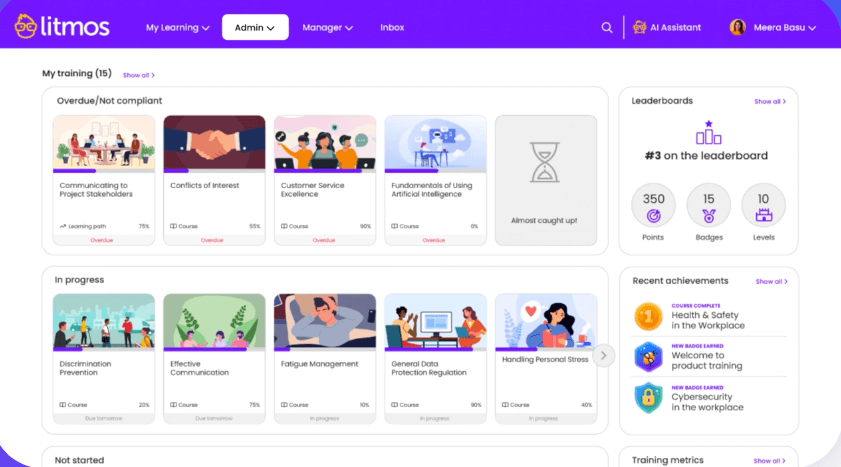
Best for: Compliance-focused training, standardized course delivery, and rapid rollout across distributed teams
About Litmos
Litmos is a cloud-based LMS designed to help organizations quickly deliver consistent training at scale. It’s commonly used for compliance, onboarding, and regulatory training, with a strong emphasis on ease of deployment and centralized management. Litmos supports global teams by making it simple to assign, track, and report on required learning across locations and roles.
Key features:
- Built-in compliance and certification management
- Centralized course assignment and automated reminders
- Reporting and dashboards for tracking completion and compliance status
- Mobile-friendly learning for frontline and remote workers
- Integrations with common HR and business systems
User reviews:
“A user-friendly platform that makes navigation easy for both learners and LMS administrator.” — Mahjabeen J.
“The reporting tab is not as intuitive and requires a lot of configuration to deliver reports. Tracking specific custom fields and analyzing learner data is a lot more work than it should be. I have also run into occasional issues with the search functionality on the people tab, and when using the reporting engine.“ — Bhanu V.
“The system can sometimes feel a little rigid when we want to tailor content journeys for different learner groups. Reporting and analytics are good but could be more customisable with personalised dashboards.” — Ben C.
“At Whatfix, our major product enablement and compliance learning content is created and managed centrally through Litmos. We extensively utilize every available feature within our Litmos instance from course creation and curriculum management to reporting, assessments, and certifications.” — Poornima V.
6. EducateMe
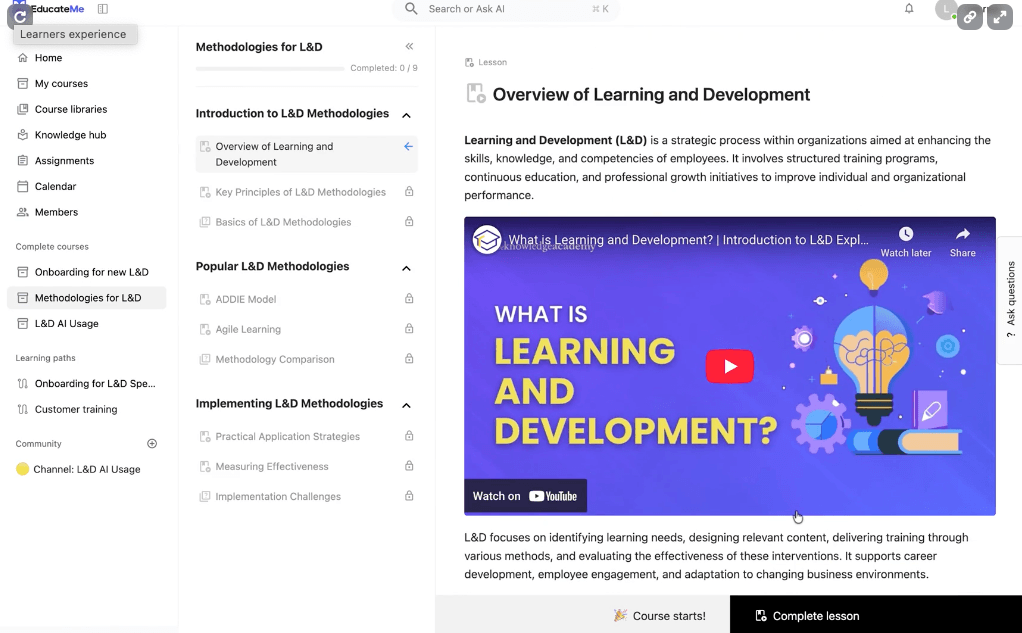
Best for: Collaborative, cohort-based learning programs and live, instructor-led online training
About EducateMe
EducateMe provides a cloud-based LMS solution with AI tools to streamline the development of your learning programs. It is also offered as whitelabel LMS, allowing organizations to fully customize the look and feel of their lMS to match their brand. It also focuses on cohort-based and live learning so it is well suited for teams that prioritize collaboration and interaction over more structured learning.
Key features:
- AI-powered course creation that includes AI roleplay to practice and auto-graded quizzes
- Analytics to track learner progress
- Integrations with popular apps like Google Calendar, Zoom, Slack and Stripe for eCommerce
- Whitelabeling for full customization control
User reviews:
“Onboarding used to be a mix of Google Docs, Zoom calls, and “ask the person sitting next to you.” I like how easy it is to add interactive elements, not just boring PDFs, so people actually engage with the material. The automated progress tracking is a lifesaver; I can see who’s cruising through and who might need extra support.” — Olha B.
“Since it’s a new platform, there is lots of opportunity for new features, and continued improvement by way of integrations.” — Leo M.
“The lack of a specific mobile app is, in my opinion, the sole drawback. A native app would be even more convenient for people who are doing training while on the road, even though the web version is responsive and functions well on phones and tablets.” — Vladyslav B.
“It’s really easy for us to develop very customized tracks for our partner network using EducateMe. We can label content once, and have a system that can automatically build personalized learning paths based on role, level of experience or region.” — Denys S.
6. MoodleCloud
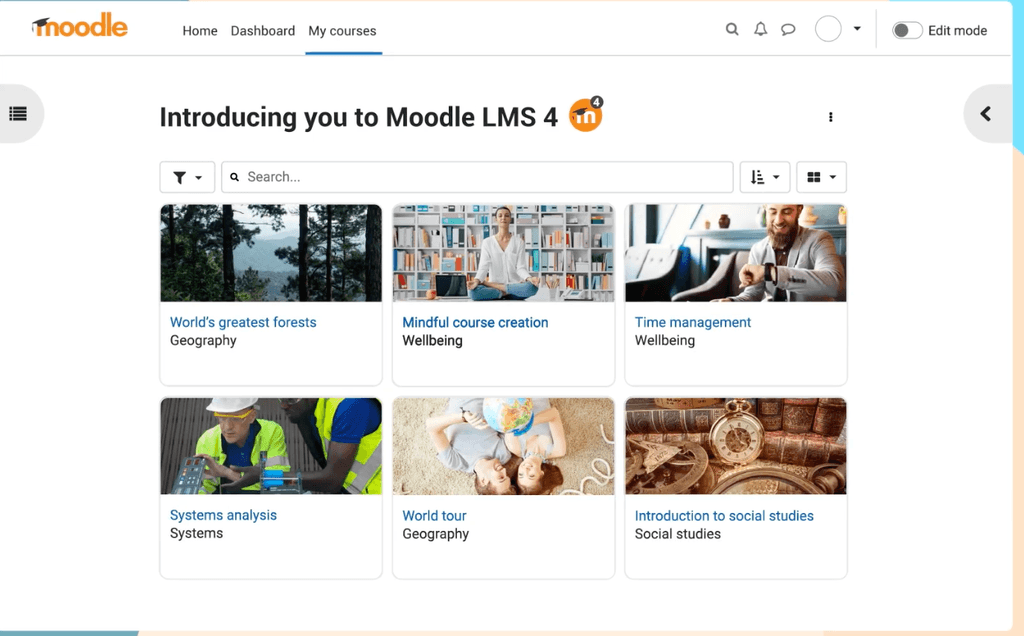
Best for: Open-source flexibility for organizations that want full control over customization and hosting
About Moodle Cloud
MoodleCloud is a cloud-based version of the Moodle LMS, eliminating the need for organizations to manage their own servers and technical infrastructure. The platform combines the flexibility of open-source technology with the convenience of cloud hosting, making advanced learning management accessible to organizations of all sizes.
Key Features:
- Integrated video conferencing for up to 100 users
- Course building tools to generate eLearning content
- Knowledge base for technical self-service
- Basic branding and custom domain options
User reviews:
“As a dedicated Learning Management System (LMS), Moodle provides a fully integrated suite of tools designed to support and manage the teaching workflow specific to higher education.” — Liliana C.
“The interface looks old and kinda confusing. Sometimes it takes too long to find simple things. You really need someone who knows how to manage it, otherwise you get lost fast. Would be nice if it was more simple and modern.” — Gonzalo A.
“One thing I dislike is that I’m unable to install additional plug-ins since I have Moodle Cloud. I was hoping to use certain templates that require plug-ins, as they would help make our business’ LMS appear more organized and conducive to learning.” — Bernadette A.
“Moodle is user friendly and easy to manage. It provides a rich set of activities and resources that support diverse teaching and collaborative learning styles.
Moodle offer a cheap and reliable option as compared to proprietary LMS platforms.” — Julius G.
7. SkyPrep
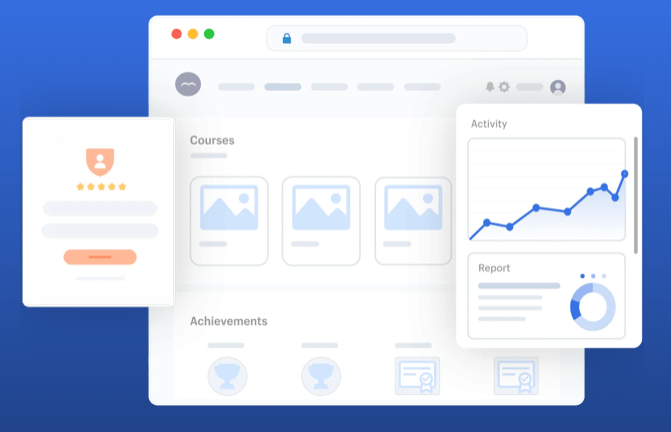
Best for: Growing organizations looking for straightforward online training with strong customer support
About SkyPrep
SkyPrep is a cloud-based LMS designed to simplify online training for teams that want to get up and running quickly. The platform focuses on ease of use and hands-on support, helping organizations create, deliver, and track training without heavy setup or technical complexity.
Key Features:
- Course creation tools that include assessments, and knowledge checks
- Reporting and analytics to track learner progress
- Multi-tenant capabilities to accommodate all your diverse audiences
- Workflow automations for course enrollment and more
- Integrations with common business tools
User reviews:
“I love how SkyPrep enables us to provide real-time information dissemination across the country, which is crucial for our nationwide training activities.” — Daniel V.
“It handles all the basics really well: video uploads, PDFs, quizzes, and course tracking. Setting up learning paths for things like instructor training, onboarding new team members, or accessing business resources is simple and efficient.” — Vincent B.
“The implementation process, while functional, could benefit from more structure. I wish there were templates or guides available with clear suggestions on how to set up the platform, like use cases for certain features. Although my Customer Success Manager is fantastic, the early calls felt more like a Q&A session, which left me unsure of the right questions to ask. I would have preferred more guided support, including step-by-step resources to help me navigate the system with more confidence.” — Tierney P.
“The sheer number of features it has means there are a lot of places where changing a setting can cause user errors downstream. Luckily, we have an account manager (Madison) who is very helpful and knowledgeable. Their support staff are also very prompt and knowledgeable.” — Arvind K.
8. LearnWorlds
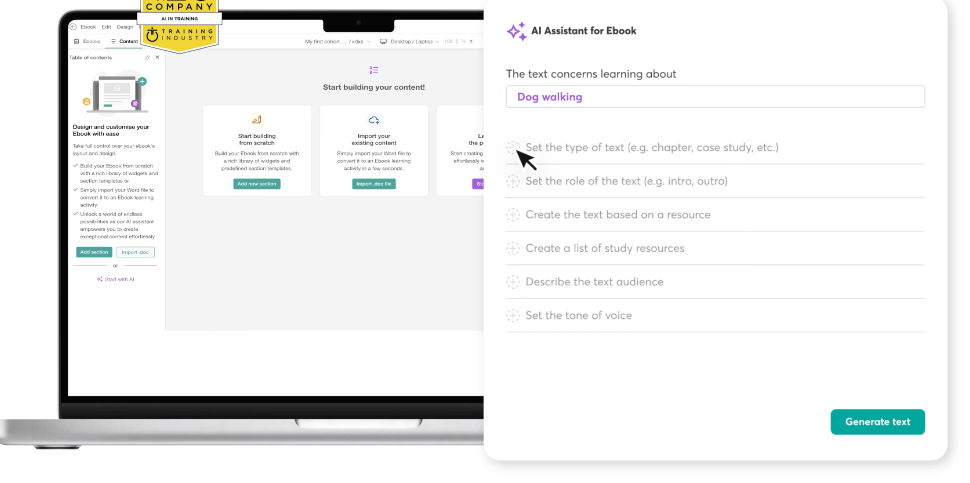
Best for: Creating, marketing, and selling online courses to external learners with built-in e-commerce tools
About LearnWorlds
LearnWorlds is a cloud based e-learning platform designed for course creators and training businesses. The platform specializes in white-label solutions and interactive content creation, making it ideal for entrepreneurs and organizations that need strong branding control. With built-in eCommerce capabilities and community features, it transforms learning into a complete business ecosystem.
Key Features:
- Course Builder with interactive content creation tools
- White Labeling for custom branding and personalized URLs
- eCommerce integration for course sales and subscriptions
- Gamification with points, achievements, and badges
User reviews:
“I am using LearnWorlds for long time and it give us interactive video features, quizzes, buttons, notes inside videos and many more. LearnWorlds provide all in one online course and its creation tools. It is easy to use and my team frequently using it to create coupons, funnels etc.” — Sourabh C.
“As someone who tests software, I appreciate how reliable and well-built the platform is. The course builder is intuitive, and the video hosting is fast and seamless. It just works without bugs or glitches, which is crucial when you’re running a business.” — Hemant R.
“Wish there were additional incentives or badges relating to course completion as opposed to just community discussions.” — Brittnie W.
“LearnWorlds could improve as follows:
1) Provide a better way to navigate between backend course manager admin view & front end user view, it is very hard to move back & forth. I have to keep the Admin section open in other tab and use the ‘right click’ option to open views in another tab.
2) Should allow for the creation of course certificates within Learnworlds and not have an external sejda from option. Include it within Learnworlds.
3) Wish there was a way to offer and build a sticky search on the back end Admin side for example. I want to only see courses for International and not have to see and filter all courses when I need to focus on a set of course outside of the USA. I do filter on categories, however this search does not save. Thus, I need to re-create each time.” — Katherine G.
9. 360Learning
Best for: Collaborative learning and peer-generated content in fast-moving teams
About 360Learning:
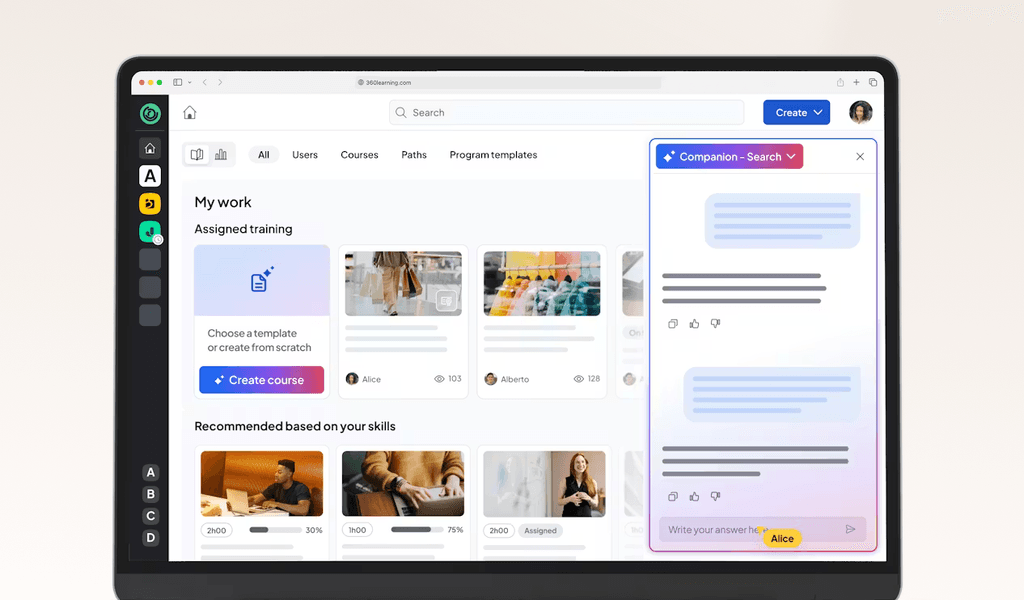
360Learning is a cloud-based learning management system that emphasizes collaborative learning through peer feedback and user-generated content. The platform enables organizations to create, deliver, and track training programs while fostering knowledge sharing across teams.
Key Features:
- AI-powered content generation and course Builder with templates and assessments
- Social Learning capabilities for peer collaboration and feedback
- Gamification elements including points, achievements, and badges
- White Labeling for custom branding
User reviews:
“I find 360Learning easy to use for creating training content without needing expertise in training creation. I like the collaboration aspect of the platform, especially the forums, ratings and reports; and the ability to share insights.” — BichTram (Ellen) Q.
“Although efforts have been made recently, I find it unfortunate that we still cannot further customize the platform, especially the groups. For example, we have two different brands present on the platform, but it is impossible for us to have two colors on the platform.” — Mathilde C.
“I like that 360Learning is easy to use; we don’t need to train our end users on how to use the platform. It’s easy for content creators to design content, even from a PDF or PowerPoint.” — Marie B.
“I noticed that while 360Learning is quite comprehensive and intuitive, it currently lacks the option to conduct live role-plays with AI, which could enhance the training experience.” — Nora S.
10. ProProfs (LMS)
Best for: Simple online training, quizzes, and knowledge sharing for small teams
About ProProfs
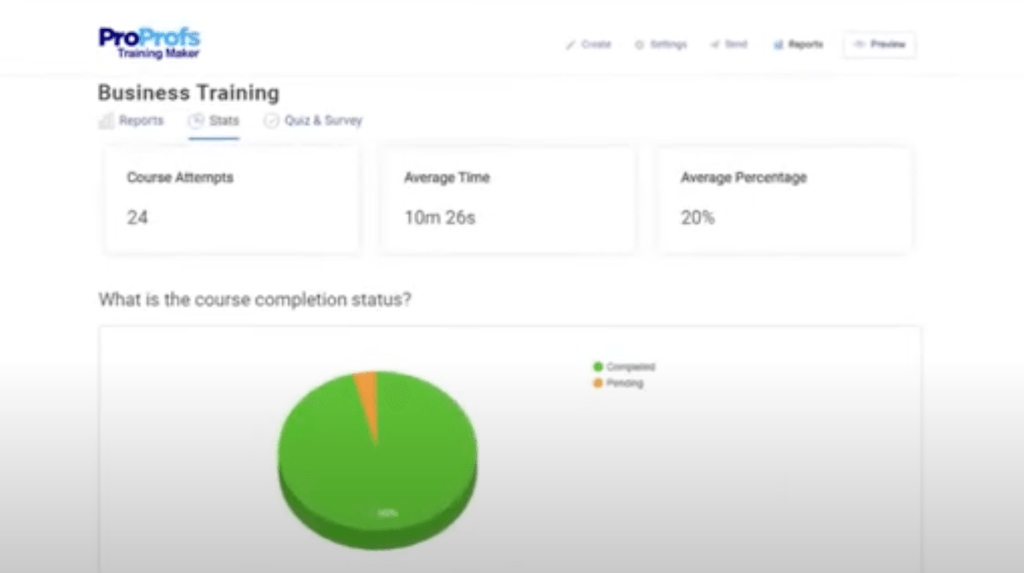
ProProfs Training Maker is a cloud-based LMS built for teams that need to launch courses and quizzes quickly without heavy IT expertise. The platform offers a course builder, a vast library of ready-made content, and unlimited storage for fast scaling.
Key features:
- AI course creation for fast and efficient content generation
- Knowledge base for learners
- Built-in Quiz Maker for scored assessments, surveys, and polls
- Reporting and analytics to track completion rates, scores, time-on-task, and more
- API integrations with popular apps
User reviews:
“ProProfs offers a clean modern UI that makes course creation intuitive. It supports videos, quizzes and PDFs without complications. The course cloning and scheduling features are lifesavers for managing multiple teams. It’s built for both beginners and power users which is a rare combination.” — Luis J.
“The user interface, while intuitive, can feel slightly dated in some places. A more modern visual refresh would elevate the user experience even further. Also the help articles could go deeper into use cases for advanced features.” — Wayne G.
“It’s affordable and easy to use. A rare combination. We don’t have an in-house training department, so being able to create and assign courses quickly is a huge plus.” — Allegra P.
11. Absorb LMS
Best for: Mid-to-large organizations looking for a polished LMS with strong reporting and learner management
About Absorb LMS
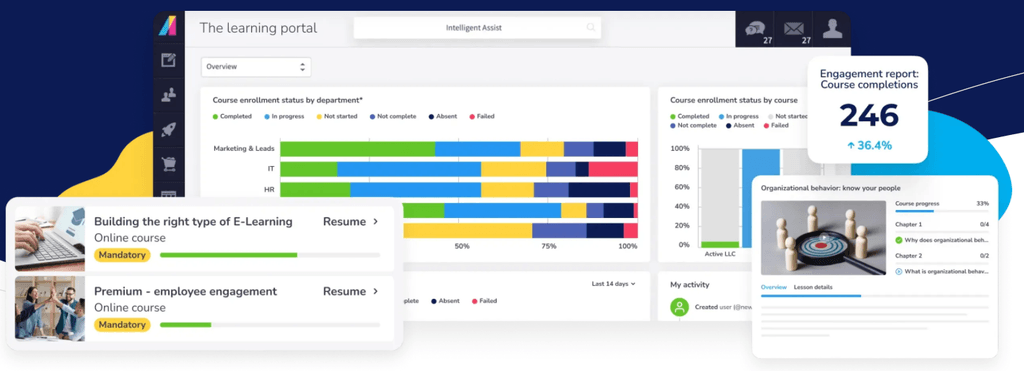
Absorb LMS is a cloud-based learning management system that helps organizations deliver training, manage compliance, and track learning outcomes. Its intuitive design and powerful admin tools support everything from quick onboarding courses to multi-layer certification programs.
Key Features:
- AI-powered content generation and adaptive learning
- Reporting and analytics with learner tracking
- White labeling and multilingual support for brand consistency
- Social learning and gamification to engage learners
User reviews:
“Absorb has a clean, intuitive navigation for the user and the admin, both, which helps since I use it multiple times a day.“ — Angie B.
“One of the things I like best about Absorb is the amount of support that’s provided. Onboarding and training was very simplified and those made using the program very intuitive.” — Aaron L.
“What I dislike about Absorb LMS is that while it’s generally user friendly, some functions can be confusing or take multiple steps to complete. The least helpful aspect is the limited customization available for course layouts and reporting, which can restrict how information is displayed or tracked.“ — Rosetta B.
“Reports tend to be somewhat inflexible when it comes to customization. Learner Progress reports do not update when new Courses are added to the system, requiring a lot of manual updating.” — Carl A.
12. Blackboard Learn
Best for: Higher education institutions delivering structured academic courses online
About Blackboard Learn
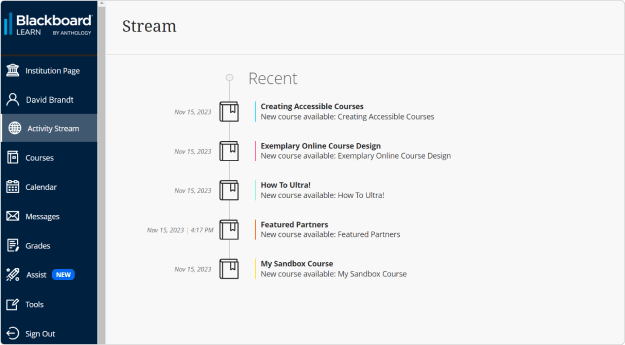
Blackboard Learn delivers a cloud-based LMS tailored toward academic institutions and educational environments. The platform specializes in robust academic features like advanced grading systems and assessment tools, making it ideal for universities and colleges managing complex educational programs.
Key Features:
- Course authoring tools with role-based templates and customized learning paths
- Assessment delivery with question variety and real-time assessment capabilities
- Grading and reporting with automated grading and analytics dashboard
- Process automation for course creation and certificate generation
- Mobile compatibility and white-labeling options
User reviews:
“Blackboard stands out for its robustness and versatility as a learning management system (LMS). I especially like its ability to integrate academic tools, assessments, analytics, and communication into a single ecosystem, which facilitates large-scale course management.“ — Guido G.
“I like how I can easily gather data from our participant. I also like the recent feature with competencies.” — Bertha O.
“Having to be restricted to only 1-browser.
It should be universal when it comes to the browsers of choice.” — Jerri L.
“Can sometimes be slow, and there seems to be limited customization” — Caitlin S.
13. LearnUpon
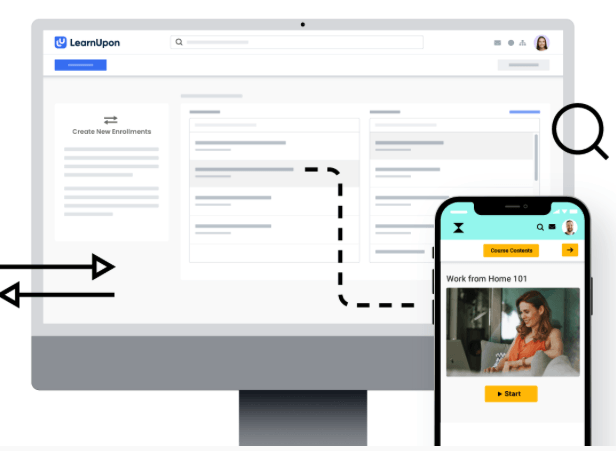
Best for: Customer and partner training programs that need reliable delivery and reporting
About LearnUpon
LearnUpon is a cloud-based LMS built to support training across multiple audiences, including employees, customers, and partners. The platform emphasizes simplicity and consistency, making it easy to manage different learning programs for a single environment while maintaining clear separation between audiences.
Key Features:
- Multi-portal functionality for managing different audiences
- Course creation and content management tools
- Automated enrollment, reminders and learning paths
- Reporting and dashboards for tracking learner progress and completion
- Integrations with common HR, CRM, and other business tools
User reviews:
“LearnUpon is hands down the best LMS company and system that we have ever worked with. Super intuitive user interface for both the learner and the administrator, super responsive client success team! I can’t speak highly enough about this platform the amazing people that run it” — Jason S.
“I especially enjoy the learning paths and journey features, as well as the options to schedule reporting. I’m always looking forward to the ongoing enhancements LearnUpon LMS makes.“ — Danielle C.
“Learning journeys could be improved. Reporting could be improved.” — Barry L.
“The reporting is not always reliable. Data can be ran in different reports that don’t always align.” — Krystina H.
14. Canvas
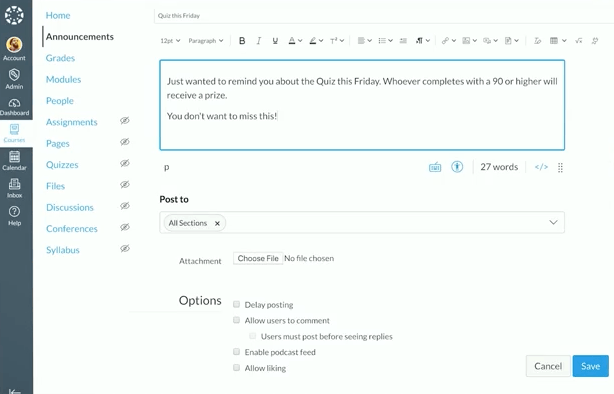
Best for: Educational institutions and academic learning environments
About Canvas
Canvas is a cloud learning management system that provides educational institutions with tools for course delivery, assessment, and student engagement. The platform focuses on creating intuitive learning experiences through its web based LMS interface and mobile compatibility.
Key Features:
- Course Builder for streamlined content creation
- Personalized learning paths for each student
- Analytics dashboard and reporting for tracking student performance
- Mobile compatibility for learning on the go
User reviews:
“I like the mobile accessibility and third-party integration with Canvas LMS. The courses and communication are well-organized, making them easy to manage. The core interface and initial setup are user-friendly, which is a big plus.” — Mani K.
“The platform is easy to navigate and highly user-friendly, with seamless integration of other instructional software.“ — Saadia F.
“Limitations on integration with other software.” — Allyssa M.
“While Canvas LMS is powerful, some advanced features have a steeper learning curve for new instructors, and the speed of the interface can slow down when working with large courses or heavy media content. The reporting and analytics, while useful, could be more customizable for deeper insights.” — Arun Prakash S.
15. Thrive
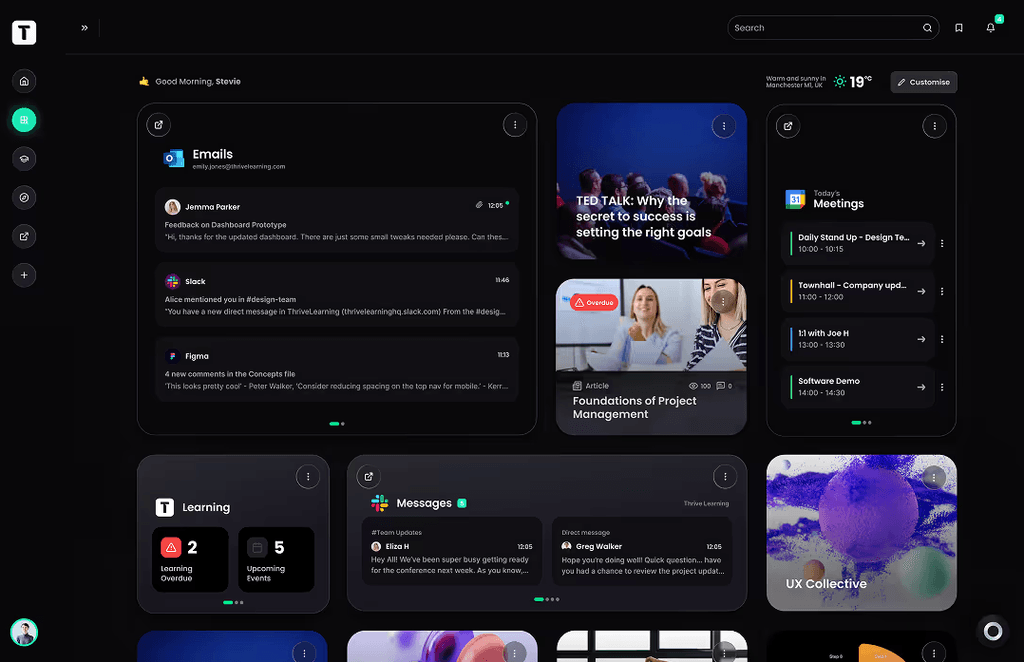
Best for: Modern, content-centric learning experiences with a strong focus on engagement and UX
About Thrive
Thrive is a cloud-based learning platform designed for curated content, social learning, and discovery, helping organizations encourage continuous learning as part of everyday work. It’s often used by teams that want learning to feel less formal and more embedded in the flow of work.
Key features:
- AI content creation and curation and knowledge sharing tools
- Social and collaborative learning features
- Personalized learning experiences based on learner interests
- Mobile-friendly, consumer-style user experience
- Integrations with workplace tools to support learning in the flow of work
User reviews:
“Severe lack of deep data reporting, content creation can be frustrating and things like AI content creation and integrations all cost extra. Customisation of the pages is very basic and there is no option to translate pages seamlessly. Being able to put branding up and customisation is severely lacking.“ — Verified user in consumer goods.
“It’s a great way to contain and track learning resources, business communications, contact colleagues, and share other business details or product details.” — Rach D.
“I love how Thrive is changing the game when it comes to learning! It makes it more engaging for learner and helps to create a great learning culture within businesses.” — Verified User in Airlines/Aviation
15. Adobe Learning Manager
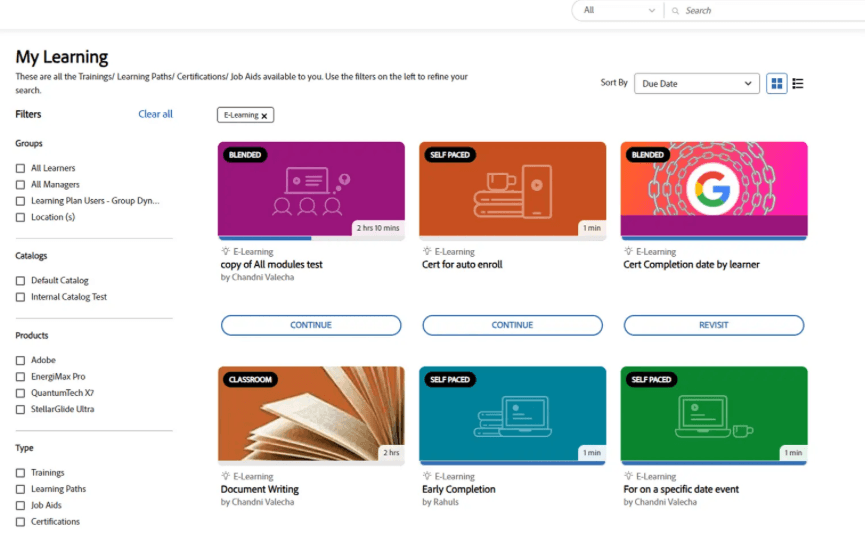
Best for: Blended learning experiences tightly integrated with Adobe’s ecosystem
About Adobe Learning Manager
Adobe Learning Manager is a cloud-based LMS designed to support personalized, blended learning experiences across internal and external audiences. The platform brings together self-paced learning, instructor-led training, and social learning, with a strong focus on content-driven experiences. It’s often chosen by organizations already invested in Adobe tools that want learning to fit seamlessly into their existing digital workflows.
Key features:
- Personalized learning recommendations and learning paths
- Content marketplace and integration with Adobe tools
- Skills tracking and learning progress monitoring
- Mobile-friendly learning experiences
User reviews:
“I work as a HR executive in L&D and I am the administrator, author, instructor and learner and for me each role is different and is very easy and convenient.“ — Sneha S.
“The reporting side of the platform can be difficult to navigate.” — Simon B.
“Adobe Learning Manager provides maximum flexibility and customization to help us develop the system to integrate into our teams with success.” — Connie K.
“I wish it had better reporting features, especially around L1 and L3 feedback.” — Patrice E.
17. Skilljar
Best for: Customer education and onboarding programs, particularly for SaaS companies
About Skilljar
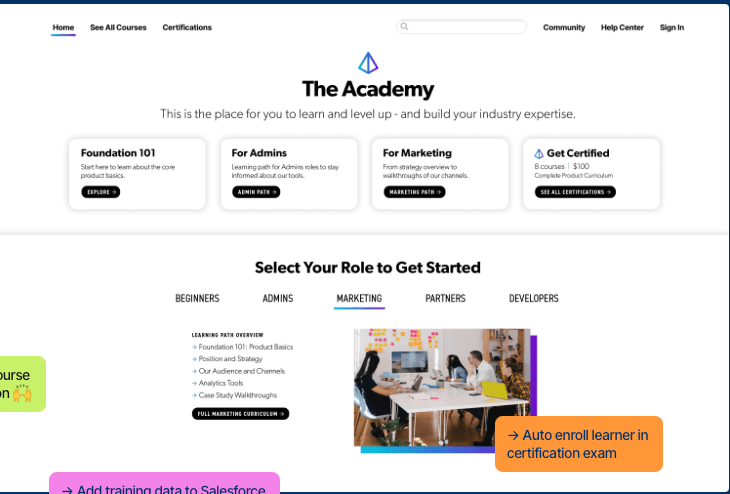
Skilljar is a cloud-based LMS designed specifically for customer and partner training. Purpose-built for external audiences, it helps you scale onboarding, reduce support tickets, and deepen product adoption for customers, partners, and channel teams.
Key Features:
- Course builder with role-based templates for rapid content creation
- White-labeling and deep branding controls
- eCommerce for paid training and subscription models
- Advanced analytics, cohort reporting, and learner dashboards
- Certification engine with support for industry compliance requirements
User reviews:
“I love the ease of use and implementation of Gainsight Customer Education. The courses are clear and easy to follow, with good customer support and simple integration with other tools. The platform is comprehensive and useful for improving my professional skills.” — Fatima D.
“I recently started using Skilljar and I am blown away by how easy it is to use!“ — Crystal N.
“While the platform is powerful, some reporting functionalities feel limited without advanced configuration or external data tools. For instance, creating detailed custom reports requires exports and third-party tools, which could be streamlined within the native dashboard.” — Ankur G.
“I find the reporting capabilities of Skilljar by Gainsight to be limited. The basic features like who completed what and scores are available, but when I want to dig deeper or build custom reports, I hit a roadblock. This restriction necessitates exporting data to Excel, which is time-consuming. Additionally, the certification setup process was a bit complicated, despite the overall setup being straightforward.” — Angel M.
18. WorkRamp
Best for: Revenue enablement, sales training, and customer education for growing companies
About WorkRamp
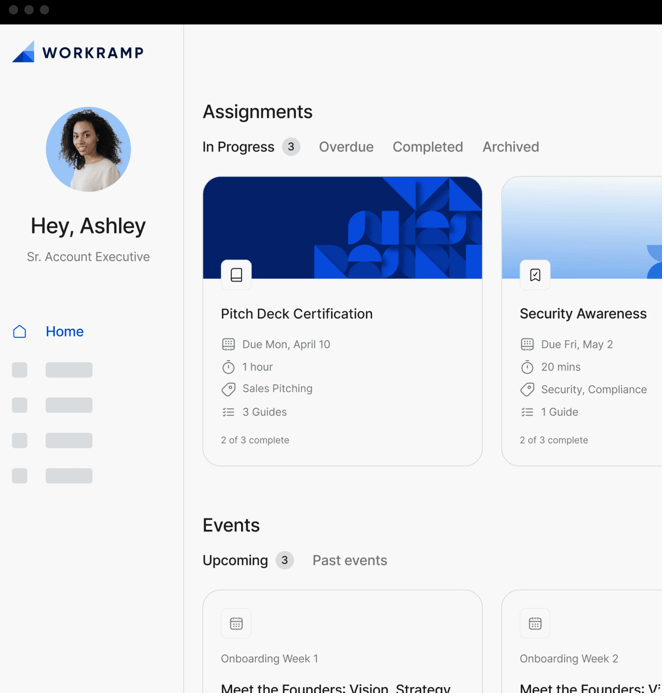
WorkRamp is a learning management cloud platform that enables organizations to create, deliver, and track training programs across multiple audiences. The platform combines traditional LMS capabilities with advanced AI features to streamline content creation and enhance learning experiences.
Key Features:
- Course authoring with AI-powered content generation and customized learning paths
- Advanced analytics and learner tracking with native dashboard visualization
- White labeling and multilingual support for brand customization
- Mobile support and integrations with popular business tools like Slack
- Gamification elements including points, achievements, and badges
User reviews:
“Love the ability to centralized and share content with users.” — Adria L.
“It takes less than an hour to understand the fundamentals of how to use it (design, adjust) and it offers a wide range of options to build courses, with different multimedia and learning functionalities.” — Roy S.
“I think the most significant downside of Workramp is the UI and the mechanism for building courses. It is very cumbersome and technical. If that was improved in varying degrees, it would allow for us to continously build more and more courses within the software itself, rather than only importing courses elsewhere.” — Aaron M.
“The reporting capabilities are pretty limited, which can be frustrating when trying to measure the impact of trainings or pull detailed learner data. There’s room for improvement in terms of customizable reports and visualizing course engagement or completion trends.” — Jamie D.
19. Tovuti
Best for: All-in-one LMS solutions with built-in content creation and gamification
About Tovuti
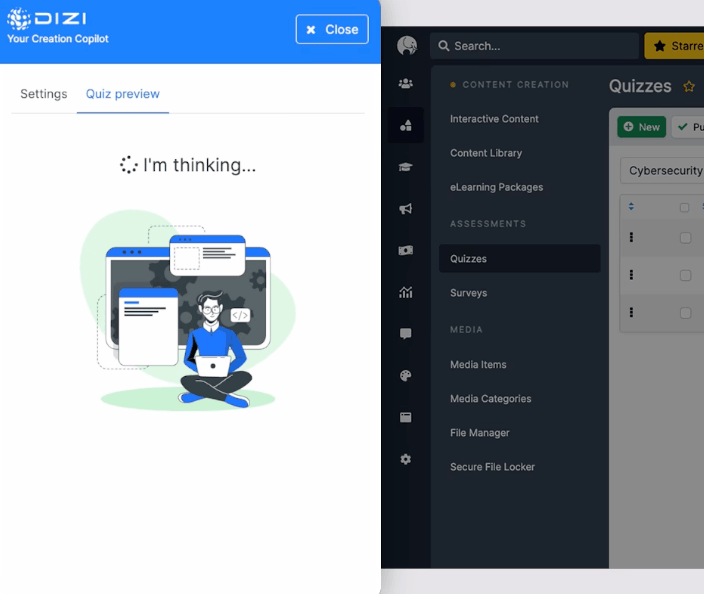
Tovuti is a cloud based learning management system that provides organizations with a fully customizable platform for training delivery, course creation, and learner engagement. The platform combines traditional LMS functionality with advanced features like AI content generation, eCommerce capabilities, and comprehensive white-labeling options.
Key Features:
- Course authoring tools with built-in assessments and quizzes
- White-labeling and multilingual support for global deployments
- eCommerce marketplace for course monetization and subscriptions
- Gamification features including points, badges, and achievements
- AI-powered content generation and adaptive learning capabilities
User reviews:
“Reporting and analytics can be a bit difficult or incomplete. I wish there were more reporting options available.” — Jared E.
“Creating content is straightforward, and there are many useful features available. Adding multiple users at once is both fast and simple, with options to tailor the fields to fit the needs of your organization.“ — Ben B.
“The reporting functionality is not ideal in Tovuti. We had to export data via our api in order to get accurate reporting for our customers.” — Amanda F.
“The support team: they are quick to respond to queries and ensure you have a resolution within hours” — Nishan M.
20. Thinkific
Best for: Entrepreneurs and businesses selling online courses and training products
About Thinkific
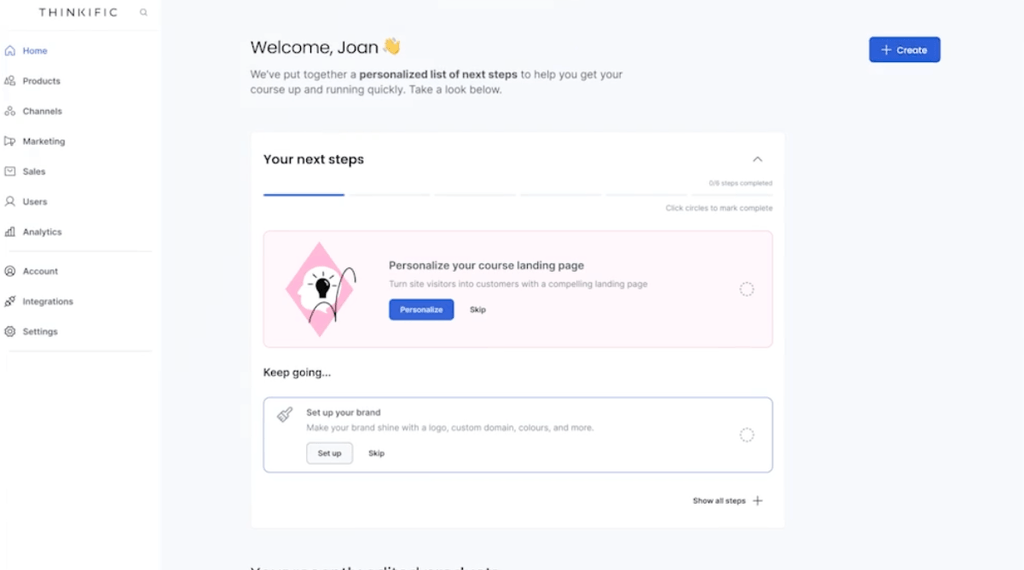
Thinkific is a cloud LMS designed to help you create, market, and sell online courses under your own brand. It pairs intuitive course-building tools with eCommerce, so revenue and learning stay under one roof.
Key Features:
- Drag-and-drop Course Builder with role-based templates and multimedia support
- White-labeling: Custom domains, colors, and interfaces to match your brand
- Native eCommerce: Subscriptions, one-time payments, coupons, and bundles
- Learning paths and prerequisite sequencing for structured progression
- Analytics and reporting that surface completion, engagement, and revenue data
User reviews:
“Some design and customization options are limited, and advanced features are only available on higher-tier plans. It would be great to have more flexibility in page layouts, more control over the checkout design, and access to advanced features without needing to upgrade to higher priced plans.” — Manuel Alejandro D.
“I like that Thinkific provides us with a complete course platform without needing a lot of custom development, allowing us to focus on content and learner experience instead of building tech from scratch.” — Daniel B.
“I think some of the UX of the landing pages can be significantly improved. For one of our students to land on that page, it’s not very inspiring, and we are limited in how much we can customize it as the ones setting it up.” — Maria G.
“The analytics, while useful, could be more comprehensive, and some aspects of design customization may require coding knowledge.“ — Deepak T.
Now that we’ve gone over each of the top cloud-based learning platforms in detail, it’s time to choose the best for your organization.
Choosing the best cloud based learning platform for your organization
Moving to the cloud is more than a tech upgrade; it’s about turning your training program into your organization’s powerhouse. You need a platform that delivers the flexibility and intelligence to meet complex learning demands today, while preparing you for whatever comes next.
Just look at Bethany Care Society. By switching to Docebo, they cut new-hire orientation time by 45% and freed up 372 educator hours a year, showing how the right platform transforms onboarding from an operational drain into a strategic driver of productivity for your team.
Ready to see what a high-impact cloud learning platform can do for you? Schedule a demo with Docebo to discover how smart automation and seamless integrations can elevate your training and deliver a real impact you can measure.
FAQs about cloud-based LMS
Yes, leading cloud LMS platforms offer robust multi-language support, allowing you to localize the interface and course content for global audiences. They typically handle diverse character sets for a seamless user experience.
They provide detailed analytics on learner engagement, course completions, and assessment results. These insights help you measure training effectiveness and identify areas for improvement in your programs.
Top platforms protect your data with enterprise-grade security measures, including encryption, strict access controls, and regular security audits. You should verify that a provider holds key compliance certifications like SOC 2 or ISO 27001.