April 2026 product release
Great work happens everywhere. Now learning does too.

For Learners
See the features built around your workday.

For Admins
Discover the features built to power your programs.
Organizations that never stop learning










Your learning. On your terms.
Great work and great learning shouldn’t happen in different places. This release makes sure they happen together, wherever you are.
Your browser, your classroom
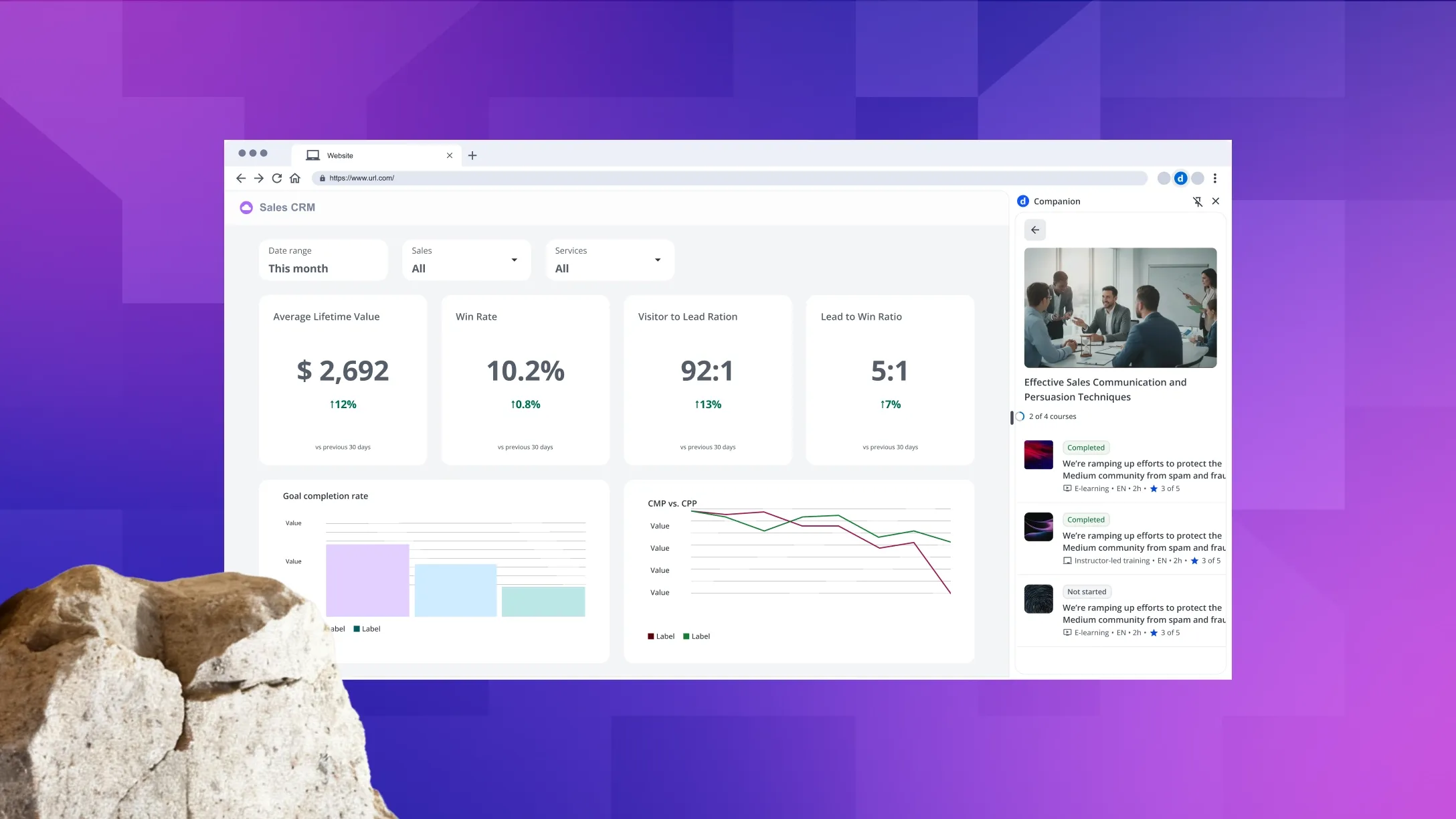
Companion brings your Docebo training into any browser tab while you work, so the right content is always one click away, no context switching required.
Learning inside your AI assistant
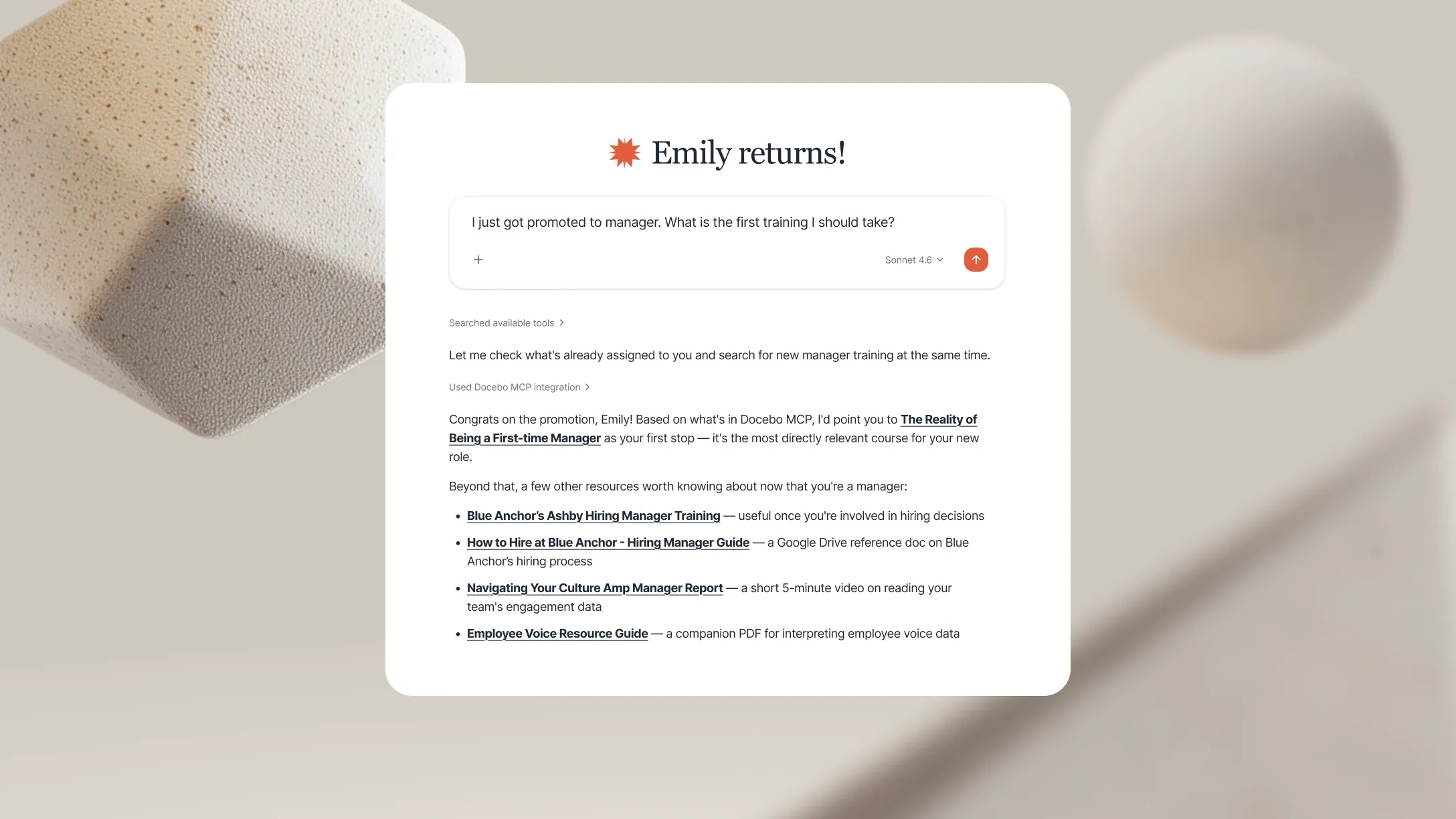
Docebo MCP brings your learning content into the AI assistants you already use, so courses, progress, and answers are always within reach.
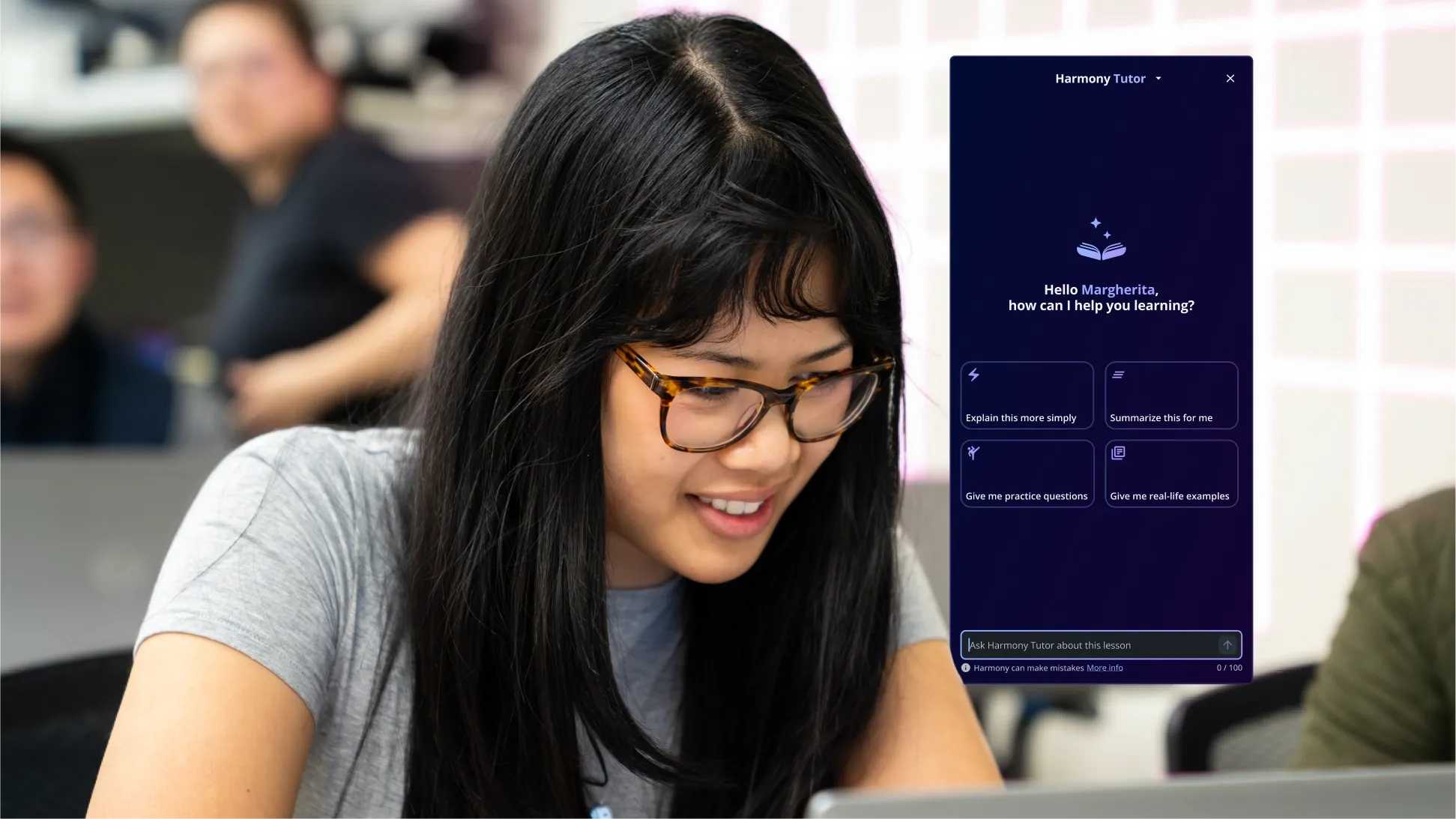
A tutor for every course
Harmony Tutor answers your questions and explains concepts directly from your course content, so you can work through material on demand.
For the people behind the programs.
Your programs deserve a platform that keeps pace with them. This release gives you the tools to manage smarter, roll out confidently, and reach every learner.

Redesigned daily management
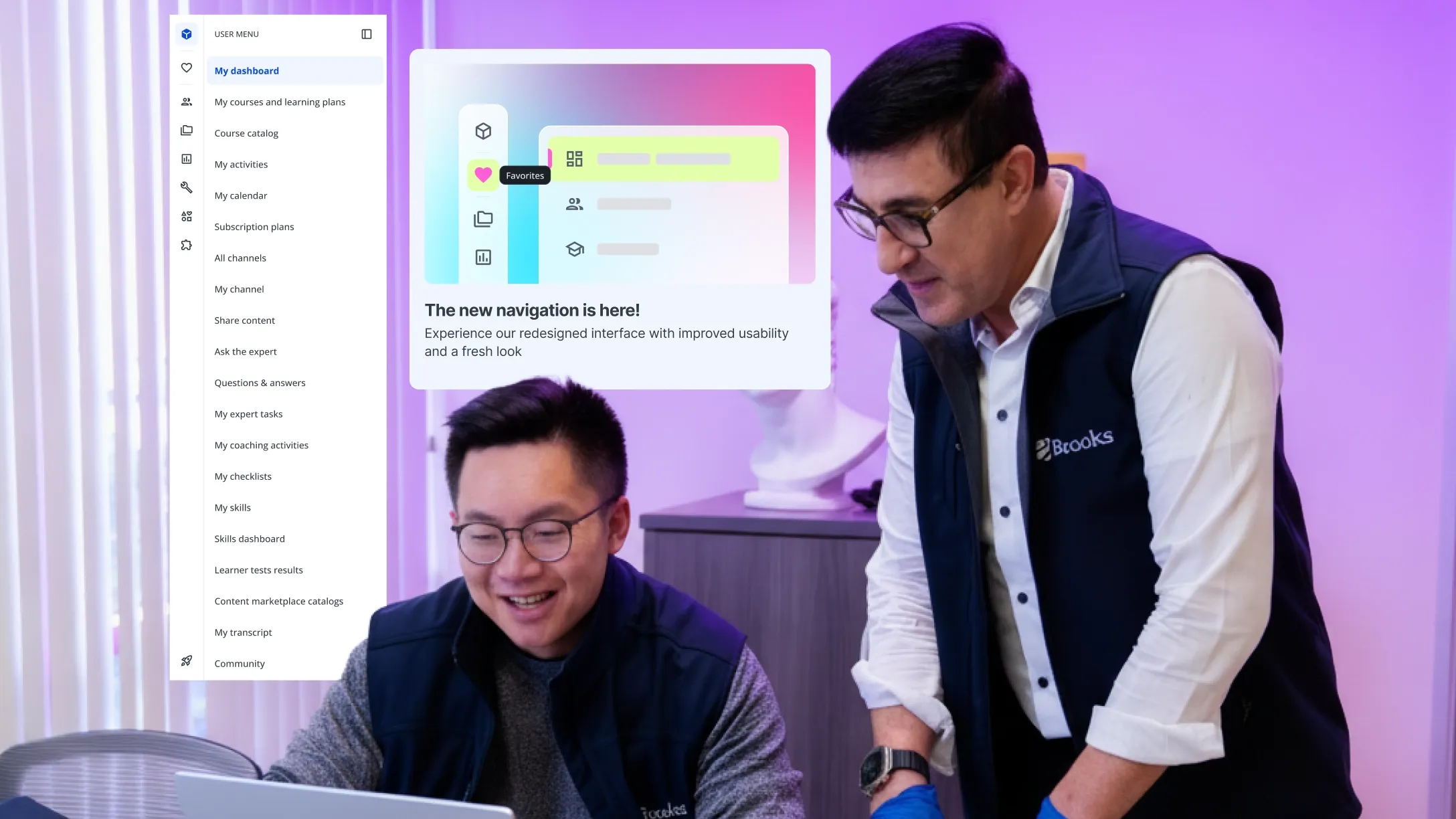
The new Docebo admin menu delivers a logical hierarchy, Harmony Search in the header, and accessibility compliance — everything you need, where you expect it.
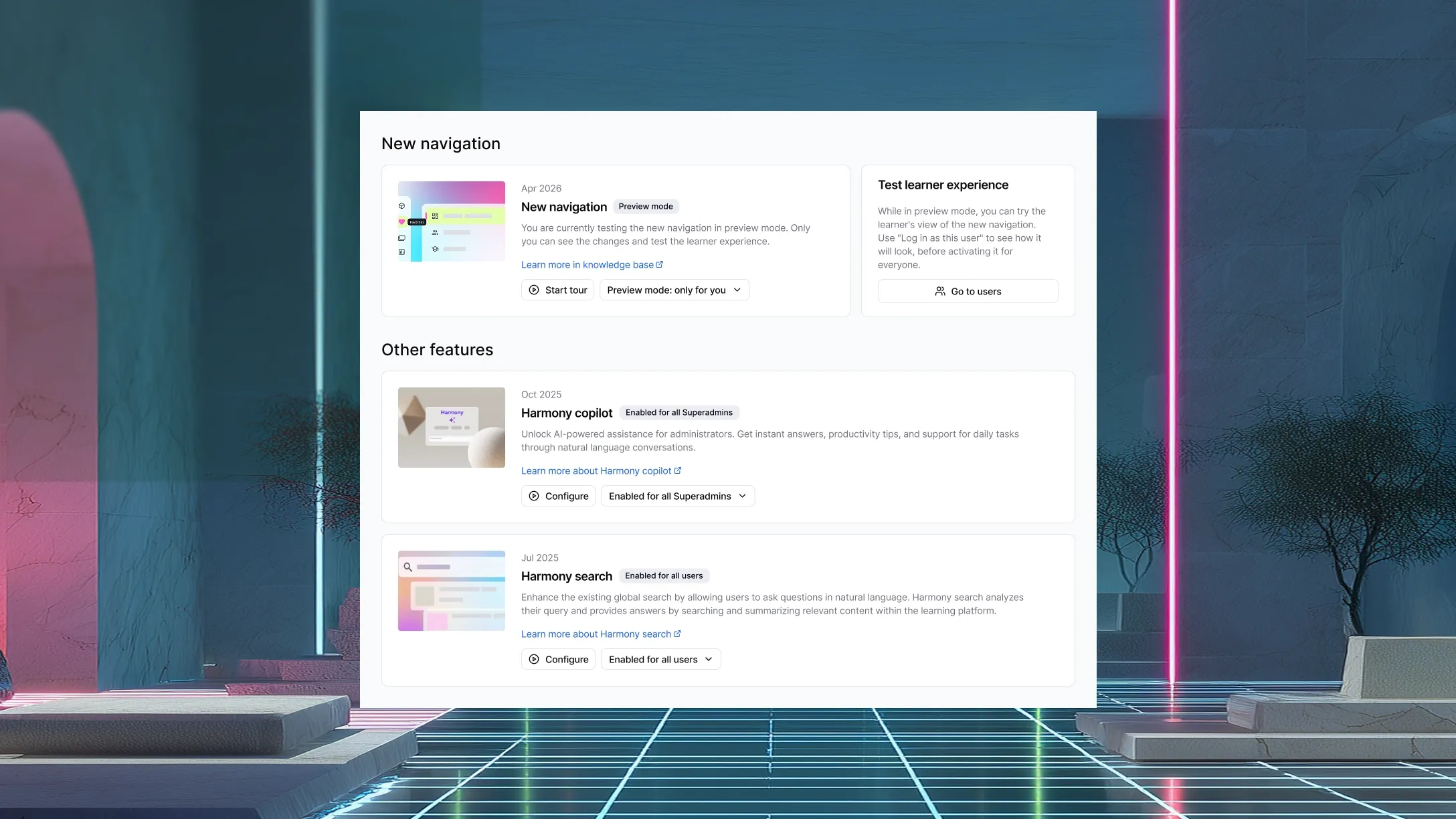
Roll out on your timeline
Launch Pad lets Super Admins discover, preview, and activate select new capabilities on their own terms, with no engineering intervention required.
One catalog, every language
Localized Metadata automatically displays course titles and descriptions in each learner’s preferred language, with no duplicate courses and no manual work.

“We are not reacting to the AI moment, we have been building for it.”
Alessio Artuffo, Docebo, CEO
ALL FEATURES
The full April 2026 release, all in one place
Companion
Companion Browser Extension
Meet learners in the moment without pulling them out of it. Companion brings Harmony Search, content access, and AI-powered learning into a browser side panel, so training shows up right where work is already happening, no tab-switching required.
Creator
iFrame Asset Type
Bring the web into your lessons without the workarounds. The new iFrame asset type lets authors embed external web content directly into Creator lesson screens, with configurable sizing, scrolling, and accessibility settings, all from the existing insert menu.
eCommerce
Klarna via Stripe
Reduce purchase hesitation and increase conversions on premium training. Klarna’s buy-now-pay-later option is now available within the existing Stripe integration with no additional payment gateway needed; learners pay in installments, and merchants receive the full amount upfront.
Subscription Status Panel UX
Give learners and admins a clear, confident view of subscription access. The redesigned subscription panel surfaces active, expired, and pending states at a glance, highlights upcoming expirations proactively, and puts self-service actions one click away.
Stripe Webhook-Based Order Confirmation
Close the gap between successful Stripe charges and LMS enrollment by confirming transactions through a direct server-to-server connection. When a learner completes a purchase, the LMS listens for Stripe’s webhook signal to finalize the order and grant course access automatically.
Training Credits – Shared Wallet
Eliminate the overhead of managing individual credit balances across your organization. A centralized credit pool shared across groups and branches lets Power Users draw from a single wallet to purchase training on behalf of their teams.
Harmony
Harmony Tutor
Give every learner an on-demand study companion, available 24/7. Harmony Tutor explains concepts, summarizes content, and guides learners through material conversationally, with no instructor required and no waiting for a scheduled session.
Harmony for Learners: Content Discovery
Help learners find exactly what they need, the moment they need it. Learners can now search for courses, assets, and learning plans using natural language queries in Harmony, with results automatically filtered to their catalog entitlements.
Harmony: Search & Copilot UX Unification
Bring every AI-powered interaction into one seamless experience. The Harmony Search modal and Copilot side panel are now unified into a single lateral panel with full-screen mode, role-based scoping, and migrated chat history, giving users one place to search, ask, and act.
Integrations
Webhook Delivery Logs & Monitoring
Give admins full visibility into integration health without opening a support ticket. The new webhook delivery log exposes complete delivery history, including successes, errors, and retries, with filtering by status, event type, and timeframe so teams can monitor and troubleshoot on their own.
Learn
Feature Control
Put admins in control of when and how select new capabilities roll out on their platform. A dedicated Feature Control page lets Super Admins discover, preview, and activate early-access features independently, with off, preview, and on states and no engineering intervention required.
Localized Metadata / Translations
Deliver a native learning experience to every learner, automatically. Course titles and descriptions now display in each learner’s preferred language, with one catalog, no duplicate courses, and no manual workarounds.
New Admin Menu
Make day-to-day platform management faster and more intuitive. The fully redesigned admin navigation delivers a logical hierarchy, Harmony Search built into the header, and accessibility compliance, so the tools admins use most are exactly where they expect them.
New ILT Session Status
Remove the guesswork from instructor-led training management. Clearer, more granular session state indicators now give admins and instructors instant visibility into where each ILT session stands in its lifecycle.
New Upload Flow
Upload training content at scale without interrupting your workflow. The new upload experience supports bulk file uploads with real-time progress tracking, antivirus scanning, and a modern UI, so large content operations move faster and more reliably.
Observation Checklist for Power Users
Extend checklist management to the people closest to the work. Observation Checklists can now be scoped directly to Power Users, giving them the ability to manage, schedule, and report on checklists within their designated user population.
Observation Checklist Validation Questions
Turn observation checklists into scored, pass/fail evaluations. Admins and Power Users can now mark correct answers on choice-based checklist questions, adding structured assessment rigor to field-based observation workflows.
User Completion Progress in Catalog Pages
Give learners instant clarity on their training progress without leaving the Catalog. Course and learning plan tiles now display real-time statuses like Not Started, In Progress, Completed, or Waiting List, reducing confusion, eliminating redundant navigation, and aligning the experience across the platform.
MCP
Docebo MCP Server – Public Beta
Put your learning content inside the AI assistants your team already uses every day. Docebo MCP establishes a bidirectional integration that makes Docebo a knowledge source inside Claude, Microsoft Copilot, and ChatGPT, and enables Harmony to reach external knowledge sources, so learning shows up wherever work is happening.
Mobile
Branded Mobile App: Redesigned Publisher
Give your branded mobile learning app a fresh look and feel without touching a line of code. The redesigned Publisher expands no-code configuration options for branded mobile apps, so teams can customize and update the experience without any engineering resources.
Enhanced Mobile Course Player
Let learners tailor how they consume training on mobile — whether that means following along with subtitles in their preferred language, moving through content at their own pace, or blocking out distractions with fullscreen mode.