Top 10 employee training tracking software (reviewed February 2026)
For Learning & Development (L&D) practitioners, HR leaders, and customer enablement teams, the challenge of delivering, managing, and scaling impactful learning experiences is a constant pressure. Teams using comprehensive platforms like Docebo to train employees, customers, and partners across a global enterprise understand that without a centralized system, the administrative burden can quickly overshadow strategic goals. You’re likely grappling with:
- Struggling to centralize training records and ensure compliance across disparate departments and audiences.
- Lacking clear visibility into learner progress, engagement, and the overall effectiveness of your programs.
- Spending excessive time on manual tasks like sending reminders, generating certificates, and compiling reports.
- Facing difficulty in demonstrating the tangible business impact and ROI of your learning initiatives to key stakeholders.
Employee training tracking software directly addresses these challenges by automating administrative workflows and consolidating all learning data into a single source of truth. By implementing the right platform, you can move beyond simple record-keeping to streamline compliance management, prove the value of your L&D efforts with robust analytics, and ultimately create more engaging and effective learning experiences for your entire organization.
To help you find the best fit for your organization’s needs, we’ve compiled a complete guide to the top employee training tracking software for 2026. Below, you’ll find a detailed comparison of leading platforms to help you make an informed decision.
What is employee training tracking software?
Employee training tracking software systems are advanced tools designed to streamline the management and monitoring of corporate training programs.
They act as a digital backbone for organizations aiming to improve their workforce’s skills and compliance with industry standards.
Unlike traditional methods — which often involve spreadsheets and manual record-keeping — these tools automate tasks such as:
- Creating and uploading training materials
- Assigning training courses to individuals or groups
- Learner progress tracking
Picture it as your organization’s digital academy, where the labor-intensive aspects of training, like grading, compiling statistics, and maintaining training records, are managed with technology.
10 of the best software tools for training management
Below is a rundown of the top 10 best software solutions for training management, with their key features.
| Software | Best for | Top Feature |
| 1. Docebo | Scalable and personalized L&D for employees, customers and partners. | AI-powered personalized learning experiences at scale. |
| 2. iSpring Learn | Enrolling learners based on predefined criteria. | Filters and automatic assignments for course enrollment. |
| 3. Absorb LMS | Performance-based assessments in real-world settings. | Observational checklists. |
| 4. Connecteam | Maintaining high standards of workplace safety and quality. | Compliance tracking with mandatory training records. |
| 5. LearnUpon | Deep diving into training metrics. | Extensive reporting capabilities. |
| 6. TalentLMS | Managing different learning environments. | Reporting and sub-account branching. |
| 7. Trainual | Forecasting training schedules. | Smart time estimates to prioritize training. |
| 8. Litmos | Real-time tracking of learner progress. | Tracking and feedback capabilities. |
| 9. 360Learning | Collaborative, peer-driven learning at scale. | Collaborative authoring with built-in SME co-creation tools. |
| 10. Tovuti LMS | In-depth analytics and data on learner engagement. | Granular data insights. |
1. Docebo
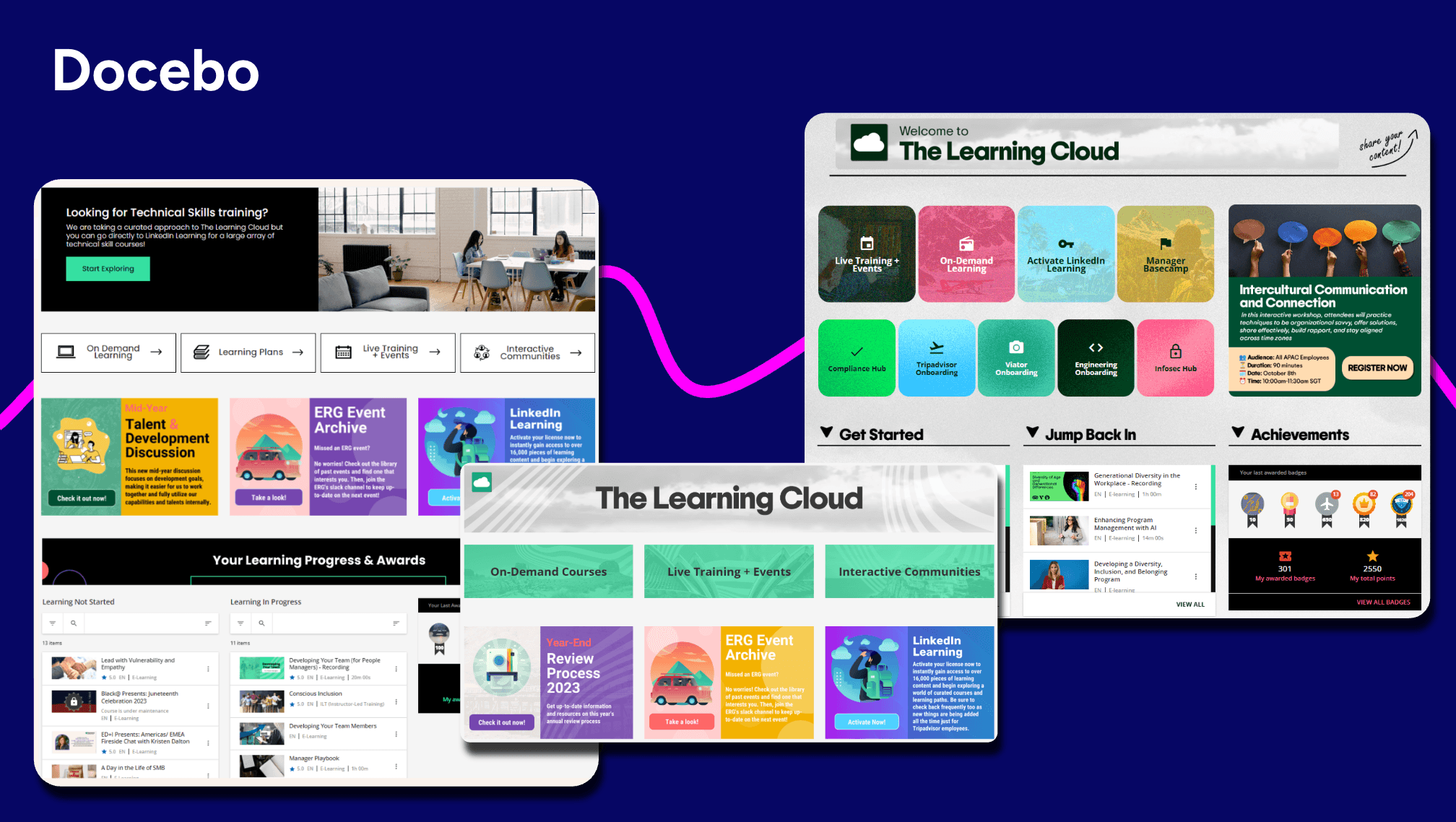
Docebo is a robust learning management system (LMS) designed for employee onboarding, skill development, compliance training, and more.
The platform’s custom report capabilities provide deep insights into training program success and content effectiveness.
The platform allows organizations to create and implement customized learning plans based on the unique requirements of individual employees or groups.
Docebo enhances engagement and motivation through gamification elements like badges, leaderboards, and contests — boosting participation rates and a sense of achievement among learners.
The platform’s social learning features help foster a community of continuous learning and development by enabling learners to interact with peers, share insights, and exchange knowledge.
Additionally, the platform’s certification and retraining app helps to simplify the often complex process of certification management and renewal — ensuring employees remain up-to-date with their certifications.
G2 Rating
Top Features
- Custom reporting functionality.
- AI-powered learning plan creation capabilities that match learning content with employee interests, skills, and career goals, hyper-personalizing learning experience.
- Certification and retraining app for certification management and renewal.
- Gamification elements include badges, leaderboards, and contests.
- Social learning environment for collaboration with peers.
What users like
- “Docebo provides a flexible and intuitive platform that supports a wide range of training needs. We use it for compliance courses, customer product training, and partner/distributor enablement. The ability to publish centrally and make our content visible to separate audiences and deliver personalized learning paths is a major plus. The reporting tools are also helpful for tracking progress and ensuring accountability.” – Verified User in Medical Devices, August 2025
- “Its modern interface makes it easy for both administrators and learners. The AI-based content recommendations and integrations with tools like zoom is amazing feature. I also love the customization option.” – Adrija M., August 2025
What users dislike
- “Like most enterprise LMS platforms, there is a learning curve at first. However , with proper set up and ongoing optimization , this becomes much easier to manage.” – Cyrus G., January 2026
Best suited for
Docebo’s adaptability makes it ideal for mid-sized to large enterprises that need scalable yet personalized L&D for multiple audiences.
2. iSpring Learn
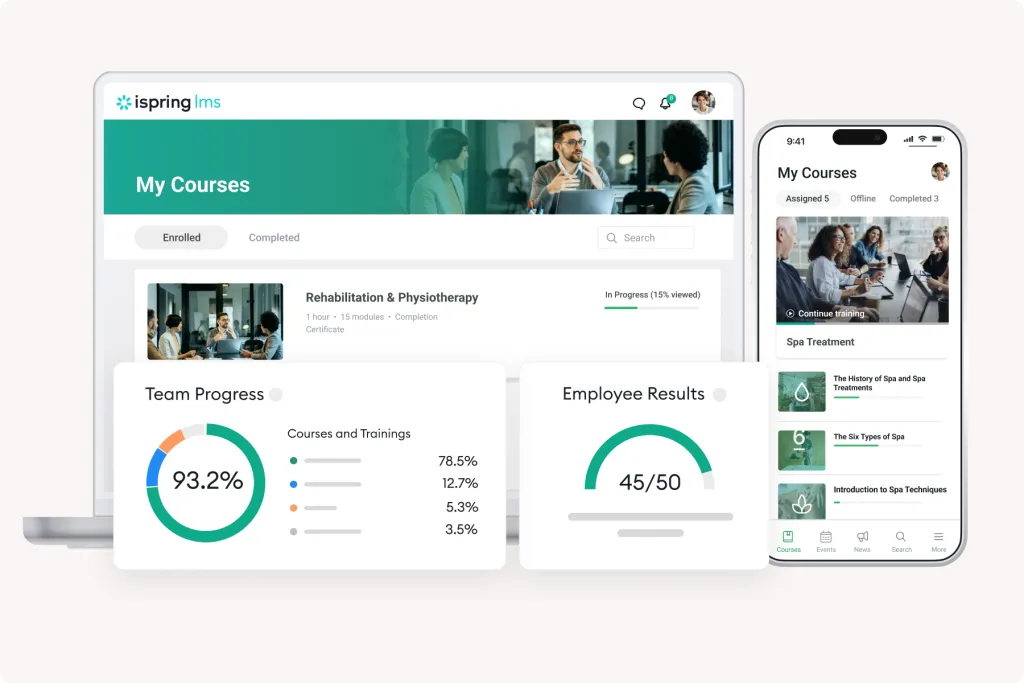
iSpring Learn is an online learning platform designed for employee onboarding, continuous learning, and skill development programs.
The platform allows organizations to streamline enrolling employees in relevant courses based on criteria like team, job title, or custom parameters.
iSpring Learn offers detailed insights into training effectiveness, learner progress, and quiz results.
The platform enables a comprehensive evaluation of employees by collecting feedback from all organizational levels.
G2 Rating
Top Features
- Automatic course assignments.
- Events calendar with Zoom integration.
- Comprehensive reporting capabilities.
- 360-degree feedback mechanism.
- Customizable training portal.
What users like
- Good interface, many opportunities to create high-quality courses, it’s convenient to track employee progress, it’s great that you can purchase the Suite and create awesome materials.”
– Kira A., June 2025 - “iSpring Learn is easy to implement and easy to use. Getting new users up and running is simple and doesn’t require much training.”
– Verified User in Education Management, May 2025
What users don’t like
- “The report format for all employees is inconvenient (it would be better to have a division by departments, as everything is mixed together right now). The organizational chart is not flexible.”
— Kira A., June 2025
Best suited for
The platform’s automatic enrollment rules and robust reporting make it best suited for organizations that need to streamline structured, role-based training programs at scale.
3. Absorb LMS
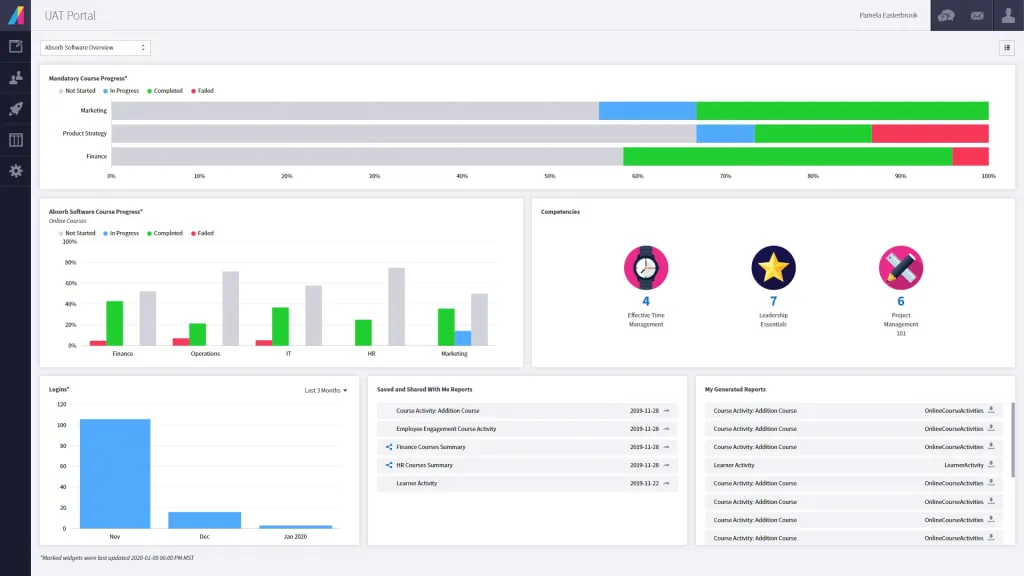
Absorb LMS is a corporate training solution designed for employee and customer onboarding, compliance training, and sales enablement.
The platform includes observational checklists that enable real-time verification of on-the-job skills and competencies, ensuring employees meet the required standards.
Absorb LMS supports learning on the go, with offline capabilities extending training programs’ reach and flexibility.
The platform also provides in-depth reporting and analytics, with custom report building, dashboards, and business intelligence capabilities for training data analysis.
G2 Rating
Top Features
- Observational checklists for real-time verification of on-the-job skills and competencies.
- Mobile app for learning on the go.
- Pre-built courses from popular e-learning content providers.
- E-signatures for verification and training compliance.
- Analyze BI tools for in-depth reporting and analytics.
What users like
- “I find the support from the implementation process incredibly helpful” – Trey E., January 2026
- “The dashboards and reports are clear and easy to understand, and we’ve also received excellent support from our Client Success Manager.” – Verified User in Hospital & Health Care, February 2026
What users don’t like
- “The flexibility when it comes to the customization of admin and manager roles is quiet limited. ” – Verified User in Machinery, July 2025
Best suited for
Absorb LMS’s E-signatures feature is best suited for adding a layer of verification and ensuring learners acknowledge completion of requirements.
4. Connecteam
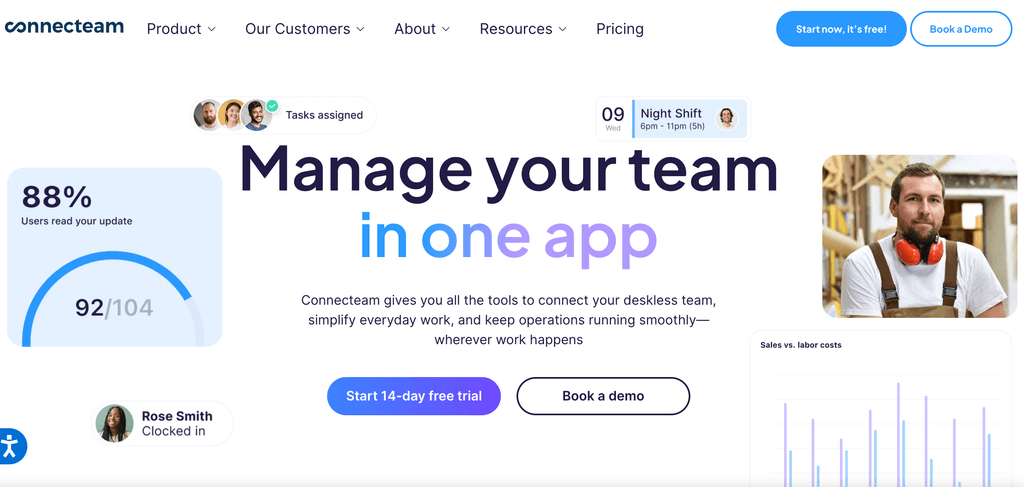
Connecteam is an employee management and engagement solution designed for time tracking, task management, and employee training and onboarding.
The software allows organizations to easily create optimal work schedules using templates, duplication, and recurring shifts.
It also includes regulatory limitation checks and error flagging, along with instant shift confirmations and the ability to add shift notes and tasks.
Organizations can streamline workflows with digital forms and checklists that include files, signatures, images, or location stamps for proof of completion.
G2 Rating
Top Features
- Scheduling functionalities for regulatory limitation checks and error flagging.
- Time tracking from clock-in to payroll with an in-app time clock or digital timesheets.
- Integration with top payroll providers like Gusto and QuickBooks.
- Digital forms and checklists.
- Mobile access to essential information, customizable courses, and analytical tools.
What users like
- “This is the platform that help us in assigning tasks and also checking the attendance of our team members by giving them real time instructions.” – Subham A., January 2026
- “The convenience of all information needed for our small business in one place.” – Verified User in Hospital & Health Care, February 2026
What users don’t like
- “Despite its support for operational tracking, it does not provide deep statistical analysis for the non-conforming reports or the existing quality trends” – Lina V., February 2026
Best suited for
Connecteam’s mobile access to essential information suits organizations where ensuring compliance is crucial.
5. LearnUpon
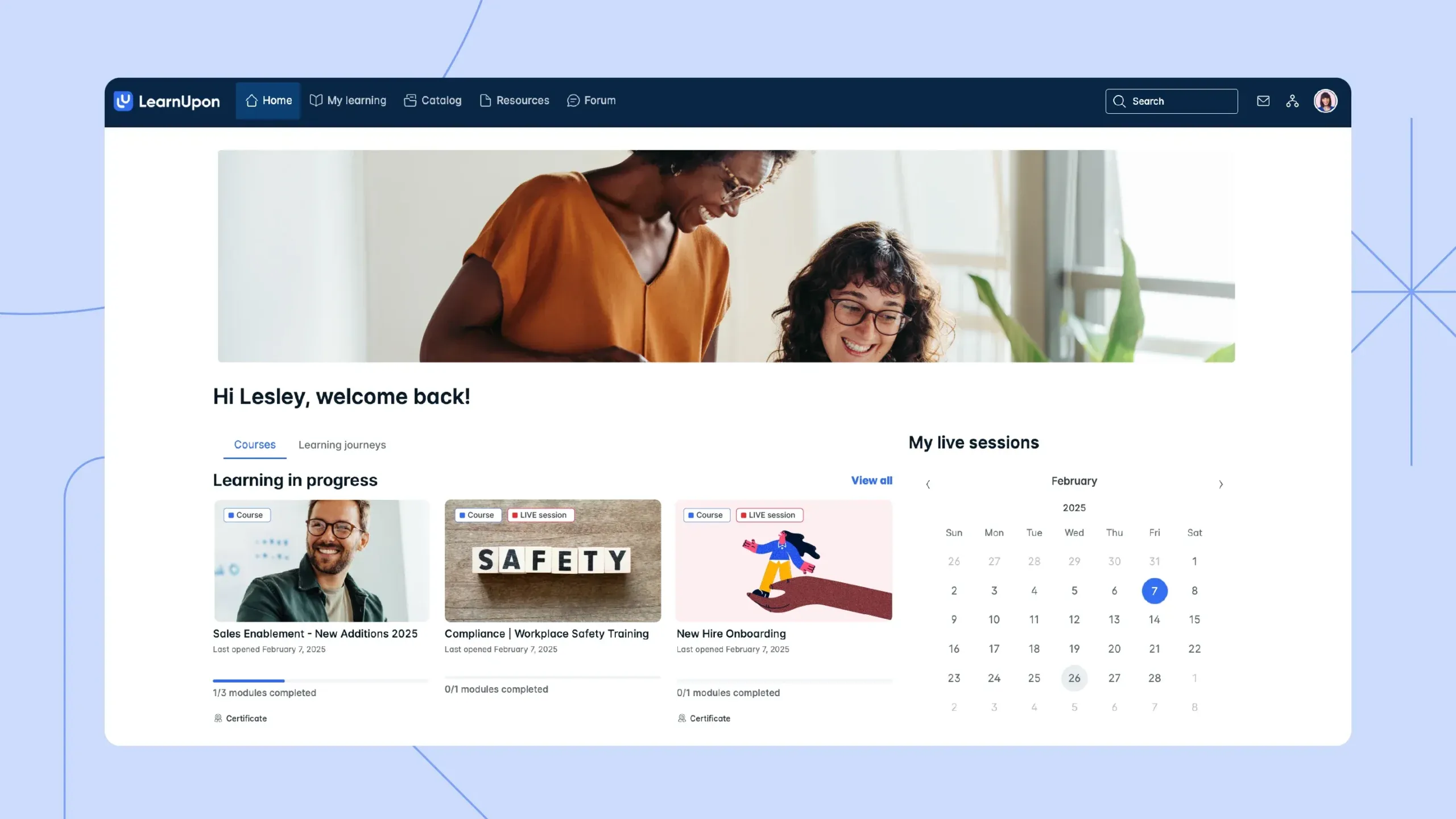
LearnUpon is a learning platform designed for employee, partner, and customer training.
The platform enables organizations to guide employees through structured learning paths, automate course enrollments, and reduce admin workload.
LearnUpon also features an assessment and certification engine to test and certify employees automatically.
The platform provides reporting tools to measure the impact of training on business results, with features like data export to Excel and PDF and dashboard overviews.
G2 Rating
Top Features
- Structured learning delivery capabilities.
- Assessment and certification engine for audit readiness.
- Social learning and gamification features.
- Mobile learning for on-the-go learning.
- Data export to Excel and PDF, and dashboard overviews.
What users like
- “We like that LearnUpon LMS provides one central location for learning resources and development, making it easy to follow. ” – Troy C., February 2026
- “I like the look of the interface. I think the interface looks very user-friendly and easy to navigate. I also like how easy it is to create courses.” – Kirsty A., February 2026
- “I like that LearnUpon LMS helped us take our online training to the next level and provided new options for the organization we work with. It’s clean and simple, which is a big plus.” – Leisa H., February 2026
What users don’t like
- “Features change in ways that disrupt the way we do things and don’t seem to benefit our use case. There are little things like course connection when copying courses in the LMS, which makes us have to use two portals to disconnect the courses.” – Verified User in Health, Wellness and Fitness, February 2026
Best suited for
LearnUpon’s social learning, gamification, and mobile learning functions best motivate employees and enhance the learning experience.
6. TalentLMS
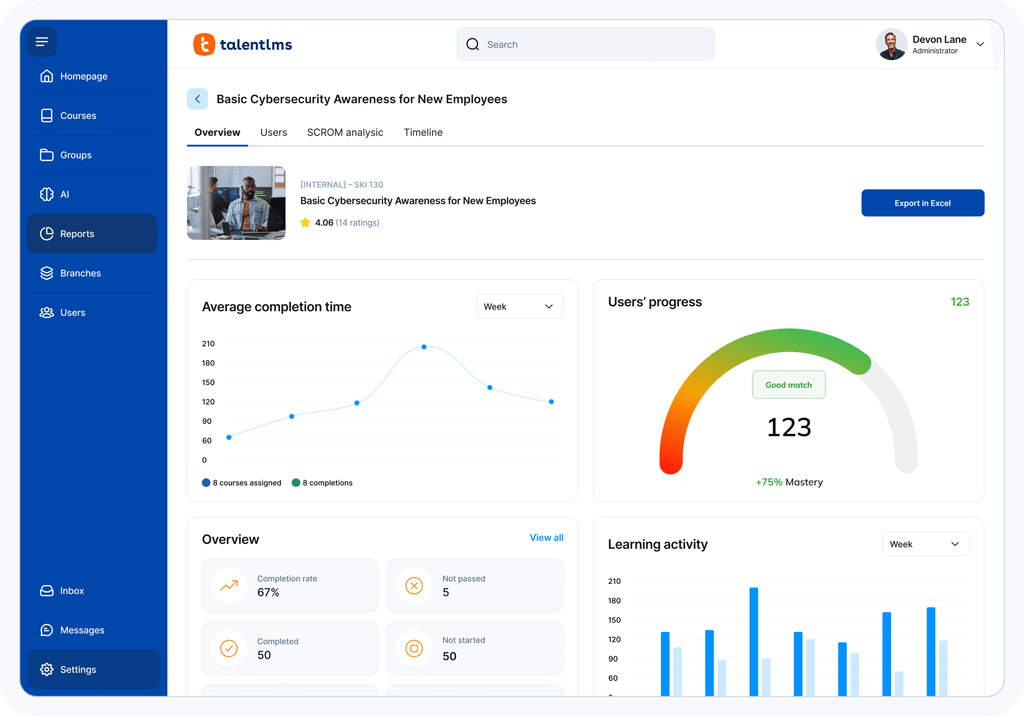
TalentLMS is an online employee training platform designed for employee, sales, compliance, onboarding, and partner training.
The platform includes gamification elements like points, badges, and leaderboards to make learning more engaging.
TalentLMS also provides organizations with dashboards and custom reporting capabilities to monitor learner progress.
The platform features a course builder and editor, allowing quick updates to keep training materials current without extensive editing.
G2 Rating
Top Features
- Gamification elements like points, badges, and leaderboards.
- Dynamic dashboards and custom reporting capabilities.
- Self-led learning or instructor-led training sessions.
- Automated recertification reminders.
- Course builder and editor.
What users like
- “We are able to customize our training and its relatively user-friendly.” – Verified User in Education Management, January 2026
- “Ease for creating courses and delivering training content. Ability to use AI to design and develop modules and manage enrollments.” – Verified User in Oil & Energy, December 2025
What users don’t like
- “There are times when we experience glitches/issues with the platform that they are unable to resolve for us, yet they keep launching new features. Sometimes we think they should work at fixing the basics before adding new things.” – Verified User in Non-Profit Organization Management, November 2025
Best suited for
TalentLMS’s course builder and editor makes it well-suited for keeping training materials current without extensive editing.
7. Trainual
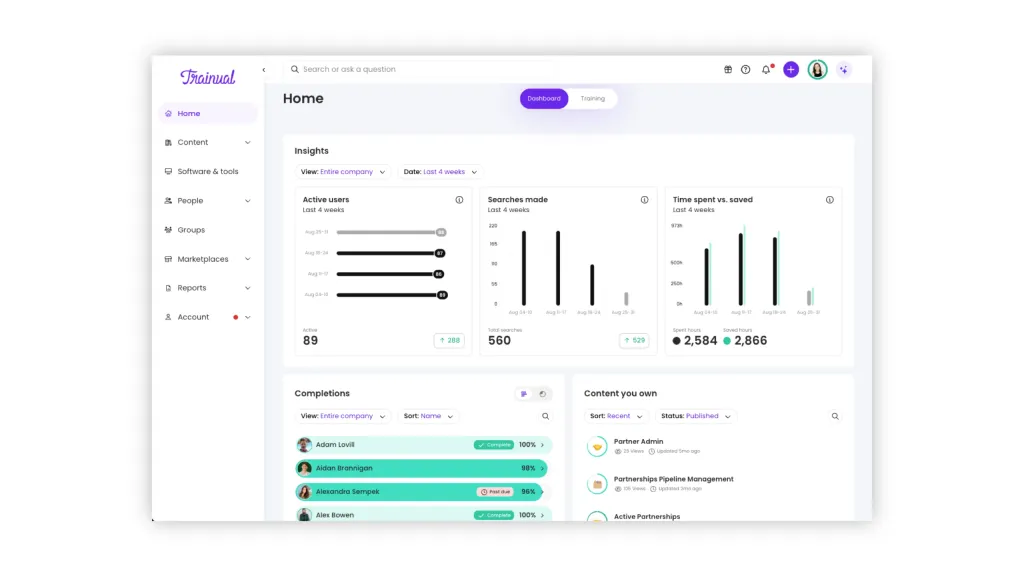
Trainual is an online training platform designed for onboarding and training, and the documentation of processes and policies.
The platform uses built-in AI to write or document processes automatically.
It can also organize training materials into collections based on departments, teams, locations, or preferred categories.
Trainual allows organizations to test employees’ understanding of processes and policies to ensure effective knowledge transfer.
G2 Rating
Top Features
- Built-in AI capabilities for writing or documenting processes.
- Content organization into collections based on departments, teams, and locations.
- Smart time estimates for each training module.
- Process knowledge testing capabilities.
- Template library for common business processes and policies.
What users like
- “I like Trainual’s ease of use and how intuitive it is. I also appreciate the AI features that help me build out the content, the tests, and summarizing content.” – Shaq S., February 2026
- “It’s great for creating meaningful trainings and allows people to complete training on their own time. I appreciate that it serves as a great resource to ensure everyone stays on the same page. ” – Cody T., February 2026
What users don’t like
- “I sometimes have a hard time creating training that is general for multiple departments, without having it duplicated. This causes me to have multiple subjects before more in-depth ones, and it sometimes gets confusing to keep track of, but this may be user error.” – Abbey S., February 2026
Best suited for
Trainual’s smart time estimates for each training module make it best suited for helping employees prioritize learning alongside their daily tasks.
8. Litmos
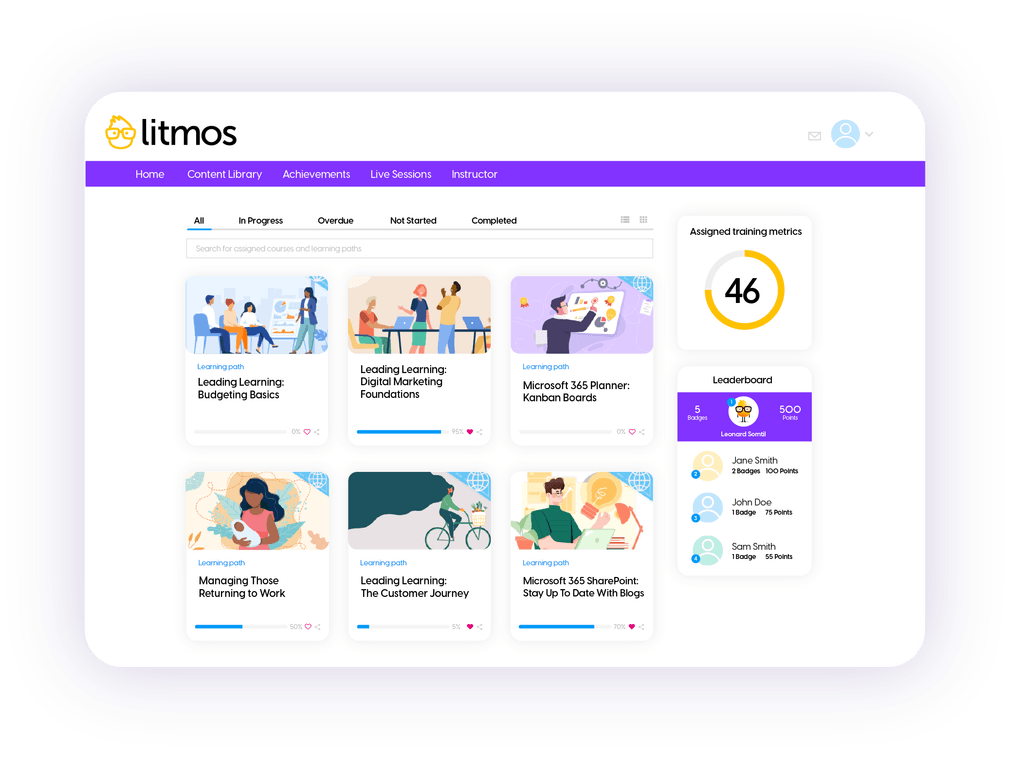
Litmos is an LMS designed for compliance training, sales enablement, customer education, and skill development.
The platform’s built-in content authoring tool allows organizations to create SCORM-compliant content with multimedia elements, catering to various learning styles.
Organizations can use its dashboards and custom reports to track learner progress and measure training impact.
Additionally, Litmos includes gamification elements for motivating learners with achievements, points, badges, and leaderboards.
G2 Rating
Top Features
- Built-in content authoring tool.
- E-commerce capabilities.
- Dashboards and custom reports to track learner progress.
- Social learning features and real-time activity notifications.
- Gamification elements like achievements, points, badges, and leaderboards.
What users like
- “The support from Litmos is superb, check in’s are brilliant and nothing is ever too much to ask!” – John M., February 2026
- “The platform’s ability to create content and manage learning paths is a valuable resource for our team training days.” – Page P., February 2026
What users don’t like
- “The recent dashboard changes have taken a bit of getting used to, but I really like the new layout overall.” – Abby K., February 2026
Best suited for
Litmos’s social learning features and real-time activity notifications make it well-suited for fostering a collaborative learning environment.
9. 360Learning
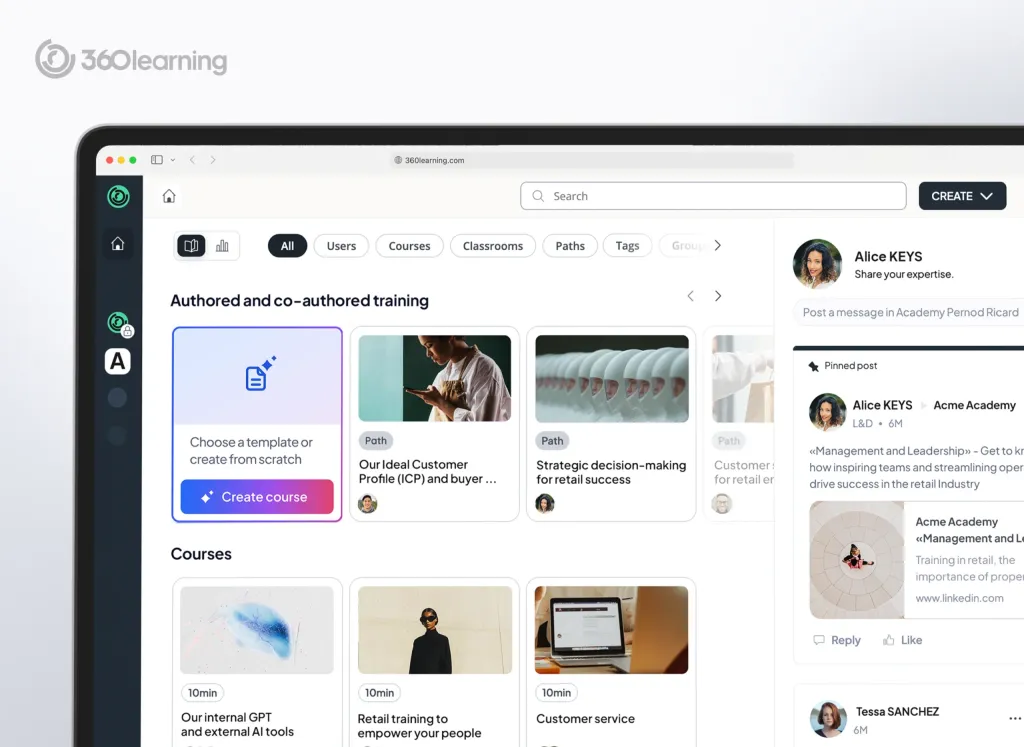
360Learning is a collaborative learning platform designed for employee onboarding, skill development, and compliance training.
The platform includes a collaborative authoring tool that allows organizations to decentralize course creation for anyone looking to develop relevant content without prior training.
It can also automatically enroll learners based on specific criteria or changes in their status.
360Learning’s advanced reporting capabilities and mobile access provide organizations with a comprehensive overview of training effectiveness and learner engagement.
G2 Rating
Top Features
- Collaborative authoring tool.
- Automated enrollment and dynamic group settings.
- Manager and group dashboards.
- Custom reporting capabilities and mobile access.
What users like
- “Easy management of the platform as an administrator. The numerous possible stats. Dedicated forums by platform and by training. Responsive technical support.” – Verified User in E-Learning, July 2025
- “It’s very user-friendly and intuitive, which I find really helpful. The visuals are pleasant, and overall it’s a great experience to use.” – Nayeli M., February 2026
What users don’t like
- “Some of the more advanced configuration options aren’t very easy to understand without investing extra time and getting additional support to learn them. Report and workflow customization could also be more flexible, and at times the system can be a bit slow to access, especially when you’re working with a large number of users and courses.” – Harris K., December 2025
Best suited for
360Learning’s manager and group dashboards make it best suited for offering real-time insights into learner progress, completion, and skills development.
10. Tovuti LMS
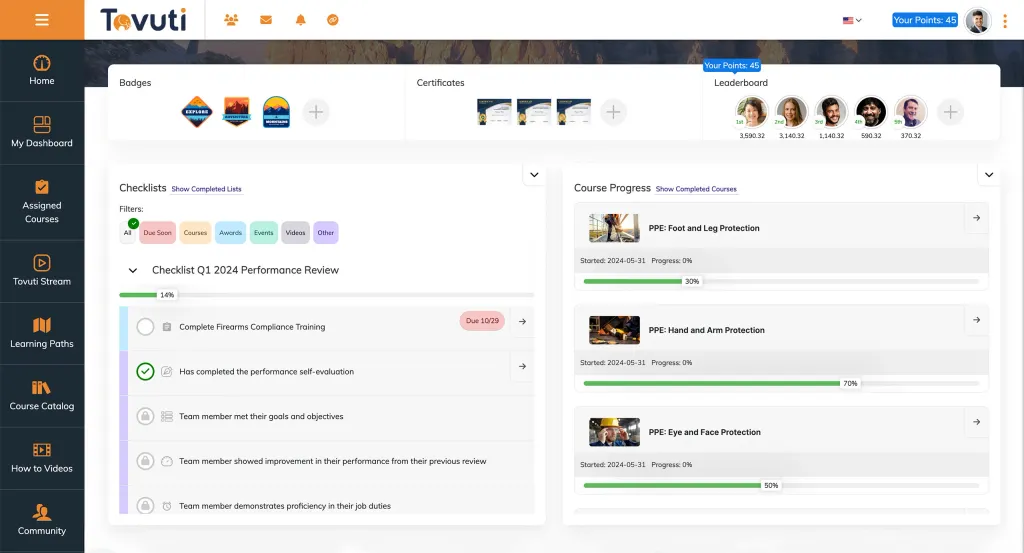
Tovuti LMS is a training management system designed for employee onboarding, compliance training, and leadership skills development.
The platform provides access to 30,000+ pre-built courses through content partnerships.
Tovuti LMS allows organizations to design learning paths based on individual roles, localities, or compliance requirements, including career development tracks.
Additionally, it incorporates e-signatures with training materials to meet various compliance regulations like CFR, HIPAA, and OSHA.
G2 Rating
Top Features
- Multi-language support to cater to a global workforce.
- Access to 30,000+ pre-built courses.
- Tailored learning paths.
- Native mobile app for on-the-go learning.
- E-signature functionality.
What users like
- “It’s a simplified platform that lets you use your own branding. Customer support is very responsive and there are many forums and educational material to assist the admins.” – Nada A., January 2026
- “Simple interface and fast implementation. The system is easy for administrators to use.” – Jared E., December 2025
What users don’t like
- “Reporting and analytics can be a bit difficult or incomplete. I wish there were more reporting options available.” – Jared E., December 2025
Best suited for
Tovuti LMS’s pre-built courses make it well-suited for quick setup and deployment of training programs.
Benefits of using employee training tracker software
Implementing employee training tracker software offers various advantages.
We’ve highlighted the top benefits below.
1. Streamlines training management
Imagine cutting down the hours spent in manual scheduling and assignment of training programs to just a few clicks.
Employee training tracker software allows you to do exactly that by acting as a centralized platform for all training operations.
This means no more back-and-forth emails to set training schedules or last-minute scrambles to fill slots.
For example, a retail chain could use the software to schedule onboarding for new hires across hundreds of stores without manual intervention from the HR department.
2. Helps ensure compliance
In industries where regulatory compliance is non-negotiable, training tracker software is invaluable.
Let’s consider a healthcare provider who must strictly comply with health and safety regulations.
A training tracker software program can help automate the tracking and documentation of required training, significantly reducing the risk of oversight.
This ensures that every nurse, technician, and staff member is up-to-date with the latest protocols to provide safe care — dodging hefty fines and the legal repercussions of non-compliance.
3. Enables personalized training
A training tracker allows employees to tailor their learning journey according to their roles, interests, and career aspirations.
This personalization also ensures adherence to regulatory training requirements — such as the continuing professional education hours required for certain professions.
An engineer at a tech firm could follow a curated set of courses and certifications — from junior developer to senior architect — while ensuring they’re meeting the firm’s standards and expectations.
4. Provides actionable data
With in-depth analytics and reporting capabilities, training management software provides metrics on training effectiveness at both the individual and team levels.
By analyzing completion rates, quiz scores, and engagement levels, managers can pinpoint the gaps and tailor future training accordingly.
This means resources are better allocated, focusing on areas with the greatest need for improvement, directly contributing to the organization’s bottom line.
How to choose the best employee training management software
Selecting the right employee training management software is crucial for enhancing your organization’s learning and development strategy.
Here are the key considerations to ensure you make an informed decision.
Data tracking and reporting
Effective training software should offer robust tracking and reporting capabilities.
This means monitoring employee progress in real time, understanding course completion rates, and accessing detailed analytics on the training’s impact.
For instance, a restaurant chain might use its LMS features to evaluate the effectiveness of a new customer service training program across multiple locations.
Mobile learning
Opt for software that supports mobile learning, enabling your team to access training materials, track their progress, and even complete courses from anywhere.
This is especially beneficial for field teams — like sales or service crews — who can use downtime during travels to brush up on the latest product knowledge or compliance standards.
Data security
Choose a platform that prioritizes data security, particularly for organizations in highly regulated industries.
Ensure the software offers robust encryption, secure data storage, and reliable single sign-on (SSO) options.
This is key for maintaining the confidentiality and integrity of sensitive information, ensuring that your training environment upholds industry compliance and prevents data breaches.
Scalability potential
Finally, consider the future growth of your organization.
The best training software scales with you, accommodating an increasing number of users and expanding training content without compromising performance.
Imagine a tech startup rapidly growing its engineering team.
A scalable LMS would let you quickly add new training modules on emerging technologies or coding standards — supporting continuous skill development without system bottlenecks.
Your next step to success
Effective training tracking is more than just a compliance task; it’s how you build a smarter, more capable team. When you have a clear view of your people’s skills, you can close gaps before they become problems and turn training into a true strategic advantage.
Finding the right platform depends entirely on your goals, whether you’re a growing team or a global enterprise managing complex needs. The goal is to get the insights you need to make smart decisions, turning data into a more productive and engaged workforce.
Just look at how SATO Holdings cut new-hire ramp-up time from 9 months to 4.5 by using a data-driven approach to onboarding. That’s the kind of impact that turns training investment into measurable business growth. Ready to see how you can streamline training tracking and unlock your team’s potential? Book a demo today.
Employee Training Tracking FAQs
Pricing varies widely, from free basic plans to enterprise solutions. Most vendors use a per-learner pricing model, and annual commitments often provide a significant discount.
Absolutely. Modern cloud-based systems and mobile apps are built specifically for distributed workforces, ensuring your teams can complete training anywhere, anytime.
You can migrate existing records using built-in import tools, which usually involve transferring data via a spreadsheet. Vendor support is often available to assist with more complex data histories.
The timeline ranges from a few days for a basic setup to several weeks for a full enterprise implementation involving data migration. Your own data complexity is the biggest factor influencing the schedule.
Yes, seamless integrations with tools like Zoom or Microsoft Teams are common. This allows you to schedule virtual sessions and automate attendance tracking directly within the platform.