


10 Best Safety Learning Management Systems in 2026
Some of the best learning management systems (LMS) are those that place a special emphasis on e-learning safety training courses within an organization.
There are numerous LMSs on the market, each helping organizations with various employee training needs.
In this article, we’ll be focusing on ten of those systems that can provide organizations with the right features and functionality to address their environment, health, and safety (EHS, or equivalent) training requirements.
What is a safety learning management system (LMS)
A safety LMS is a software solution that helps companies tackle their health, safety, and compliance training requirements in a virtual environment.
Whether it’s for the Occupational Safety and Health Administration (OSHA), Environmental Protection Agency (EPA), European Agency for Safety and Health at Work, or any other relevant regulatory body, the importance of compliance training cannot be overstated.
Safety LMSs include the necessary features and functionalities for health and safety training program design and delivery, as well as ensuring course completion among learners.
These LMSs provide the necessary training experiences to all members of the organization through a diverse array of methodologies.
They ensure employees acquire safety knowledge by having them undergo testing and earn custom certifications upon course completion.
Safety LMSs also help keep that information fresh in employees’ minds by giving them on-demand access to relevant training materials or periodically rescheduling EHS courses.
There are certain features and functionalities to look for in a safety-oriented LMS.
That being said, let’s take a look at the 10 best safety LMSs on the market today.
10 best safety learning management systems
Below is a rundown of the top 10 best software solutions for safety training needs, with their key features.
| Safety LMS | Best for | Top Feature |
| 1. Docebo | Automated compliance tracking and certification management for enterprise companies | Automated compliance retraining, tracking, knowledge checks, and follow-up reminders with 30,000+ safety courses |
| 2. Litmos | Rapid deployment of safety training with off-the-shelf content | Extensive library of pre-built safety and compliance courses with AI-powered learning assistant |
| 3. 360training | Organizations needing extensive off-the-shelf safety compliance library | Extensive compliance course library covering OSHA, EPA, and industry-specific regulations |
| 4. Absorb LMS | Multi-audience safety training with collaborative learning features | Observation checklists for hands-on safety verification and peer-to-peer learning |
| 5. Adobe Learning Manager | Role-based safety training with automated scheduling | Automates certification and recertification training based on individual roles |
| 6. iSpring Learn | Creating interactive safety training with built-in authoring tools | Two built-in SCORM-compliant content authoring tools for interactive safety courses |
| 7. Mitratech (Trakstar) Learn | Real-time safety compliance monitoring | Real-time updates on learner progress with SCORM- and xAPI-compliance |
| 8. TalentLMS | Automated safety certification management and renewal tracking | Smart certification management with automatic recertification and reminder functionalities |
| 9. Blackboard Learn | Personalized safety learning paths with communication tools | Built-in communication tools for safety alerts and automated notifications |
| 10. Moodle | Offline access to safety materials in remote locations | Mobile app with offline access for safety training in areas without internet |
1. Docebo
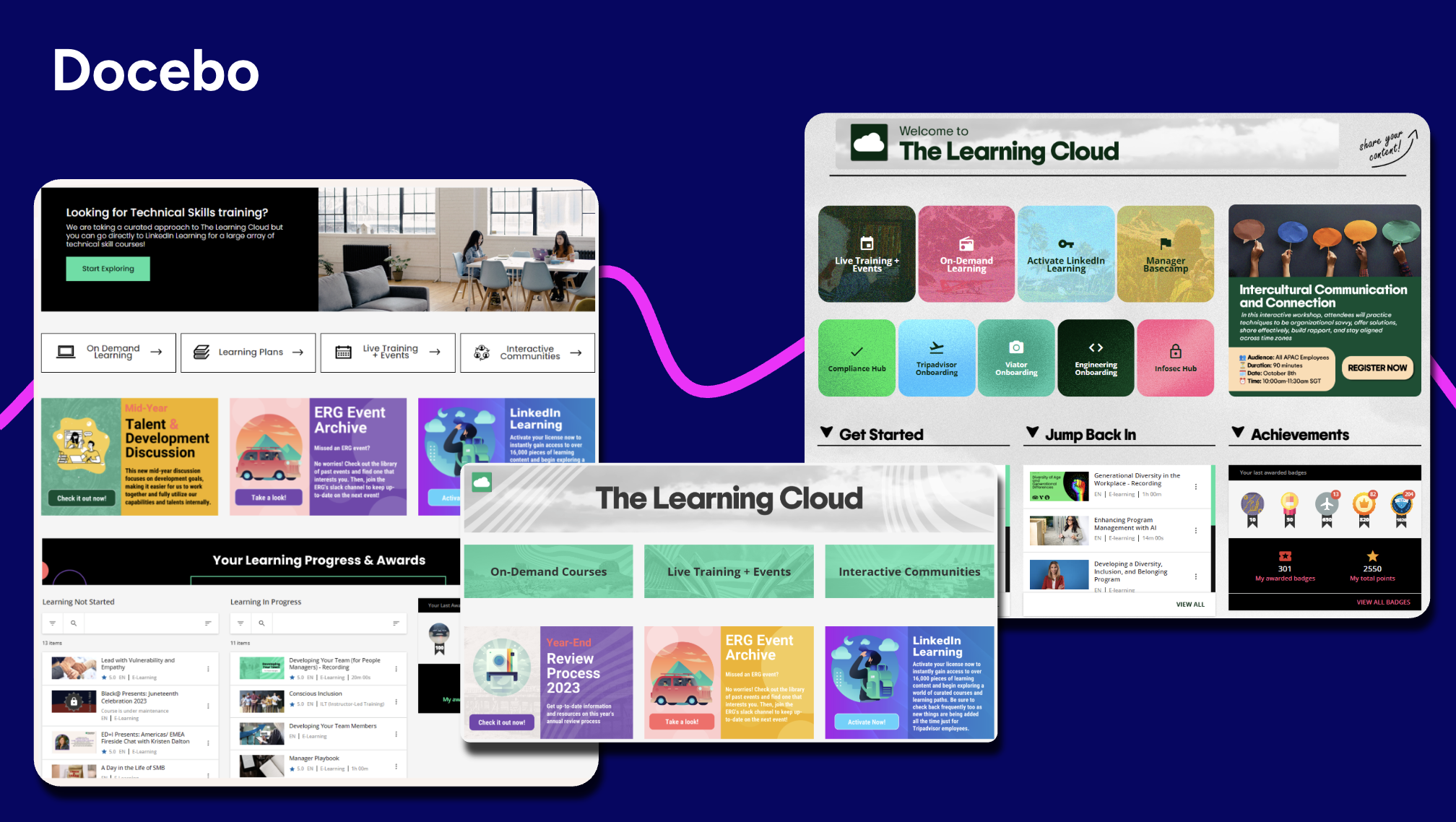
Docebo is a cloud-based LMS for compliance training, employee onboarding, talent development, customer education, and more.
It allows companies to centralize content in a single location to simplify its creation, management, and delivery.
With Docebo’s AI-powered content creation tool, known as Shape, instructional designers can turn internal and external sources into short, engaging learning pills in multiple formats and languages.
Docebo Content grants users access to over 30,000 off-the-shelf courses on numerous topics including health, safety, and other mandatory compliance regulations.
You can also automate learner progress, content performance tracking, data analytics, and reporting, to help you streamline the custom certification management process.
Admins can also use rules, triggers, and automated recommendations to design personalized learning paths, so that users receive the right type of compliance training based on their needs, skills, and roles in the organization.
G2 rating
Top Features
- AI-powered upskilling that matches learning content with employee interests, skills, and career goals and hyper-personalizes the learning experience.
- Personalized learning paths.
- Comprehensive health, safety, and compliance content marketplace.
- Robust analytics and reporting.
- Automated compliance retraining, tracking, knowledge checks, and follow-up reminders.
| What users like about Docebo | What users dislike about Docebo |
| “Docebo provides a flexible and intuitive platform that supports a wide range of training needs. We use it for compliance courses, customer product training, and partner/distributor enablement. The ability to publish centrally and make our content visible to separate audiences and deliver personalized learning paths is a major plus. The reporting tools are also helpful for tracking progress and ensuring accountability.” – Verified User in Medical Devices, August 22, 2025 “Docebo LMS has transformed the way we deliver training! It’s intuitive, flexible, and packed with smart features that make learning engaging and measurable. The customization options, powerful reporting, and responsive support team make it a game-changer for our L&D programs.” – Ashley H., August 15, 2025 | “With high customization comes complexity[…] As a smaller organization, we do not have multiple L&D experts where one could manage the LMS and another could focus on content building, training, etc. It does take some time to learn the platform, and sometimes it takes a couple of tries to figure out how it all works.” – Verified User in Transportation/Trucking/Railroad, August 7, 2025 |
2. Litmos
Litmos (formerly SAP Litmos) is a cloud-based LMS that enables rapid deployment of safety and compliance training with extensive off-the-shelf content and AI-powered learning features.
The platform includes a comprehensive library of ready-to-use safety courses covering OSHA, HIPAA, workplace safety, and industry-specific regulations. With its AI Assistant, Litmos personalizes learning journeys and improves knowledge retention for safety-critical content.
The platform’s intuitive course creation tools allow organizations to quickly adapt safety training to changing regulations, while its mobile app ensures learners can access critical safety information anywhere, anytime.
G2 rating
Top Features
- Customized learning paths.
- Gamification elements.
- Virtual and classroom-based instructor-led training.
- Built-in content authoring.
- Social and mobile learning capabilities.
| What users like about Litmos | What users dislike about Litmos |
| “I use the system every day to support learners and regional managers, continuously looking for ways to meet the organization’s training needs through this product.” – Bryant E., November 2024 “Litmos is a robust LMS that offers strong functionality paired with excellent customer support. It is well-suited for organisations aiming to confidently scale their learning programmes.” – Kira S., November 2025 | “I would say it’s pretty inflexible with reporting. They have a “reporting engine” but i say creating any custom report gives me a headache, and most of the time, after i download the report as a CSV, I have to spend time further revising the report in CSV format.” – Verified User in Security and Investigations, October 2025 |
3. 360training
360training is a learning and development organization that provides a robust off-the-shelf compliance training library. It also offers its own cloud-based LMS with mobile learning capabilities.
Instructional designers can create customized learning paths based on individuals, teams, or specific organizational roles.
The 360training LMS includes batch enrollment capabilities for both learners and courses.
In addition, the platform has reporting functionalities that allow instructors to set reminders, track learner progress and course completions, and design custom reports.
G2 rating
Top Features
- Extensive compliance course library.
- Personalized learning paths.
- Batch enrollments.
- Learner progress tracking and custom reporting.
- Third-party integrations.
| What users like about 360Training | What users dislike about 360Training |
| “The information was clearly presented and illustrated in the videos.” – Nicholson Miller, February 2026 “As a construction project manager looking to transition into a more technical data role, I spent six weeks completing the OHSA 30 training on 360 training. Overall, this is a top-tier service for intermediate learners who have some safety awareness exposure but need a structured path to professional-level projects.” – Michael Jones, February 2026 | “I had an employee who was having trouble opening their training- contacted support- support told me I was not authorized to act on the employee’s behalf and to contact the employee’s manager to get the issue corrected (I am the safety manager I set up the training I paid for it with my company card, the employees manager had nothing to do with this training) just a misunderstanding I assume, but the support would not budge on the issue” – Bradley Winters, February 2026 |
4. AbsorbLMS
Absorb LMS is an AI-powered learning management system designed to deliver results for employees, partners, and customers.
The platform provides observation checklists that help ensure compliance with regulations by enabling hands-on verification of safety procedures in real work environments.
It includes a branded mobile app with offline learning capabilities for learners who need to access training materials in areas with limited or no internet access.
Absorb LMS automates user management tools like enrollments, certificate issuance, renewals, and scheduled notifications.
The platform offers collaborative and social learning features that allow experienced employees to mentor their colleagues.
G2 Rating
Top Features
- Collaborative and learning features for continuous learning.
- Branded mobile app with offline learning capabilities for brand loyalty and learner flexibility.
- Automated user management tools like enrollments, certificate issuance, renewals, and scheduled notifications.
- Observation checklists that help ensure compliance with regulations.
- Multi-language support for global organizations with varied standards.
| What users like about AbsorbLMS | What users dislike about AbsorbLMS |
| “The system is easy to use. If I can’t figure something out by just trying, the help articles on the support site provide the information.” – Cassie D., December 2025 “The interface is clean and customizable, which makes it easy to organize content and track learner progress.” –Candace R., April 2025 | “The flexibility when it comes to the customization of admin and manager roles is quiet limited. ” – Verified User in Machinery, July 2025 |
5. Adobe Learning Manager (formerly Adobe Captivate Prime)
Adobe Learning Manager, formerly known as Adobe Captivate Prime is a cloud-based LMS good at identifying learner skill gaps and providing personalized learning paths.
It includes content authoring with role-based templates and gamification elements. The platform also provides video coaching, instructor-led training, quizzes, and assessments.
Instructors can also track learner progress and generate custom certifications upon course completion.
Adobe Learning Manager provides access to a content marketplace and integrates with the client’s existing tech stack.
G2 rating
Top Features
- Employee performance and role-based reporting.
- Online and in-person learning capabilities.
- Analytics and reporting functions.
- Learning support for hybrid classrooms.
- AI-powered social learning.
| What users like about Adobe Learning Manager | What users dislike about Adobe Learning Manager |
| “I am able to create administrators for specific team content and modify the access based on what is needed.” – Courtney P. “Between the various options of learning paths, certifications, and more, we can more rapidly deploy user training successfully.” – Connie K. “ALM curates a list of courses based on your most preferred domains and interest areas, and it helps learners view similar courses that they might like to take.” – Madhu G. | “While we are trying to upload the learner details using CSV, if there are some errors with any of the learners, we don’t get the list of erroneous records together. We have to do the upload multiple times, find the error, and then do the re-upload, which is actually difficult.” – Abhirami L. “I think reporting could be more streamlined. It can be cumbersome at times to find the information that I’m looking for in order to report on it.” – Verified user in consumer goods. |
6. iSpring Learn
iSpring Learn is a cloud-based LMS with two built-in SCORM-compliant content authoring tools.
The platform is good for employee onboarding, performance assessments, and compliance training.
Instructional designers can import external data like videos, Flash, PowerPoints, or SCORM files and design interactive courses like role-plays, quizzes, tutorials, and assessments.
They can also include gamification elements in the content creation process.
iSpring Learn includes mobile and social learning capabilities, customizable certifications, and automated course assignments complete with progress reports, notifications, and deadlines.
G2 rating
Top Features
- Automated progress reports.
- Learning path creation and customization.
- Free mobile app.
- Gamification elements.
- Learner progress tracking, analytics, and reporting features.
| What users like about iSpring Learn | What users dislike about iSpring Learn |
| Good interface, many opportunities to create high-quality courses, it’s convenient to track employee progress, it’s great that you can purchase the Suite and create awesome materials.” – Kira A., June 2025 “iSpring Learn is easy to implement and easy to use. Getting new users up and running is simple and doesn’t require much training.” – Verified User in Education Management, May 2025 | “The report format for all employees is inconvenient (it would be better to have a division by departments, as everything is mixed together right now). The organizational chart is not flexible.” – Kira A., June 2025 |
7. Mitratech Learn (formerly Mindflash & Trakstar Learn)
Mitratech Learn is a SCORM-compliant and intuitive LMS with course creation and management capabilities.
Instructional designers can include multimedia and gamification elements, as well as quizzes and assessments for learner evaluations.
They can also define training groups, assign different permission levels to trainers, and set automatic confirmations and reminders to learners.
Trakstar Learn also provides real-time updates on learner progress and includes reporting and analytics capabilities.
G2 rating
Top Features
- Course content creation and importing.
- SCORM- and xAPI-compliant.
- Gamification and interactive content.
- Progress tracking and reporting capabilities.
- Mobile learning.
| What users like about Mitratech Learn | What users dislike about Mitratech Learn |
| “Trackstar Lean has a simple UI for both administrator and learning users to navigate and access courses.” – Kenny P. “Ease of use; reporting functionality; “set it and forget it” approach to recurring training” – Brian B. | “When adding individuals to a course, archived users didn’t show up…I realize for most orgs that wouldn’t be an issue, but for me, it meant that I had to keep a separate list of those whose names I couldn’t find and lol for them in users. Reporting didn’t always match up with itself..” – Steven C. |
8. TalentLMS
TalentLMS is a cloud-based LMS for e-learning course creation and personalization.
It includes a template drag-and-drop functionality, gamification elements, interactive courses like quizzes, tests, and assignments, as well as custom certifications.
TalentLMS also provides webinar capabilities, single sign-on (SSOs), task automation, and custom reporting functionality. Some of these features, however, are only available with higher-tier plans.
G2 Rating
Top Features
- Gamification and interactive content.
- Learner path customization.
- Live in-person training sessions.
- Progress and achievement tracking.
- Branding and white labeling.
| What users like about TalentLMS | What users dislike about TalentLMS |
| I really appreciate how TalentLMS integrates AI, which makes it much easier to tailor the training to my specific needs.” – Valeria G., March 2025 “TalentCraft, which is the AI helper in content creation is really really nice. Not only for the content but to make your own content look nicer as it gives the ability to create a training webpage style instead of a blank page with only a video, do next, read, do next, etc. It’s more interactive.” – Sabrina P., November 2024 | “That some features are still not moved from the legacy version to the new version, like the progress tracking and access to tests and survey, which lead to our team having to move from 1 version to another all day based on what tasks we have to accomplish on it.” – Sabrina P., November 2024 |
9. Blackboard Learn
Blackboard Learn is a software-as-a-service (SaaS), cloud-based LMS designed for delivering personalized learning to learners.
Instructional designers can include gamification elements and track learner performance.
The platform includes advanced reporting and analytics capabilities, as well as user feedback features.
Blackboard Learn also includes several collaboration and communication tools for messaging, group announcements, and automated notifications.
G2 rating
Top Features
- Personalized learning paths.
- Customizable feedback options.
- Built-in communication tools.
- Flexible assessments.
- Course attendance and performance tracking.
| What users like about Blackboard | What users dislike about Blackboard |
| “What I like best about Blackboard is how easy it is to keep everything organized. I appreciate having all my course materials, assignments, and grades in one place. It really helps me stay on top of my classes and stay organized.” – Verified User in Higher Education, December 2025 “Blackboard is extremely user friendly and helps our instructors easily become content creators.” – Stephanye E., July 2025 | “Its interface can feel outdated and unintuitive compared to more modern platforms, which sometimes makes the learning curve unnecessarily long.” – Guido G., December 2025 |
10. Moodle
Moodle is an open-source LMS that provides a high degree of flexibility and customization. The platform also integrates with numerous open-source plug-ins.
It provides content authoring capabilities with gamification elements and interactive content design for quizzes and assessments.
Moodle also includes video conferencing, forums, and a mobile app for offline access. This is particularly beneficial for safety training or access to compliance material while off-site or in an area with limited or no internet access.
However, since the platform is open-source, companies need a dedicated and knowledgeable IT team to utilize it.
Moodle also doesn’t provide customer support. Users need to rely on the platform’s community of users for any questions or issues they may encounter.
G2 rating
Top Features
- Over 2,000 open-source plug-ins.
- Online and offline mobile access.
- Sends out automated notifications.
- Open-source API for free user access.
- Course and content authoring.
| What users like about Moodle | What users dislike about Moodle |
| “I like that you can build pretty much any course in Moodle. There are a lot of plugins and settings, so you can set it up the way you want. It works fine, nothing fancy, just does the job” – Gonzalo A., December 2025 “Moodle’s open-source architecture and plugin-friendly environment make for a platform that can be fully customized to fit your needs… provided that you have the programming skills to create the plugins that you need. There are many available community plugins that can expand the base features but should be installed with some trepidation as just as many have not been maintained or documented sufficiently.” – J N, September 2025 | “Sometimes Moodle feels slow or cluttered, especially when managing multiple courses. The new interface could be more visually modern and intuitive. Certain features require too many clicks, which can be time-consuming during busy teaching periods.” – Dr. Sheerali A., December 2025 |
Benefits of a safety learning management system
The functionalities of a safety LMS are the following:
Health and safety training in a virtual environment
Despite some pushback, remote work is still gaining momentum. As a direct consequence, in-person training in a traditional office setting is on the decline.
Instead, online safety training delivered through a professional LMS is taking its place.
Fundamentally, LMSs act as digital learning platforms for employee onboarding, upskilling and reskilling, professional development, compliance training, and more.
Most LMSs include video conferencing, webinar, or virtual e-learning course functionalities. Many also provide access to these courses from any mobile device, further increasing flexibility.
Personalized learning experiences
A common mistake that businesses make when conducting their compliance training is deploying generic health and safety course modules.
However, in many cases, a one-size-fits-all approach is not appropriate for every department, team, or even individual learner.
Professional LMSs can help determine the skill and knowledge of each user and suggest a personalized learning plan that suits their needs and training preferences.
A personalized approach to safety training has a far greater impact on knowledge retention and the user experience overall.
Reward systems and other incentives
Another common functionality that LMSs provide is a means by which they incentivize and motivate learners.
This refers to gamification sprinkled throughout the safety training modules. Often, these gamification elements take on the form of reward systems that push learners to complete their safety training courses.
To give an example of gamification in practice, LinkedIn was able to increase the rate of full profile completion by 55 percent just by introducing a simple progress bar.
That said, there are also several features to consider when looking for a safety LMS.
Key features to look for in a safety learning management system
Safety LMSs should also include several features that facilitate compliance training, regardless of the company’s industry or regulatory requirements.
These key features include the following:
Training Resource Allocation
A main feature of most LMSs for compliance is to provide a training content library that both learners and instructors can access on demand.
This helps streamline the safety and security training course authoring and delivery process.
By doubling as a centralized location for all online courses, LMSs help users stay on top of their training.
They can access these modules whenever they need to, thus reducing the risk of violations, legal and financial penalties, injuries, or worse.
Performance Tracking
By allowing instructors to track each individual’s performance and course completions in real time, they can measure the training session’s effectiveness and also demonstrate the impact of compliance training.
Coupled with custom reports, performance tracking offers a bird’s-eye view across the entire compliance training process.
Gamification
Many modern LMSs include gamification elements in their course modules.
These are video game–like features like leaderboards, progress bars, points, rewards, badges, and other similar elements that help motivate learners and keep them engaged with the course material.
They help boost the learning experience, increase knowledge retention, and even build more trust and camaraderie among team members.
Customizable Certifications
Many LMSs also provide certification and training record management capabilities.
These are accreditations for official, off-the-shelf courses or can be customized to fulfill the unique needs and health and safety requirements of each individual organization.
Such accreditations prove that an employee has undergone safety training. They can also show learners understood the course material by requiring them to complete a quiz or another form of testing to earn the certificate.
Some platforms also include automatic notification capabilities alerting both learners and instructors when these certificates are about to expire.
This way, companies can rest assured that all employees are always in compliance with all safety training requirements.
How to choose the best corporate safety learning management system for your organization
Choosing the right corporate LMS for health, safety, and compliance needs is one of the most important decisions that a company will make.
Aside from these systems’ pricing and functionalities, companies also need to consider the following aspects.
Is it suitable for your use case?
Given that every industry has its own set of rules and regulations that it needs to follow, you need to ensure that the LMS can cater to yours.
Whether you’re in healthcare, finance, manufacturing, or hospitality, the LMS should be suitable for your use case.
Do its features satisfy your needs?
The same thing can be said about its features. Can the platform’s features solve your compliance training needs and requirements?
Depending on the industry you’re in, you might need more advanced reporting capabilities or to ensure that certifications are always up-to-date.
Make a list of all the features you need out of the LMS and inquire about them before making the purchase.
Is it a scalable solution?
You also need to ensure that the platform can scale alongside your business. It must be able to take on an extra workload and adapt to your company’s needs and requirements.
Otherwise, it may end up causing more problems than it solves and will not give you the return on investment you were hoping for.
Does it offer good support?
Lastly, the LMS needs to have stellar customer service and support. It needs to provide you with a team of experienced reps able to handle your requests and answer your questions.
Preferably, the platform should also include material in the form of a knowledge base, wiki, or FAQ section that you can access on-demand.
Conclusion
Compliance training is a must for most organizations out there. Without it, you risk legal and financial penalties, work-related accidents, or worse.
A robust LMS can keep you and your workforce in line with all your industry’s rules and regulations, ensuring productivity and safety along the way.
Schedule a demo with Docebo today and see how it can cover your training needs.