JULY 2026 product release
Readiness you can prove. Learning that shows up.

Validate the outcome
Evaluation you can define, defend, and share, so readiness is proven, not assumed.

Grow where you work
Content, AI assistants, and integrations show up in the places where work already happens.
Organizations building a workforce that’s ready













Proof you’d put your name on.
Set the standard, back every result with evidence, and stand behind what you certify.
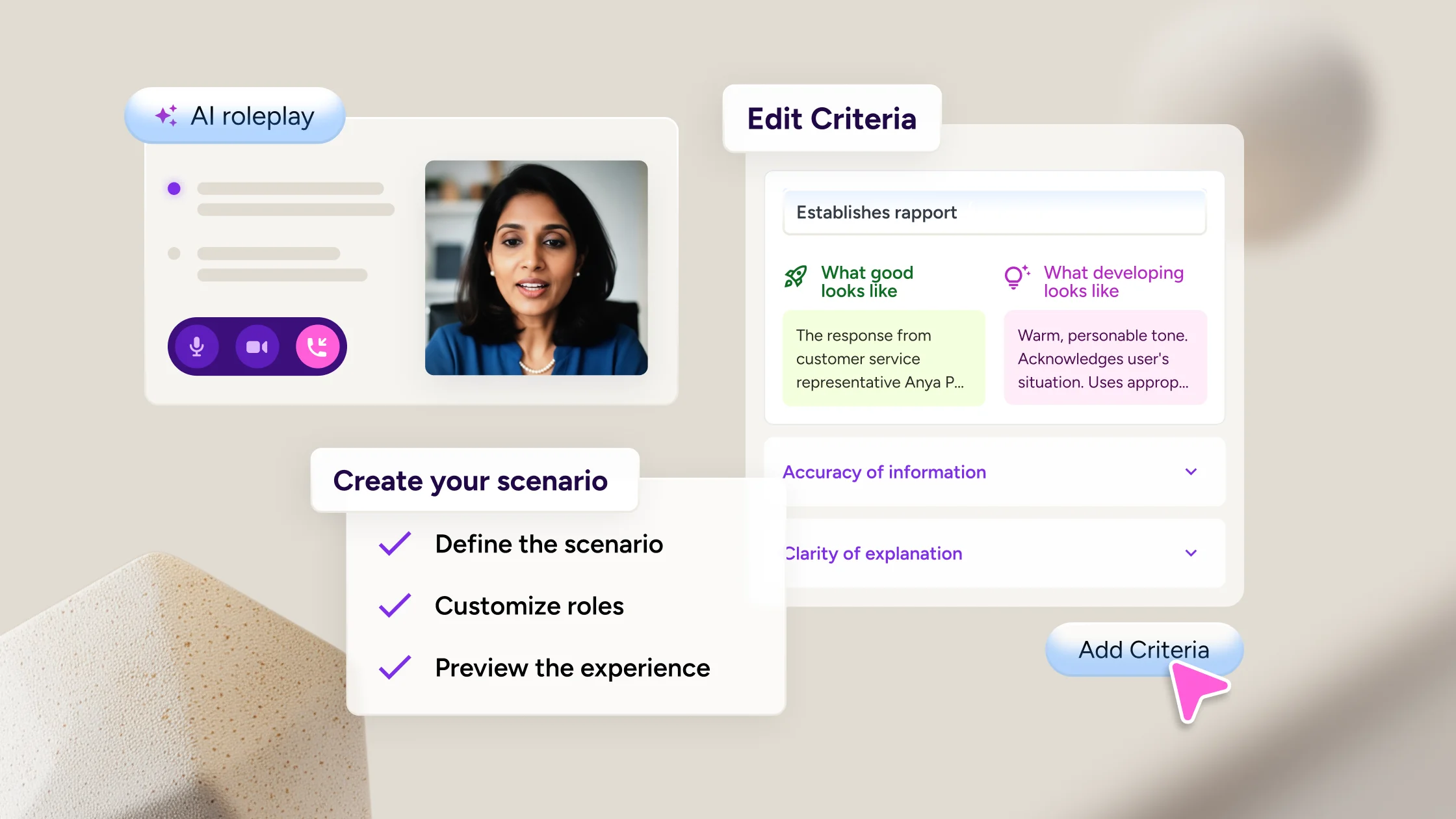
Define what good looks like
Take any scenario from practice to certification. AI Roleplay rubrics score every learner against your own criteria, with 1-5 scoring, weighting, and pass thresholds.
Put a human behind every result
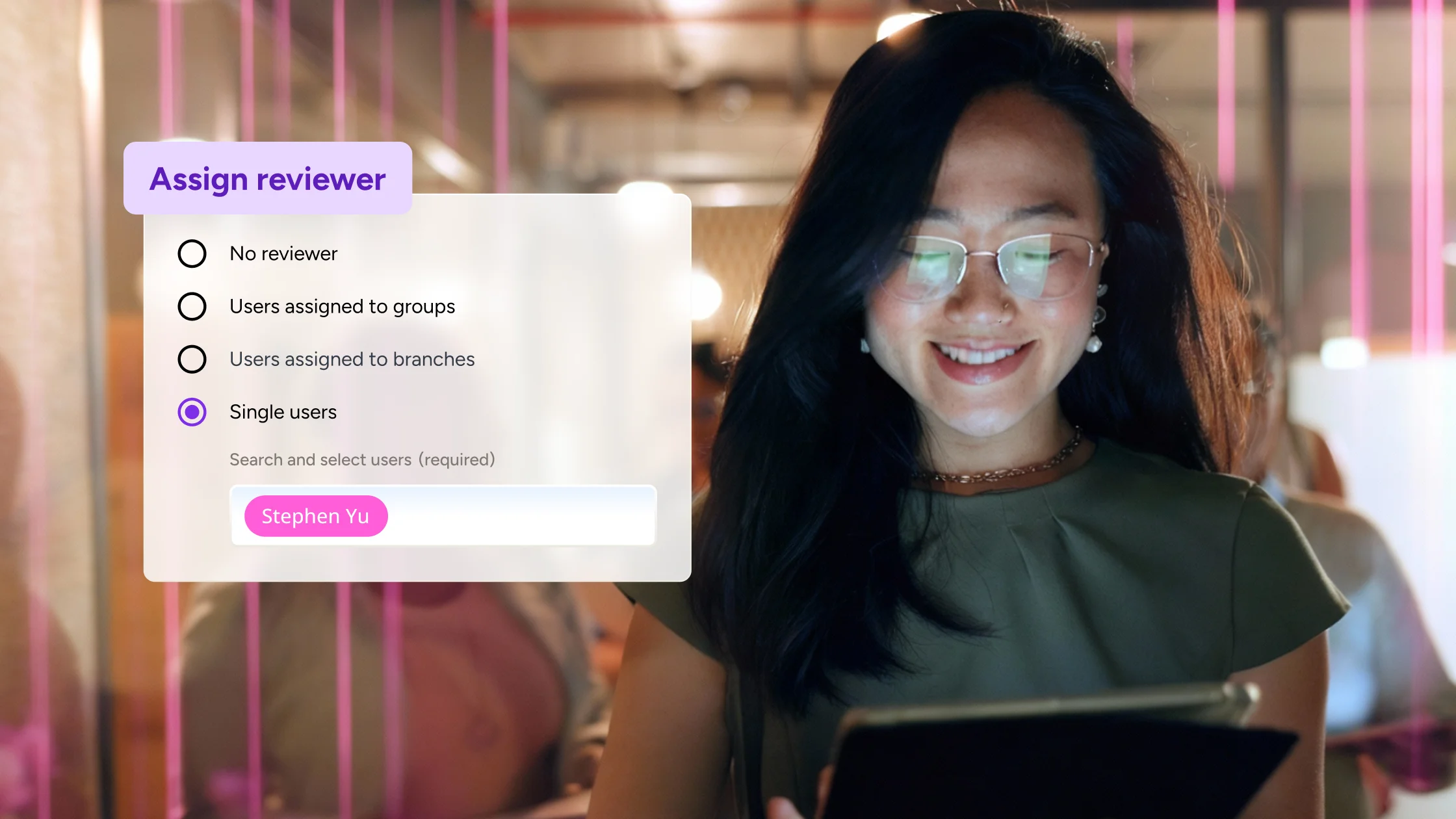
Every score that carries weight gets a name behind it. Manager and SME review puts a named reviewer on the AI Roleplay evaluations that matter, so results hold up where it counts.
Give learners the record
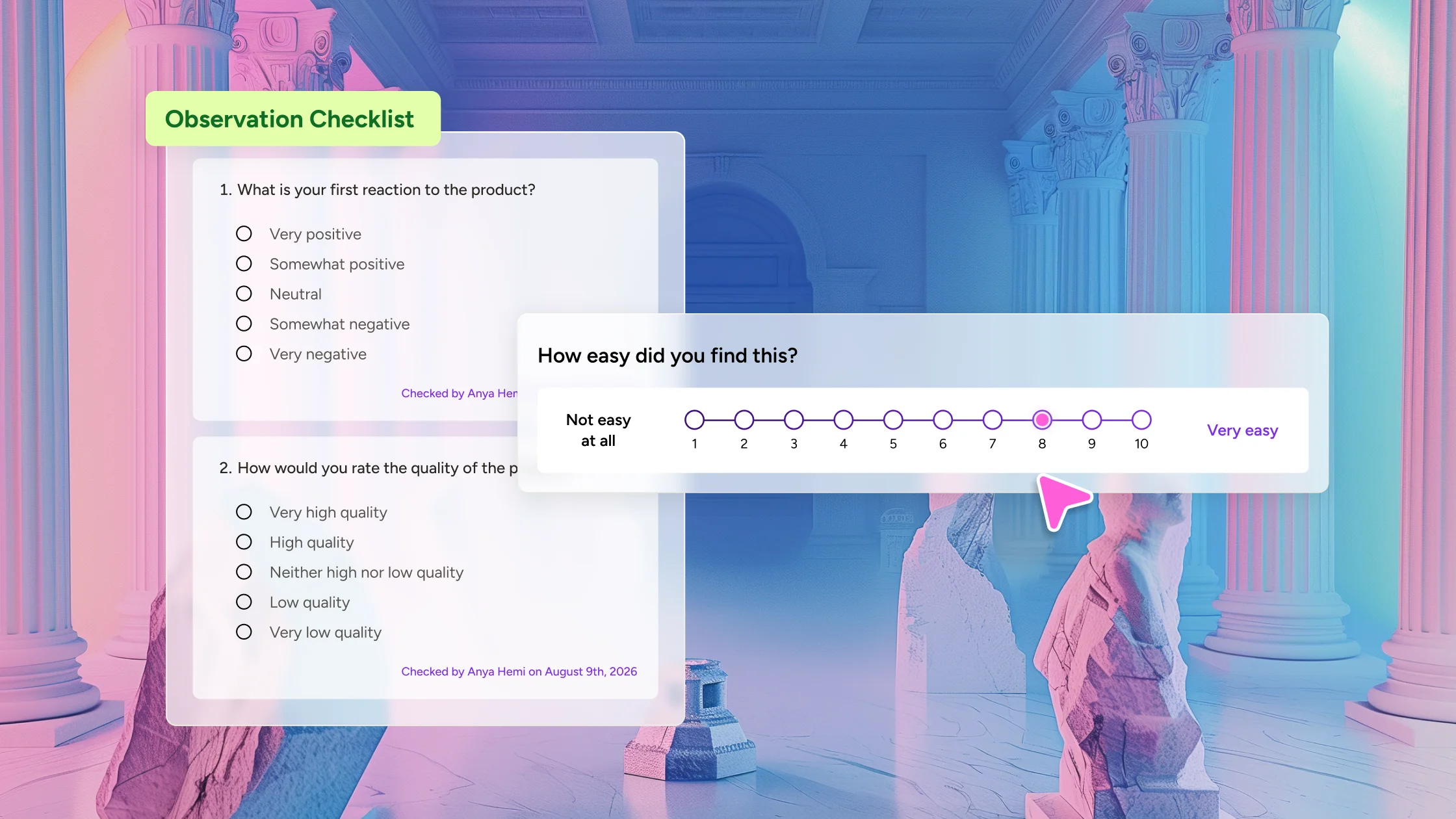
Learners see exactly how they’re measured. Observation Checklist lets them view and acknowledge the checklists completed on them, before, during, and after completion.
Less distance to the right content.
When learning content is easy to find, more of it gets used.
Purchased content in one place
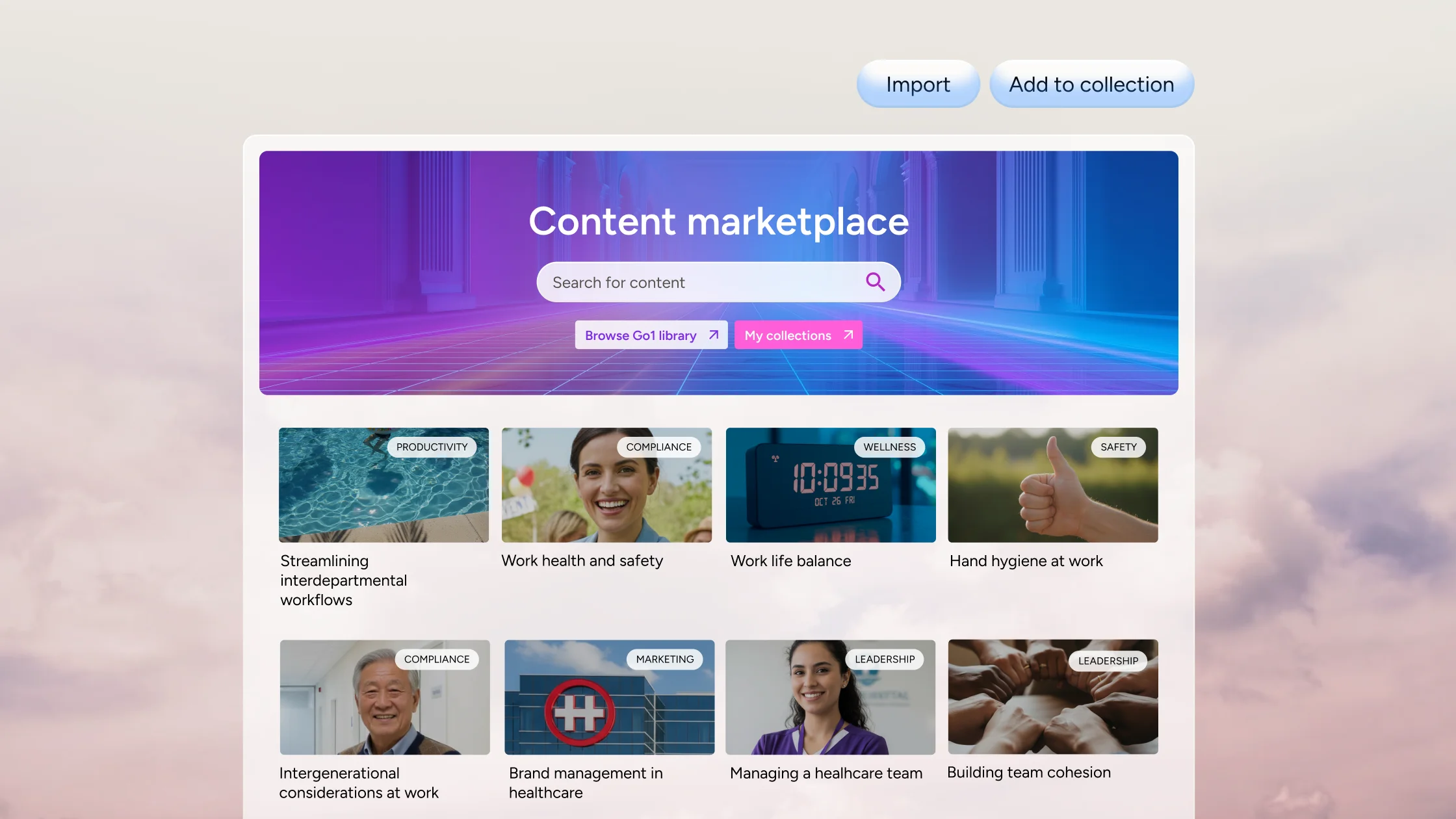
Discover, preview, and import third-party content without leaving Docebo. The rebuilt Content Marketplace brings everything into one workspace.
Admin inside your AI assistants
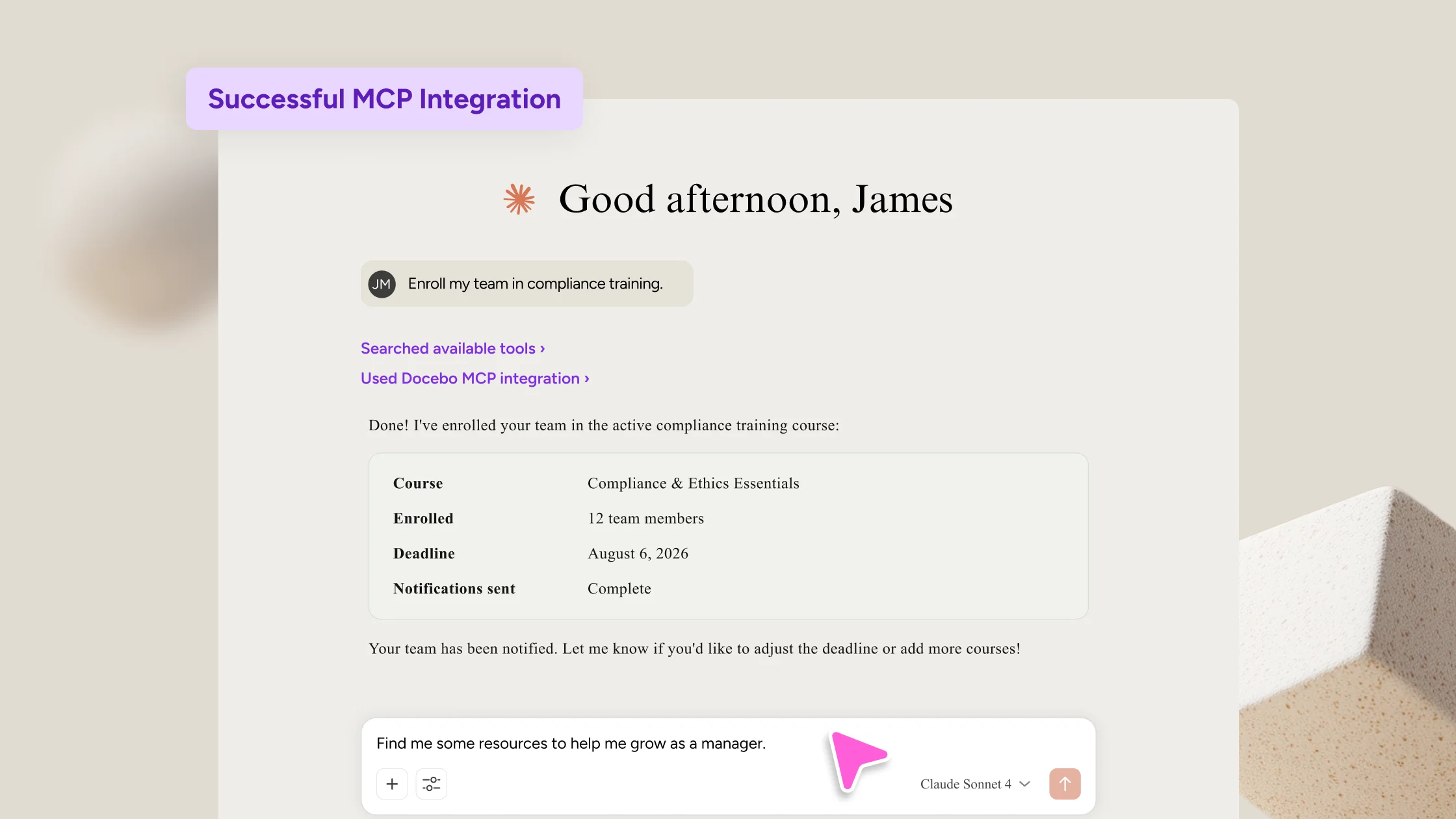
The MCP Server now includes admin tools for enrollments, courses and learning plans, and Go1 content curation, alongside the learner experience.
Connect Teams on your terms
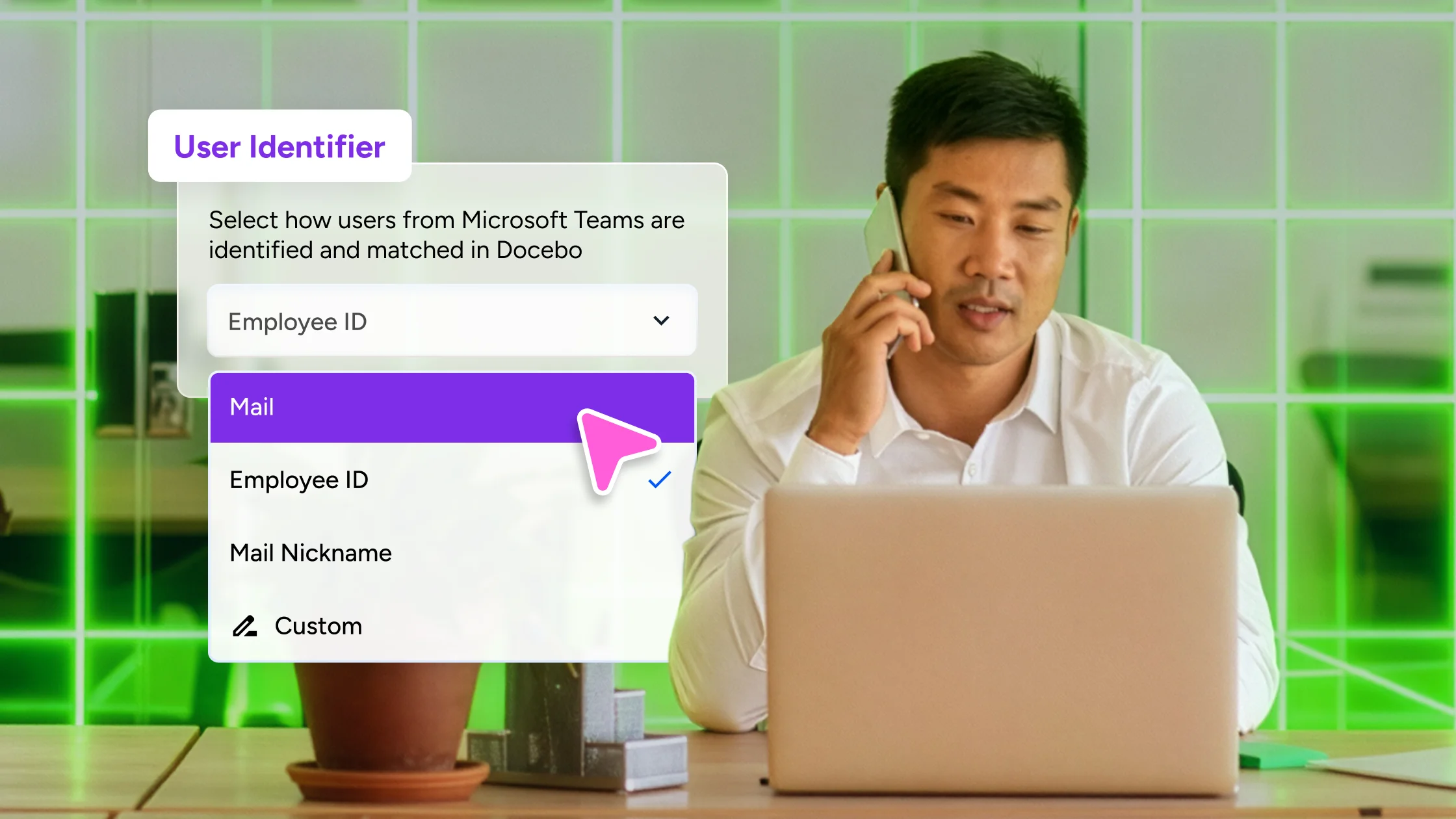
Bring learning into Microsoft Teams on the identity field you already use, whether that’s email, employee ID, or another unique value.
“I just walked through one of my AI Roleplays. I did a QA on it, I loved it! I loved the feedback and the messaging. On the rubric part, it was amazing feedback.”

Kim Newton,
Sr. Instructional Designer, Trimble
All Features
The full July 2026 release, all in one place
AI Roleplay
Quantitative rubrics
Turn practice into proof. AI Roleplay now scores every learner against your criteria on a 1–5 scale, with optional weighting and a pass threshold, so the same scenario that coaches a rep can also certify them or gate their progression. Every score is backed by direct quotes from the session, building on the qualitative criteria released in June.
Manager and SME review
Sometimes a score needs a human behind it. Put a named reviewer in the loop on the evaluations that matter. After a learner submits a simulation, they open the full report in one place: recording, rubric scores, supporting quotes, and transcript. AI evaluates every attempt at scale, and a reviewer you trust verifies the results that count.
Communities
Space content settings
Not every Space should run the same way, and now they don’t have to. Three publishing modes give admins and Space managers control over each Space: open, curated, and broadcast for announcements. Pick the mode that fits, and members always see exactly the actions available to them.
Companion
Picture-in-Picture play modes
Keep learning on the same page with more flexible playback that adapts to how people work. Open training in Picture-in-Picture or the Companion side panel so learners stay close to their work instead of getting pushed to a new tab.
Launch controls
Roll out Companion on your own timeline. Configure everything ahead of time, then reveal the learner profile section only when you’re ready, so nothing reaches learners before it’s polished.
Content Marketplace
New interface and experience
Find and import content in one workflow, without ever leaving Docebo. Content Marketplace is rebuilt as a single workspace where you discover, preview, curate, and import third-party content. Launch a full preview of any course exactly as a learner would see it, build collections for specific programs, and bulk-import in one click. Go1 is the first partner live in the new experience, with more to follow.
MCP Server curation admin tool
Docebo’s MCP Server now powers a curation tool inside the AI assistant of your choice: discover Go1 content, compare courses side by side on skills and ratings, and import straight to a chosen folder with one command. Retiring content gets flagged with ready-to-import replacements, so your library stays current without a manual audit.
Creator
Assessment controls
Creator assessments are now yours to shape. Set a passing score, cap attempts, and control the feedback learners see, all from one settings panel.
Integrations
Docebo MCP Server (GA)
Your learning library, inside the AI assistants your team already uses. Now generally available, the MCP Server adds admin tools for managing enrollments, building courses, and curating Go1 content in Claude, ChatGPT, Copilot, and Gemini. Plus, the new configurator lets superadmins build servers from a shared tool library, scoped to each persona.
MS Teams user mapping
Connect Docebo and Microsoft Teams on the identity field that fits your systems, whether that’s email, employee ID, or another unique value. The result is faster setup, a cleaner match to how your identity data already works, and one less reason for a rollout to stall.
Learn
SAML porting
One-click access, centralized control. Modern SAML single sign-on now supports providers like Okta, OneLogin, Microsoft Entra ID, and Google Workspace, giving your IT and security teams stronger protection, lower maintenance overhead, and the flexibility to adapt as authentication needs evolve.
Cookie consent re-acceptance
Keep consent current as the rules change. Require all users to re-accept the cookie policy on their next login, capturing fresh consent that aligns with standards like GA4 Basic Consent Mode, with no technical support or database wipes required.
New navigation system (GA)
A modern, accessible navigation experience becomes the standard. Reorder favorited menu items by drag and drop, saved per user, and popover dismissals now persist in the database, so a message you’ve dismissed stays dismissed even after impersonation, logout, or a cache clear.
Observation Checklist
Modernized Observation Checklist UI for admins
Navigate your checklists with ease. The admin Observation Checklists page has been updated with a cleaner, more modern design, and a new filter panel to help you find and view your checklists faster.
Learner visibility
Make evaluation transparent. Learners can now view the checklists completed on them in read-only mode, before, during, and after completion, and acknowledge the results.
Scale question
Move past a simple yes or no. The new scale question type lets observers capture degrees of performance with custom points and labels, turning nuanced judgment into scores you can compare across people and teams.
Recent quarterly releases
-
April 2026
See how Docebo expanded learning into everyday workflows with Companion, AI Tutor, MCP Server, and more.
-
January 2026
Explore the new immersive AI Video Coaching alongside major Harmony, analytics, and platform enhancements.