


How Heilind turned skeptical managers into Creator authors
Your managers hold the knowledge your employees need. Getting them to turn it into training is another story.
Don Finger knows that problem well. When he joined Heilind Electronics as a Corporate Training Manager in 2021, the company had no LMS, no training department, and a group of managers who’d used the same tools for decades and saw no reason to change. Today, those same managers publish more than a dozen Docebo Creator lessons a month.
At September’s Docebo University (DU) Live, Don shared how he got them there and what he’d tell any training team facing the same pushback.
Key takeaways
- Start with a problem managers already own. Generic training requests don’t move hesitant managers. A recurring question or an outdated process they’re already frustrated by does.
- Deal with the fear before you sell the speed. Managers hesitate because of time, confidence, quality, and ownership. Name those concerns before you talk about the tool.
- Don’t hand out licenses and walk away. A kickoff session, office hours, templates, and one supported pilot lesson make the first win manageable.
- A simple review process keeps quality high as more people build. Heilind runs every course past a subject matter expert (SME), a manager, and the training team before it goes live.
- Visible results build momentum. Heilind’s rebuilt import and export course hit 99.55% completion across 10 languages, and that proof turned a SME into a prolific author.
Meet Heilind: Building from scratch
Heilind is a family-owned global distributor of electronic components and connectors, with more than 2,100 employees worldwide. For a training team, that means getting consistent, relevant training to a lot of people globally.
Don’s focus has always been practical: take what SMEs know and turn it into something employees can learn from. When he arrived at Heilind, he found that training lived in a mix of tools including SharePoint folders, homemade wiki pages, and old PowerPoints, Articulate files, and PDFs. Most content was off-the-shelf and not specific to Heilind. There were no quizzes, tests or training plans, and no way to confirm anyone had taken the training at all. Most managers also didn’t feel comfortable using any of the tools they had.
Don wanted the opposite: something simple enough that a manager or SME could develop a lesson in a few clicks. He calls it his “click-click-boom” mentality. “The simpler, the better.” After evaluating a long list of authoring tools, he chose Creator. It covered what Heilind needed in one place: assessments, ability to add company-specific content, learning plans, and translation for a workforce that was global.
“What worked for me with Creator is it’s growing, dynamic, and constantly being upgraded and improved. There are some tools that I’ve seen that haven’t improved in years, and that’s scary.”
— Don Finger, Corporate Training Manager, Heilind Electronics
How Don won over hesitant managers
Don didn’t win his managers over with a launch email or a feature demo. He did it in stages, starting with their objections and ending with a finished lesson.
Listen to objections first
Ask any room of L&D pros why people resist a new authoring tool and you’ll hear the same answers: the learning curve, change management, “that’s not my job”, and “another place, another tool.” Don heard all of it from Heilind’s managers:
- “I already have content in other tools.”
- “I don’t have time to build a course.”
- “I’m not an instructional designer.”
- “I worry this will become my permanent responsibility.”
- “I don’t know where to begin.”
That fourth one deserves more attention than it usually gets. Nobody wants to volunteer for a job that never ends.
Don didn’t try to talk managers out of these concerns. He acknowledged them, then asked a different question: what would a workable solution look like for you? That moved the conversation away from reasons to say no and toward what managers would need to say yes. Don listened, and built his approach around their answers.
It also shaped his guiding principle. People trust a new tool after it solves a problem for them, so everything that follows builds toward one finished, useful lesson.
Make the ask small
When you ask a manager to create training, they picture a full course, a blank screen, and every design decision landing on them. They assume they’ll need to become a training expert.
The job Don gives them is much smaller: turn knowledge they already use every day into something employees can find, understand, and apply. Managers bring the expertise. The training team brings the structure, the review, and the publishing support. That split also answers the “permanent responsibility” worry, because the training team still owns the process.
Show what Creator adds beyond PowerPoint
Many managers already had content in PowerPoint and didn’t see why they should move it. Every training team knows the request: “Here’s a deck. Turn it into training.” Don built a simple comparison he shares with managers who’d rather stick with PowerPoint:
| Traditional PowerPoint path | Creator-enabled path |
|---|---|
| Build deck | Start from a procedure, deck, or SME knowledge |
| Send files back and forth | Build collaboratively in one learning format |
| Convert/repackage for LMS | Publish directly into the learning ecosystem |
| Learner views slides | Learner follows a structured, interactive lesson |
| Completion/engagement is harder to see | Training can monitor participation and feedback |
| Updates require finding and replacing files | Content can be revised and republished more easily |
“PowerPoint can start the story, but Creator carries the learning experience forward. You have more features, capabilities, and tools that you can utilize.”
— Don Finger, Corporate Training Manager, Heilind Electronics
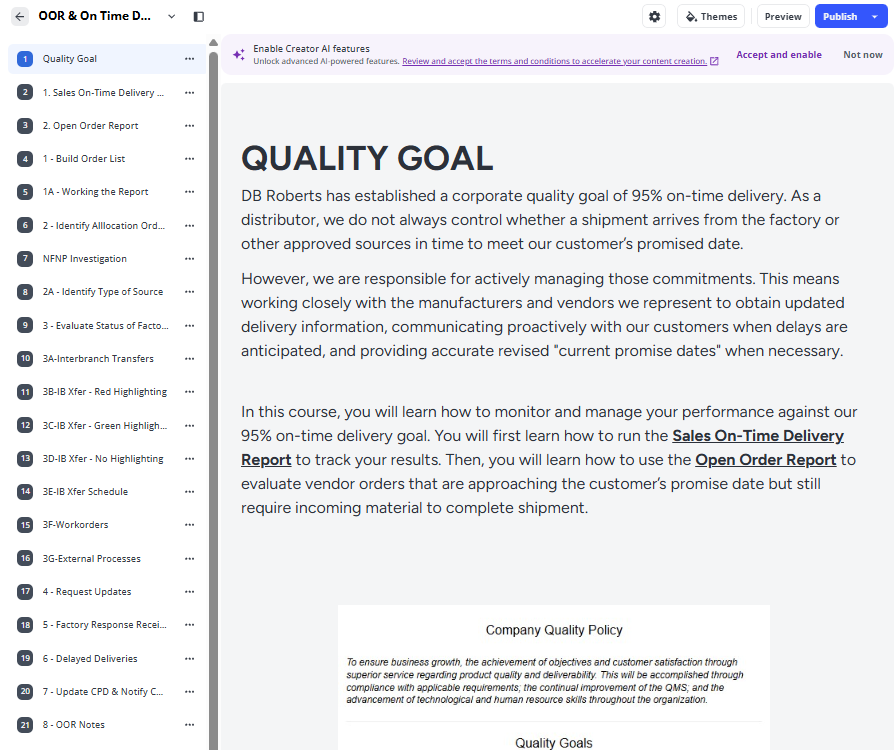
Heilind’s managers saw the difference firsthand. One planned to take an advanced PowerPoint class to build a lesson, tried Creator instead, and found it easier.
Give managers a support system
Handing out Creator licenses and hoping for the best doesn’t work. Before anyone builds, Heilind sets up support. The details shift by function, since sales needs something different from the warehouse or production floor, but the core pieces stay the same.
It starts with a kickoff session, usually run by Heilind’s LMS admin, with a short live demo and a basic how-to guide. Office hours follow, so managers can bring questions and get unstuck. Shared templates give everyone the same lesson structure and quality bar, which ended what Don calls the “everybody had their own bowl of rice” problem.
Coach them through one first lesson
With support in place, each manager builds a pilot lesson. Don’s approach draws on coaching habits from his years in the Navy, and it has four steps:
- Choose one business need. Look for a recurring question, a process update, or a task people keep getting wrong. If it doesn’t matter to the manager, they won’t engage.
- Start with existing material. A procedure, job aid, deck, or checklist gives the manager something to work from. Nobody faces a blank screen.
- Build with guidance. The training team supplies a template, coaching, and a quality review. Don’s comparison: you can’t just drop a box on someone’s doorstep. “You need to open it up and walk them through what’s in the box.”
- Publish and improve. Use feedback and completion data to make the next lesson better.
Keep that first lesson small. Don’s idea of a good one is a one-minute lesson with a short video clip and a couple of quiz questions. First projects tend to balloon into “20 other things,” so write extra ideas down and save them for later.
Once the lesson is live, the results come in: good survey scores, strong test results, people certifying in a topic like never before. That’s when managers start to believe, and the finished lesson becomes an example the next manager can copy.
Review and governance: Keeping quality high at scale
More authors means more ways for quality to slip. Don’s answer is a four-stage review built for the pace of a midsize business:
- The SME checks accuracy. The people who do the work know the details, whether it’s a kitting process or a shipping rule. Make sure those details are current.
- The manager confirms relevance and signs off. This step often teaches managers something. At Heilind, SMEs had updated some processes three or four times without their managers knowing.
- The training team checks the build. Don calls this the most important stage. Is the template used correctly? Do the links go to approved sites? Is the course accessible and set up for assignment and reporting? Authors get the feedback and make the fixes themselves.
- The team publishes and keeps watching. “You just can’t dump a course out there and call it a day.” If a first lesson draws negative feedback, build a revised version and see whether the comments improve.
Content doesn’t stay current on its own, so every course gets an annual review. Heilind handles it at the author level. A year after publishing, the author gets a notification and has to confirm the content is still accurate. For high-stakes topics like export compliance, several people get the notice so nothing hinges on one person remembering.
The impact: What the data shows
Case study: Import and export training
Few topics have changed as fast as import and export rules. Tariffs, packaging requirements, who you can ship to, and what counts as a red flag have all shifted in the last two years. At Heilind, that training matters for shipping teams and salespeople alike.
By 2025, the existing training was a mess. Outdated versions lived across PowerPoint, PDF, Word, and image files, spread over three wiki areas. There was no knowledge check, no completion record, and everything was in English, even though Heilind has teams in Germany, Poland, China, and beyond. Learners would click a wiki link, skim, and call it done.
Heilind’s export officer knew the subject better than anyone. Building training was a different matter. His first request was “do it for me.”
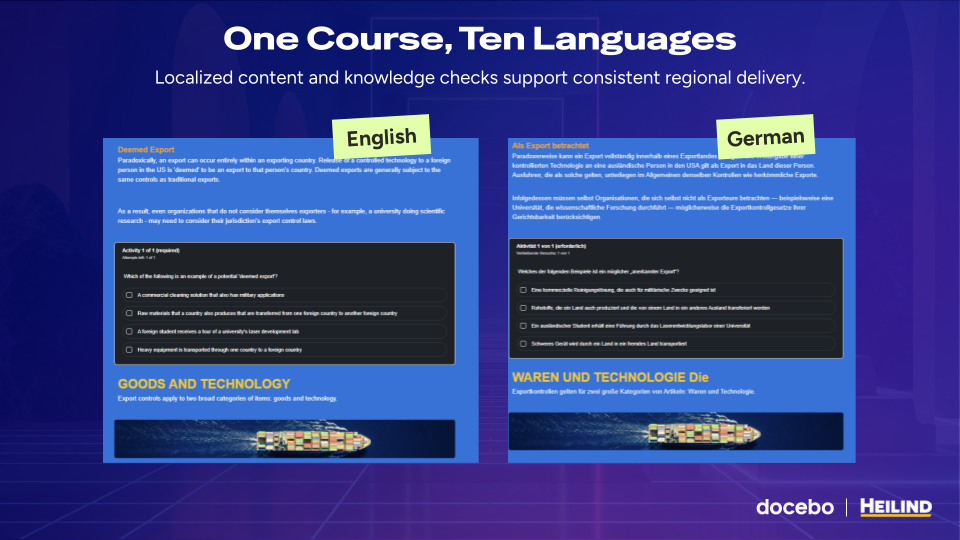
Instead, Don’s team built it with him. The result is one global course in Docebo, with:
- Version-controlled source content, backed up as a PDF
- Knowledge checks with a passing requirement
- 10 languages instead of English only
- A final acknowledgement where learners confirm they’ll contact the export officer if they spot a red flag
- Completion reporting and an annual review cycle
The course also uses AI video avatars with text-to-speech narration, which gave it a fresher feel than the slide-based training employees were used to. And because it’s one course instead of 10, updates happen once.
“Unlike before, I don’t have 10 courses to update. I have one. And languages? AI translation in Creator made it easy.”
— Don Finger, Corporate Training Manager, Heilind Electronics
The results
Annual export training now reaches the right people, in their own language, with a completion record Heilind can verify:
- 99.55% completion rate
- 442 learners completed
- 10 language versions
Don is candid about the feedback. In the English-language survey, 83 of 96 learners rated their overall satisfaction good or very good. The comments said even more:
- “First time in 20 years I can understand Export/Import Training.”
- “I like how all of this is in one place for once.”
- “Thank you for making this in Polish.”
Heilind used that feedback to publish a revised version and plans to ask sharper survey questions next cycle. The course now runs almost on its own, with the stakeholders owning the review.
The best result might be the export officer himself. By the end of the project, he’d learned Creator well enough to build a course on his own. “Now I’ve got an export officer who can’t stop.”
Momentum: 14 new lessons in one month
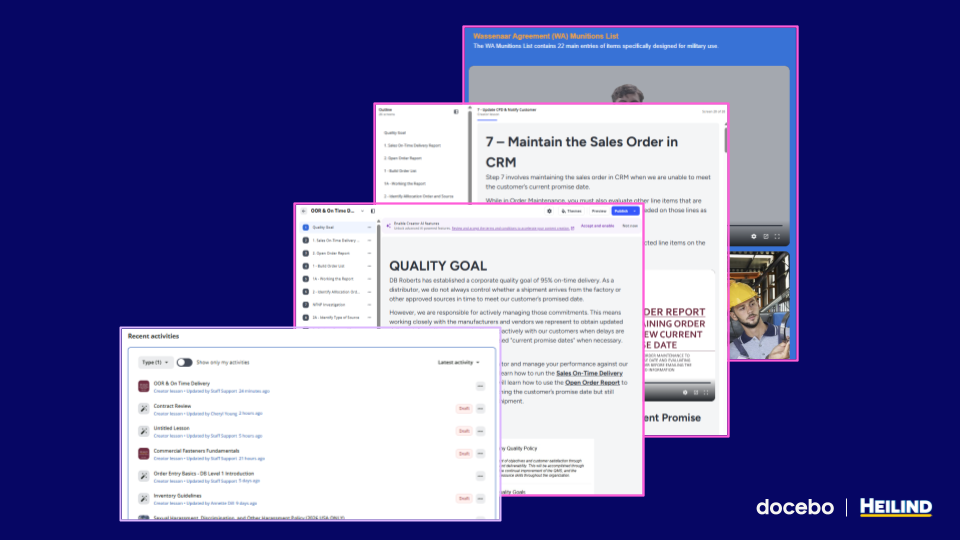
In August 2026, Heilind’s teams added 14 new Creator lessons and learning assets, many built for global audiences in multiple languages. Don credits ownership: managers build lessons their way, and they feel in control of their own training.
He keeps that progress visible with a monthly corporate report on SharePoint. It pulls data from Docebo Insights and tracks new Creator lessons against the previous month, so leaders see the activity and authors see their work counted.
Getting your own managers started
If your managers sound like Don’s did, his advice comes down to four moves:
- Get leadership on board first. Training is usually the last thing on a leader’s mind, so push for clear permission and time for managers to contribute. Once managers see how easy it is, they start delegating on their own: “Bob, let me show you how to do it. It’ll just take me 5 minutes.”
- Lead the first use case yourself. Pick a problem that feels close to urgent for the manager and build the first lesson alongside them.
- Make help easy to find. Point managers to Docebo University (DU) and your own LMS catalog, and lean on short how-to videos and microtraining.
- Then show the results, loudly. Share completion data and learner feedback, give the authors credit, and reward them. “You put the effort in on this, promote it.”
Ultimately, hesitant managers don’t need a better pitch. They need one problem they care about, their own material to start from, and someone to coach them through their first Creator lesson. Then they need to see the results.
That’s exactly what happened at Heilind. The team started with three wiki areas full of outdated files and a skeptical export officer. It now has a 99.55% completion rate on one of its most complex compliance courses, 14 new manager-built Creator lessons in a single month, and an export officer who can’t stop building.