


10 Best LMS for Training Providers: Compared by Features and Fit
Your biggest client wants their own branded portal, their own admins, and a report that doesn’t show anyone else’s learners. The problem? Your current LMS plays courses, but it can’t do any of that.
That’s usually when training providers find out they bought the wrong platform. The right one lets you add audiences, launch paid courses, and show impact without adding admin headcount.
This guide explains what an LMS for training providers is, how the category breaks down, and how to evaluate your options. We then compare 10 of the best platforms so you can build a shortlist matched to your audience model, tech stack, and growth plans.
What is an LMS for training providers?
An LMS for training providers delivers, manages, and monetizes training for external audiences: customers, partners, members, franchises, or paying learners. It goes beyond employee-only tools by adding branded portals, delegated administration, audience-specific catalogs, and commerce.
The best LMS for training providers connects learning activity to revenue, adoption, and retention. Training becomes a growth engine, backed by data you can show the business.
How we chose these platforms
We evaluated each platform against the same criteria: audience management and portals, branding, content and standards, commerce, integrations and data ownership, reporting, mobile and accessibility, implementation and support, and total cost of ownership. Our research drew on vendor documentation, public product pages, customer case studies, and G2 reviews.
Full disclosure: Docebo publishes this guide, and Docebo is one of the platforms compared below.
What a modern learning platform for training providers must be able to do
Start with the baseline. A modern LMS for training providers should deliver training to several audiences, spin up branded portals with custom domains, and hand clients delegated administration. It should also sell courses and subscriptions, integrate with your CRM, payment, and identity systems, report across portals, and work on mobile.
Docebo adds one more requirement: those audiences should be governed from one platform, with learning tied to business outcomes rather than course completions. A platform that delivers courses but can’t connect training to revenue, adoption, or retention solves only part of the problem.
How the LMS for training providers category breaks down
Pick the platform that matches how many audiences you serve, who administers them, and which problem is costing you the most right now. Here are the six types of platform you’ll run into:
- Multi-audience enterprise LMS (Docebo): governs employee, customer, and partner learning from one platform, with commerce, analytics, and mobile
- Customer and partner education platforms (Thought Industries, LearnUpon): branded external academies and structured customer or partner programs
- Admin- and commerce-focused LMS (Absorb LMS, Litmos): administration, e-commerce, and compliance-oriented training
- Course-creation-first tools (iSpring Learn, TalentLMS): authoring and blended learning, often friendlier for smaller teams
- Open-source LMS (Moodle): maximum customization, with self-managed hosting and maintenance
- Adjacent tools (GoTo Training, Blackboard Learn): live virtual training and education-oriented platforms; verify their fit for commercial training providers
Docebo is the option that governs several audiences from one platform, connecting external training, commerce, analytics, and mobile, rather than solving only one slice of the problem.
How to evaluate an LMS for training companies
Use the below criteria to score every platform on your shortlist. Each one maps to a real cost or risk down the line.
Pricing and total cost of ownership
License price is only one input. Compare active-user definitions, registered versus consuming learners, portal fees, content and integration add-ons, implementation, migration, services, support, and renewal terms. Ask each vendor for a complete total-cost model instead of a headline per-user price.
External audiences, portals, and permissions
Cover multi-tenancy, branded domains, data separation, delegated administrators, audience-specific catalogs, and consolidated reporting. Ask whether one platform can serve employees, customers, partners, members, and franchises without duplicating administration.
User experience and administration
Compare learner navigation with day-to-day admin work. Test enrollment rules, branching, automation, bulk actions, content versioning, and role-based access. Time how long a common program change actually takes.
Integrations and vendor accountability
Evaluate human resource information system (HRIS), customer relationship management (CRM), identity, payment, webinar, commerce, and data-warehouse options, plus API access. Ask who owns each connector, how failures are monitored, and what support escalation looks like.
Reporting and business evidence
Compare standard reports, custom dashboards, manager views, exports, audit trails, and cross-portal analytics. The best platforms connect training activity to revenue, adoption, compliance, or customer outcomes.
Mobile, offline, and accessibility
Verify native versus responsive mobile delivery, offline tracking limits, single sign-on (SSO), branded apps, and push notifications. Confirm accessibility conformance against a current standard; the Web Content Accessibility Guidelines are the widely referenced benchmark. Check that mobile suits your specific training and compliance use case.
Content, authoring, commerce, and AI
Compare content standards, video, assessments, authoring, translation, marketplaces, subscriptions, and payment workflows. Standards like Sharable Content Object Reference Model (SCORM), Experience API (xAPI), and Computer Managed Instruction (cmi5) shape how content tracks and moves between systems. Ask about exportability, human review of AI output, usage limits, and whether AI features add credits or fees.
Implementation, support, and scalability
Require a realistic migration plan, a named implementation owner, a training plan, support coverage, and an escalation path. Ask for customer references at your scale. Then stress-test the largest expected audience, the most complex permissions, and the most demanding report before you commit.
At-a-glance comparison of LMS platforms for training providers
Use this table to cut poor fits before you read the full platform profiles. Use it as a practical shortlist, not a universal ranking, and score each platform against your own audience, operating model, and growth plan.
| Platform | Category | Best for |
|---|---|---|
| 1. Docebo | Multi-audience enterprise LMS | Multi-audience learning at scale |
| 2. iSpring Learn | Course-creation-first | Multimedia-rich course creation |
| 3. TalentLMS | Course-creation-first | Flexible blended learning |
| 4. Moodle | Open-source LMS | Highly customizable environments |
| 5. LearnUpon | Customer and partner education | Structured customer and partner programs |
| 6. Absorb LMS | Admin- and commerce-focused | Admin-led training and verification |
| 7. Thought Industries | Customer and partner education | Customer and partner education |
| 8. GoTo Training | Adjacent (live virtual training) | Live virtual training delivery |
| 9. Litmos | Admin- and commerce-focused | Quick-to-launch compliance and employee programs |
| 10. Blackboard Learn | Adjacent (education-oriented) | Structured blended learning in education settings |
The 10 best LMS platforms for training providers
Each profile follows the same format: best for, what it does, key strengths, limitations, implementation and integration, and customer evidence. Competitor capabilities reflect common positioning, so treat features as prompts to verify rather than confirmed facts. For Docebo, capabilities reflect current public product information.
1. Docebo
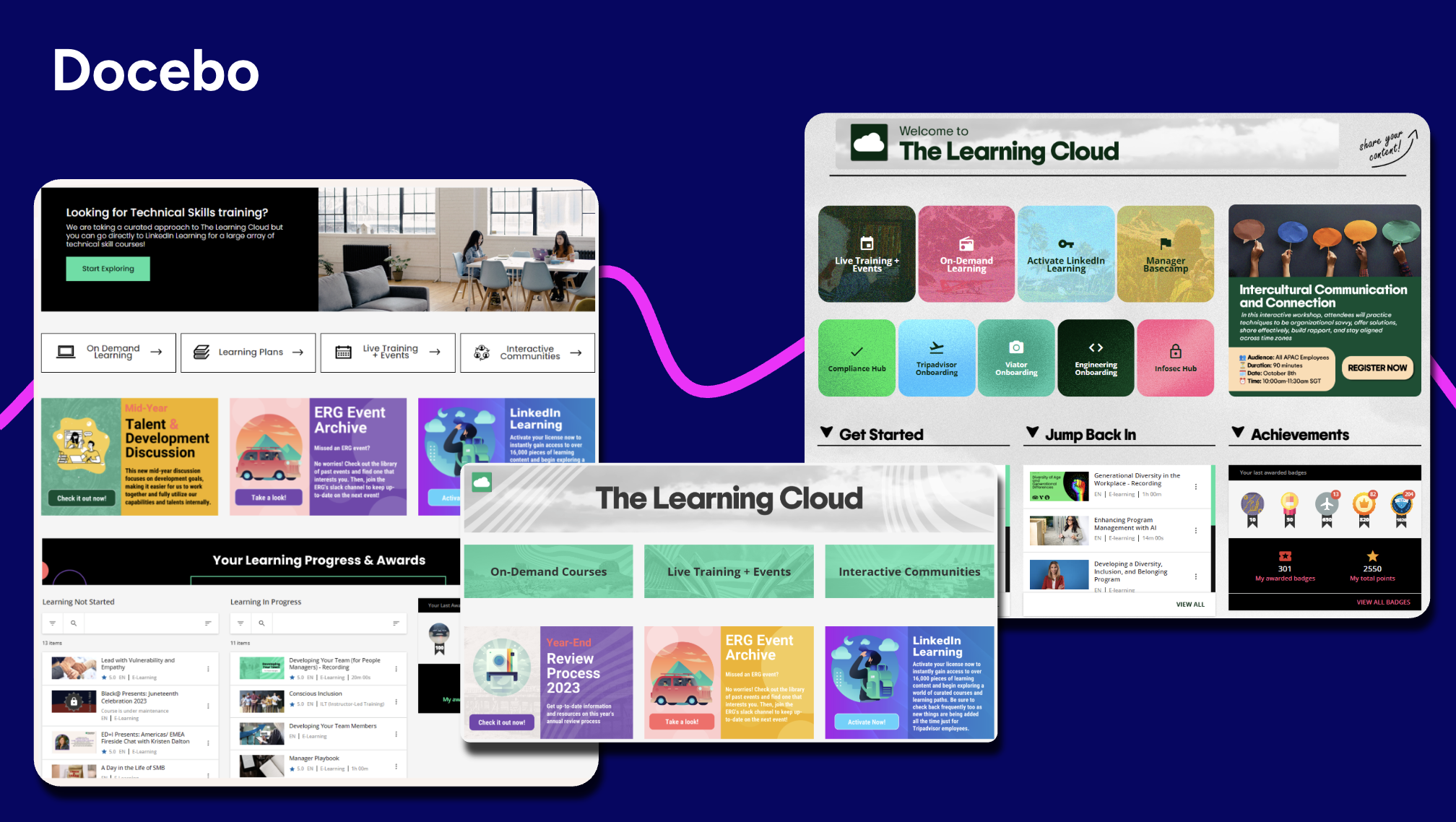
Best for: organizations delivering scalable learning across internal and external audiences, including customer, partner, member, and paid training.
What it does: Docebo is an enterprise learning platform built to train multiple audiences from one system. Through its extended enterprise architecture, it runs distinct, separately branded environments for employees, customers, and partners at once, each with its own content, branding, and reporting.
Key strengths:
- AI-assisted content authoring and personalized recommendations
- Advanced analytics that tie learning activity to business outcomes
- Named AI modules: Docebo AgentHub, Enterprise Knowledge, Skills Intelligence (powered by 365Talents), Docebo MCP Server, Docebo Companion, and Docebo AI Tutor, plus Docebo Roleplay
- eCommerce and storefront workflows for paid training
Limitations: Enterprise breadth can require more configuration and implementation planning than a basic LMS.
Implementation and integration: Scope migration, configuration, and services with a named implementation owner. Confirm integration paths across CRM, HRIS, commerce, and API, plus connector monitoring and content export.
Customer evidence:
- “The platform is stable and works well even with many users. I also like the AI features because they show clear insights about what users learn, where they get stuck, and how training helps.”(Read full review)
- “What I like most about Docebo is that it’s easy to manage and has a good balance between being user-friendly and having the features needed for larger training programs.” (Read full review)
2. iSpring Learn
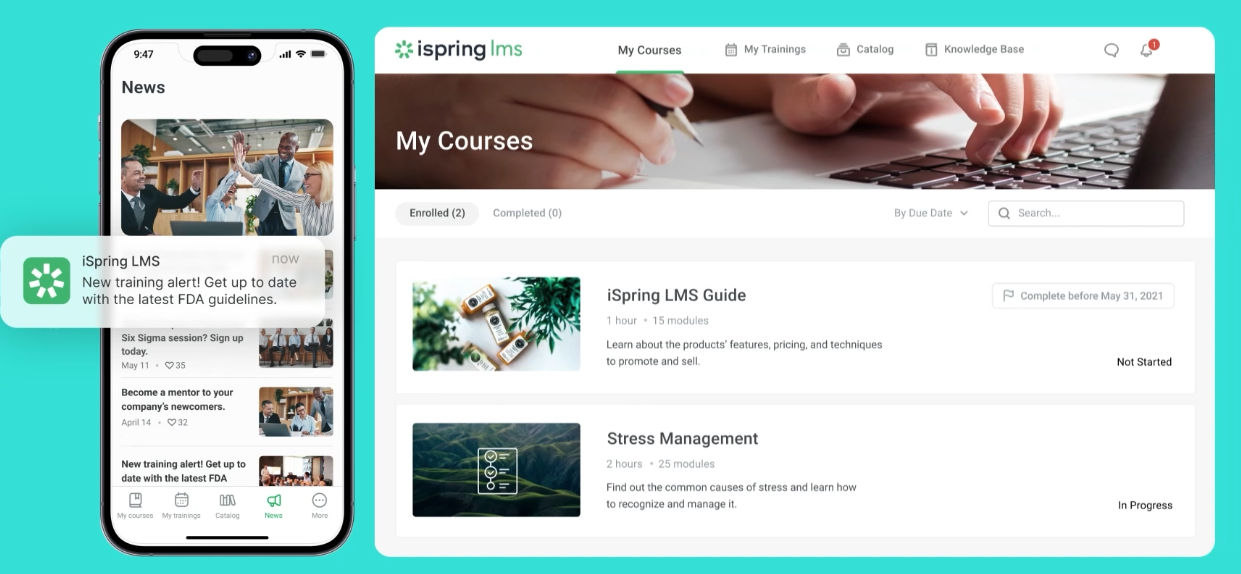
Best for: teams creating multimedia-rich courses and blended training programs.
What it does: iSpring Learn is known for a familiar authoring workflow and broad content-format support, including PowerPoint, SCORM, and video.
Key strengths:
- PowerPoint-based authoring and broad content-format support
- SCORM and video content
- Blended learning and course-creation workflows
Limitations: Verify whether external-audience governance, permissions, reporting, and mobile administration meet enterprise training-provider needs.
Implementation and integration: Confirm external-learner provisioning, SCORM tracking, content localization, and integration paths; ask for references from training, partner, or customer-education teams.
Customer evidence:
- “The platform’s ability to blend learning tracks or courses with development programs, where I can add training sessions and 360 reviews, is impressive.”(Read full review)
- “I really appreciate how easy it is to create training materials in SCORM format” (Read full review)
3. TalentLMS
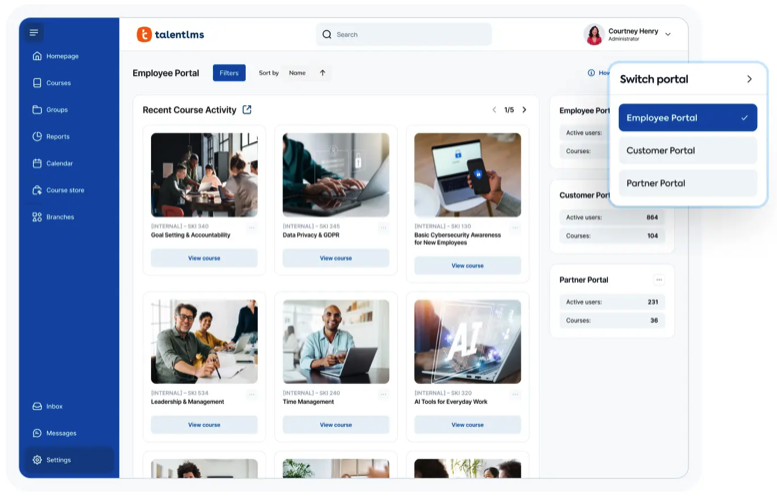
Best for: organizations that want flexible blended learning with assessments and gamification.
What it does: TalentLMS supports online and instructor-led training, standards-based content, assessments, surveys, and learning paths, with a relatively accessible blended-learning model.
Key strengths: – Online and instructor-led (blended) training – Standards-based content including SCORM, cmi5, and xAPI – Assessments, surveys, and learning paths – Gamification
Limitations: Verify multi-tenancy, delegated administration, commerce, reporting depth, and integration options as programs scale.
Implementation and integration: Confirm active or registered-user rules, plan limits, e-commerce fees, and integration costs; ask for references from external-learning customers at your scale.
Customer evidence:
- “The simplicity of TalentLMS. It is easy to navigate” (Read full review)
- “The AI course creation tools make developing classes efficient and seamless.”(Read full review)
4. Moodle
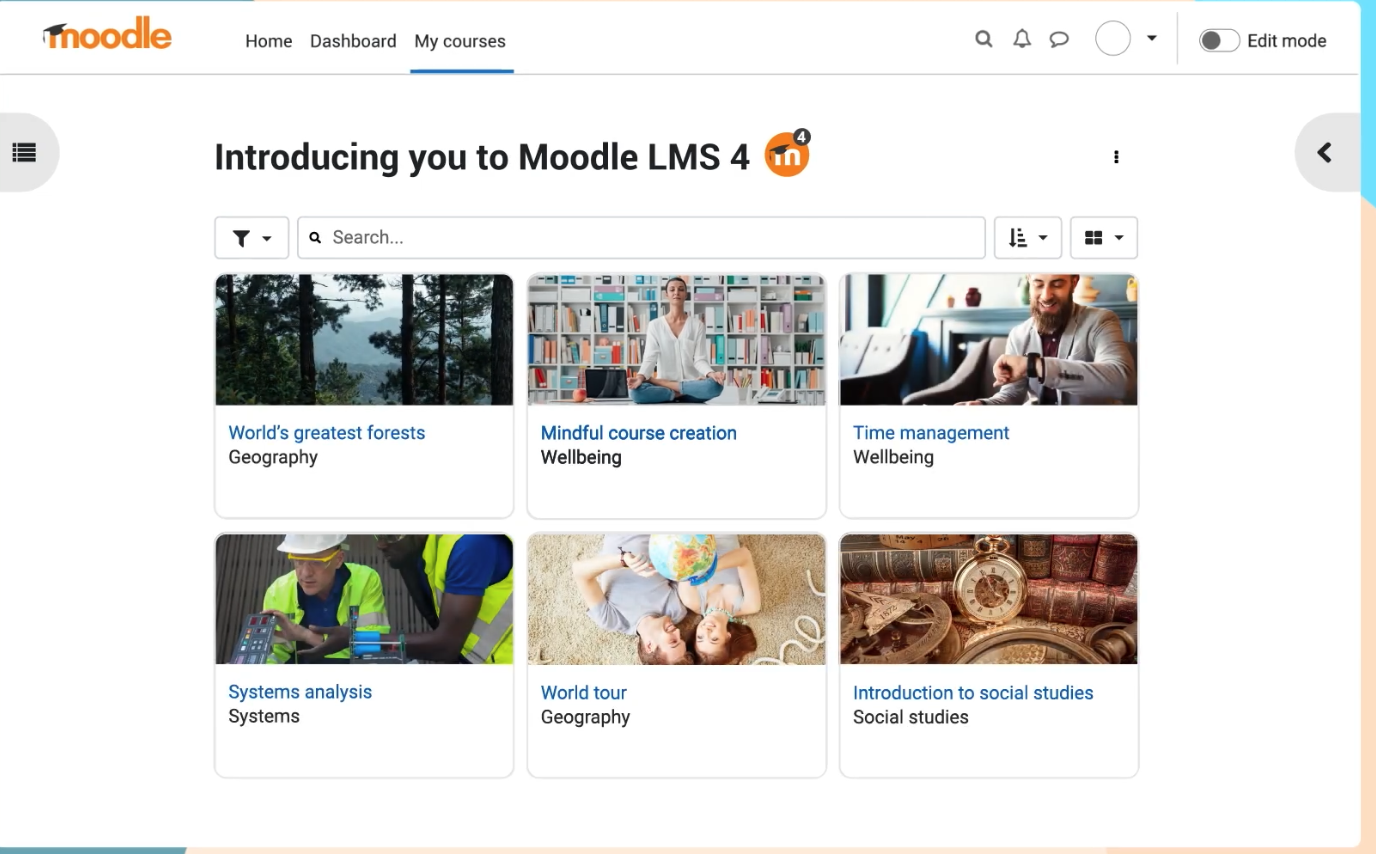
Best for: buyers that need open-source flexibility and can operate a customized environment.
What it does: Moodle is an open-source platform with plugins, competencies, social learning, and badges, giving you broad control over customization and deployment.
Key strengths: – Open-source platform with an extensive plugin ecosystem – Competencies, badges, and social learning – Broad control over customization and deployment
Limitations: Verify who owns hosting, security, upgrades, client portals, e-commerce, and support, since these fall to you or a partner.
Implementation and integration: Plan hosting, required plugins, version management, migration ownership, and mobile or offline behavior; prioritize hosted-service or partner references serving training providers.
Customer evidence:
- “I like that Moodle is a powerful, flexible open-source LMS that we can really adapt to our institutional needs instead of adapting our practices to the tool.” (Read full review)
- “There is a learning curve that is not exponential, but it is long if one wants to master the tool thoroughly.”(Read full review)
5. LearnUpon
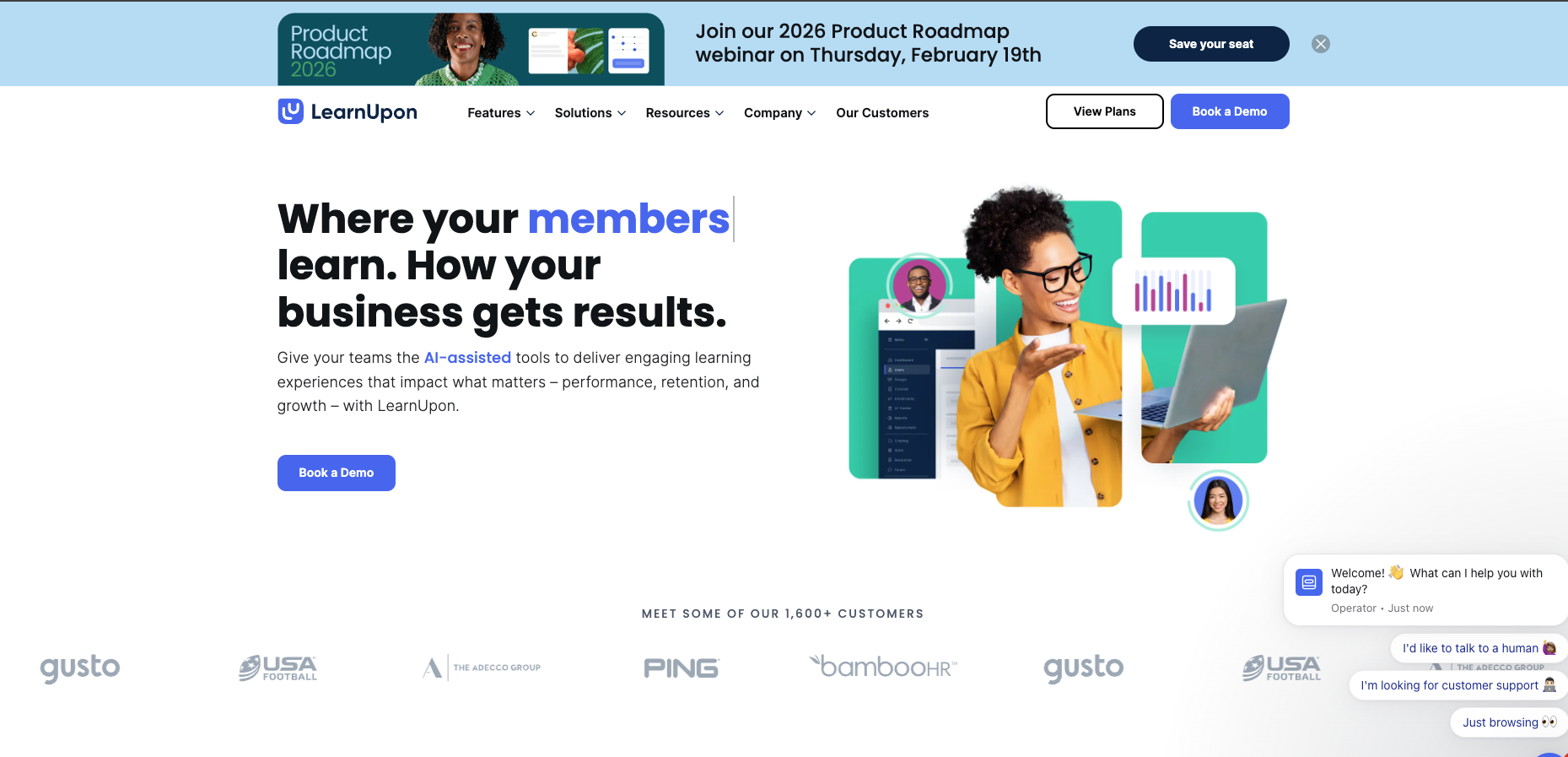
Best for: structured customer, partner, compliance, and onboarding programs with defined learning paths.
What it does: LearnUpon focuses on learning paths, assessments, assignments, surveys, and automated enrollment, supporting common customer-education workflows.
Key strengths: – Learning paths, assessments, and assignments – Automated enrollment and surveys – Audience management for customer and partner programs
Limitations: Verify complex branching, bulk enrollment, custom-field synchronization, integration depth, and support escalation for high-volume programs.
Implementation and integration: Confirm HRIS or CRM data flows, integration depth, permissions, and cross-client reporting; request references using your automation and integration patterns.
Customer evidence:
- “LearnUpon is easy to manage, integrates well with other systems, and was simple to implement. Their support and communication are excellent, making deployment of compliance and other training seamless.”(Read full review)
- “It’s quite simple and easy to use. Not too much back-end work needed, and it’s easy to display courses.”(Read full review)
6. Absorb LMS
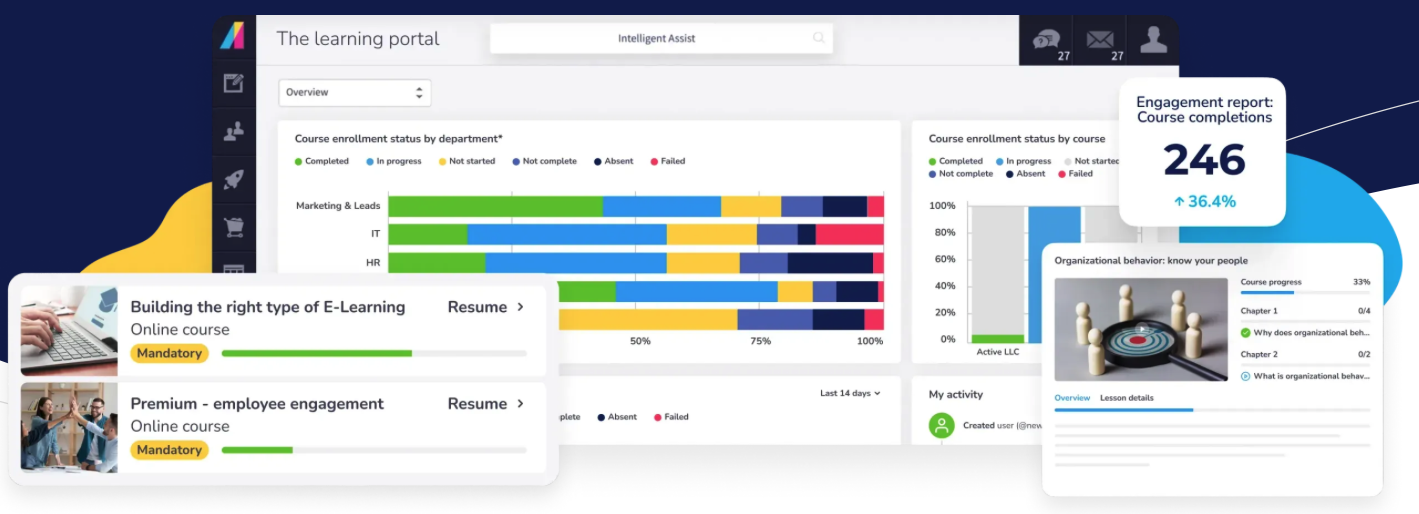
Best for: organizations prioritizing administration, e-commerce, reporting, compliance, and skills verification.
What it does: Absorb LMS supports course delivery, online commerce, reporting, observation workflows, and learner administration, leaning toward admin-led and verification-oriented programs.
Key strengths: – Course delivery and learner administration – Online commerce and reporting – Observation workflows for skills verification
Limitations: Verify the definition of an active user, power-user permission boundaries, mobile parity, connector ownership, and content export formats.
Implementation and integration: Request a like-for-like model of consuming versus provisioned users, plus connector monitoring, content reuse, and a relevant multi-audience training reference.
Customer evidence:
- “The platform makes content creation and uploading straightforward, allowing me to assign it to specific groups or locations, which is very convenient.” (Read full review)
- “I like the flexibility of the platform and depth of features it offers to both creators of content and learners.”(Read full review)
7. Thought Industries
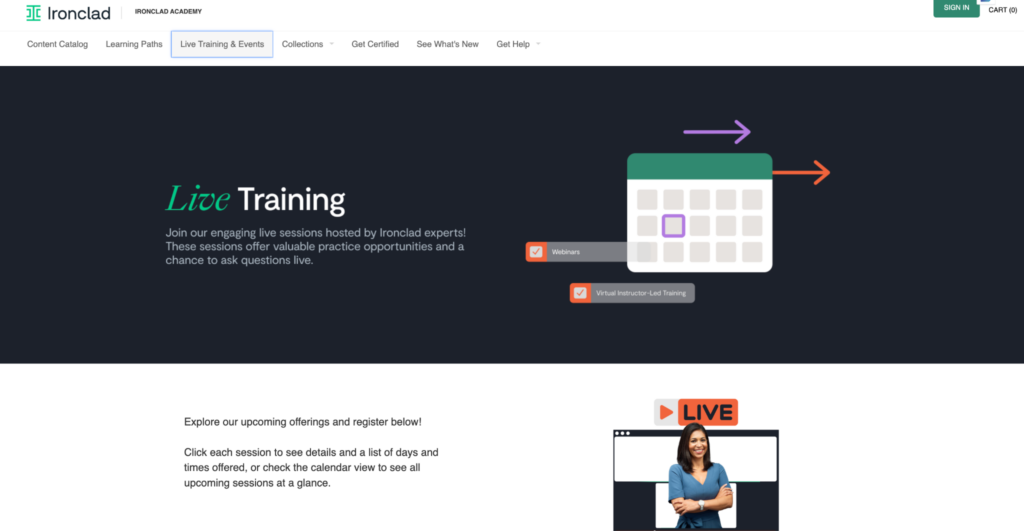
Best for: customer, partner, and professional training programs that need branded portals and commerce.
What it does: Thought Industries supports segmented experiences, branded portals, certifications, learning paths, authoring, and e-commerce, oriented toward external audiences.
Key strengths: – Branded portals and audience segmentation – Certifications and learning paths – Authoring and e-commerce for external audiences
Limitations: Verify mobile app availability, reporting depth, native assessments, multilingual support, API limits, and instructor-led workflows.
Implementation and integration: Confirm portal governance, delegated administration, cross-portal reporting, API monitoring, and premium integration or add-on costs.
Customer evidence:
- “I especially value the weekly office hours, community events, and open sessions that create an inclusive and dynamic learning ecosystem.” (Read full review)
- “The implementation was relatively straightforward and Ti had expertise on hand to help.” (Read full review)
8. GoTo Training
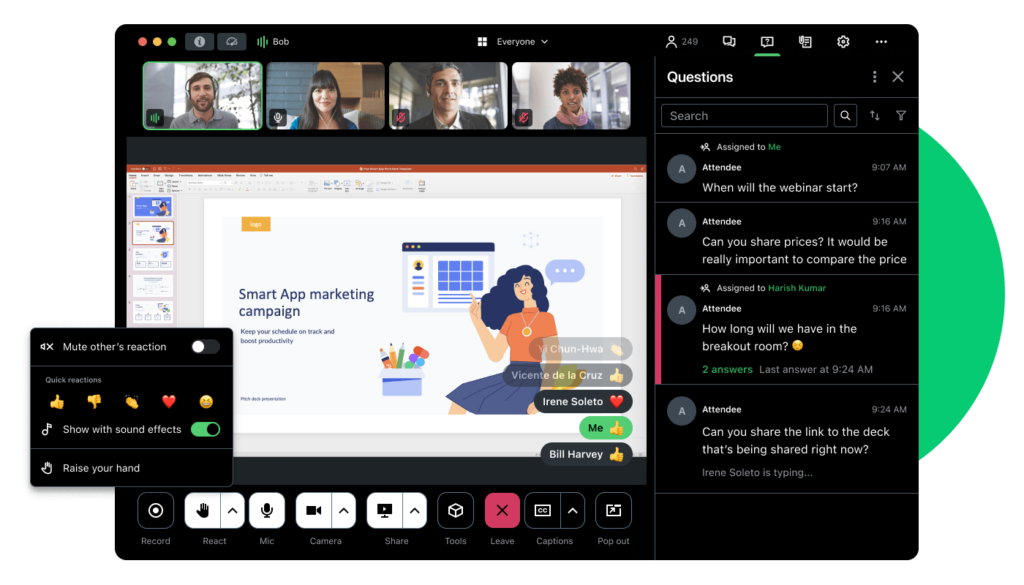
Best for: providers centered on live virtual training, registration, payment, and session delivery.
What it does: GoTo Training supports virtual training rooms, content sharing, registration, payments, and certificates, and is strong for instructor-led delivery and monetization. This is an adjacent category, so confirm it fits alongside or inside a full LMS.
Key strengths: – Virtual training rooms and content sharing – Registration, payments, and certificates – Live, instructor-led delivery and monetization
Limitations: Verify asynchronous LMS depth, long-term learner records, certification rules, and enterprise integrations before treating it as a full LMS.
Implementation and integration: Confirm self-paced content support, CRM or commerce integration, data export, and suitability for both live and self-paced programs at scale.
Customer evidence:
GoTo Training has a small and mostly dated third-party review base, with no individual G2 or Capterra reviews from 2025 or 2026 at the time of writing. Validate current references directly with the vendor, and treat it as an adjacent live-training tool rather than a full LMS. (See G2 reviews)
9. Litmos
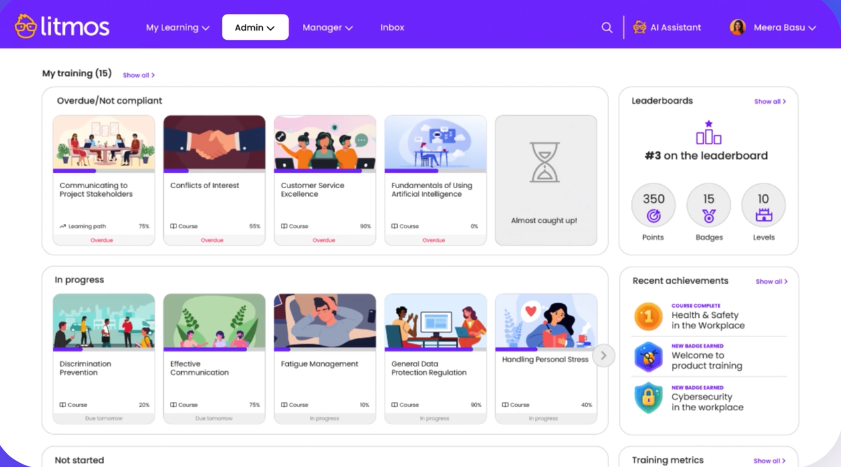
Best for: organizations that want a quick-start platform for compliance, employee, partner, or professional training.
What it does: Litmos provides course delivery, authoring, automation, notifications, reporting, and gamification, with authoring and automation that can support straightforward programs.
Key strengths: – Course delivery, authoring, and automation – Notifications and reporting – Gamification
Limitations: Verify customization, user segmentation, content hierarchy, localization, analytics, and the current vendor support model.
Implementation and integration: Confirm integration monitoring, content reuse, multilingual workflows, and support coverage; request current references.
Customer evidence:
- “I like how easy it makes training to manage and complete.” (Read full review)
- “The platform’s ability to create content and manage learning paths is a valuable resource for our team training days.” (Read full review)
10. Blackboard Learn
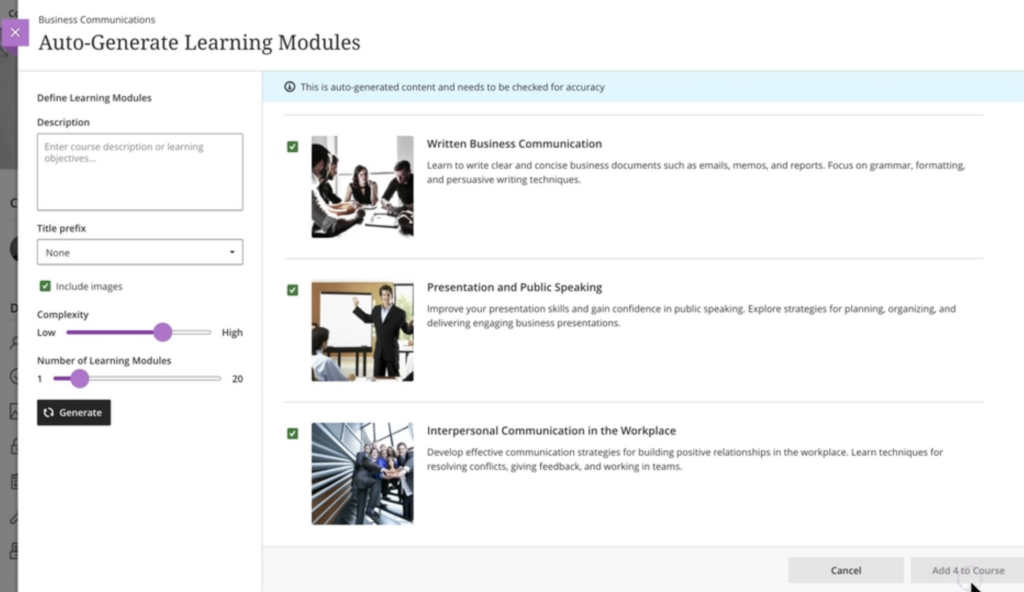
Best for: structured blended learning where course management, collaboration, and accessibility are central.
What it does: Blackboard Learn provides course content management, registration, progress tracking, collaboration, and accessibility tools, with an established education ecosystem. This is an adjacent-fit check for commercial training.
Key strengths: – Course content management and progress tracking – Registration and collaboration tools – Accessibility tools and an established education ecosystem
Limitations: Verify fit for commercial training providers, e-commerce, branded portals, delegated administration, and enterprise CRM or HRIS integrations.
Implementation and integration: Confirm external-learner workflows, content portability, mobile experience, and current commercial-training references, not only higher-education reviews.
Customer evidence:
- “I find the interface very easy to navigate, with highly useful tools for taking classes, such as videoconferencing rooms and discussion sections.” (Read full review)
- “I think it provides the bare minimum of an LMS and that’s the thing I do like about it.” (Read full review)
Docebo compared to the alternatives
Use these buyer questions to compare Docebo with any platform on your shortlist. Confirm every Docebo capability against current product pages before you decide.
| Buyer question | Docebo’s approach | What to test in alternatives |
|---|---|---|
| Platform architecture | One configurable environment for multiple audiences, with personalized experiences and centralized governance | Whether separate portals, products, or custom work are needed per audience |
| Audience management | Branches, groups, audiences, power users, and granular access controls | Data isolation, delegated administration, and cross-audience reporting |
| Extended enterprise | Branded, independently governed portals with consolidated reporting | Tenant limits, portal branding, SSO, content sharing, and local admin rights |
| Mobile learning | Mobile delivery with offline and SSO behavior to validate for your use case | Native versus responsive delivery, offline tracking, and app ownership |
| Integrations | Native integrations, APIs, and workflows with monitoring | Connector ownership, data mapping, API limits, and escalation |
| AI and content | AI-assisted authoring and learning support, with content export and human review | AI credit models, governance, and content portability |
| Reporting | Standard reporting plus advanced analytics for dashboards and structured data | Custom reporting, manager permissions, and cross-portal views |
| Implementation | Scoped migration, configuration, services, and support before signature | Named implementation owner, timeline, support coverage, and references |
| Pricing | Model active users, portals, add-ons, content, integrations, and services | Registered versus active users, overages, renewal terms, and support costs |
What training providers say about Docebo
Training leaders describe the shift best in their own words. These come straight from public Docebo case studies.
Vanessa DeKoekkoek, Global Training Manager at 2020, a Cyncly Company, described how online training became part of the customer journey: “We have people buying training before they even open our software. It’s the magical transition that we all dream of.”
Cheryl Quang, CEO and founder of Online Courses Australia, said the choice was easy: “Docebo was the only LMS that had all of the features we wanted. It was a pretty easy decision.”
Alex Lapthorne, Global Head of Training at Disguise, pointed to what the partnership produced: “Thanks to Docebo and our hard work, we offer some of the best-in-class learning available in our industry.”
Which platform fits which problem
Start from your biggest problem and your existing stack, not a feature list. This table maps common scenarios to a starting point.
| Scenario | Recommended platform | Why |
|---|---|---|
| You need to govern several audiences and revenue streams from one platform | Docebo | Runs employee, customer, and partner learning from one system, with commerce and analytics tied to outcomes |
| You mainly create multimedia-rich courses | iSpring Learn | PowerPoint-based authoring and broad content-format support |
| You want flexible blended learning with assessments and gamification | TalentLMS | Standards-based content, assessments, and an accessible blended model |
| You need open-source control and have technical capacity | Moodle | Extensive plugins and full customization, with self-managed hosting |
| You run structured customer or partner programs | LearnUpon or Thought Industries | Learning paths and branded external academies for customer and partner education |
| Administration, e-commerce, and compliance are the priority | Absorb LMS or Litmos | Admin-led workflows, commerce, and compliance-oriented training |
| Your programs center on live virtual training | GoTo Training | Virtual rooms, registration, and payments for instructor-led delivery |
| You need education-oriented blended learning | Blackboard Learn | Course management, collaboration, and accessibility tools |
FAQs
What is the best LMS for a training provider?
There is no universal best LMS. The right choice depends on your audience model, branding, commerce, integrations, reporting, mobile access, implementation capacity, and expected scale. Docebo is a strong fit for training providers that want to manage customer, partner, franchise, member, or internal learning from one platform—with the governance, commerce, integrations, and reporting needed to grow.
Can Docebo manage multiple branded academies from one platform?
Yes. Docebo Extended Enterprise lets organizations create and manage multiple fully branded, independently governed learning portals within one environment. Each portal can have its own domain, visual identity, SSO, content catalog, user base, and administrator permissions, while the central team maintains governance and visibility across audiences.
Can training providers sell courses, certifications, bundles, and subscriptions with an LMS?
Yes, some LMS platforms support course commerce directly. Docebo supports selling courses, certifications, bundles, and subscriptions through the platform. Before launch, confirm the full operating model, including payment gateways, tax handling, refunds, discounting, recurring billing, learner provisioning, and storefront or commerce integrations.
How does Docebo integrate with a training provider’s existing technology stack?
Docebo supports connections with identity providers through SSO/SAML, CRM and HRIS systems, collaboration tools, content repositories, and data warehouses through native integrations, APIs, and Docebo Connect. Training providers should test real workflows, such as provisioning, enrollment, completion sync, credential updates, reporting exports, permissions, and error handling, rather than evaluating integrations from a connector list alone.
How can Docebo help training providers scale delivery and prove learning impact?
Docebo combines structured learning paths, certifications, audience-specific administration, reporting, and mobile learning to support delivery at scale. Training providers can monitor enrollment, progress, completion, assessment results, certifications, and risk across audiences, then connect those signals to outcomes such as customer adoption, partner performance, readiness, ramp time, or revenue support. Mobile and offline capabilities can also help learners access training in real-world workflows.
Choose a platform built for multiple audiences
Choosing the best LMS for training providers is a decision you’ll live with for years. The right platform helps you scale audiences, monetize training, and prove impact while fitting how your team already works.
Explore why more than 3,900 companies and 30 million learners worldwide trust Docebo. Take a tour of the platform or book a demo.