


10 best SaaS LMS platforms for enterprise teams heading into 2027
Your learning system has a bigger job than ever. Today it has to train employees, customers, and partners, and legacy on-premise tools can’t keep up.
That’s why many companies are trading in their on-premise learning management systems for a cloud-based LMS. But the bar has moved. A SaaS LMS should build capability, reach every audience, and prove learning changed what people can do.
This guide compares the 10 leading SaaS LMS platforms by category. You’ll leave with a shortlist matched to your audiences, your stack, and your primary problem.
How we chose these platforms
We evaluated each platform on six criteria: audience reach, automation and administration, skills and readiness evidence, integrations, time to value, and total cost of ownership. Our research drew on vendor documentation, public product pages, customer case studies, and published G2 reviews. Full disclosure: Docebo publishes this guide, and Docebo is one of the platforms compared below.
What a modern SaaS LMS platform must be able to do
A SaaS LMS (software-as-a-service learning management system) is a cloud-based learning management system that the vendor hosts, maintains, and updates. You access it by subscription through a browser or app, with nothing to install.
Most SaaS LMSs support e-learning standards such as SCORM (Sharable Content Object Reference Model). And the provider manages access to the application, including security, availability, and performance.
Start with the baseline. A modern SaaS LMS should deliver and track training at scale, connect to HR and business systems through APIs, and support mobile access. With a SaaS LMS, businesses can create and deliver learning content, manage learners and courses, and track progress, all on one centralized platform.
Docebo’s product philosophy adds one more requirement: It must close the loop between capability gaps, learning, and proof of readiness. Most LMSs answer “Who completed the course?” A modern platform answers “Where are the gaps, what closes them, and what evidence shows people are ready?”
Without that loop, your reports stop at activity. That’s why buyers confuse platforms that behave very differently. The next sections separate them.
SaaS LMS vs. self-hosted LMS
Businesses have two main learning management system (LMS) options to power their e-learning solutions or training programs: Self-hosted and SaaS-based. While both aim to deliver online training, there are significant differences between the two.
| Factor | SaaS LMS | Self-hosted (on-premise) LMS |
|---|---|---|
| Hosting and maintenance | The provider manages the platform on its servers and handles most of the technical work | Hardware and software sit on your servers, and in-house IT performs all upkeep |
| Updates | Upgrades roll out automatically to every user | IT applies every update and improvement across each device |
| Scaling | Scales quickly to any number of users as you grow | Your internal team manages activity and storage as user numbers grow |
| Access and integrations | Learners log in from any device, and APIs connect to HR software, content management systems, and e-commerce platforms | Access is limited to devices with the software installed, and IT maintains each integration in-house |
A SaaS LMS has the same LMS features as a self-hosted LMS, while the provider carries the infrastructure. Managers and learners simply log in and start learning.
If you train more than one audience, SaaS is the practical default, so the real question is which SaaS LMS.
How the SaaS LMS market breaks down
No single platform wins for everyone. The right fit depends on your existing stack and your primary problem. Here’s where each vendor sits.
Any list of LMS companies looks alike at first glance. Group them by what they’re built to do, and the differences get clear fast.
- Enterprise learning platforms (Docebo, Cornerstone, Absorb LMS, LearnUpon, 360Learning, Litmos): Breadth for complex programs, but they differ sharply in multi-audience control, automation depth, and reporting.
- HR-suite learning modules (SAP SuccessFactors Learning, Workday Learning): Native HR data, but learning waits on the HR roadmap, and reach beyond employees is limited.
- AI-native learning (Sana Learn, now part of Workday): Fast AI content generation, but you need to ask how it’s governed, assigned, and validated.
- Learning experience platforms, or LXPs (Degreed): Strong content discovery, but they need a system of record for assignment, certification, and audit.
- Small and midsize business (SMB) and point tools (TalentLMS, iSpring LMS): Fast setup or a narrow strength like authoring, but less governance and multi-audience scale.
A feature checklist won’t separate these platforms. The connected loop will. Docebo brings the experience layer and the execution layer together, with one data loop across Learning, Skills Intelligence, Knowledge, and AgentHub.
Here’s how that works in an enterprise LMS. Skills Intelligence detects gaps, Learning grows people, and assessments validate readiness. AgentHub agents orchestrate the work in between.
How to evaluate a SaaS LMS platform
Run each platform through these six tests. Write them into your demo script so vendors answer the hard questions, not the easy ones. These tests matter for any organization running a corporate training program.
Audience reach and extended enterprise
In an extended enterprise, you need e-commerce functionality, training content, and the ability to conduct partner, member, or customer training. Learners also expect access on any mobile device, whether they’re traveling for work or training after hours.
Leading SaaS LMSs like Docebo let you transform your legacy content into engaging, experiential learning. And the platform grows with you as your membership increases.
To test any extended enterprise LMS, ask: “How precisely can you control access, content, administration, reporting, and branding for every audience without creating separate systems?”
Automation and administration
With a SaaS LMS, new upgrades roll out automatically across all devices and for all users, without pulling in your IT team. Built-in authoring tools and integrations keep your courses and training materials current without the upkeep.
Then push past the demo. Ask: “What happens when learning paths, enrollments, integrations, and compliance workflows grow beyond the simple case?”
Skills and readiness evidence
Completion counts alone can’t prove capability changed. Ask whether the platform connects skills data to learning, then proves progress through assessments, certifications, roleplay feedback, and on-the-job evidence.
Webinars, blended learning, and gamification all drive engagement, and engagement is a useful signal. Then ask: “After AI creates or recommends learning, how do you assign it, deliver it, validate it, and prove the capability changed?”
Integrations and data
Organizations usually require their human resource information system (HRIS) or customer relationship management (CRM) data to be integrated with their LMS for easy reporting. A SaaS LMS makes this more accessible with readily available APIs. Ask what each connector costs, since some integrations are priced as add-ons.
An LMS API lets other systems create users, enroll learners, and pull completion data automatically. Ask yourself: “Are you choosing a learning platform, or adding a basic learning module to an HR system?”
Time to value and implementation
There’s nothing to install or build from scratch with a SaaS LMS, since the entire infrastructure is pre-built. That gets online courses and corporate learning in front of audiences faster.
Ask each vendor what its LMS implementation plan looks like, and who owns content migration.
Total cost of ownership
A SaaS LMS cuts infrastructure, upgrade, and maintenance costs, which makes proving ROI to your leadership easier. Common SaaS LMS pricing models include per registered user, per active user, tiered plans, and custom enterprise contracts.
Ask which pricing model for a SaaS LMS fits how your audiences actually use the platform. Ask what’s included in the license and what’s priced as an add-on. Some Capterra reviewers report add-ons they didn’t expect.
At-a-glance comparison of SaaS LMS platforms
Here’s how all 10 platforms compare on category, best fit, and the trade-off to test in your demo.
| Platform | Category | Best for | Trade-off to test | Rating |
|---|---|---|---|---|
| Docebo | Enterprise learning platform (AI workforce readiness) | Enterprise-level customization and scalability across employees, customers, and partners | Small teams with one simple course catalog may not need its depth | 4.3 |
| Cornerstone | Enterprise learning platform (enterprise incumbent) | Compliance automation within a broader talent suite | How many products, admin experiences, and reporting views it takes to reach one outcome | 4.1 |
| Absorb LMS | Enterprise learning platform | Teams prioritizing a clean LMS experience | Multi-audience governance, delegated administration, and reporting depth | 4.6 |
| LearnUpon | Enterprise learning platform (multi-portal, extended enterprise) | Streamlined multi-portal training | How automation and reporting hold up as audiences and integrations grow | 4.5 |
| 360Learning | Enterprise learning platform (collaborative authoring) | Collaborative, SME-led content creation | Governance and reuse of expert-created content across audiences and compliance workflows | 4.6 |
| Litmos | Enterprise learning platform | An established LMS with a large content library | Roadmap confidence, customization depth, and reporting beyond completions | 4.3 |
| SAP SuccessFactors Learning | HR-suite learning module | SAP-standardized enterprises training mainly full-time employees | Reach beyond the SAP employee population | 4.1 |
| Workday Learning | HR-suite learning module (with Sana Learn) | Workday-standardized organizations | HR system dependence and audiences beyond full-time employees | 4.2 |
| TalentLMS | SMB and first-LMS option | Quick setup and user-friendly course creation for SMBs and growing teams | Governance, integrations, analytics, and external audiences at scale | 4.6 |
| iSpring LMS | Authoring-led point tool | PowerPoint-based course creation when paired with iSpring Suite | Separate creation, delivery, translation, and measurement steps | 4.6 |
Ratings from G2 and Gartner Peer Insights.
The 10 best SaaS LMS platforms
1. Docebo
What is Docebo?
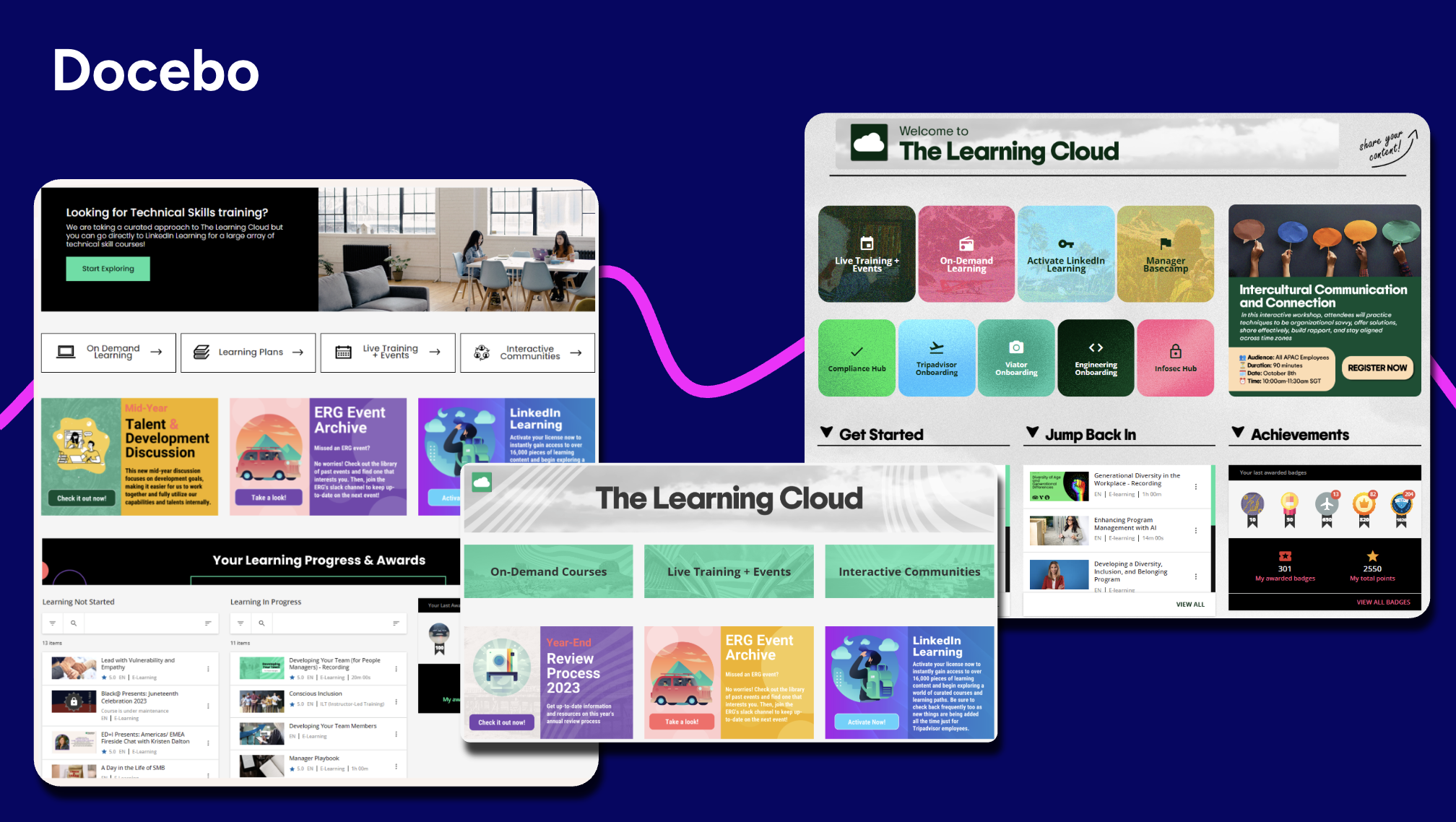
Docebo delivers an AI-powered SaaS LMS that transforms how organizations approach learning across employees, customers, and partners. This cloud-based learning management system stands out for its ability to handle complex, multi-audience training programs while using AI to personalize learning at scale. The system combines AI-driven content creation with robust analytics to support compliance training, customer education, and partner enablement.
More than 3,900 organizations and 30 million learners worldwide use Docebo. In practice, that looks like this:
- As a learning leader, you can detect skill gaps, assign the right learning, and prove readiness from one system.
- As a customer education or partner enablement lead, you can run branded academies with separate content and reporting for each audience.
Under the hood, Docebo runs one closed loop across Learning, Skills Intelligence (powered by 365Talents), Knowledge, and AgentHub. AgentHub agents turn enterprise knowledge into ready-to-consume learning on demand. The extended enterprise architecture runs distinct environments for employees, customers, partners, and members, each with its own branding, content, and reporting.
Key features
- AI content creation, AI Assistant, AI Tutor, and Roleplay: Create courses with AI, support admins and learners with an AI copilot, explain content with AI Tutor, and practice customer-facing scenarios with Roleplay.
- Extended enterprise portals and white labeling: Run separate audiences with controlled access, custom branding, and reporting from one platform.
- Advanced analytics and integrations: Connect learning activity to business outcomes and to HRIS, CRM, and BI tools.
- Skills Intelligence: Powered by 365Talents, it detects skills gaps, delivers learning, and validates growth in real time.
- AgentHub and MCP Server: Agents reason, decide, and act, and MCP Server makes Docebo a knowledge source inside Claude, Microsoft Copilot, and ChatGPT.
What Docebo customers are saying
- “I appreciate the robust automation rules for enrollment and certification tracking, which save significant administrative time when onboarding new cohorts.” (Read full review)
- “What I like most about Docebo is that it’s easy to manage and has a good balance between being user-friendly and having the features needed for larger training programs.” (Read full review)
- “I use Docebo and I really like how easy and flexible it is. I can make homepages for each team, so every user sees training that fits them. The automation rules help me a lot new users get the right courses without me doing it manually.” (Read full review)
Who should consider Docebo?
Docebo earns its spot if you’re an enterprise training multiple audiences from one system. It also fits regulated programs that need audit-ready evidence, and teams consolidating an LMS, an LXP, and a skills tool.
The trade-off: If you’re a small team with one simple course catalog, you may not need this much depth. A lighter first LMS can get you started faster.
See Docebo in action
Imagine cutting your global onboarding time in half, just like SATO did across 26 countries. When your learning platform removes friction, your people are empowered to build skills and drive real growth.
Book a demo to see how Docebo can optimize your organization’s learning and development initiatives.
2. Cornerstone
What is Cornerstone?
Cornerstone Learning is the learning product in Cornerstone’s platform, combining a traditional LMS and a learning experience platform. It’s useful for automating compliance training and running skill-based learning paths for employees, customers, partners, and members.
Related articles:
Key features
- Compliance automation: Automate assignments, certifications, renewals, and proof of completion across roles and regions.
- LMS and LXP in one: Combine traditional LMS functions with learning experience tools, including skill-based and role-based learning paths.
- Content subscriptions and standards: Add curated, multi-language content subscriptions from more than 200 providers, and run your own SCORM and Experience API (xAPI) content.
- Extended enterprise training: Train customers, partners, and members alongside your employee programs.
- AI and agentic capabilities: Use AI agents for tasks such as learning prioritization, content summarization, and compliance monitoring.
What Cornerstone customers are saying
- “I like that Cornerstone Learning is user-friendly and keeps things organized, making it easy to track progress.” (Read full review)
- “The initial setup was easy to understand and learn because I had really good training. ” (Read full review)
- “I like the ease of uploading courses and assigning them to our users. We mostly use third-party training courses to train our team members on compliance topics.” (Read full review)
Who should consider Cornerstone?
Cornerstone is best for large enterprises that want learning inside a broad talent suite, with compliance and talent management under one vendor.
The trade-off to test is complexity, so count how many products, admin experiences, and reporting views it takes to reach one outcome. Then ask: “Can your team complete the full workflow in one environment?” Docebo runs learning, AI content, external audiences, and reporting in one natively managed platform.
3. Absorb LMS
What is Absorb LMS?
Absorb LMS is a cloud-based learning management system for employee and external training. It’s useful for AI-assisted course creation, selling courses online, and training partners, franchisees, and resellers in separate portals.
Key features
- Course authoring: Generate courses from a short description or outline with Absorb Create, then refine and publish them.
- Gamification: Motivate learners with badges, leaderboards, and certificates.
- E-commerce: Sell online courses through a built-in e-commerce module with discount options.
- Reporting and analytics: Configure reports with pre-built templates and scheduled sharing, and add personalized dashboards with the Absorb Analyze add-on.
- Multi-audience portals: Train vendors, franchisees, distributors, and resellers in secure, separate portals on one platform.
What Absorb LMS customers are saying
- “It is intuitive to use especially for someone like myself who is very new to my role.” (Read full review)
- “The most helpful feature of Absorb is its built-in tracking technology. I also really appreciate how easy the system is to use.” (Read full review)
- “I like the reporting features. It’s easy to pull stats for a given period, and the process feels straightforward.” (Read full review)
Who should consider Absorb LMS?
Absorb LMS is best for teams that prioritize a clean LMS experience for admins and learners.
The trade-off to test is depth. Check multi-audience governance, delegated administration, reporting depth, and AI that supports practice and readiness. Docebo’s extended enterprise architecture gives each audience its own environment, with separate branding, content, and reporting.
4. LearnUpon
What is LearnUpon?
LearnUpon is a cloud-based LMS built around separate, branded learning portals for each audience. It’s useful for training employees, customers, and partners from one account, with HR and CRM data routing learners to the right courses.
Key features
- Learning portals: Configure training separately for each audience in its own portal, and manage every portal from one place.
- White labeling and custom branding: Brand and white-label each portal, with custom URLs that carry no LearnUpon references.
- HR and CRM integrations: Sync HRIS and CRM user data to route learners to the right courses automatically.
- Create+ AI authoring: Turn existing materials into interactive courses with Create+, a built-in AI authoring tool.
- Learning Journeys: Use branching logic and scheduled enrollment to deliver the right content to each learner at the right time.
What LearnUpon customers are saying
- “I really like that LearnUpon is intuitive and easy to learn, which makes it accessible.” (Read full review)
- “The tight integration with Hubspot is extremely useful, and allows for sophisticated workflow based enrollment and onboarding.” (Read full review)
- “The UI and UX are easy to use, and the product gets consistent feature updates based on customer feedback.” (Read full review)
Who should consider LearnUpon?
LearnUpon is best for organizations that want streamlined multi-portal training.
The trade-off to test is scale. Ask what happens as audiences, branching paths, integrations, and automation grow. Docebo pairs multi-audience portals with AI and automation that take on more of the admin work as programs expand.
5. 360Learning
What is 360Learning?
360Learning is a collaborative learning platform that pairs an LMS with course authoring for subject matter experts (SMEs). It’s useful for teams that want experts to co-author courses, discuss them with learners, and track progress and skill development.
Related article: Read a full breakdown Docebo vs 360Learning comparison
Key features
- Collaborative course creation: Add subject matter experts as co-authors who edit courses and leave feedback while learning teams keep oversight.
- Social and peer learning: Let learners and experts discuss each activity in its own forum and give one-click feedback on courses.
- Engagement and progress tracking: Track team and learner progress, course completion, and skill development in manager and group dashboards.
- Integrations with business systems: Sync user data with your HR platforms, and connect other systems through an API and webhooks.
- Learning paths and assessments: Build linear or non-linear learning paths, and let AI suggest quizzes based on your course content.
What 360Learning customers are saying
- “I love the employee forum and ability to have learners teach each other things throughout their journey.” (Read full review)
- “The built-in authoring tool has been a lifesaver, and I can support dozens of SMEs as a training department of one.” (Read full review)
- “I like that 360Learning is easy to use and has a range of trainings for our team, so we don’t have to recreate them ourselves. It gives everyone one place to go when they want to train or upskill.” (Read full review)
Who should consider 360Learning?
360Learning is best for teams scaling SME-led content creation.
The trade-off to test is governance. Ask whether SME content can be governed, reused, reported on, and delivered across every audience and compliance workflow. Docebo pairs AI authoring with extended enterprise delivery and compliance tracking in the same platform.
6. Litmos
What is Litmos?
Litmos is a learning platform that SAP owned until it became an independent company in December 2022, when Francisco Partners acquired it. It’s useful for automating compliance training with pre-built courses and running employee, customer, partner, and frontline training in one place.
Related article: Read full comparison of Docebo vs Litmos
Key features
- AI-assisted course creation: Generate course outlines with AI and refresh existing content as it ages.
- Recommendations and enrollment automation: Recommend relevant content to learners and automate enrollment workflows.
- Compliance automation: Automate certification renewals, send reminders to employees and managers, and track completion in real time.
- Pre-built compliance library: Deploy pre-built compliance courses on topics such as harassment prevention, data privacy, and safety.
- Multi-audience training: Run employee, customer, partner, and frontline training in one platform.
What Litmos customers are saying
- “I like how easy it makes training to manage and complete.” (Read full review)
- “I like Litmos for its ability to custom arrange courses and track necessary compliances.” (Read full review)
- “Very intuitive. Has a built in authoring tool” (Read full review)
Who should consider Litmos?
Litmos is best for teams that want an established LMS with a large content library.
The trade-off to test is long-term fit. Weigh vendor roadmap confidence, customization depth, and reporting beyond completion tracking. Docebo adds Skills Intelligence and readiness evidence on top of course delivery.
7. SAP SuccessFactors Learning
What is SAP SuccessFactors Learning?
SAP SuccessFactors Learning is the learning module in SAP’s SuccessFactors HR suite. It’s useful for assigning required training based on user attributes, tracking compliance through recurring curricula, and running virtual classroom sessions.
Key features
- Required learning and assignment: Assign courses based on user attributes, and show learners their required training, prioritized by due date.
- Curricula and compliance tracking: Set curricula that require learners to retrain periodically to maintain their qualifications.
- Reporting: Send learning data to Online Report Designer to build custom reports.
- Virtual classroom: Connect to Microsoft Teams, Zoom, and WebEx so learners join live sessions online.
- Extended enterprise learning: Offer training to customers and other audiences outside your employee base.
What SAP SuccessFactors Learning customers are saying
- “I like the comprehensive and integrated nature of SAP SuccessFactors. It brings together core HR, talent management, performance, and learning in one system, which improves data consistency and process alignment.” (Read full review)
- “It brings everything together in one place, including employee data, leave management, HR-related items, and learning links, among other things.” (Read full review)
- “End-to-end employee lifecycle management: from recruiting and onboarding to performance, learning, and succession, everything is connected, which improves consistency and visibility across HR.” (Read full review)
Who should consider SAP SuccessFactors Learning?
SAP SuccessFactors Learning is best for SAP-standardized enterprises training mainly full-time employees.
The trade-off to test is reach. Ask: “How many people who need training are outside the SAP employee population?” Docebo can keep SAP as the HR backbone while giving learning its own layer for every audience.
8. Workday Learning
What is Workday Learning?
Workday Learning is the learning module inside Workday’s HCM suite. Workday’s product page now calls it “Workday Learning, powered by Sana,” built on the security and scalability of Workday HCM. It’s useful for compliance training, automated enrollment, AI-assisted content creation, and AI tutoring for employees.
Workday completed its acquisition of Sana on November 4, 2025. Sana Learn, an AI-native learning platform, is positioned to complement Workday Learning.
Related article: Docebo vs Workday vs Sana
Key features
- Compliance management: Manage training assignments, track completions, and keep audit trails for required learning.
- AI course generation and authoring: Create and update content with a built-in AI writing assistant.
- Automated enrollment: Automate enrollment and assignment management so learners get the right training without manual work.
- Personal AI tutor: Give every employee a personalized AI tutor that answers questions around the clock.
- Virtual classrooms: Run live and on-demand virtual classrooms.
What Workday Learning customers are saying
- “I like that Workday Learning makes it easy to find relevant courses, track my learning progress, and complete training at my own pace.” (Read full review)
- “Workday Learning makes it easy to access training courses, certifications, and learning content in one place.” (Read full review)
- “It’s hard to miss a deadline, and the audit trails are spot-on.” (Read full review)
Who should consider Workday Learning?
Workday Learning is best for Workday-standardized organizations that want learning inside their HR system.
The trade-off to test is HRIS dependence and reach beyond full-time employees. Ask: “Are you choosing a learning platform, or adding a learning module to an HR system?” Docebo integrates with your HRIS, so you can keep HR data in place and run learning for every audience.
9. TalentLMS
What is TalentLMS?
TalentLMS is a cloud-based LMS with a feature set aimed at getting teams up and running fast. It’s useful for building quizzes and learning paths, gamifying training, and delivering branded courses through native mobile apps.
Related article: Docebo vs. TalentLMS: A Detailed Comparison
Key features
- Course creation: Build quizzes, surveys, and assignments, and guide learners step by step through connected courses.
- Gamification: Drive engagement with badges, points, levels, rewards, and leaderboards.
- White labeling: Apply your logo, brand colors, and theme across the portal, and set a custom domain and homepage.
- Mobile app: Deliver training on the go with native apps for iOS and Android.
- Integrations: Connect TalentLMS to your HRIS, CRM, and communication tools, or to other apps through Zapier.
What TalentLMS customers are saying
- “What I like best about TalentLMS is how easy it makes organizing training and keeping everything in one place.” (Read full review)
- “It is user friendly and pretty easy to navigate from an administrator perspective.” (Read full review)
- “Reporting system, smart massive management of users and courses.” (Read full review)
Who should consider TalentLMS?
TalentLMS is best for a first LMS or a smaller team that values fast setup.
The trade-off to test is enterprise readiness. Enterprise buyers should test governance, integrations, analytics, external audiences, and scale. If you plan to train customers or partners at volume, compare how each platform handles separate portals and reporting.
10. iSpring LMS
What is iSpring LMS?
iSpring LMS is a cloud-based LMS with built-in AI course creation, and PowerPoint authoring runs through iSpring Suite, a separate product. It’s useful for launching training programs quickly, with an offline-ready mobile app, gamification, and chat with course authors.
Key features
- Built-in authoring, with PowerPoint via iSpring Suite: Build interactive courses with AI inside the LMS, and convert PowerPoint slides into courses through the separate iSpring Suite.
- Native mobile app: Let learners study on a free iOS and Android app, even without an internet connection.
- User-friendly interface: Give learners an adaptive portal that sorts courses into To Do and Completed sections.
- Social learning with chat to course authors: Let learners contact course authors or subject experts to ask questions about the material.
- Gamification: Reward learners with points and badges, and track their progress on leaderboards.
What iSpring LMS customers are saying
- “I like having staff training, company news and a knowledge base in one place.” (Read full review)
- “Good value for money. The tool is easy to use and provides solid, moderate functionality for the cost.” (Read full review)
- “The one thing that could be improved is to have more ability to customize the layout of the automatic emails so that we can make them more brand-focused.” (Read full review)
Who should consider iSpring LMS?
iSpring LMS is best for PowerPoint-first course creation alongside iSpring Suite.
The trade-off to test is workflow sprawl. A standalone authoring-led workflow can leave teams managing separate creation, delivery, translation, and measurement steps. Docebo keeps AI authoring, translation, delivery, and analytics in one platform.
Also worth considering: Adobe Learning Manager
Adobe Learning Manager
Adobe Learning Manager is Adobe’s learning management platform. It’s useful for organizations already in the Adobe ecosystem that need custom reports, AI help for learners, external learning tracking, and Learning Tools Interoperability (LTI) connections.
Key features
- Gradebook: According to Adobe, it offers a gradebook with weighted scoring.
- Report Builder: It offers a Report Builder for creating custom reports.
- Learner AI Assistant: It offers an AI Assistant for learners.
- External learning: It lets learners submit learning completed outside the platform.
- LTI deep linking: It supports Learning Tools Interoperability (LTI) deep linking.
An adjacent option: Degreed
Degreed is a learning experience platform (LXP) and upskilling platform built for content and skills discovery. It sits next to the SaaS LMS category rather than inside it. So ask what system assigns, certifies, audits, and proves capability after people discover content.
Not sure which platform to choose? Start here.
| If your problem is… | Your platform is | Here’s why… |
|---|---|---|
| Training employees, customers, and partners, building AI workforce readiness, or running skills-based development | Docebo | One platform runs every audience and closes the loop between skills gaps and proven readiness |
| Launching a first LMS for a small team | TalentLMS | Fast setup and a user-friendly course builder |
| Turning PowerPoint decks into courses | iSpring LMS | Pairs with iSpring Suite to turn PowerPoint decks into courses |
| Scaling content created by your internal experts | 360Learning | Collaborative authoring helps SMEs build and share courses quickly |
| Training only employees on a Workday or SAP HR stack | Workday Learning or SAP SuccessFactors Learning | Learning sits inside the HR suite you already run |
| Running streamlined multi-portal training | LearnUpon | Branded portals for each audience, with administration and reporting under one roof |
Frequently asked questions
What’s the best SaaS LMS platform?
It depends on your audiences and scale. We recommend Docebo for enterprises training employees, customers, and partners from one system, while TalentLMS suits a first LMS for a smaller team.
What’s the difference between a SaaS LMS and a cloud-based LMS?
They’re effectively the same thing. A SaaS LMS is a cloud-based LMS that the vendor hosts, runs, and delivers by subscription.
What’s the difference between an LMS and an LXP?
An LMS assigns, tracks, and certifies learning, while an LXP helps people discover content. Many enterprises need both, ideally in one platform.
Which platforms combine learning, skills intelligence, and enterprise knowledge?
Docebo combines all three natively through Learning, Skills Intelligence (powered by 365Talents), and Knowledge. AgentHub orchestrates the work across them.
Should we use our HR suite’s learning module or buy a standalone SaaS LMS?
Your HR suite’s learning module can cover employee-only basics. A standalone SaaS LMS adds external audiences, content operations, and deeper reporting.
How long does a SaaS LMS take to implement?
Timelines vary with content migration, integrations, and the number of audiences you’re launching. Ask each vendor for a phased plan that covers all three.
Can a SaaS LMS integrate with my existing HR and business systems?
Yes, most modern SaaS platforms integrate with common HR and business systems using pre-built connectors or APIs. You should confirm a vendor supports your specific tools during the evaluation process.
What security measures do SaaS LMS providers offer?
Leading providers typically offer multi-layered security, including data encryption, role-based access controls, single sign-on (SSO), regular backups, and disaster recovery plans. Compliance certifications such as SOC 2 vary by vendor, so ask for current reports.
How much does a SaaS LMS typically cost?
Pricing varies based on your number of users, required features, and level of customization. Common SaaS LMS pricing models include per registered user, per active user, tiered plans, and custom enterprise contracts, so request quotes based on your specific needs.
The best SaaS LMS keeps pace with your business
To shortlist, start from your primary problem and your existing stack, rather than a feature list. Then, during demos, test multi-audience control and readiness evidence. Cloud-based platforms remove the installation, configuration, and upkeep headaches, so your learning team can focus on high-quality learning experiences.
That’s where most platforms stop. Docebo connects the full journey from capability signals to targeted growth to measurable readiness, for employees, customers, partners, and frontline teams. That’s why it belongs on your shortlist.
Docebo is a SaaS LMS with the features your company needs to deploy impactful training and build a learning culture. That includes course creation, social learning tools, training management, tracking, gamification, AI Assistant, AI Tutor, and Roleplay.