10 Best SaaS LMS Platforms: The Complete Guide for 2026
Key takeaways:
- SaaS LMS platforms have become the standard for modern learning
- The best SaaS LMS solutions go beyond course delivery, supporting mobile learning, automation, analytics, and extended enterprise training for employees, customers, and partners.
- Enterprise-ready platforms like Docebo stand out by combining scalability, AI-driven personalization, and advanced analytics, helping organizations prove learning impact and connect training to real business outcomes.
- Choosing the right SaaS LMS depends on your organization’s complexity and growth plans
Introduction
Outdated and clunky learning systems are the death of employee engagement in any organization. That’s precisely why many companies are trading in their on-premise Learning Management Systems for a cloud-based LMS.
Also known as a SaaS LMS, it’s a more efficient and effective way to manage your organization’s training and development programs and keep employees engaged in learning.
In this article, we’ll delve into the world of the SaaS LMS, explaining what it is, how it differs from traditional on-premise solutions, and the benefits it can offer your organization.
So, whether you’re new to LMS or considering switching to a cloud-based solution, read on to discover everything you need to know about SaaS LMSs.
Sneak peek: Top 10 SaaS LMS solutions in 2026
| Company | Best for | Not ideal for |
| Docebo | Enterprise-level customization and scalability | Small teams with simple training needs |
| iSpring LMS | Straightforward content authoring and delivery, especially for PowerPoint-based courses | Large enterprises needing deep customization, automation or complex reporting |
| TalentLMS | Quick setup and user-friendly course creation for SMBs and growing teams | Complex enterprise environments with multi-audience or advanced analytics needs |
| 360Learning | Collaborative, peer-driven learning and knowledge sharing across teams | Traditional, top-down compliance programs or heavy enterprise customization needs |
| LearnUpon | Streamlined user experience and strong support | Deep enterprise-level customization or complex analytics |
| Adobe Learning Manager | Organizations in the Adobe ecosystem | Small teams or buyers outside the Adobe ecosystem looking for simplicity |
| Cornerstone Learning | Comprehensive compliance and talent management | Teams seeking a lightweight LMS or modern, highly flexible learning experiences |
| Absorb LMS | Intuitive user experience and excellent support | Extensive customization or highly complex reporting |
| SC Training | Mobile-first microlearning and rapid authoring | Long-form, highly-structured enterprise learning programs |
| SkyPrep LMS | Simple setup and straightforward administration | Advanced customization, automation, or multi-audience learning at scale |
What is SaaS?
SaaS (software as a service) is a cloud-based software delivery model in which a cloud provider hosts applications and makes them available to end-users over the Internet.
This means that instead of installing and maintaining software on your own computer, the software runs on the provider’s servers. In this model, the cloud SaaS provider manages access to the application, including security, availability, and performance.
Let’s see how that works when we apply it to learning management systems.
What is a SaaS LMS?
SaaS LMS is an acronym for Software-as-a-Service Learning Management System. In other words, it’s a cloud-based subscription model for accessing a learning platform that supports SCORM (Sharable Content Object Reference Model) standards.
Unlike a traditional LMS, a SaaS cloud-based LMS is not installed on individual devices. Instead, it is hosted online, allowing easy access to the system and the ability to scale up or down the subscription based on business needs.
SaaS LMS Pricing
The pricing model for a SaaS LMS is usually based on actual usage, which makes it a more cost-effective investment. This type of learning solution is popular because it doesn’t require any specific hardware or software installations to access and use it.
Users simply log into a web portal and have immediate access to features and courses.
SaaS LMSs are easy-to-implement, low-maintenance, secure, and configurable solutions that streamline employee training and development, monitor performance, and improve learning outcomes.
With a SaaS LMS, businesses can create and deliver learning content, manage learners and courses, and track progress – all on one centralized platform.
So let’s look at how it compares to a traditional hosted LMS solution.
SaaS vs. hosted LMS
Businesses have two main learning management–system (LMS) options to power their e-learning solutions or training programs: self-hosted and SaaS-based.
While both aim to deliver online training, there are significant differences between the two solutions.
Self-hosted LMSs
A self-hosted or hosted LMS is a platform that requires installing hardware and software on a company’s servers. The platform is hosted on-site and in-house, meaning learners can only access the platform on devices that have the specific software installed.
Hosted LMS systems require more maintenance than cloud-hosted LMSs since the company has to perform all the upkeep and necessary updates themselves. This can be time-consuming and requires significant IT resources, which can be costly for a business.
With self-hosted platforms, it’s up to the internal team to manage activity and storage as user numbers grow.
The IT team must also apply any updates or improvements to a self-hosted platform across each device, which can be a significant undertaking for larger businesses with many employees.
SaaS LMSs
In contrast, a SaaS LMS handles most of the technical work for businesses since the provider manages the platform on its servers. At the same time, they have the same LMS features as self-hosted solutions.
Managers and learners simply log in and start learning, making it a straightforward user experience. Additionally, most SaaS LMS providers offer full support to resolve any technical issues quickly and easily.
SaaS LMS solutions also offer APIs (Application Programming Interfaces) that seamlessly integrate with other systems, such as HR software, content management systems, and e-commerce platforms.
Cloud platforms are generally more flexible and can quickly scale to any number of users as the company grows.
Now, we’ll look at the benefits of using a SaaS LMS for your organization’s corporate training and development needs.
What are the benefits of a SaaS LMS?
SaaS LMSs provide numerous benefits for organizations implementing a corporate training program.
The ease of use, scalability, flexibility, and seamless integration are just a few advantages that make a SaaS LMS an attractive option.
Let’s delve into these benefits of SaaS LMSs in more detail now.
Fast development
Gone are the days when an LMS used to take forever to launch and deploy. A cloud LMS prevents unnecessary delays in getting online courses and corporate learning in front of audiences.
With a SaaS LMS, you can quick-start learning without needing a highly sophisticated IT task force to conduct the operation.
There’s nothing to install or build from scratch when dealing with a SaaS LMS since the entire infrastructure is pre-built.
With less time needed before deployment, your online classes can be up and running quickly. As a result, corporations save time and gain revenue.
Easy usability
Since you don’t need your whole IT task force to maintain and use a cloud SaaS e-learning platform, learners and admins will have a more pleasant user experience.
Different authoring tools and integrations allow the and training materials to be top-shelf without all the hassle of upkeep.
In addition, with a SaaS LMS, any new upgrades are automatically implemented across all devices and for all users. That way, you’ll always have access to the latest version of the platform without the hassle of running lengthy updates.
Lower TCO (total cost of ownership)
If proving ROI to build a business case and get your LMS implementation plan off the ground is your roadblock, there’s good news for you.
Your SaaS LMS cuts down on all the maintenance costs (infrastructure, upgrading, branding, fixes, features, etc.), thus making your training platform more cost-effective.
Generally, LMS vendors deal with all that mess for you so that when you go to your boss with the total cost of ownership (TCO) of an LMS, you get an easy nod of approval.
Scalability
Rarely do we like to buy a house, car, or even a pair of shoes that we know will be outgrown a short time after we purchase them.
No matter which LMS provider you go with, you want to ensure you can scale and grow.
Why? Because as your business grows, so will your training needs.
When you add more learners, training courses, and learning paths, you’re not just developing talent but growing revenue. A SaaS LMS offers high scalability since you already have the infrastructure. Your learner’s experience does not suffer even as your audience gets more extensive.
A SaaS LMS vendor that tops the market (we know a thing or two about that ?) ensures that the platform and the infrastructure can match the market’s changing demands.
Also, from a technical standpoint, the architecture of the LMS is such that it won’t hit a glitch when the number of users spikes.
More flexibility and bandwidth
In today’s competitive world, every organization needs its employees to be up-to-date with the latest information and knowledge. And a cloud LMS is an excellent fit for the job.
In the same vein, modern audiences are also used to mobile learning (we’ve all tried a life hack or two on YouTube before) and will expect it in their employee training programs.
Being able to access e-learning on a mobile device is pivotal.
Unlike the hosted LMS, learners can access modern SaaS-based learning solutions via their smartphones, PCs, tablets, or other devices.
As long as there’s an internet connection, your learners are golden. This allows a better reach for audiences who are always on the move, traveling for work, or just want to train after hours.
As another example, let’s talk about extended enterprise. Training members is crucial for associations, and legacy online learning systems won’t cut it anymore.
Leading SaaS LMSs like Docebo will let you transform your legacy content into beautiful, and the platform will grow with you as your membership increases.
In an extended enterprise, you need e-commerce functionality, training content, and the ability to conduct partner, member, or customer training.
Even if you’re solely focused on employee or corporate training, the ability to conduct webinars, include blended learning, and enable gamification all drive engagement and revenue.
There’s just no question about it. Open-source or hosted learning programs just can’t stretch as far as a SaaS-based model, which means there’s less they can do for you in the long run.
Seamless integrations
Organizations usually require their HRIS (Human Resource Information System) or CRM (Customer Relationship Management) data to be integrated with their LMS for easy reporting.
The SaaS-based LMS makes this more accessible than ever with readily available APIs that help the LMS and different systems communicate well with each other.
Usually, when operating with a cloud-based vendor, these integrations don’t come with steep fees like on a hosted system.
With a clear understanding of the benefits of a SaaS LMS, let’s look at the top five SaaS LMS platforms that can help your organization improve employee training and development.
Best 10 SaaS learning platforms of 2026 (Detailed)
1. Docebo
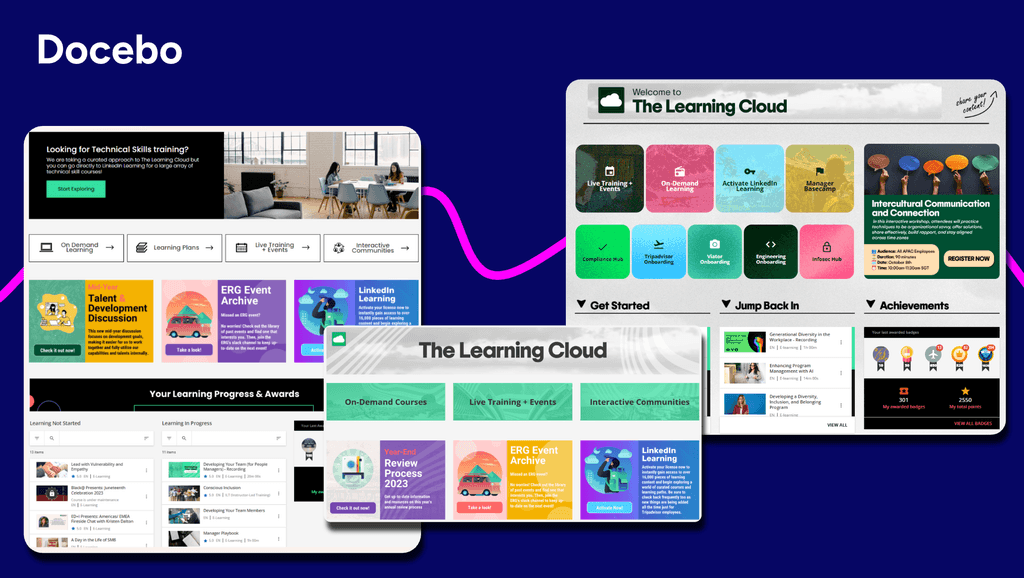
Best for: Enterprise-level customization and scalability
About Docebo
Docebo delivers an AI-powered SaaS LMS that transforms how organizations approach learning across employees, customers, and partners. This cloud-based learning management system stands out for its ability to handle complex, multi-audience training programs while leveraging artificial intelligence to personalize learning at scale. The system combines AI-driven content creation with robust analytics to support everything from compliance training to customer education and partner enablement.
Key Features:
- AI-powered content generation, translation, and AI coaching
- Extended enterprise learning
- Advanced analytics and reporting
- Extensive integrations with enterprise tools including Workday, Microsoft Teams, Salesforce, and others
- White labeling and customization
Real user reviews:
“Its intuitive LMS, strong AI-driven personalization, and scalable enterprise training features.” — Chiara I.
“I find Docebo’s rapid implementation and out-of-the-box configuration most useful for me. The platform provides sensible defaults for courses, users, and navigation, allowing training programs to launch quickly. I appreciate the scalability and deeper customization options it offers, as well as a more polished overall learning experience. The initial setup was quite easy and fundamental.” — Polo S.
“I like Docebo’s flexible pricing model, where we pay by the monthly user. This is ideal for our organization, as some users are only on the platform for a short term, allowing us to manage costs effectively.“ — Sherri C.
“I like most its community and idea porting system. It gives users a direct voice in shaping the platform by submitting ideas and uploading feature requests, making Docebo feel like a collaborative ecosystem.” — Emma W.
2. iSpring LMS
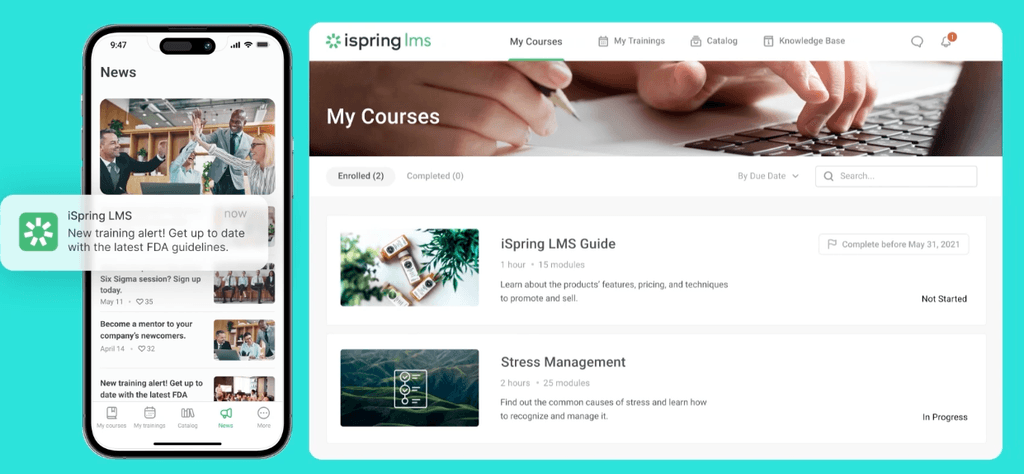
Best for: Straightforward content authoring and delivery, especially for PowerPoint-based courses
About iSpring LMS
iSpring LMS delivers rapid course creation and deployment capabilities for organizations that need to launch training programs quickly. The platform specializes in built-in authoring tools and streamlined content development, making it ideal for small to mid-sized teams prioritizing fast implementation and straightforward learning delivery.
Key features:
- Built-in authoring tools optimized for PowerPoint-based course creation
- Mobile-responsive learning environment
- User-friendly interface
- Social learning with a built-in chat to talk with course authors
Real user reviews:
“The platform is very user-friendly — both for administrators setting up courses and for learners accessing them. Uploading content is straightforward, and the integration with iSpring Suite makes it easy to convert presentations into interactive courses that flow seamlessly into the LMS.” — William R.
“Customisation is more limited compared to some larger enterprise LMS platforms. While the interface is clear and easy to use, there are fewer options to tailor the look and feel or fully personalise the learner journey. For most use cases this isn’t an issue, but organisations wanting extensive customisation may notice the limitations.” — Peter D.
“While iSpring LMS is strong overall, there are a few areas that could be improved. The customization options for the learner portal and interface are somewhat limited, which makes it harder to tailor the environment to specific branding needs. Reporting is solid, but more advanced analytics and deeper filtering capabilities would make it even more valuable. Additionally, some administrative tasks require a few extra steps that could be streamlined. None of these are deal-breakers, but enhancing them would elevate the user experience even further.” — Victoria.
“I think the one thing that I would want to see improvement on would be the reporting that the system provides. It is very limited.” — Verified user in environmental services
3. TalentLMS
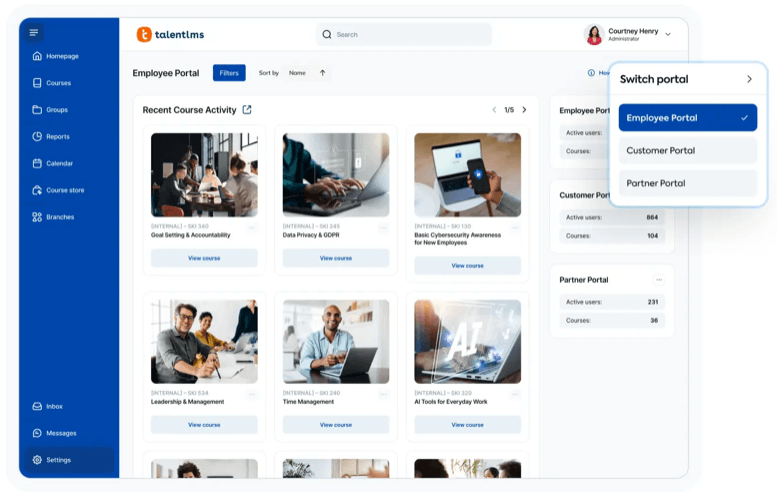
Best for: Quick setup and user-friendly course creation for SMBs and growing teams
About TalentLMS
TalentLMS delivers cloud-based learning management designed for organizations seeking simplicity without sacrificing functionality. The platform excels at making e-learning accessible to teams new to digital training, offering an intuitive interface that gets you up and running quickly.
Key Features:
- Course Builder with assessments, quizzes, and customized learning paths
- Gamification elements including points, badges, and leaderboards
- White labeling for brand customization
- Mobile support and integrations with popular business software
Real user reviews:
“I appreciate TalentLMS for its easy-to-use user interface that makes navigating and managing tasks such as creating new courses, assigning them to groups, and managing user access straightforward. The interface is well-structured and intuitive, allowing me as a super admin to efficiently accomplish my goals without confusion.” — Pushkar D.
“Talent LMS is that it’s simple to manage, uploading courses, assigning them, and tracking completions is easy.” — Anusha P.
“Reporting capabilities are very basic. Unable to create reporting on courses grouped together to form a curriculum. Creating courses also uses the most basic of software so not as dynamic learning as would like.” — Shani M.
“I think TalentLMS is overall a great product and well constructed. However, our learning is for external customers and it would be nice if there was a way to setup learning paths. This would include suggestions for learners to access outside resources.
Also more options for company branding. Right now learners know they are accessing our learning through a third party tool ( more options for the home page to look like a company website).” — Annette W.
4. 360Learning
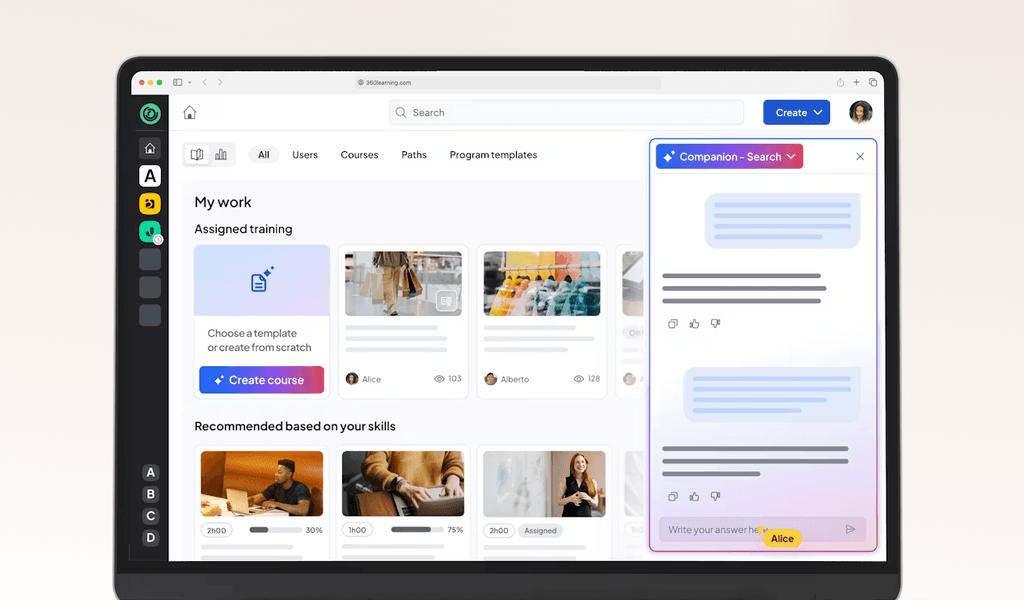
Best for: Collaborative, peer-driven learning and knowledge sharing across teams
About 360Learning
360Learning is a collaborative learning platform helping organizations tap into their internal expertise, so subject matter experts can quickly create and share valuable knowledge. This peer-to-peer approach makes it particularly valuable for companies looking to scale training without relying solely on external content.
Key Features:
- Collaborative course creation tools for subject matter experts
- Social learning features including discussion forums and peer interaction
- Engagement tracking and learner participation monitoring
- Integration capabilities with existing business systems
Real user reviews:
“I find 360Learning easy to use for creating training content without needing expertise in training creation. I like the collaboration aspect of the platform, especially the forums, ratings and reports; and the ability to share insights.” — BichTram (Ellen) Q.
“Although efforts have been made recently, I find it unfortunate that we still cannot further customize the platform, especially the groups. For example, we have two different brands present on the platform, but it is impossible for us to have two colors on the platform.” — Mathilde C.
“I like that 360Learning is easy to use; we don’t need to train our end users on how to use the platform. It’s easy for content creators to design content, even from a PDF or PowerPoint.” — Marie B.
“I noticed that while 360Learning is quite comprehensive and intuitive, it currently lacks the option to conduct live role-plays with AI, which could enhance the training experience.” — Nora S.
5. LearnUpon
Best for: Streamlined user experience and strong support
About LearnUpon
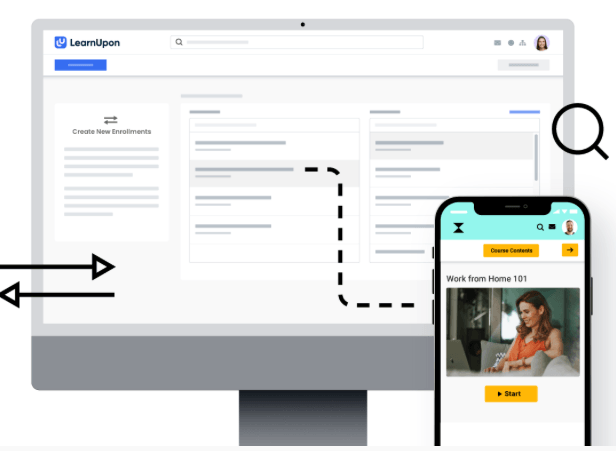
LearnUpon is a cloud-based LMS that specializes in multi-portal training delivery. You can create distinct, fully branded learning experiences for different audiences while keeping administration and reporting under one roof.
Key Features:
- Multi-portal management for separate training environments
- White labeling and custom branding
- Integrations with HR and CRM systems
- Mobile-friendly learner access
Real user reviews:
“LearnUpon is hands down the best LMS company and system that we have ever worked with. Super intuitive user interface for both the learner and the administrator, super responsive client success team! I can’t speak highly enough about this platform the amazing people that run it” — Jason S.
“I especially enjoy the learning paths and journey features, as well as the options to schedule reporting. I’m always looking forward to the ongoing enhancements LearnUpon LMS makes.“ — Danielle C.
“Learning journeys could be improved. Reporting could be improved.” — Barry L.
“The reporting is not always reliable. Data can be ran in different reports that don’t always align.” — Krystina H.
6. Adobe Learning Manager
Best for: Organizations in the Adobe ecosystem
About Adobe Learning Manager
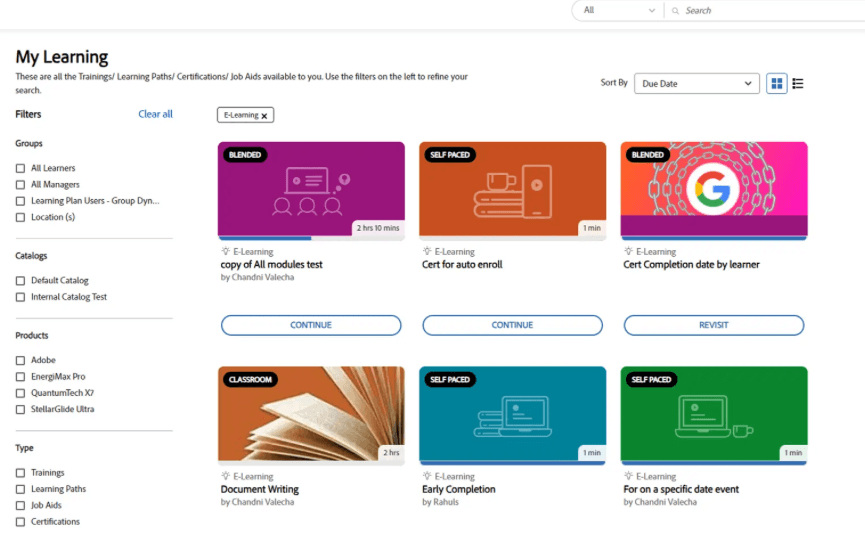
Adobe Learning Manager turns Adobe’s creative DNA into a full-scale learning platform. If your teams already live in Photoshop, Illustrator, or Premiere Pro, you’ll feel right at home building multimedia-rich courses here. It also offers AI-driven recommendations and content authoring.
Key features:
- Course authoring tools
- Personalized learning paths with AI recommendations
- Integrations with HR and productivity tools
- White labeling for branding control
Real user reviews:
“ALM is a very powerful tool. Its quite easy to manage and selp explaining. It has impressive functionality. The support we are getting from the ALM Team is amazing.” — Ranu B.
“I love the reporting that Prime offers. Not only can you see level 1 and 2 results from your training but can easily capture level 3 (utilizing the knowledge and skill back on the job).” — Verified user in e-learning
“The ability to create custom users within the ALM is a bonus for our teams; I am able to create administrators for specific team content and modify the access based on what is needed.“ — Courtney P.
“Sometimes I find it difficult to find the exact report that I need. However, I think that we are barely scratching the surface of what is included functionality.” — Shannon K.
8. Absorb LMS
Best for: Intuitive user experience and excellent support
About Absorb LMS
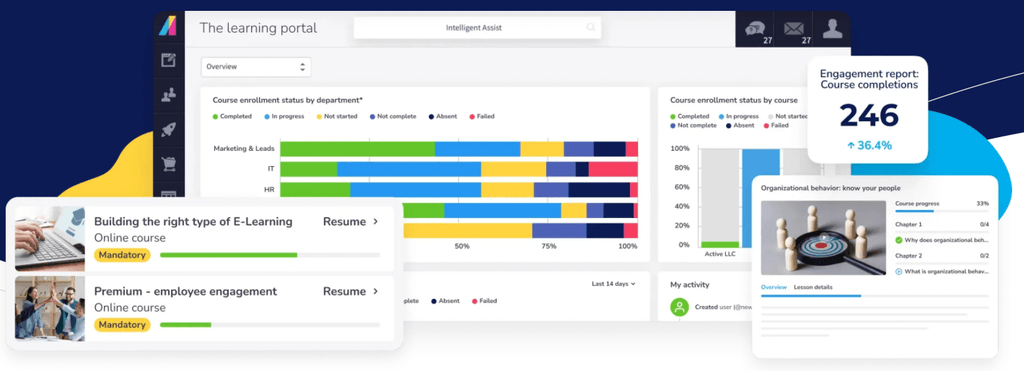
Absorb LMS is a cloud-based learning management system that blends modern design with comprehensive training capabilities. It gives you the tools to deliver engaging learning experiences while keeping clear visibility into training effectiveness and learner progress.
Key Features:
- Course authoring tools
- Gamification (points, achievements, badges)
- Reporting and analytics with customizable dashboards
- eCommerce tools for monetizing training content
Real user reviews:
“Absorb has a clean, intuitive navigation for the user and the admin, both, which helps since I use it multiple times a day.“ — Angie B.
“One of the things I like best about Absorb is the amount of support that’s provided. Onboarding and training was very simplified and those made using the program very intuitive.” — Aaron L.
“What I dislike about Absorb LMS is that while it’s generally user friendly, some functions can be confusing or take multiple steps to complete. The least helpful aspect is the limited customization available for course layouts and reporting, which can restrict how information is displayed or tracked. Additionally, some users experience slow load times, especially when accessing larger courses or data heavy reports.” — Rosetta B.
“Reports tend to be somewhat inflexible when it comes to customization. Learner Progress reports do not update when new Courses are added to the system, requiring a lot of manual updating.” — Carl A.
9. SC Training
Best for: Mobile-first microlearning and rapid authoring
About SC Training
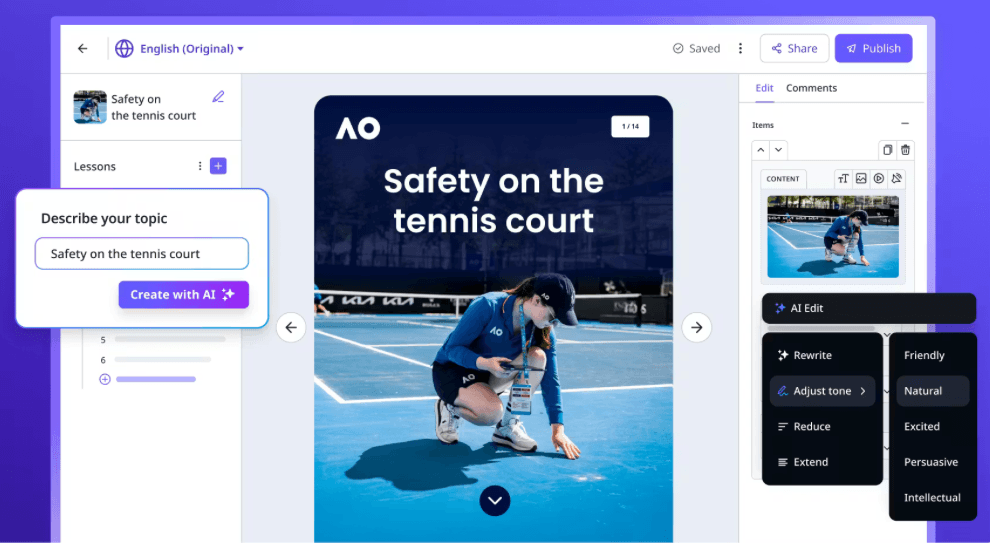
SC Training (formerly EdApp) is a SaaS learning management system that specializes in mobile-first training delivery for frontline workers. The platform focuses on compliance training, competency management, and creating engaging learning experiences through gamification and microlearning approaches.
Key Features:
- Gamification with points, achievements, and badges
- Mobile learning capabilities for field and frontline worker access
- AI-powered content generation and text summarization
- Editable course library with 1,000+ ready-made courses
Real user reviews:
“The best thing about EdApp is that it is free. They also have a course library that you can import from and almost all courses are editable. We have been using EdApp for over a year now and have not paid a dime, yet it is a highly functional, intuitive, seamless, and reliable LMS service. It also has great analytics tracking, making compliance a breeze.” — Collin H.
“It is extremely easy to create courses, particularly now with the AI features. The templates offer variety, but it is not overwelcoming. Our learners love the visuals and modern feel of the mobile app.“ — Pam S.
“It doesn’t track staff’s training records as accurate as we would like.” — Paige D.
“Customer service is about a 6 out of 10. That means they are pretty good. The app is intuitive for some tasks. It’s easy to set up some tasks, depending on what you are attempting. It does an okay job of importing and converting your Powerpoint presentations into learning aids, once you learn how to set up your Power points.” — Verified user in oil and energy.
10. SkyPrep LMS
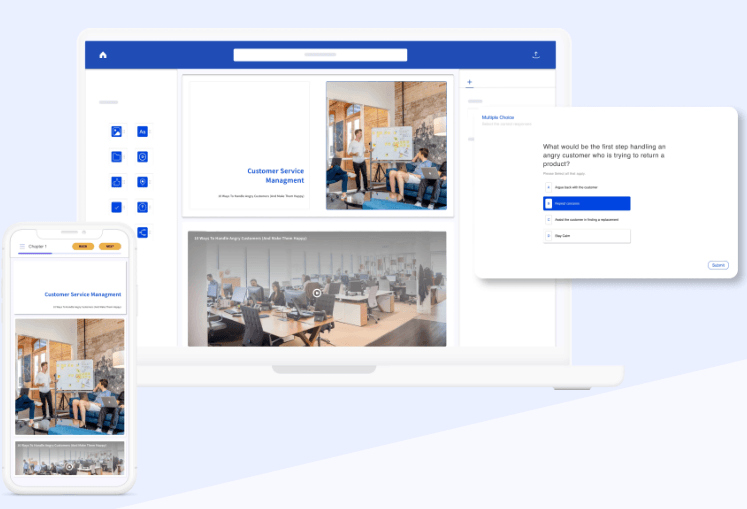
Best for: Simple setup and straightforward administration
About SkyPrep LMS
SkyPrep LMS delivers cloud-based learning management designed for teams that need to launch training fast and manage it without a steep learning curve. Its clean, intuitive interface is a standout for small to mid-sized organizations that want big-platform power minus the technical overhead.
Key Features:
- Built-in course authoring with customizable learning paths
- Gamification (points, badges, leaderboards) to spark engagement
- White-labeling and multilingual support for global brands
- Basic reporting and tracking
Real user reviews:
“I love how SkyPrep enables us to provide real-time information dissemination across the country, which is crucial for our nationwide training activities.“ — Daniel V.
“It handles all the basics really well: video uploads, PDFs, quizzes, and course tracking. Setting up learning paths for things like instructor training, onboarding new team members, or accessing business resources is simple and efficient.” — Vincent B.
“Transferring completion certificates was a long process as we couldn’t do it in bulk, had to do it individually” — Ryan S.
“What I dislike are the limitations for sending automated email reminders.“ — Jeffrey S.
To Sum Things Up
When it comes to picking a learning platform, you can’t go wrong with a SaaS LMS option.
Cloud-based platforms remove all the installation, configuration, and upkeep headaches. That way, you and your L&D team can focus on what matters the most – providing high-quality learning experiences.
Docebo is a SaaS LMS with all the features your company needs to deploy impactful training and build a learning culture: course creation, social learning tools, training management, tracking, gamification, AI tutors…
Imagine cutting your global onboarding time in half, just like SATO did across 26 countries. When your learning platform removes friction, your people are empowered to build skills and drive real growth.
Schedule a demo today to see how Docebo can optimize your organization’s learning and development initiatives.
FAQs about SaaS learning management systems
Can a SaaS LMS integrate with my existing HR and business systems?
Yes, most modern SaaS platforms integrate with common HR and business systems using pre-built connectors or APIs. You should confirm a vendor supports your specific tools during the evaluation process.
What security measures do SaaS LMS providers offer?
Leading providers offer multi-layered security, including data encryption, SOC 2 compliance, role-based access controls, and single sign-on (SSO). They also maintain regular backups and disaster recovery plans.
How much does a SaaS LMS typically cost?
Pricing varies based on your number of users, required features, and level of customization. Requesting direct quotes based on your specific needs is the best way to get an accurate cost comparison.